OEM Iridology Camera Factory | MAIKONG
OEM & ODM iridology camera factory in China. Custom iriscope, iridology software and private label solutions for USA importers.

Amazon & e‑commerce Listing Checklist for Iridology Cameras, Iriscopes and Iridology Software (Canada)
October 27, 2026
Quick answer
Make the listing a concise technical record plus compliant imagery: use an exact model name and one clear use case in the title; a white-background hero image sized for Amazon zoom (≥1000 px on longest side) with a neutral clinical setup as a supporting lifestyle shot; five feature bullets focused on hardware facts, software compatibility, languages and what’s included; a short description that avoids medical claims and a longer A+ section that explains workflows, compatibility and training needs. Show verified specs (resolution, interface, illumination type, OS support), list included accessories, and provide French translations for Quebec-facing listings. For pricing and OEM packaging options request a Canadian configuration or quote from us at Lucy@myiridology.us or WhatsApp +86 135-1090-7401.
Contents
Direct answer: the single, actionable listing checklist Canadian Amazon and e‑commerce sellers need
- Title — Model + device type + key connector/feature + intended user: e.g., “MAIKONG MK‑12MP comparable provider Camera USB — Iriscope for Iridologists, Windows/macOS Compatible”. Keep it under Amazon limits and avoid health claims.
- Hero image — Plain white background, product only, high resolution (≥1000 px, ideally 2000–2560 px), no text or logos on main image.
- Supporting images (5–8) — device on stand, angle close-ups (lens, illumination ring), accessory layout, software screenshot with UI labels, and a clinical-context shot that shows the device in use (consent-obtained model or mannequin).
- Bullets & short description — Five succinct bullets: core hardware facts (sensor/resolution if verified), interface (USB, HDMI), illumination type (LED/infrared) or lighting configuration, supported OS and languages, included accessories and warranty statement as supplied by manufacturer.
- Long description / A+ — Process workflow, system requirements, training note, OEM/ODM options and declared certifications (as the supplier reports). Localize to English (Canada) and provide a French translation for Quebec pages.
- Backend & keywords — include technical terms (comparable provider camera, iriscope, iris imaging software), model number, supported OS, and synonyms (iriscopio, iris camera) in search fields; do not include medical claims in searchable terms.
- Compliance — Avoid any explicit diagnostic or therapeutic language. Include a brief product-use legal/medical disclaimer on the product page and in the downloadable manual.
Why this checklist matters for comparable provider cameras, iriscopes and associated software
Listings for imaging devices sit between consumer electronics and professional wellness equipment. Buyers are technical: they expect precise connector types, compatible operating systems, languages and a clear list of included items. At the same time, Canadian marketplaces enforce restrictions on health and medical claims; improperly worded copy can trigger delisting or suppressed visibility. Clear, factual listings reduce returns (right-product delivered), cut support queries and improve conversion when images and verified specifications match buyer expectations.
We build and supply iriscope systems, comparable provider cameras and multilingual software; our product line and manufacturing processes are declared as ISO 9001, CE and ISO 13485 by MAIKONG Industry Co.,Ltd. Present those declarations as supplier-stated certifications rather than independent approvals.
What to put in the product title (exact, searchable and compliant)
Keep titles factual and keyword-aware. Prioritise model identifier, device type, primary interface and the practical user or environment. Avoid health claims such as “diagnostic”, “detects”, “treats” or “medical grade” unless you have verified regulatory clearance. Example structure that converts well in Canada:
- Brand + Model — Device Type + Primary Connector/Feature — Target User/Use. Example: “MAIKONG MK‑12MP comparable provider Camera USB — Iriscope Kit for Iridologists & Wellness Clinics”.
For Quebec-targeted listings prepare a French title variant and use Amazon’s language settings so the correct title displays to francophone buyers.
Main image requirements and best practices for medical/wellness imaging devices

- Use a pure white background for the main image; show the product only (no props, no inset graphics).
- No text, logos or watermarks on the main image. Supporting images can include branded elements.
- Image size: Amazon requires 1000 px minimum on the longest side for zoom; supply 2000–2560 px JPG or PNG to ensure zoom and retina displays look crisp.
- Colour fidelity: match actual device colour and metal finishes to avoid returns; include a product colour swatch image if multiple variants exist.
Image quality checklist: resolution, file format, crop, background and labelling

- Resolution: submit images at 72–300 dpi, longest side 2000–2560 px preferred.
- Format: JPG for photos; PNG for images needing transparency (supporting assets only).
- Crop and centring: product should occupy 85% of the frame on the main image.
- Label overlays: permitted on supplementary images — use minimal, factual labels like “USB‑C port”, “12MP sensor” without health claims.
- File naming: include model number and image purpose (e.g., MK12MP_hero.jpg, MK12MP_software_UI1.png) to keep assets organised for Amazon and other channels.
Key product bullet points and short description: what to include and what to avoid
Bullets are scannable purchase drivers. Write five concise bullets covering:
- Core hardware fact — model identifier, verified resolution or sensor type only if supplied.
- Connectivity & power — USB/HDMI/AC adapter details; mention supported OS.
- Illumination & optics — LED ring, adjustable illumination, or macro lens features as verified.
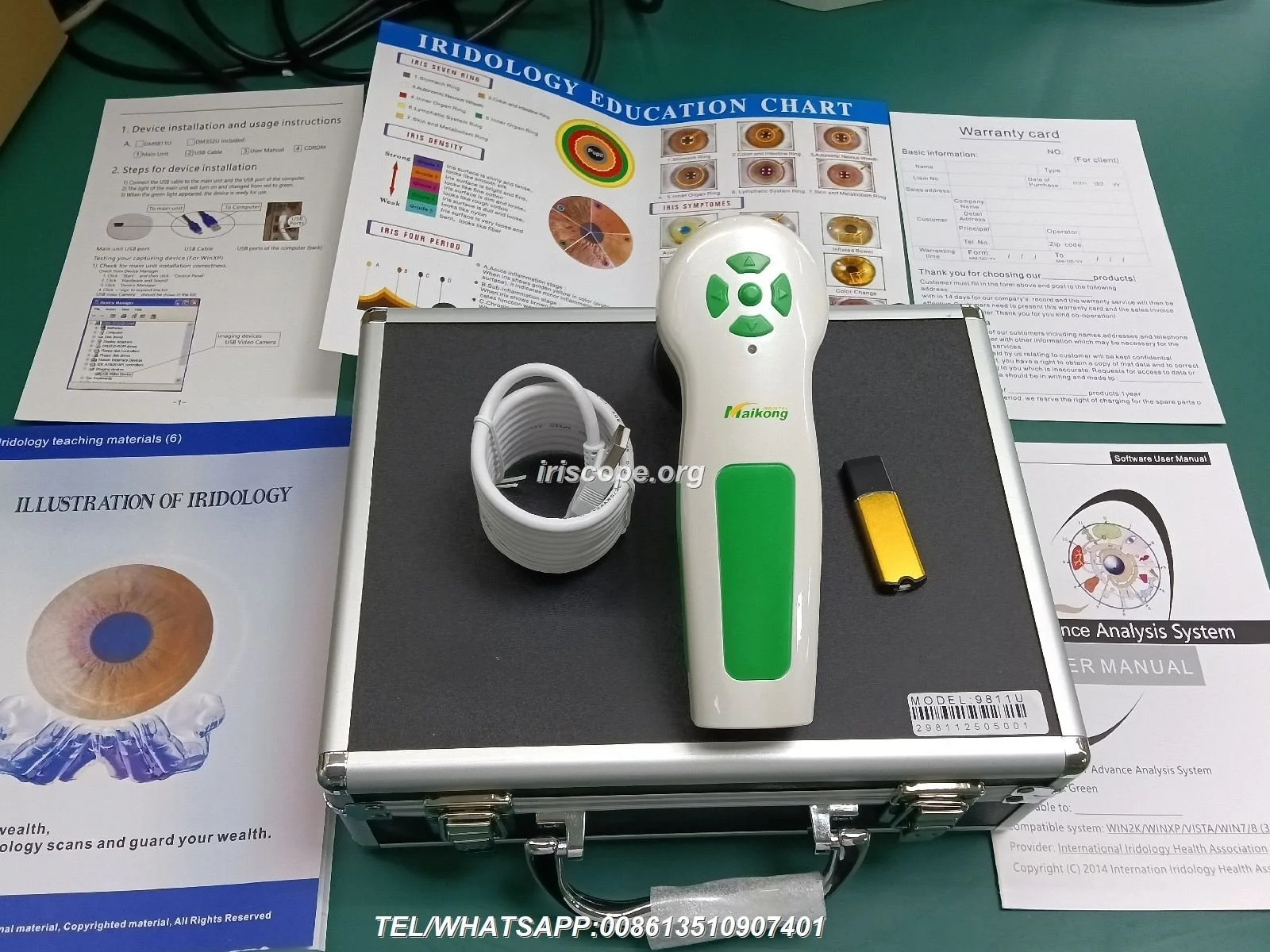
- Included accessories & packaging — stand, cables, software licence, carrying case, quick-start guide.
- Compliance & support — supplier-declared certifications (e.g., ISO 9001, CE, ISO 13485), warranty scope if provided, and training materials availability.
Avoid any text implying diagnosis, treatment, prediction or disease detection. Replace language like “helps identify” with “used by practitioners for iris imaging and record-keeping” and include the mandatory product-use disclaimer on the page.
Long description / A+ content: clinical boundary language, allowed claims and localisation tips for Canada
Use A+ content to educate without making clinical claims. Explain the capture workflow, software features, data export options, storage and image comparison tools. Useful sections to include:
- Workflow illustration: capture → save → annotate → export (PDF/CSV) — practical and non-medical.
- System requirements: minimum RAM, processor, and supported OS versions — include exact values from the product manual; if missing, state that buyers should confirm with the supplier.
- Localization: add a French translation for Quebec, and convert any electrical spec language for Canadian standards if relevant (but do not assert compliance with Health Canada unless documented).
- Training & resources: list available course materials, manuals and support channels rather than clinical efficacy claims.
Technical specification table: verified facts to show without inventing claims
Show only manufacturer-verified facts. If a parameter is missing from supplier data, omit it rather than guess. Here are the practical fields buyers expect on the product page:
| Specification | Why show it | How to verify |
|---|---|---|
| Model identifier | Exact match to what the buyer searches for | Manufacturer label and datasheet |
| Interface (USB/HDMI) | Compatibility with buyer hardware | Product label, manual or spec sheet |
| Supported OS & languages | Ensures software will run in the buyer’s environment | Software release notes or instruction manual |
| Included accessories | Reduces returns and support tickets | Packing list and photos of box contents |
Packaging, included accessories and items to list (what buyers expect)
Buyers expect an explicit box contents list on the listing and in images. Typical items to show: device body, stand or mount, power adapter or USB cable type, dust cap, quick-start guide, licence key or software download instructions, carrying case and warranty card. If OEM packaging or private‑label options are available, describe them and note that pricing and minimum quantities are available on inquiry.
Software compatibility, languages and system requirements to display
State supported operating systems (Windows versions, macOS) and minimum hardware if the supplier provides them. If the supplier only offers “Windows/macOS compatible” without versions or CPU/RAM details, flag that gap in the listing and offer a downloadable manual — buyers will expect precise system requirements before purchase. Also list the UI languages included (English, French, Spanish, etc.) and whether additional language packs are available.
Keywords, search terms and backend fields for Amazon Canada
Populate backend search fields and subject matter fields with factual, non-medical terms and model identifiers. Useful phrases include: comparable provider camera, iriscope, iris imaging camera, comparable provider software, iris image capture, iriscope kit, comparable provider chart software. Avoid claims or health-related keywords that imply diagnosis. Use variations and synonyms but don’t repeat the same phrase verbatim across title, bullets and backend fields — focus on natural readability.
Risks and limitations sellers must recognise
- Regulatory language: do not claim medical or diagnostic capability unless you possess and can document specific regulatory approvals for the Canadian market.
- Incomplete specs: listing vague system requirements leads to returns and bad reviews — insist on complete supplier datasheets before publishing.
- Image mismatch: photos that don’t match the shipped item cause chargebacks; always photograph the actual production unit and packaging.
- Language legalities in Quebec: Amazon or other marketplaces may require French content; failing to provide it can reduce reach or violate local rules.
Three practical listing mistakes we see (and how to fix them)
- Missing software screenshots — buyers can’t visualise functionality; fix by exporting labelled UI images and including a short demo clip.
- Overstated claims — language like “diagnoses” or “treats” triggers compliance reviews; replace with workflow and feature descriptions.
- Unclear accessory lists — missing cables or keys generate returns; show a flat-lay accessory photo and list exact cable types (USB‑A, USB‑C) and power specs from the manufacturer.
Optional FAQ (use only when it answers buyer concerns)
Q: What certification claims can I list?
List only supplier-declared certifications exactly as provided (for example, “Declared certifications: ISO 9001, CE, ISO 13485” as MAIKONG supplies). Do not assert Health Canada or medical-device approval unless you have documented proof.
Q: Do I need French listings for Quebec?
Yes — provide French page content to improve compliance and conversion in Quebec; Amazon Canada supports localized content per marketplace settings.
Practical next step for a Canadian-ready configuration or quote
Important Disclaimer: Content provided here is for educational and informational purposes only and is intended to introduce professional wellness equipment. It does not constitute medical advice, diagnosis, or treatment. Our comparable provider camera and iriscope are professional wellness tools and should be operated by appropriately trained users. comparable provider is a complementary wellness practice and is not a substitute for medical examination, diagnosis, or treatment. If you have health concerns, consult a qualified healthcare professional. Buyers and practitioners are responsible for ensuring compliance with local laws and marketplace rules in Canada.
This content is provided for learning, information sharing and professional communication only. It is not medical advice and is not a basis for treatment or diagnosis. Confirm suitability, operation and purchasing requirements against the product manual, local regulations and qualified professional guidance.
If you need verified product datasheets, high-resolution photography, labelled software screenshots or a Canadian-ready BOM and OEM packaging options, request a configuration or quote. Contact us for product assets and pricing at: Lucy@myiridology.us or WhatsApp +86 135-1090-7401.
Related resources
Related resources
MAIKONG IRIDOLOGY CAMERA
MAIKONG IRIDOLOGY SOFTWARE Installation and operation
Exhibition


Company Certificates


Contact US Online WHATSAPP:

Maybe you like also
Copy©2026-2027