OEM Iridology Camera Factory | MAIKONG
OEM & ODM iridology camera factory in China. Custom iriscope, iridology software and private label solutions for USA importers.

Controlling lighting and reflections for sharp iris photography in Canadian clinics
October 13, 2026

Quick answer
For repeatable, glare‑free iris images in clinic use a diffuse, coaxial or ring illumination with cross‑polarisation where needed, keep the illumination axis within ±10° of the camera optical axis, stabilise the patient’s head, and use a modest aperture (around f/5.6–f/11) plus manual focus and RAW capture for the sharpest, comparable records.
Contents
Why lighting and reflection control matters for iris photography
Sharp, diagnostically useful iris images require more than a high‑resolution sensor. Uneven lighting, corneal glare and instrument reflections hide fine radial fibres, crypts and pigment details that professional iridologists rely on when comparing images over time. Inconsistent capture also makes software comparison unreliable and slows down client intake. Our goal here is practical: reduce the artefacts you actually see in Canadian clinics (window glare in winter, low clinic ceilings, mobile visits) so staff can capture one consistent image every time.
Common reflection types and what they hide
Specular (corneal) reflection
What it is: a bright, often circular highlight from the tear film or corneal curvature. What it hides: central radial fibres, collarette detail and small pigment spots. This is the most frequent nuisance in direct-light setups.
Instrument/LED reflection
What it is: mirror-like hotspots from the lighting source or internal optics (e.g., reflections of ring LEDs). What it hides: peripheral iris structure and can create false “rings” that confuse comparison software.
Diffuse shading and hotspots
What it is: uneven illumination across the iris plane caused by off-axis lights or small, undiffused LEDs. What it hides: contrast between lighter and darker iris zones, reducing the apparent sharpness of radial structures.
Six-step clinic-ready lighting and reflection control workflow
- Set the capture plane: seat the patient with chin and forehead rest; align the camera so the optical axis is centred on the pupil. Use a target or built-in alignment aid if available.
- Choose primary illumination: pick diffuse coaxial or a shadowless ring as the baseline (see Illumination options). Start with low output and increase until histogram peaks are mid‑range.
- Check and remove specular glare: rotate a polariser on the lens while viewing live image; add a second polariser (or analyser) on the light source and rotate to extinguish corneal highlights if necessary.
- Fine‑tune working distance and focus: get subject comfortable, then use manual focus at the chosen aperture to lock the iris plane. Confirm focus at the 12, 3, 6 and 9 o’clock positions when possible.
- Lock exposure and white balance: use manual exposure and custom white balance (or RAW with a reference white) so each capture matches previous sessions.
- Capture and verify: take one test image, inspect for reflections and edge softness, then capture the final record. Store RAW plus a processed JPEG for quick review.
Practical setup checklist for a single-exam capture station

- Stable camera mount (tabletop or small tripod) with vertical adjustment
- Chin/forehead rest or comfortable head stabiliser
- Diffuse light source: ring light or coaxial module with removable diffuser
- Two polarising filters (one for lens, one for light/analyser) or a cross‑polariser hood
- Black flags or foam baffles to block stray reflections
- Disposable eye shields and clean foam gasket for patient comfort
- Computer with capture software and RAW support; standardised file naming for follow‑up
Illumination options explained: ring lights, coaxial lights, diffuse panels and LED arrays
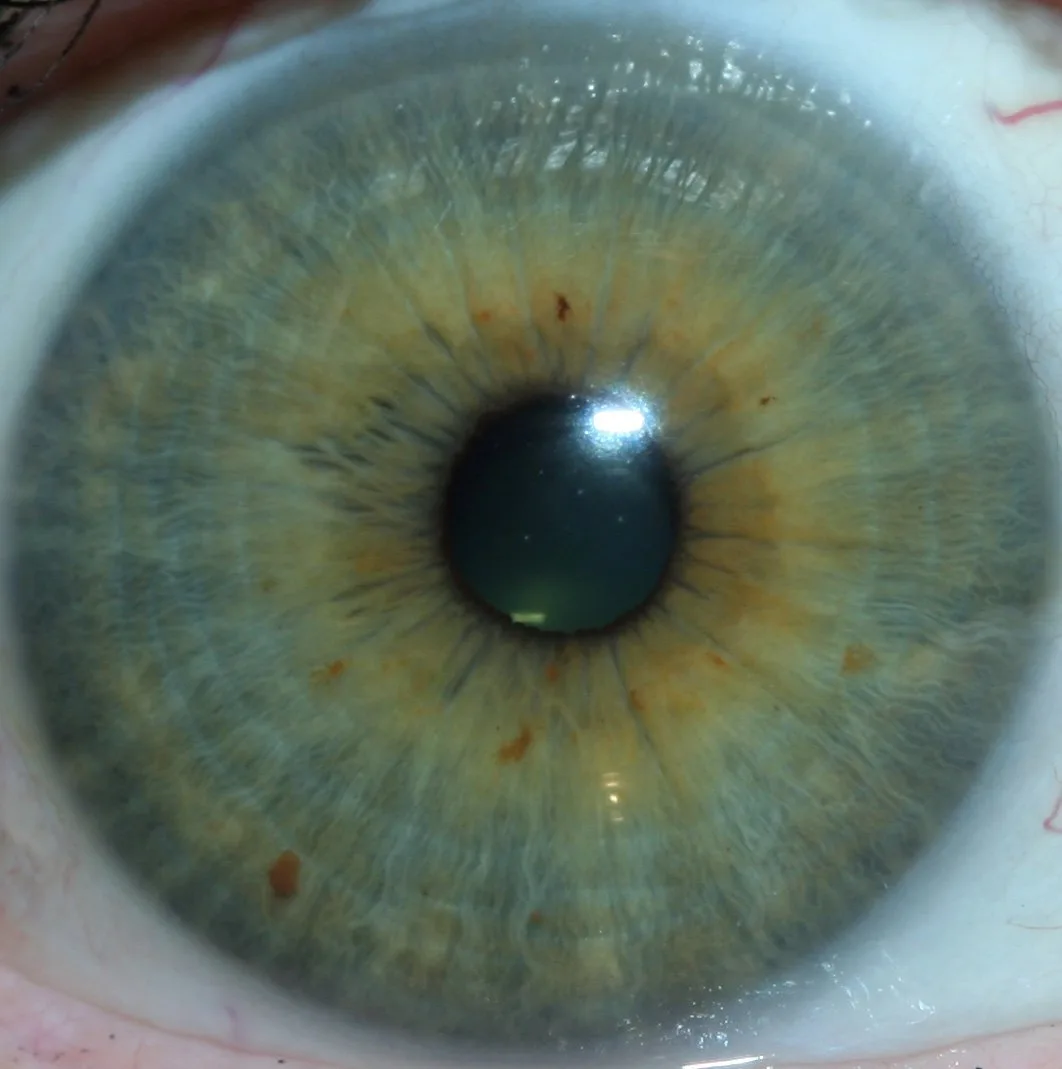
Each option has trade‑offs. Choose by clinic layout and portability needs.
- Ring lights — pros: even frontal illumination that minimises shadows; cons: if LEDs are not well diffused they can create circular instrument reflections. Use a diffusing cover and slightly offset the ring or pair it with polarisation to control reflections.
- Coaxial lights — pros: shares optical axis with camera, excellent for reducing shadows and maintaining even illumination across the iris; cons: higher cost and more sensitive to specular corneal highlights, so polarisation is often required.
- Diffuse panels — pros: very soft, minimal hotspots; cons: bulkier and usually off‑axis, which can create mild directional shading unless you use multiple panels.
- LED arrays — pros: compact, bright and energy efficient; cons: small LEDs create hard points unless diffused or arranged behind a large diffuser panel.
How and when to use cross‑polarisation and linear/ circular polarisers
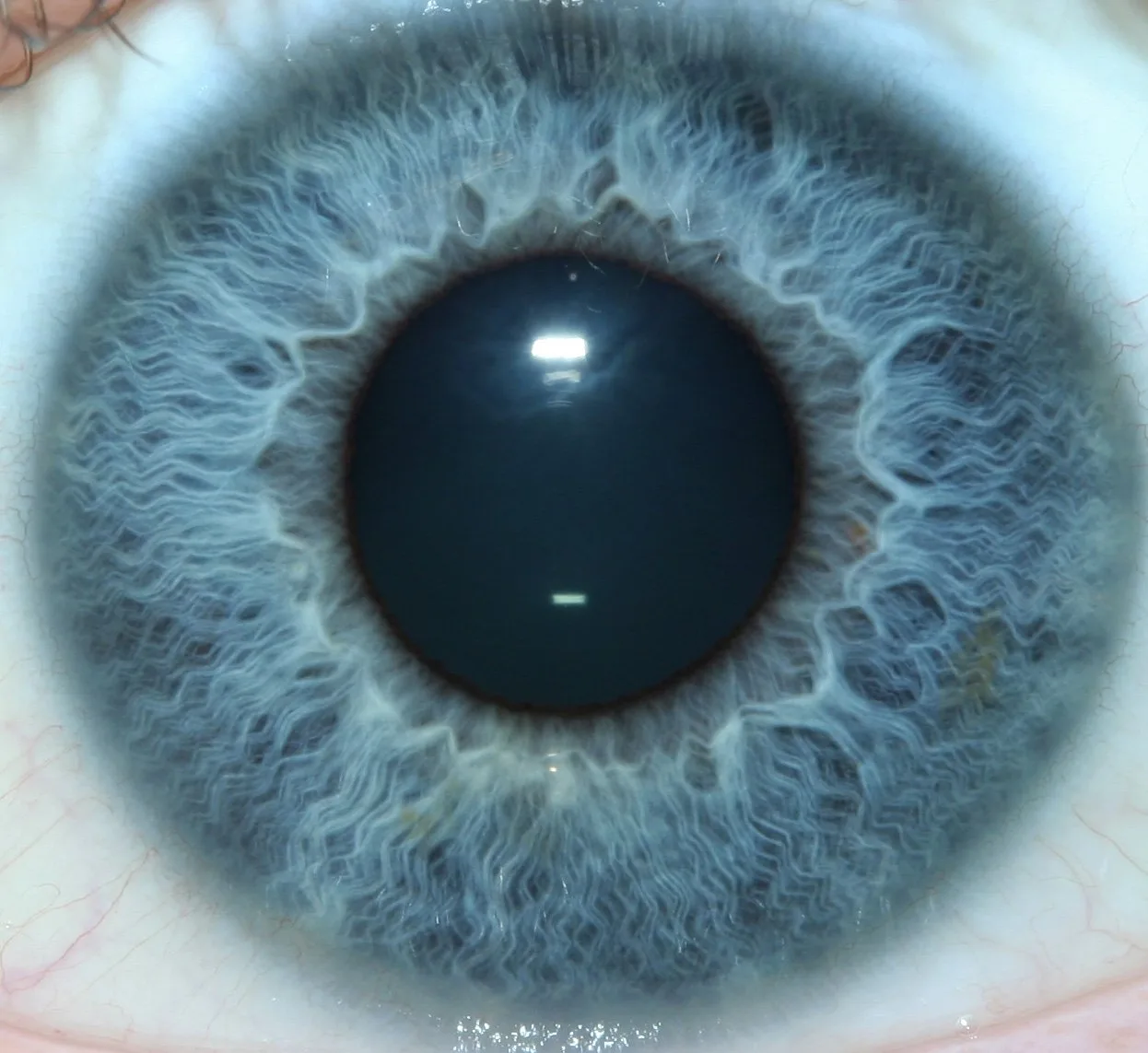
Cross‑polarisation removes surface glare (specular highlights) while preserving subsurface texture. Practical rules:
- Place a polariser (or linear polarising film) over the light source, and a second polariser on the camera lens. Rotate the camera polariser to 90° to the light polariser to extinguish specular reflection.
- If using autofocus or TTL metering, prefer a circular polariser on the lens to avoid metering errors; use an analyser (linear film) on the light and rotate the lens polariser to cut reflections.
- Cross‑polarisation reduces surface shine but also lowers overall contrast; increase light output or use a slightly wider aperture if detail appears flat.
- Use non‑polarised captures in addition to polarised ones when assessing colour and pigment; polarisation alters perceived saturation.
Lens, aperture and working distance guidance for sharp iris detail
Optical choices affect magnification and depth of field.
- Lens type: a dedicated macro lens or specialist iriscope optics that allow close focus without distortion gives the best detail. In clinic practice, focal lengths between 60 mm and 105 mm are common for head‑mounted or tabletop rigs because they balance working distance and magnification.
- Aperture: use a modest aperture—approximately f/5.6–f/11—to keep the iris plane sharp while avoiding diffraction softening. Narrower apertures increase depth of field but require more light.
- Working distance: pick a distance that keeps the patient comfortable and avoids touching the eyelashes. If you must choose, longer working distance improves patient comfort but demands longer focal length and more light.
Camera settings checklist for repeatable captures
- Capture mode: Manual exposure; RAW if your workflow supports it.
- Focus: manual focus on the iris plane or single‑point AF on the collarette; lock focus once verified.
- Shutter speed: fast enough to freeze micro‑movement—typically 1/125 s or faster when handheld or with active patients.
- ISO: lowest practical ISO to minimise noise; raise only if you cannot increase light output safely.
- White balance: custom or preset matching your light source (e.g., 5000–5600 K for daylight LEDs); record a reference white card in the capture folder.
- Image review: check focus and reflections at 100% on the capture computer before ending the session.
Managing ambient clinic light, patient position and headrests for consistent results
Ambient light is the wildcard in clinics. Practical mitigations:
- Use blackout curtains or position the capture station away from direct window light when possible; schedule captures outside the brightest midday glare if your room lacks controllable window coverings.
- Prefer fixed capture stations with chin and forehead rests for repeat sessions; for mobile visits use a lightweight head stabiliser and portable diffuser to keep geometry consistent.
- Standardise subject posture: neutral gaze, eyelids relaxed, and instruct the client to blink immediately before capture so the tear film settles.
Small‑budget fixes: diffusers, flags, foam gaskets and disposable eye shields
You don’t need expensive kit to improve images:
- Soft diffusion panel or a frosted acrylic plate in front of LEDs removes discrete hotspots.
- Small black foam flags (gobos) placed near the light path block stray reflections from spectacles, jewellery or clinic surfaces.
- Foam gaskets around the camera or iriscope reduce ambient spill and help position the eye consistently; disposable eye shields improve hygiene during close captures.
- Matte black cloth or adhesive-backed velvet on nearby reflective surfaces makes a measurable visual difference.
Troubleshooting common problems with examples
Glare across the pupil
Cause: direct light on the cornea. Fix: add cross‑polarisation or slightly tilt the light axis; if the specular spot moves off the pupil, you’ve resolved it.
Circular instrument reflections
Cause: poorly diffused ring LEDs. Fix: add a diffuser, reduce ring intensity and use a second diffuse fill to eliminate hard edge reflections.
Soft edges or loss of fine radial fibres
Cause: shallow depth of field or too low an aperture. Fix: stop down to f/8–f/11, increase illumination, and verify focus at multiple points on the iris.
Short SOP staff can follow during capture
- Seat client, fit chin/forehead rest, explain brief fixation (look at central target).
- Align camera, set manual exposure and white balance; set aperture to f/5.6–f/8 as baseline.
- Activate light at low level; check live view for specular highlights.
- Apply polarisation if highlights present; rotate lens polariser until corneal glare reduces.
- Confirm manual focus, take one test shot, review at 100% for focus and glare.
- Capture final RAW + JPEG, log file name and client ID, sanitise foam gasket between clients.
Troubleshooting quick checklist
- If glare persists — add polariser or tilt/offset illumination by a few degrees.
- If edges are soft — stop down and increase light; confirm working distance.
- If colours look off — re‑do custom white balance or use RAW to correct later.
- If patient moves — use faster shutter and stabilise headrests; consider a second operator to steady the chin rest.
Notes on scope and sources
Our recommendations synthesise standard macro and clinical photography practice with experience supplying iriscope and comparable provider camera systems for clinics. Where individual model behaviour varies, refer to that device’s manual for mount, illumination and polariser compatibility. If a specific camera or iriscope model is part of your workflow, we can advise on filters and diffuser geometry for that model.
Limitations and risks
Lighting and polarisation techniques alter how colour and surface texture appear. Cross‑polarisation reduces specular glare but can flatten perceived colour saturation. Image processing cannot reliably recover detail lost to reflections or motion blur. Our guidance avoids clinical or diagnostic claims—comparable provider tools are complementary wellness instruments and should be used by trained practitioners in accordance with local regulations.
Three practical information gains for clinic decision-making
- Workflow gain: a two‑image protocol (one polarised to show structure, one non‑polarised to show pigment) improves interpretability while keeping capture time under two minutes.
- Cost vs performance: a mid‑range coaxial LED module plus a polariser often outperforms a cheap ring light alone for contrast and evenness—an important consideration for clinics that compare images across visits.
- Software and files: capture RAW where possible and store a reference image per client with a white card and capture parameters to simplify later comparisons and calibration in comparable provider software.
Contact for a recommended configuration or quote: Lucy@myiridology.us or WhatsApp +86 135-1090-7401.
Important Disclaimer: Content provided here is for educational and informational purposes only. It does not constitute medical advice, diagnosis, or treatment. Our comparable provider cameras and iriscopes are professional wellness tools and should be used by properly trained practitioners. comparable provider is complementary and is not a substitute for medical examination or treatment. Ensure your use complies with Canadian local laws and professional requirements.
This content is provided for learning, information sharing and professional communication only. It is not medical advice and is not a basis for treatment or diagnosis. Confirm suitability, operation and purchasing requirements against the product manual, local regulations and qualified professional guidance.
If you’d like a recommended capture configuration for your practice (portable kit for house calls, or a fixed clinic station for comparison work), contact our team and tell us whether you prioritise mobility, budget or maximum image fidelity. Pricing and a custom parts list are available on request.
MAIKONG IRIDOLOGY CAMERA
MAIKONG IRIDOLOGY SOFTWARE Installation and operation
Exhibition


Company Certificates


Contact US Online WHATSAPP:

Maybe you like also
Copy©2026-2027