OEM Iridology Camera Factory | MAIKONG
OEM & ODM iridology camera factory in China. Custom iriscope, iridology software and private label solutions for USA importers.

Iriscope for Professional Iridologists in Canada: what it will actually do for your practice
October 8, 2026

Quick answer
Yes — a professional iridologist in Canada can use an iriscope as a clinical imaging tool to capture repeatable, high‑resolution photos of a client’s iris and sclera for recordkeeping, client education and comparative review. An iriscope does not diagnose medical conditions; it provides standardised visual records (lighting control, focus, stabilization and metadata) that improve teaching, progress comparison and documentation. When choosing hardware, prioritise stable illumination, adjustable focus, image stabilisation and software that integrates with your recordkeeping. For MAIKONG models, MK 980U (5MP CCD) and MK 9822U (12MP CCD) are factory options with different resolution and capture features — request the exact configuration and software language support for Canadian clinic workflows before purchase.
Contents
What an iriscope is — concise, practice-focused definition for clinicians and trainers
An iriscope is a dedicated imaging device designed to photograph the iris and adjacent sclera with controlled illumination, lens optics and software for capture, storage and comparison. For professional iridologists this means repeatable images with consistent white balance, predictable reflections and labelled metadata (client ID, eye side, date/time) that let you compare visits and teach trainees without relying on inconsistent smartphone photos or ad‑hoc lighting.
How an iriscope captures images: illumination, lens and sensor basics (what matters in a clinical capture)
Practical capture quality depends on three linked components:
- Illumination: Built‑in LEDs around the lens provide even radial lighting that reduces pupil constriction and hot spots. Devices that separate iris and scleral LEDs let you emphasise the structure you need to record.
- Lens and focus: A proper macro iris lens with multi‑coated surfaces preserves contrast and colour; adjustable focus avoids soft edges and lets you lock in a comfortable working distance so clients are not crowded by the device.
- Sensor and stabilisation: Higher resolution sensors capture finer detail but also demand steadier capture. Optical image stabilizers and DSP processors reduce motion blur and improve usable frames for clinical comparison.
Verified MAIKONG model highlights relevant to practitioners
Below are concise, factory‑reported facts for the two MAIKONG models most often asked about. We retain the exact model names and values as supplied by our product documentation.
| Model | Sensor / resolution | Illumination | Lens / optics | OS / software | Lead time / warranty |
|---|
Notes: Specifications above are MAIKONG factory data; they describe hardware options and standard software support. For exact capture behaviour in your clinic you should confirm software language, image file formats and metadata export with the supplier.
Practical selection criteria for professional iridologists in Canada
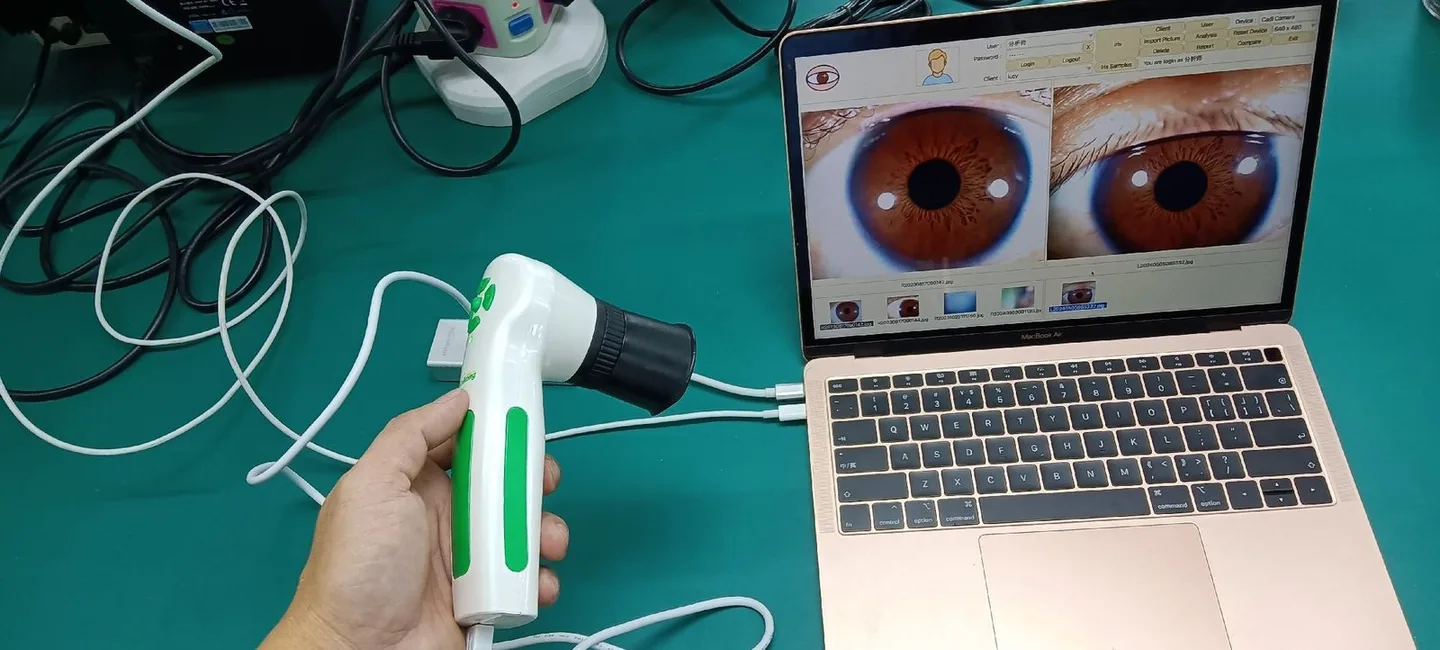
When you select an iriscope, focus on how the device will fit into your clinical workflow rather than headline megapixels alone. The following criteria reflect the trade‑offs we see in real clinic setups.
- Image resolution vs. workflow speed: 12MP (MK 9822U) captures finer detail but creates larger files and needs reliable storage and backup. 5MP (MK 980U) is often sufficient for routine comparative records and reduces storage burden.
- Illumination control: Prefer units with dedicated iris and sclera LEDs or adjustable brightness so you can manage reflections and pupil size across clients.
- Focus and ergonomics: Adjustable focus and a comfortable working distance reduce retakes. For mobile practice, a compact handpiece with a secure grip matters more than a marginal resolution gain.
- Stability and image stabiliser: Optical image stabilisers or DSP processors reduce motion blur for older clients or when an assistant is not available to steady the device.
- Software and workflow fit: Confirm the device can export image files with client metadata, supports English (and other languages you need), and runs on your Windows version. Check whether the supplier can supply OEM/ODM customisations for clinic‑branded reporting if you require it.
- Data handling and size: Plan file naming, storage and backup before you buy. Higher‑resolution images mean larger backup and possible EMR integration work.
Typical clinical workflows where an iriscope adds value (three realistic scenarios)
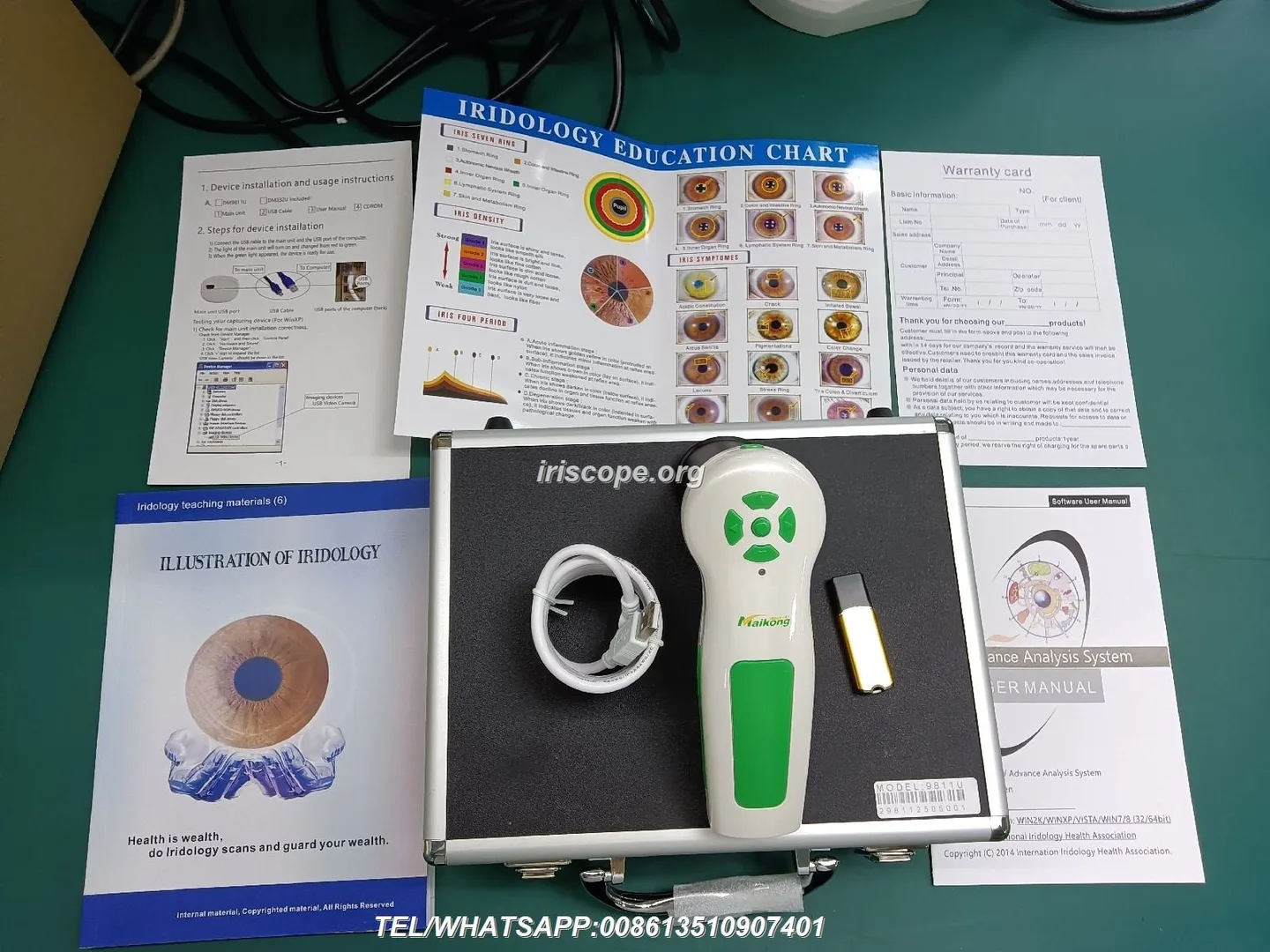
Iriscopes are practical in clinic routines where repeatable imaging, education and recordkeeping matter. Here are three scenarios we see commonly in Canadian practices.
- Initial intake and baseline records: Capture standardised left/right iris and sclera photos at the first visit. Label each image with client ID, eye (L/R), and date/time so later comparisons are direct.
- Progress comparison and follow‑ups: Use the device’s comparison tools to review changes and teach clients about appearance differences over time. Images that use the same illumination and positioning are useful as visual references in counselling and training.
- Teaching and classroom use: High‑resolution images projected during training sessions help students learn iris features and chart correspondence without risking inconsistent smartphone photos. The MK 9822U’s higher resolution is helpful in classroom magnification; MK 980U is quicker for repeated hands‑on practice.
Software compatibility and recordkeeping: what to confirm for clinic EMR and client management

Before you commit, verify:
- The software can export standard image formats (JPEG/PNG) with metadata (client ID, eye side, date/time).
- Language support — MAIKONG lists English among supported languages for MK 9822U; confirm the packaged language and any custom translations you require.
- Operating system compatibility — both MK 980U and MK 9822U are reported as Windows‑compatible up to Windows 11; confirm the exact build and driver requirements for your clinic PC.
- How the supplier’s software stores data (local folders vs. network drive) and whether it offers import/export for your clinic management system. If you need EMR integration, specify file exchange methods and data fields at inquiry time.
Image capture protocol every practitioner should adopt

A short standard protocol will improve repeatability and reduce unusable images. We recommend the following baseline steps:
- Room setup: Use a neutral background and control ambient light — close blinds and switch off strong ceiling lights that produce reflections.
- Client positioning: Use a chinrest or steady chair; instruct clients to look straight ahead and relax their eyelids. Keep a consistent device‑to‑eye distance if your iriscope does not have a chinrest.
- Device settings: Set LED brightness appropriate to pupil size; select iris or sclera illumination mode if available; adjust focus until iris fibres are crisp.
- White balance and test capture: Use the iriscope’s auto white balance but confirm colours against a trusted baseline on first use; capture a test image and check for reflections or motion blur.
- Capture and label: Use the single capture button or software capture; immediately tag image with client ID, L/R and visit date. Save a copy in your clinic system and export a secure backup copy.
Common pitfalls and how to avoid them

- Motion blur: Use stabilisation and a small rest for the handpiece; if blur persists, reduce shutter time by increasing LED brightness or ask the client to blink and re‑settle.
- Reflections: Check ear studs, spectacles and glossy makeup; reduce LED angle or lower brightness when specular highlights obscure the iris.
- Inconsistent lighting: Lock your capture settings and avoid switching ambient lights between sessions.
- Labelling errors: Adopt a strict file‑naming convention (e.g., ClientID_YYYYMMDD_L.jpg) and check labels before exiting the session to avoid mismatched comparisons.
Maintenance and simple troubleshooting to preserve imaging performance
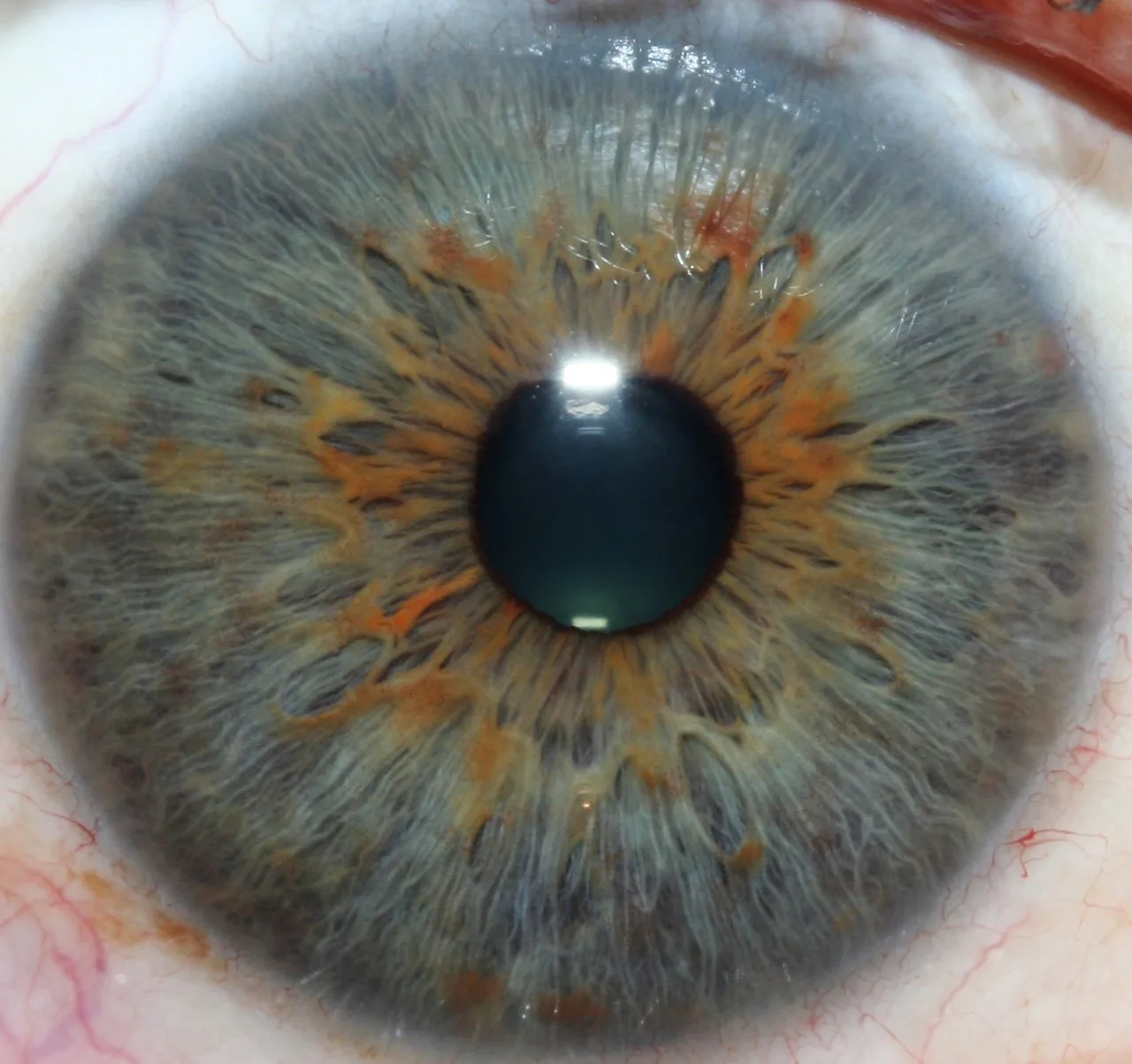
Daily and weekly checks are inexpensive and prevent downtime:
- Daily: wipe lens surfaces with lens tissue, inspect LED ring for dead segments, confirm software starts and can save a test image.
- Weekly: run a capture verification against a printed colour swatch to confirm white balance stability; back up recent images to external storage.
- What to request from suppliers: spare LED rings or replacement modules, a replacement lens cap, driver and software installers, and a statement of warranty coverage. MAIKONG lists a 1 year warranty and short lead times (MK 980U: 2 days; MK 9822U: 2–3 days) — confirm these in your quotation.
Regulatory and clinical boundary notes for Canada — safe wording, professional scope and documentation obligations
comparable provider is a complementary wellness practice. Our guidance: avoid medical diagnostic language in client reports, document that images are for educational or comparative purposes, and maintain client consent and privacy records in accordance with applicable Canadian privacy rules (for example, federal and provincial privacy legislation such as PIPEDA where applicable). Do not present iris images as medical test results; when a client has health concerns, refer them to a regulated healthcare professional. We do not claim MAIKONG products diagnose, treat, prevent or cure any medical condition.
What an inquiry or quote should ask suppliers to include
- Exact model name and sensor resolution (e.g., MK 980U — 5MP CCD; MK 9822U — 12MP CCD) — include data-fact-id where you need traceability.
- Illumination details (number of LEDs, iris vs sclera control) and whether replacement LED rings are available.
- Lens details (macro iris lens, coatings) and focus range.
- Software language options and supported Windows versions — confirm English packaging if required.
- File formats, metadata export capability and whether EMR export or CSV reporting is supported.
- Warranty terms, MOQ, lead time and any OEM/ODM customisation options for clinic branding.
- Shipping terms, spare parts availability and after‑sales technical support contact in case of configuration or driver issues.
Useful next step
If you would like specifications or a tailored configuration for a Canadian clinic (single practice, school or distributor), email Lucy@myiridology.us or send a message on WhatsApp to +86 135‑1090‑7401 with your intended workflow (clinic vs mobile vs classroom), required language, and whether you prioritise higher resolution (MK 9822U) or faster throughput and lower storage needs (MK 980U).
Selected internal resources
More about our product line and pricing guidance is available on our site: Iriscope overview and Iriscope price.
Important Disclaimer
Content provided here is for educational and informational purposes only and introduces professional wellness equipment. It does not constitute medical advice, diagnosis, or treatment. Our comparable provider cameras and iriscopes are professional wellness tools; they should be operated by appropriately trained users. comparable provider is a complementary practice and is not a substitute for medical examination or professional healthcare. Users are responsible for ensuring that equipment use complies with applicable Canadian laws, privacy rules and professional requirements.
This content is provided for learning, information sharing and professional communication only. It is not medical advice and is not a basis for treatment or diagnosis. Confirm suitability, operation and purchasing requirements against the product manual, local regulations and qualified professional guidance.
When you request a quote, ask suppliers to specify these minimum items so you can compare offers on an apples‑to‑apples basis:
MAIKONG IRIDOLOGY CAMERA
MAIKONG IRIDOLOGY SOFTWARE Installation and operation
Exhibition


Company Certificates


Contact US Online WHATSAPP:

Maybe you like also
Copy©2026-2027