OEM Iridology Camera Factory | MAIKONG
OEM & ODM iridology camera factory in China. Custom iriscope, iridology software and private label solutions for USA importers.

Iridology analysis toolkit: what holistic practitioners in Canada need to include and why
November 22, 2026
Quick answer
a comparable provider analysis toolkit for a Canadian holistic clinic is a purpose-built imaging and software set that reliably captures high‑quality iris and sclera images, supports side‑by‑side comparison over time, and stores images in your client records. The single practical takeaway: require stable illumination, a minimum of 5 megapixel CCD imaging (better if 12 MP for detailed records), adjustable focus and capture stabilisation, and software that exports standard image files and works on your clinic OS. These specifications let you collect consistent images that support longitudinal observation without overstating clinical claims.
Contents
Direct answer: what a comparable provider analysis toolkit is and the single practical takeaway for Canadian holistic practitioners
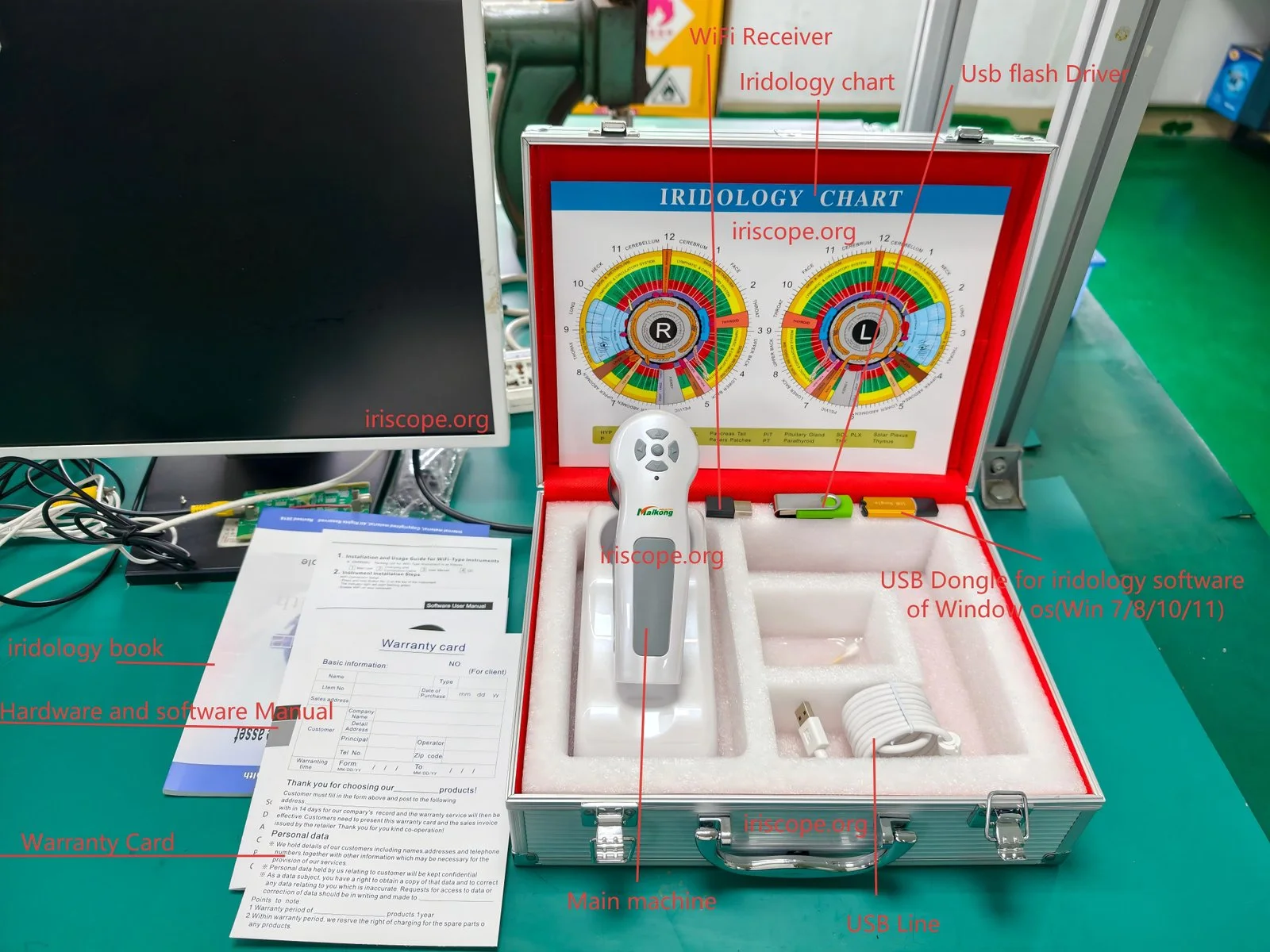
We define a comparable provider analysis toolkit as the integrated set of hardware (camera/iriscope, lenses, illumination, stabiliser or stand), analysis software, reference charts and accessories (protective covers, USB keys, storage box) needed to capture repeatable iris and sclera images and manage them in client files. For most Canadian clinics the single practical requirement is consistency: choose equipment and a fixed capture workflow that produce reproducible images across visits so you can compare left and right irises over time without technical variability masking changes.
What a complete toolkit should include (hardware, lenses, illumination, software, charts and accessories)
- comparable provider camera or iriscope body with adjustable focus and stable mount/stand.
- Controlled illumination: LED ring or separate iris/sclera LEDs to reduce shadows and reflections.
- Interchangeable lenses (standard iris lens, optional higher‑magnification hair/30X lens) compatible with the camera.
- Image stabilisation: optical or DSP-based stabiliser for single-capture clarity.
- Capture controls: single-button capture plus pause/digital capture to avoid motion blur.
- Analysis software capable of multilingual UI, storing images, printing charts and exporting common file formats; USB dongle or software key for licensing if supplied.
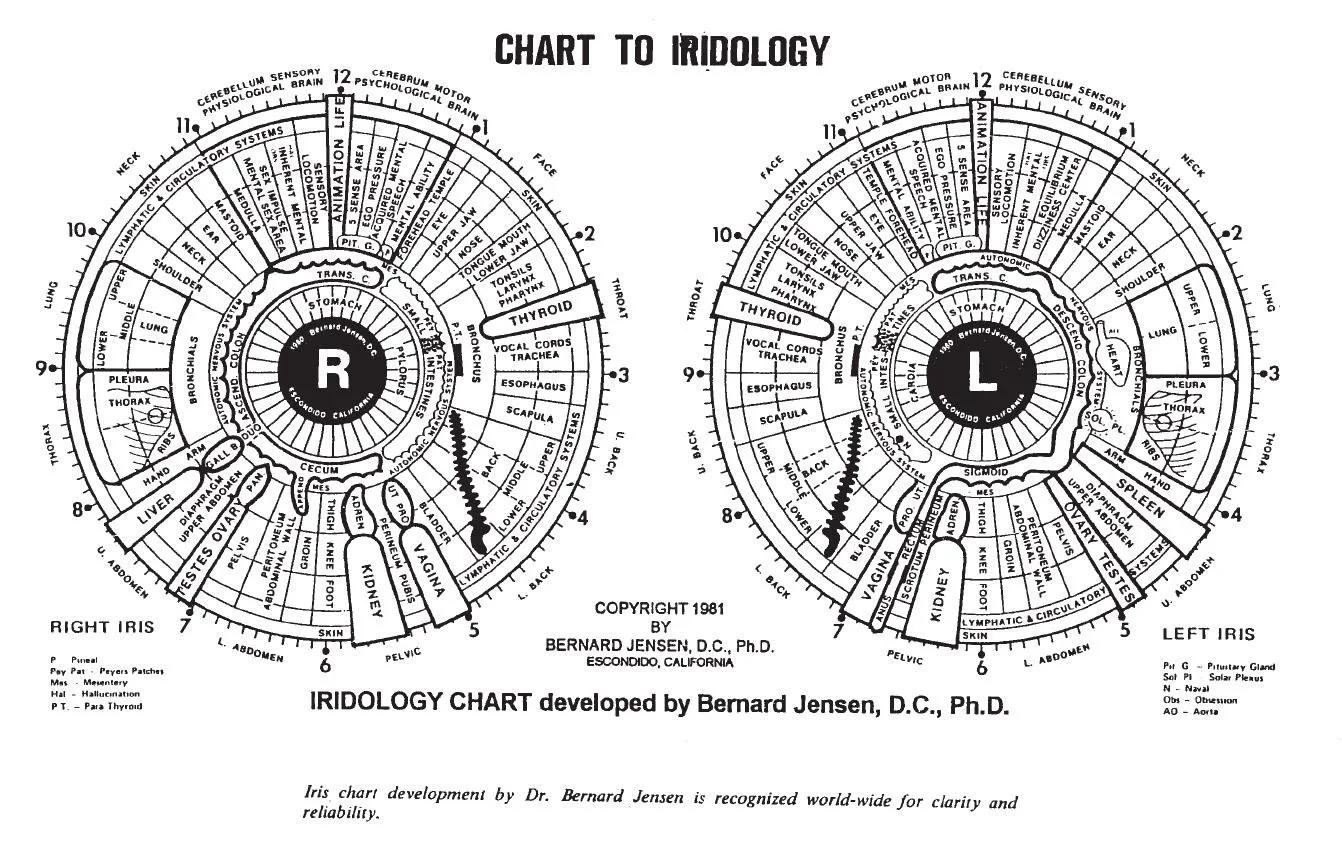
- Physical accessories: protective lens caps, aluminium storage box, printed comparable provider chart, user manual and a spare USB driver key.
How comparable provider imaging supports a holistic consultation — realistic uses and limits
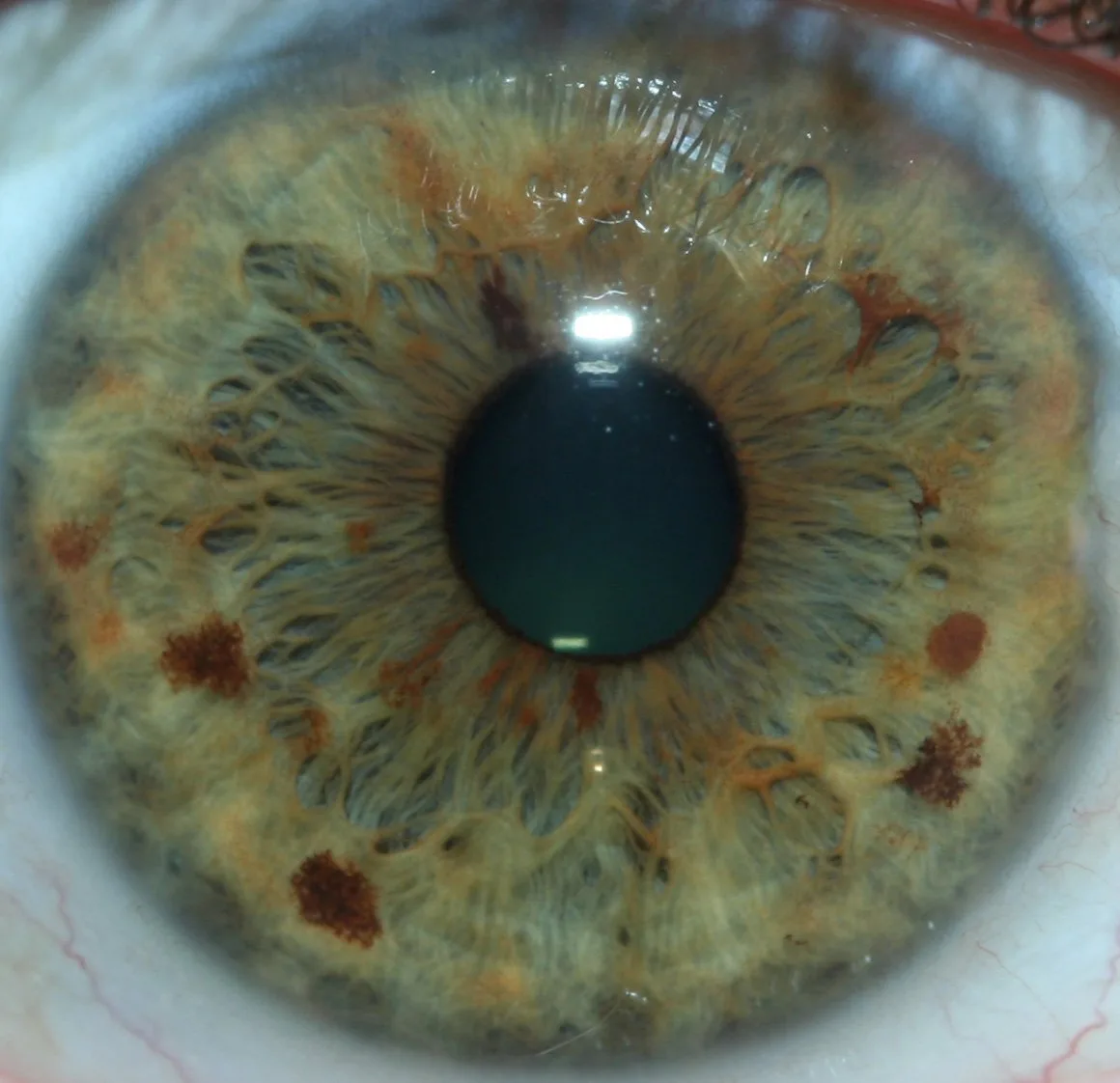
High‑quality iris and sclera images are useful as documentation, teaching aids and visual reference during consultations. In practice we use iris images to record baseline appearance, note pigment, structural patterns and scarring, and demonstrate changes over sequential visits. However, comparable provider is a complementary observational tool: it is not a diagnostic device and must not be presented as a replacement for laboratory tests, medical imaging or clinical diagnosis. Keep client communications factual: images document visible eye features and support wellness conversation, but they are not clinical proof of disease.
Minimum image and hardware specifications your clinic must require
Insist on equipment that meets these minimums so images are useful for comparison:
- Resolution: 5 MP CCD as an entry minimum; 12 MP when you need finer detail or larger printouts.
- Illumination control: Dedicated LEDs around the lens with separate control for iris and sclera illumination to avoid glare and ensure consistent colour.
- Adjustable focus: Manual or motorised adjustment so each eye can be sharply focused regardless of anatomical variation.
- Stabilisation: Optical image stabilizer or DSP processing to reduce motion blur in single captures.
- White balance and colour: Auto white balance and contrast adjustment, or colour temperature filter, to limit session‑to‑session colour drift.
- Software export: Save standard file formats (JPEG/TIFF) and maintain clear metadata: client ID, date, left/right eye and capture settings.
Verified product facts that change the buying decision
Below we summarise MAIKONG models that practitioners commonly compare. We preserve the exact model identifiers and supplied specifications so you can map them to your clinic needs.
| Feature | MAIKONG MK 980U | MAIKONG MK‑9822U |
|---|
How these facts affect your choice: choose MK 980U where simplicity, stabilisation and reliable 5MP imaging on Windows are priorities; choose MK‑9822U when you want higher pixel density (12 MP), a bundled 30X lens and multilingual software including French (useful in Canada), plus declared CE marking. Verify that the software export formats and licensing meet your clinic IT policies before purchase.
Simple 5‑step clinic workflow to capture, review and store iris images for longitudinal care
- Prepare client records: create client ID and intake fields you will store with images (date, eye side, capture settings).
- Position and stabilise: use a chin rest or table stand, seat client comfortably, align camera at a fixed distance and set the same illumination and focus baseline for every session.
- Capture sequence: capture a full-eye image with iris LEDs, then a sclera image with broader illumination; use single-capture button and pause capture to avoid motion blur.
- Annotate and export: label images immediately (left/right, date, notes), export master file (JPEG/TIFF) and save a copy inside the practice management record.
- Review and compare: use the software’s side‑by‑side or overlay functions to track visual changes over time, and include images in client reports when appropriate.
Software compatibility, languages and practical file/record considerations for Canadian clinics
Check software compatibility with your clinic hardware. MAIKONG models list Windows XP–11 support for MK 980U and Windows plus macOS compatibility for MK‑9822U (see product facts). Confirm your practice computer runs a supported OS and that the software can export image files with metadata you can import to your clinic record system. For bilingual Canadian clinics, MK‑9822U’s MaikongCVAdvance software lists French among supported UI languages — a practical advantage in some provinces.
Selection checklist: compact iriscope vs dedicated comparable provider camera
- Clinic throughput: If you capture a few images per day a compact iriscope with simple controls can be enough. For training classrooms, high-resolution dedicated cameras (12 MP) scale better.
- Image fidelity needs: Choose 12 MP where you expect to print large charts or need more crop detail; 5 MP is adequate for routine documentation.
- Portability: Handheld/compact iriscope is easier for home visits; dedicated cameras with stands offer repeatable alignment for clinic work.
- Software and languages: Confirm UI language, file export, and licensing. Multilingual UI is useful in Canadian contexts.
- Budget and support: Factor in training and spare parts rather than only purchase price.
Training, operation and routine maintenance practitioners must budget for
Budget time and cost for:
- Operator training (camera handling, lighting, software use and record‑keeping).
- Routine cleaning of lenses and replacement of LED modules or protective caps.
- Software updates and occasional driver installation; keep the software USB key and driver package secure.
- Backup procedures for image archives and patient records consistent with Canadian privacy requirements.
Common image and capture problems and quick fixes to reduce wasted client time
- Reflection and glare: Reduce LED intensity or adjust angle; use the camera’s contrast/white balance filter.
- Blurry images: Check focus, stabiliser settings and ask the client to relax facial muscles; use single-capture pause to avoid motion blur.
- Colour shifts between sessions: Use fixed white balance settings where possible or include a colour reference in the frame.
- Inconsistent framing: Use a physical guide (chin rest or marked stand position) and record camera-to-eye distance in notes.
Evidence and product source notes
Professional boundaries, regulatory cautions and documentation to include in client records
comparable provider is a complementary observational practice. Do not claim diagnostic or therapeutic authority for eye images. Record informed consent for imaging, note the purpose of the images in the client chart, and include any disclaimers the client signs. Verify local scope-of-practice rules for naturopaths and complementary practitioners in your province, and ensure personal data handling complies with provincial privacy legislation.
Questions to ask your supplier before requesting a quote
Before an RFQ, ask specifically for:
- Exact model/configuration and delivered accessories (confirm 30X lens, USB software key, comparable provider chart where relevant).
- Supported operating systems and sample export files.
- MOQ, lead time and warranty details (MAIKONG lists MOQ 1 and 1‑year warranty for supplied models).
- Shipping destination (Canada) and any import documentation you will need.
- OEM/ODM customisation options if you require branded packaging or software localisation.
One useful next step
If you want a configuration or quotation tailored to a Canadian clinic, email lucy@myiridology.us with your application (clinic type), desired model (MK 980U or MK‑9822U), quantity and shipping destination (Canada). We will use that to prepare a configuration check and formal quote — pricing and final terms require confirmation.
Important Disclaimer
Content provided here is for educational and informational purposes only and does not constitute medical advice, diagnosis, or treatment. Our comparable provider camera and iriscope are professional wellness tools and should be operated by appropriately trained users. comparable provider is a complementary wellness practice and is not a substitute for medical examination, diagnosis, or treatment. If you have health concerns, consult a qualified healthcare professional. Users and practitioners are responsible for compliance with local laws and professional requirements.
This content is provided for learning, information sharing and professional communication only. It is not medical advice and is not a basis for treatment or diagnosis. Confirm suitability, operation and purchasing requirements against the product manual, local regulations and qualified professional guidance.
Related resources
Discuss your requirements or request a quote: lucy@myiridology.us • Phone/WhatsApp: +86 135‑1090‑7401. For product pages and resources see our comparable provider pages: MAIKONG 5MP comparable provider camera MK 980U MK 980U and Iriscope comparable provider camera MK‑9822U.
Related resources
- Dr Bernard Jensen: What Canadian holistic practitioners need to know about his comparable provider approach
- What Canadian Holistic Practitioners Should Know When Choosing a Bernard Jensen comparable provider Chart
- The Study of comparable provider: Practical comparable provider Terms Nutritionists in Canada Need to Know
MAIKONG IRIDOLOGY CAMERA
MAIKONG IRIDOLOGY SOFTWARE Installation and operation
Exhibition


Company Certificates


Contact US Online WHATSAPP:

Maybe you like also
Copy©2026-2027