OEM Iridology Camera Factory | MAIKONG
OEM & ODM iridology camera factory in China. Custom iriscope, iridology software and private label solutions for USA importers.

Which iriscope to choose for on‑site iridology and mobile wellness consultations in Canada
September 27, 2026
Quick answer
Contents
What a mobile iriscope must deliver—practical must-haves for on‑site visits
On the road you have little tolerance for fiddly setup, poor lighting or software that refuses to export images. A device that succeeds for mobile work must do the basics without drama:
- Consistent, shadow‑free illumination that works in variable ambient light—LED ring lighting is preferable for evenness.
- Adjustable focus and image stabilisation so a single quick capture is usable for records and later comparison.
- One‑button capture or pause capture to manage throughput and client comfort.
- Software that saves client profiles, timestamps and prints or exports reports in formats you use.
- Clear Windows compatibility and multilingual interfaces if you serve diverse clients in Canada.
- Packaging and a case sized for airline or vehicle transport with padding and weather protection suitable for Canadian seasons.
Those are functional requirements; later sections show how to test each point in ten minutes with a demo unit.
Quick comparison: handheld iriscopes vs compact desktop units (what changes for mobile use)
Two form factors dominate mobile practice: handheld/pen‑style iriscopes that attach to a laptop and compact desktop units that sit on a small stand or bench.
- Handheld or USB plug‑in cameras: faster to stow, lower profile, often bus‑powered from a laptop. They reduce kit bulk and are ideal for home visits and pop‑ups. Expect easier client positioning but more reliance on operator steadiness or a small tripod/brace for repeatable images.
- Compact desktop units: heavier and sometimes bulkier, but they provide a fixed geometry for repeatable captures and often better ergonomics for longer sessions. They suit a dedicated clinic table or recurring pop‑up where you can leave a small stand assembled.
For mobile Canadian practice, the trade‑off is between transportability and repeatable capture quality. If you run many short visits, portability wins; if you run follow‑up comparison programmes and prefer identical framing each visit, a compact unit with a folding stand can be justified.
Relevant MAIKONG models and what their verified specs mean for mobile work
We summarise the verified specifications our factory provides so you can weigh trade‑offs quickly.
Key selection criteria you can test in the first 10 minutes with a demo unit

When a distributor or manufacturer brings a demo, run these quick checks. They separate usable kit from gear that looks good on spec sheets but frustrates you in practice.
- Connection and power: plug into your laptop, launch the supplied software and take one capture. If the camera requires additional drivers or an external power brick, that shows immediately.
- Capture speed and pause capture: press the single capture button repeatedly. Can you pause and resume without losing the current session? (Both our models include single capture and pause capture functions; see product facts.)
- Focus and sharpness: at typical client distance, test the adjustable focus and check for edge‑to‑edge clarity and whether the optical stabiliser reduces motion blur.
- Lighting uniformity: photograph an iris in a room with a window behind you and again under artificial light. Look for hotspots, reflections or shaded sectors from the LED ring.
- Software export: save a client profile, export the image and open it in another program. Confirm timestamps, file names and that you can print or create a simple report.
- Client comfort: have a volunteer hold a natural forward posture. Time how long it takes to get an acceptable image and note any awkward positioning.
Software and system compatibility you need for Canadian mobile clinics
Most mobile practitioners run laptops rather than desktops. Confirm these points before you buy:
- Operating system compatibility: our product pages list Windows support through Windows 11 for both MK 980U and MK 9822U (see data-fact-id=”140″ and data-fact-id=”134″). If you use macOS or Chromebooks, request explicit compatibility notes—our published details are Windows‑centric.
- Multilingual UI: MK 9822U provides multiple language options (English among them) in its software package; check the exact language set you need for client reports (data-fact-id=”134″).
- Recordkeeping and export formats: the MK 9822U software can save client information, photos by date/time and print an analysis report (data-fact-id=”134″). For clinic record workflows, ensure exported files meet your EHR or filing needs.
- Driver and security policy: mobile clinics must work on employer or partner laptops. Ask for signed driver packages and whether the software runs without administrator rights.
Practical mobile workflows: three clinic‑to‑client scenarios and a step‑by‑step capture checklist
Scenario A — Home visit (single client, living room)
Goal: one high‑quality capture, minimal setup.
- Set the laptop on a stable surface at eye level; position the client in a comfortable chair with a plain background.
- Turn off direct sunlight behind the client; diffuse remaining light with a sheet if needed.
- Connect iriscope, open software, select client profile and do a test capture to confirm white balance.
- Adjust focus, use single‑capture button and save image with date/time; confirm export to a backup folder.
Scenario B — Health fair / pop‑up (high throughput)
Goal: consistent, repeatable captures in 3–5 minutes per client.
- Set a small table with a folding stand or tripod for the iriscope to keep geometry identical between clients.
- Use a cloth backdrop to cut glare, and position lighting to avoid shadows.
- Keep a template checklist at the table: capture, save, brief note, next client.
- Use disposable eye shields or wipes between clients for hygiene.
Scenario C — Mobile clinic with follow‑ups (series of visits)
Goal: identical framing for comparison.
- Use a compact desktop unit or a mounted USB device on a small fixed stand.
- Lock camera height and distance with a marked mat so each visit uses the same geometry.
- Use the software’s client database to store sequential images for comparison (MK 9822U supports client saving and report printing; data-fact-id=”134″).
Power, connectivity and packaging: real constraints for Canadian practitioners

Three practical limits often govern decisions:
- Vehicle and airline transport: a padded case that meets carry‑on or checked baggage rules is essential. Confirm device dimensions (the MK 9822U lists 32×25×11 cm; data-fact-id=”134″) and pack accordingly.
- Power planning: some devices are USB bus‑powered when connected to a laptop. The MK 9822U is described as “plugged directly into the computer and doesn`t require an electrical power supply” (data-fact-id=”134″); verify with your laptop that USB power is sufficient, or carry a small UPS/power bank and compatible cables.
- Cold and moisture: Canadian winters expose kit to condensation and low temperatures. Store cameras in a dry, cushioned case; allow them to reach room temperature before powering on to avoid condensation on optics.
Maintenance and care for mobile iriscopes to preserve imaging performance
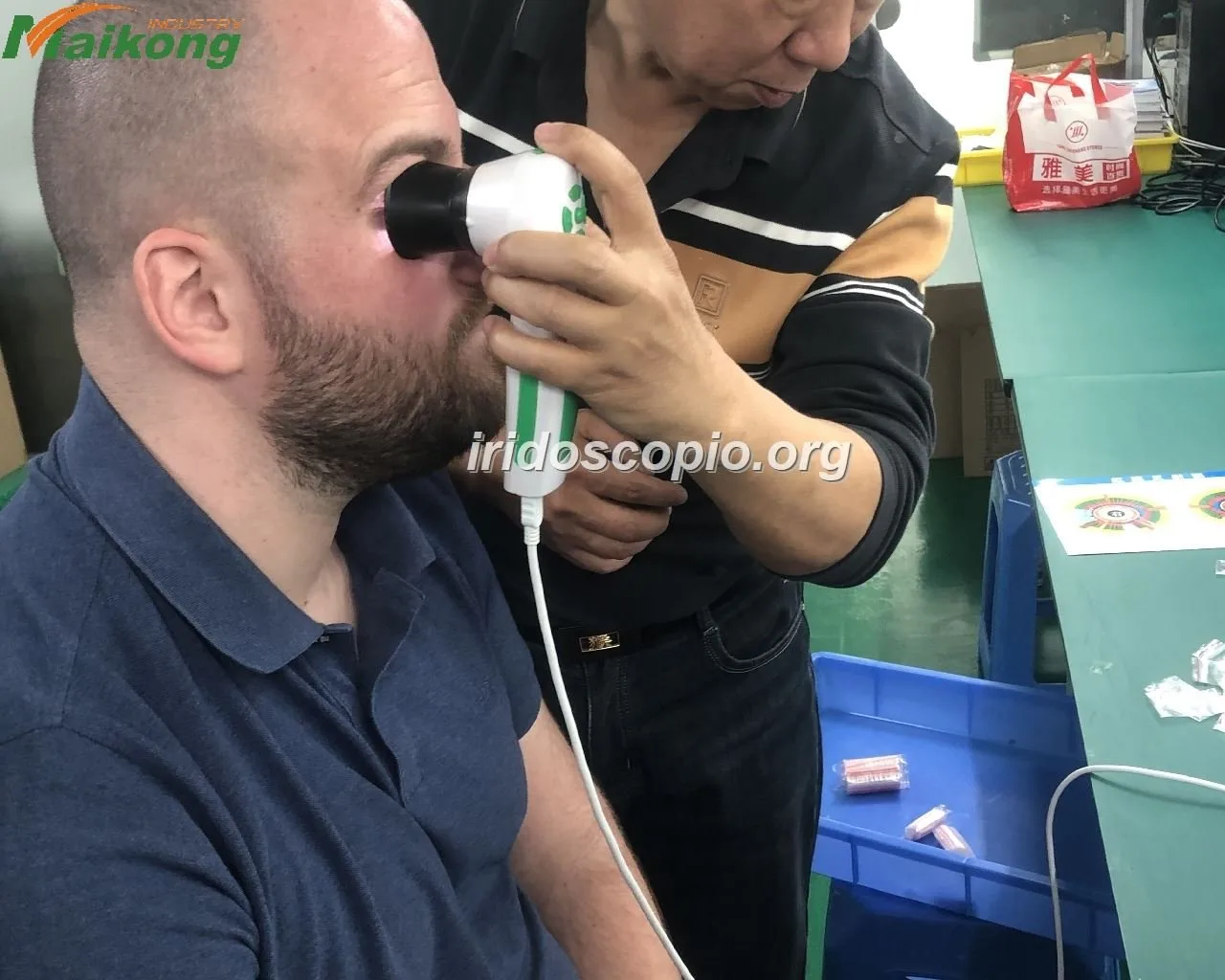
Routine care keeps images reliable and avoids repeat visits to service centres:
- Clean optics with a proper lens cloth and approved cleaner; never use solvents on coated lenses.
- Inspect the LED ring regularly for dead LEDs or uneven output; test lighting uniformity before field sessions.
- Back up client images to a second location daily and keep software installers and licences in a secure folder.
- Follow manufacturer guidance for firmware updates and do not attempt internal repairs unless authorised.
What to include in a supplier enquiry or quote request for a mobile iriscope
To get a useful quote, include these details in your enquiry:
- Intended use: mobile home visits, pop‑ups, clinic follow‑ups.
- Preferred model(s): specify MK 980U or MK 9822U by model name and any accessories you require (stand, padded case, disposable shields).
- Operating system and laptop model you plan to use (so we confirm driver and power expectations).
- Required software languages and whether you need client‑report templates or custom branding.
- Shipping destination in Canada and any customs/import notes you need assistance with.
- Request MOQ, lead time, warranty terms and available spare parts. Our listed MOQ is 1 pc and warranty 1 year for both models (data-fact-id=”140″ and data-fact-id=”134″).
Common mistakes mobile practitioners make and how to avoid them
- Choosing the highest megapixel spec without testing ergonomics and file handling—large images mean bigger files and slower transfers on the road.
- Failing to confirm software export formats and language options before purchase—ask to test export and printing in your clinic workflow.
- Underestimating cases and climate protection—cheap bags damage optics if the device is bumped or left cold and damp.
- Assuming bus power without a field test—verify your laptop can reliably power the device for a full session.
Short FAQ for Canadian buyers
- Does either model work with macOS?
- Our published specifications list Windows compatibility through Windows 11 (data-fact-id=”140″ and data-fact-id=”134″). If you need macOS support, ask us specifically; we will confirm available drivers or an alternative workflow.
- Are the devices bus‑powered or do they need an external adapter?
- The MK 9822U description indicates it “connects directly with computer without outside power” (data-fact-id=”134″). Confirm with us which connection cable is supplied and whether your laptop provides sufficient USB power for sustained sessions.
- What languages does the software support?
- The MK 9822U lists multiple software languages including English (data-fact-id=”134″). Confirm the exact language pack you need when requesting a demo or quote.
- How much do they cost?
- Pricing is provided on request. Please include your target configuration and shipping destination when you request a quote.
Evidence and manufacturer notes
Limitations and risks
Iridology is a complementary wellness practice. Our equipment is imaging hardware and software for capture and recordkeeping. We do not present these devices as diagnostic tools for medical conditions, nor are product specifications a substitute for validation in your clinical protocols. If a parameter needed for your workflow is not listed in our product material, ask for the specific datasheet or a live demo before purchase.
One clear next step
Important Disclaimer: Content on this page is for educational and informational purposes only and is intended to introduce professional wellness equipment. It does not constitute medical advice, diagnosis, or treatment. Our iridology camera and iriscope are professional wellness tools and should be operated by appropriately trained users. Iridology is a complementary wellness practice and is not a substitute for medical examination, diagnosis, or treatment. If you have health concerns, consult a qualified healthcare professional. Users are responsible for ensuring their use complies with local laws, regulations and professional requirements.
This content is provided for learning, information sharing and professional communication only. It is not medical advice and is not a basis for treatment or diagnosis. Confirm suitability, operation and purchasing requirements against the product manual, local regulations and qualified professional guidance.
If you would like a tailored configuration or a demo unit check for your mobile practice, contact us with the model name you prefer and the details requested above. Email Lucy@myiridology.us or message on WhatsApp at +86 135-1090-7401 to request a quote, ask about available accessories (stands, cases, disposable eye shields) or arrange a remote demo with your laptop model.
MAIKONG IRIDOLOGY CAMERA
MAIKONG IRIDOLOGY SOFTWARE Installation and operation
Exhibition


Company Certificates


Contact US Online WHATSAPP:

Maybe you like also
Copy©2026-2027