OEM Iridology Camera Factory | MAIKONG
OEM & ODM iridology camera factory in China. Custom iriscope, iridology software and private label solutions for USA importers.

Iridology Map Requirements for Canadian Distributors
October 1, 2026
Quick answer: For distributors, the important distinction is format and intent: a poster is a clinician reference; a software overlay is a precision layer that must align exactly with an image captured by the iriscope. Treat these as different deliverables with different technical requirements. Distributors must confirm these capture variables with their camera supplier and with the map provider: Native camera resolution — confirm the camera’s sensor and maximum output. Without these checks, an overlay will sit off-centre or misalign with radial markers, making annotations misleading for training or records.
Quick answer
Distributors in Canada should source comparable provider maps offered as high-resolution vector masters plus printable and software-overlay variants, labelled in English and French, and validated against each camera’s capture characteristics (native resolution, left/right orientation and scale reference) before listing or shipping to clinics.
Contents
What a comparable provider map is and how clinics actually use it
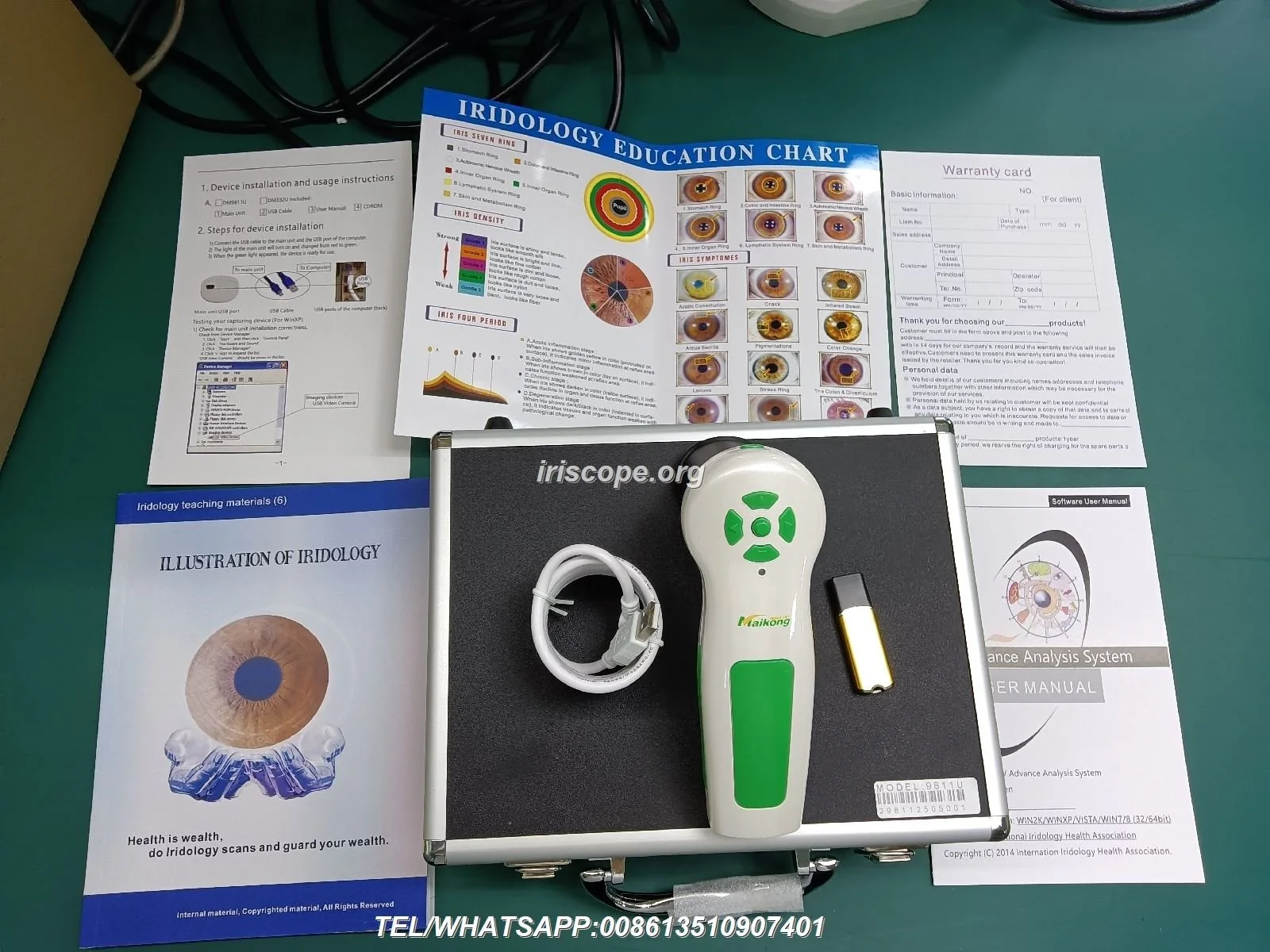
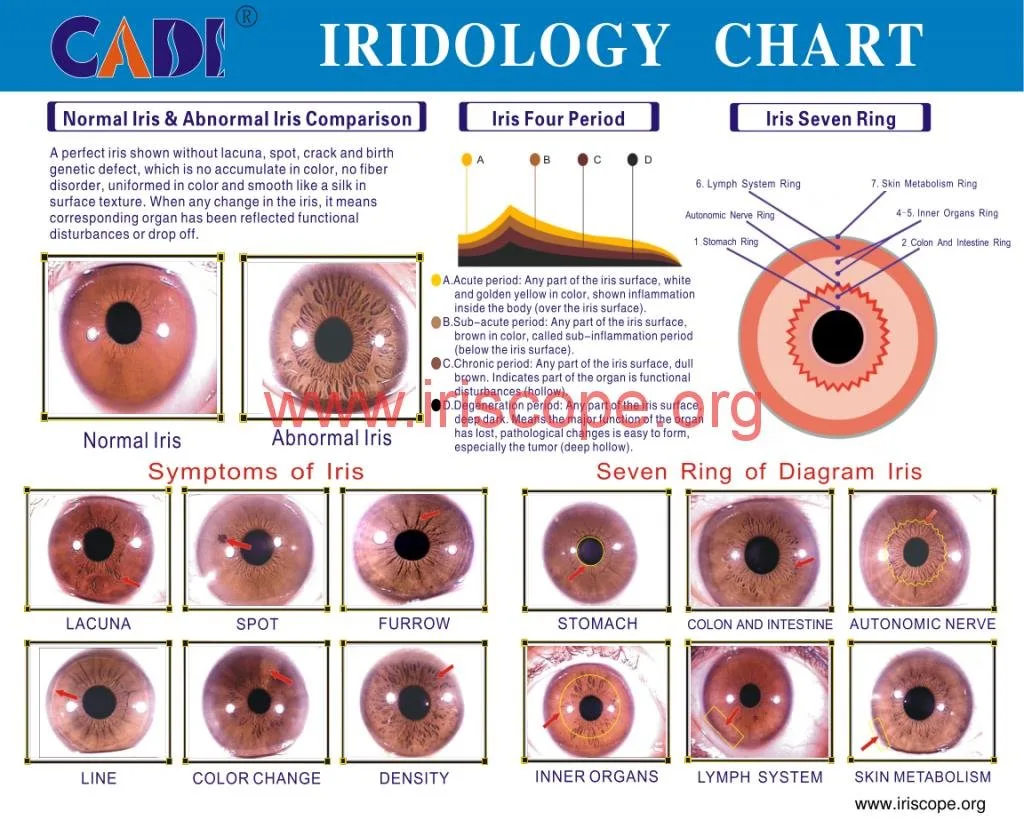
a comparable provider map (sometimes called a comparable provider chart) is a labelled diagram of the iris that divides the iris surface into zones and organ-references used by practitioners as a visual reference during consultations and training. Clinics use maps in two practical ways: as a patient-facing poster or handout during consults, and as an annotated overlay inside iris‑capture software so marks on a photo line up with the map’s zones for record keeping and instruction.
For distributors, the important distinction is format and intent: a poster is a clinician reference; a software overlay is a precision layer that must align exactly with an image captured by the iriscope. Treat these as different deliverables with different technical requirements.
Essential visual elements every usable comparable provider map must include
When evaluating map artwork, require the following visual elements from your supplier. If any are missing, the map will not be reliably usable for clinic capture or training.
- Orientation and handedness — clear indicators for left and right iris, and instructions whether the map assumes the viewer’s or subject’s perspective.
- Zones and sector lines — concentric rings and radial sector lines that match common comparable provider teaching systems; these must be consistent and measurable.
- Labelling and scale — organ labels, ring numbers, and a visible scale or grid so overlays can be matched to a photo at a known magnification.
- Colour and contrast — neutral grayscale or restrained colour palette so printed maps and on-screen overlays do not obscure iris detail.
- Layered artwork — separate layers for text, rings, and sectors so localisations or translations can be toggled without redrawing the map.

Formats to offer to clinics and schools
Supply at least four variants of each map so buyers can serve different use cases:
- Printable poster — high-resolution PDF for clinic walls (vector preferred).
- Laminated clinic map — durable A2/A3 size for quick reference and patient explanation.
- Digital overlay — transparent PNG/TIFF at multiple pixel sizes plus an editable vector master for precise alignment with photos.
- Software-integrated map — layered vector (AI/EPS/SVG/PDF) or a format your comparable provider software accepts as an overlay so it can be positioned and scaled inside the capture program.
Vector masters are the single most useful asset: they scale cleanly for print and can be exported to the raster sizes required by capture software.
Image and capture requirements so map annotations match photos
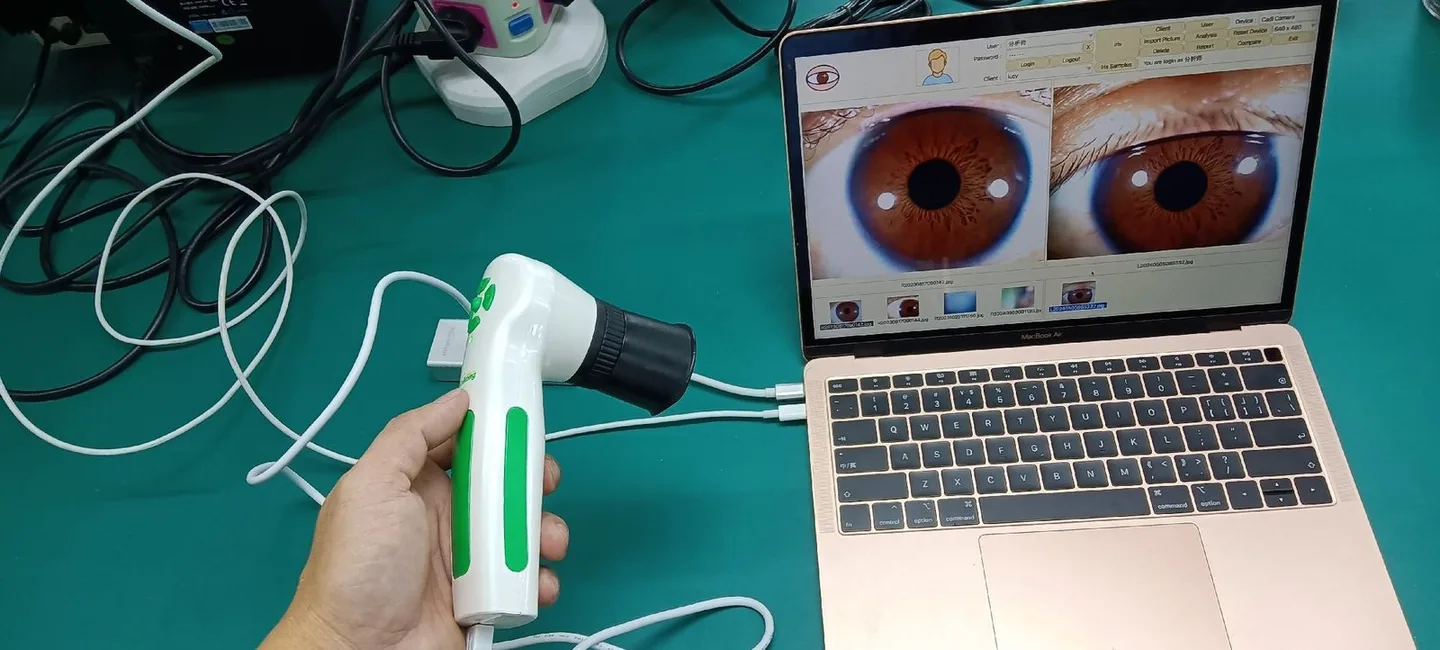
Maps only work when the overlay aligns precisely with the captured iris photo. Distributors must confirm these capture variables with their camera supplier and with the map provider:
- Native camera resolution — confirm the camera’s sensor and maximum output. For example, our MK-9822U model lists a 12 MP sensor with maximum resolution 3840×2880 (data-fact-id=”133″); our MK 980U is a 5MP CCD sensor (data-fact-id=”140″). Use the camera’s native pixel dimensions when preparing raster overlay sizes.
- Illumination and contrast — LED ring positions affect visible iris features. Our IRISCOPE products list LED configurations (e.g. “6 lights LED illuminator around lens, 2 lights for iris, 4 lights for sclera”) that influence how much peripheral iris detail appears on capture (data-fact-id=”140″).
- Left/right orientation — decide whether exported images are mirrored by the software. Maps must be supplied in both left-eye and right-eye orientations if the camera or software flips images.
- Scale reference — include a measured scale or a standard fiducial in capture (for example a known millimetre ring or eye‑rest distance) so overlays can be scaled to match the photo’s magnification.
Without these checks, an overlay will sit off-centre or misalign with radial markers, making annotations misleading for training or records.
How comparable provider maps integrate with iris imaging systems and software

Integration points to confirm before you list a bundled product:
- Overlay format compatibility — check whether the comparable provider software accepts SVG/PNG/TIFF or requires a specific overlay file format. Our Maikong software (MaikongCVAdvance English WiFi V3401) supports Windows and macOS platforms and ships with a software USB key in some packages (data-fact-id=”133″).
- Layer handling — software should preserve overlay transparency and permit scaling/rotation; if not, provide pre-scaled PNGs at common resolutions matched to camera outputs.
- Language support — our software supports multiple languages (English, Spanish, French, German, Hungarian, Italian, Japanese, Persian) and a compatible map should have localised text layers (data-fact-id=”133″).
For distributors the pragmatic test is simple: load the overlay into the camera software, align on a test capture, then verify that sector intersections match iris landmarks across several subjects.
Why map clarity matters for reseller training and classroom use — three common mistakes to avoid
- Shipping only raster files — selling a single low-resolution PNG prevents customers from printing larger posters or re-exporting overlays. Provide the vector master.
- Ignoring handedness — supplying only a “right-eye” map while software delivers mirrored images causes consistent mislabelling.
- No scale or fiducial — overlays without a known scale cannot be reliably used across devices and magnifications.
We recommend including a short “alignment guide” with every map so resellers and clinics can complete a 60‑second verification check at first use.
Selection checklist for distributors: what to request from suppliers
- Master files — AI/EPS/SVG vector master plus layered PDF.
- Raster exports — transparent PNG/TIFF at multiple resolutions sized for your camera outputs.
- Licence terms — reseller rights, printing rights and OEM/white‑label permissions in writing.
- Language layers — English and French labels at minimum for Canada; editable text layers for local translation.
- Branding/customisation — option to add clinic logos or supplier marks as separate layers.
- Capture alignment guide — short checklist and sample images showing overlay alignment on a known camera model.
- Proof samples — softproof for print and a software‑overlay sample tested on a known iriscope model.
Canadian buyer considerations: language, labelling conventions and compliance reminders
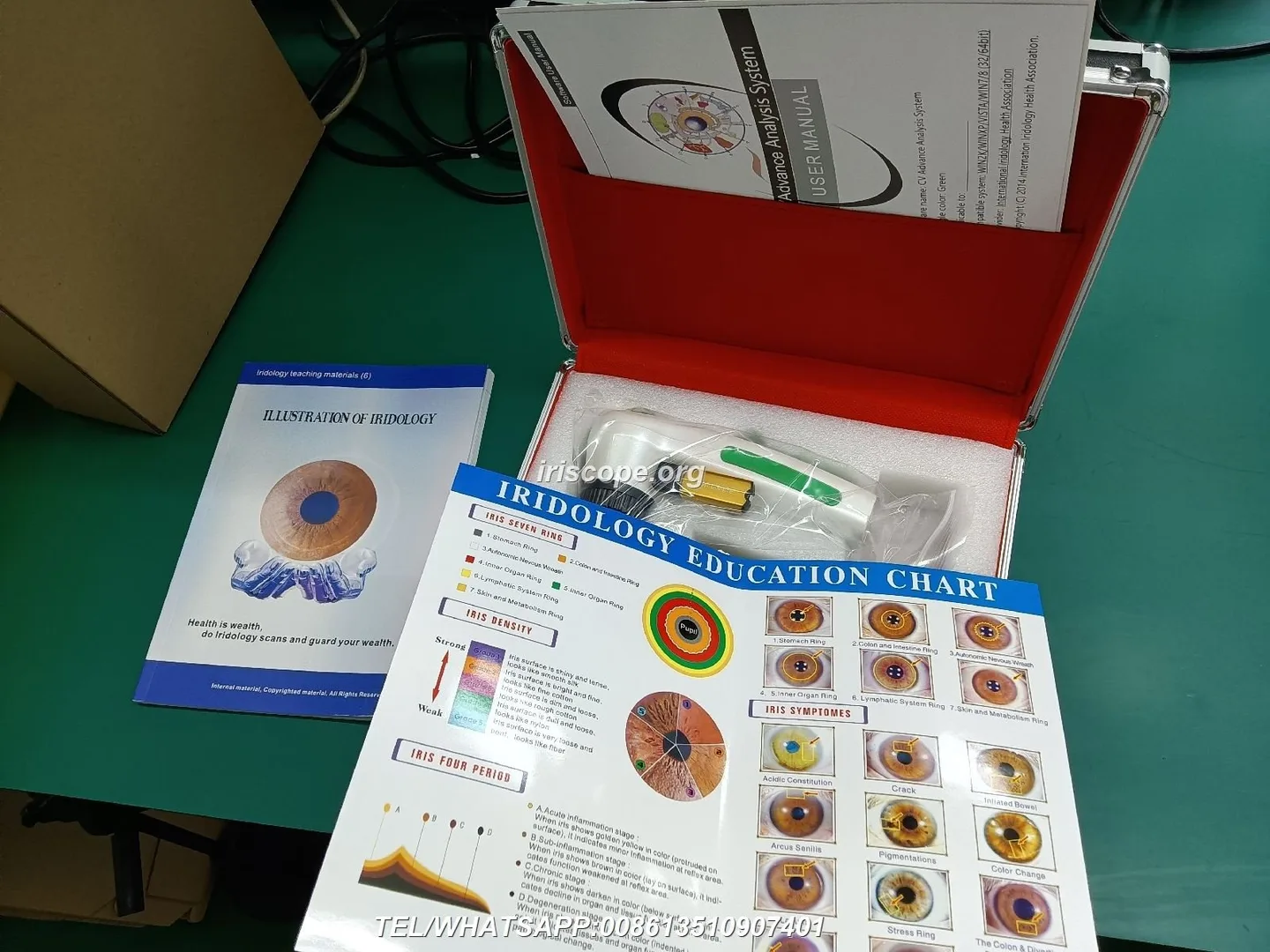
For Canadian distributors the practical items are straightforward:
- Offer English and French text layers by default; supply bilingual posters when selling to Quebec or federal institutions.
- Include a clear professional-use disclaimer on printed maps and software overlays that the materials are educational and not diagnostic.
- Confirm that your buyer understands any provincial scope-of-practice rules where comparable provider is used; we cannot advise on legal compliance, so insist buyers verify with local authorities.
- We declare ISO 9001, CE and ISO 13485 as company certifications. These are our declared manufacturing standards and should not be read as clinical or regulatory approval for clinical claims.
Steps to validate a map before listing or shipping to clinics — quick verification workflow
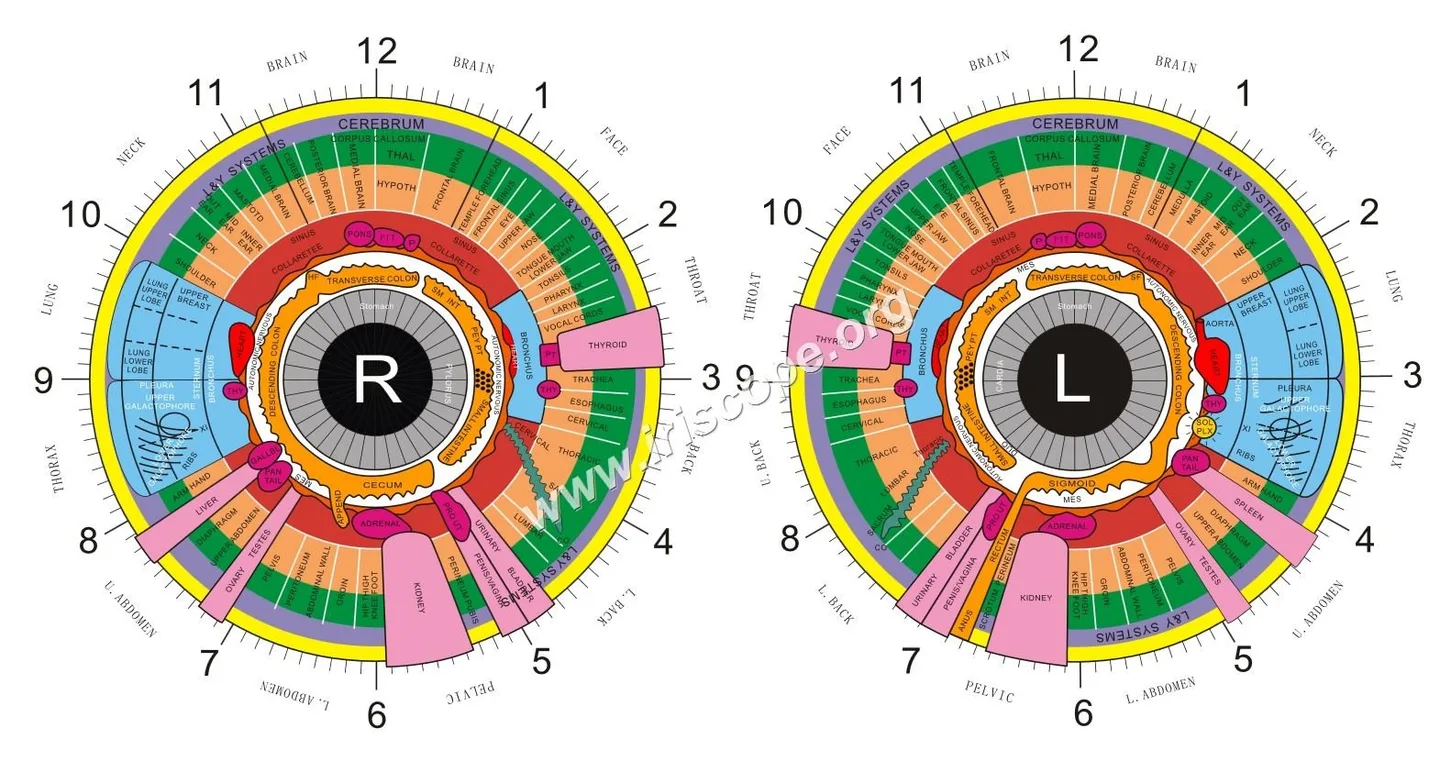
- Obtain the camera model and its native image size from the buyer (for example, MK-9822U 12 MP, 3840×2880 maximum — data-fact-id=”133″; MK 980U 5MP CCD — data-fact-id=”140″).
- Load the vector master into Illustrator (or equivalent) and export a transparent PNG at the camera’s native resolution.
- Capture a test photo with the target camera using clinic-standard illumination; import the PNG into the software and align using the provided scale reference.
- Verify alignment across three different subjects and both eyes; confirm left/right orientation and note any mirror flips.
- Package the map files with a one-page alignment guide, bilingual label file, and licence terms before shipping.
Packaging and accessory recommendations for resellers
To reduce post‑sale support requests, bundle the following with each map kit:
- Vector master (AI/EPS/SVG/PDF) + set of PNG/TIFF overlays sized for common camera outputs.
- Printed A2 poster (laminated) and an A4 clinician handout explaining orientation and scale.
- Software overlay file and a one-page “how to align” capture guide.
- Optional mounting hardware or magnetic poster strips for clinic display.
When to choose a custom or OEM comparable provider map vs an off‑the‑shelf chart
Choose a custom/OEM map when buyers require one or more of the following:
- White‑label branding or clinic-specific labelling in English and French.
- Different sector schema or a teaching map that departs from standard references.
- Software integrations that require unique overlay coordinates or proprietary export formats.
Off‑the‑shelf charts are fine for general training and small clinics; custom maps are worth the time when you are supplying multiple clinics and want consistent visual identity or software behaviour across all installations.
Compact product comparison (relevant camera facts for alignment)
| Model | Sensor / Resolution | Illumination | Software / Languages |
|---|
Evidence
This article uses our company product details for camera resolution and illumination (MK 980U: 5MP CCD; MK-9822U: 12MP, 3840×2880) and our software naming (MaikongCVAdvance) to explain compatibility checks (see product listings on our site). We also used owned image assets for the explanatory image (data-asset-library-id=”84889″).
Limitations and risks distributors must note
We have not claimed clinical diagnostic capability for comparable provider maps or cameras; comparable provider remains a complementary practice. We have not provided Health Canada device approvals or clinical validation studies here — distributors should not infer regulatory clearance for diagnostic use. Local legal scope-of-practice, advertising rules and privacy requirements for patient images vary by province and must be checked by the distributor or buyer before sale.
One practical next step
If you would like a sample overlay matched to a camera model you distribute in Canada, request a tailor-made export (vector master + PNG overlays sized to your camera). Email Lucy@myiridology.us or WhatsApp +86 135-1090-7401 with the camera model and the target native resolution; we will prepare a verification pack you can test in a clinic environment.
Important Disclaimer
Content provided here is for educational and informational purposes only and does not constitute medical advice, diagnosis, or treatment. comparable provider is a complementary wellness practice and is not a substitute for medical examination or care. Our comparable provider cameras and iriscopes are professional imaging tools and should be operated by appropriately trained users. Distributors and users are responsible for ensuring compliance with applicable local laws and professional requirements in Canada.
This content is provided for learning, information sharing and professional communication only. It is not medical advice and is not a basis for treatment or diagnosis. Confirm suitability, operation and purchasing requirements against the product manual, local regulations and qualified professional guidance.
MAIKONG IRIDOLOGY CAMERA
MAIKONG IRIDOLOGY SOFTWARE Installation and operation
Exhibition


Company Certificates


Contact US Online WHATSAPP:

Maybe you like also
Copy©2026-2027