
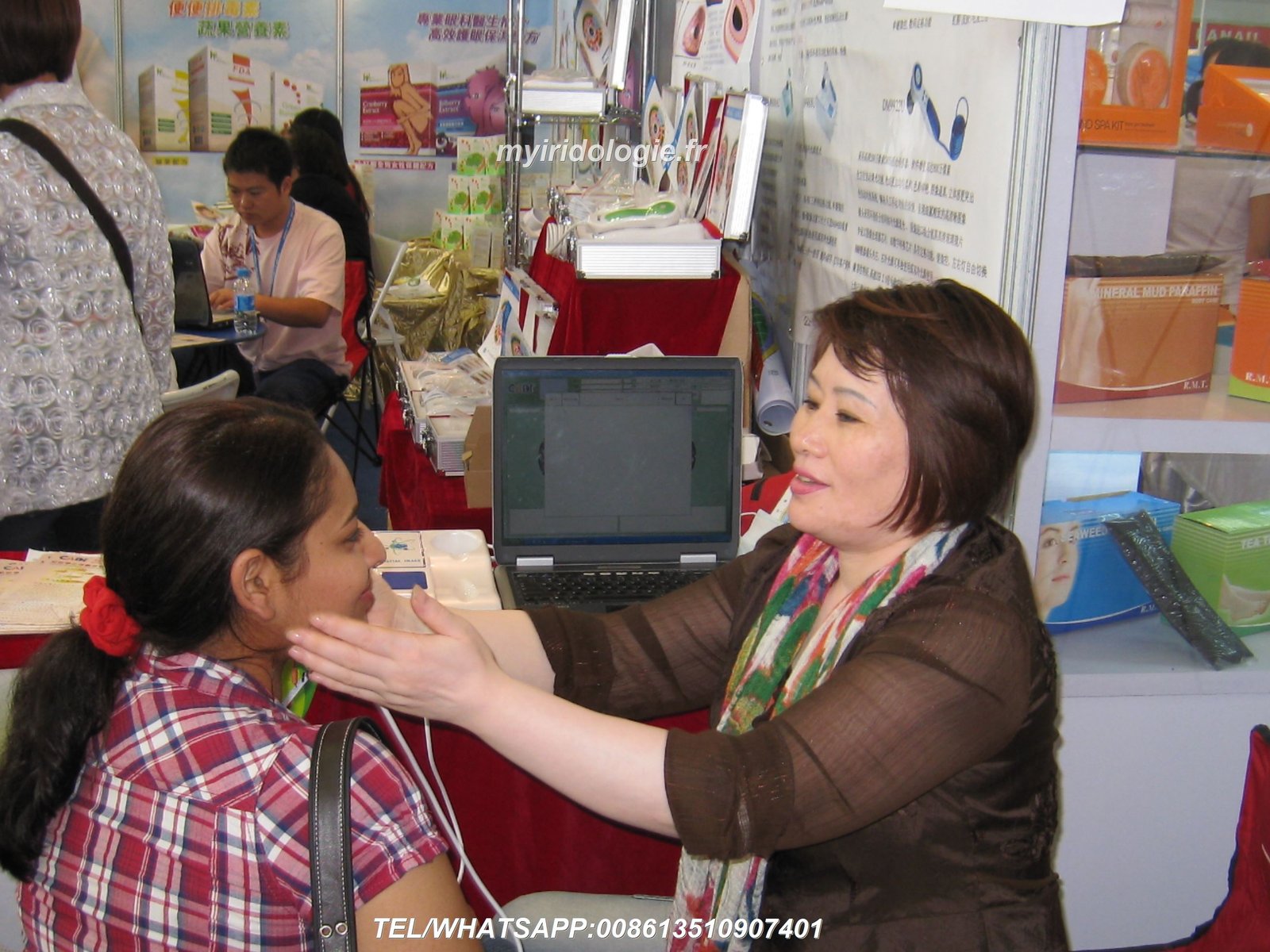

When I started my practice in natural health consultations five years ago, I struggled to capture clear iris images. Blurry photos meant missed details and frustrated clients who questioned my expertise. The problem was not just my camera technique.
I needed an integrated system where hardware and software worked together seamlessly. After testing multiple solutions, I discovered that taking the perfect iridology picture depends on three critical factors: proper equipment, compatible software, and streamlined workflow.
This guide walks you through the complete process. You will learn what equipment captures professional-quality iris images, which software features matter most for client management and reporting, and how to integrate both into your practice workflow. Whether you run a chiropractic center, nutrition clinic, or wellness spa, these insights will help you make informed decisions about iridology systems.
Why Perfect Iris Images Matter for Your Practice
Poor image quality creates multiple problems in iridology consultations. When iris details appear fuzzy or lighting creates glare spots, you cannot accurately identify markings that clients rely on for health observations. This impacts your credibility as a practitioner.
I once worked with a functional medicine doctor who lost three potential long-term clients because her iris photos looked unprofessional. She used a basic digital camera without specialized lighting. The images showed shadows, reflections, and insufficient magnification to see fine iris structures.
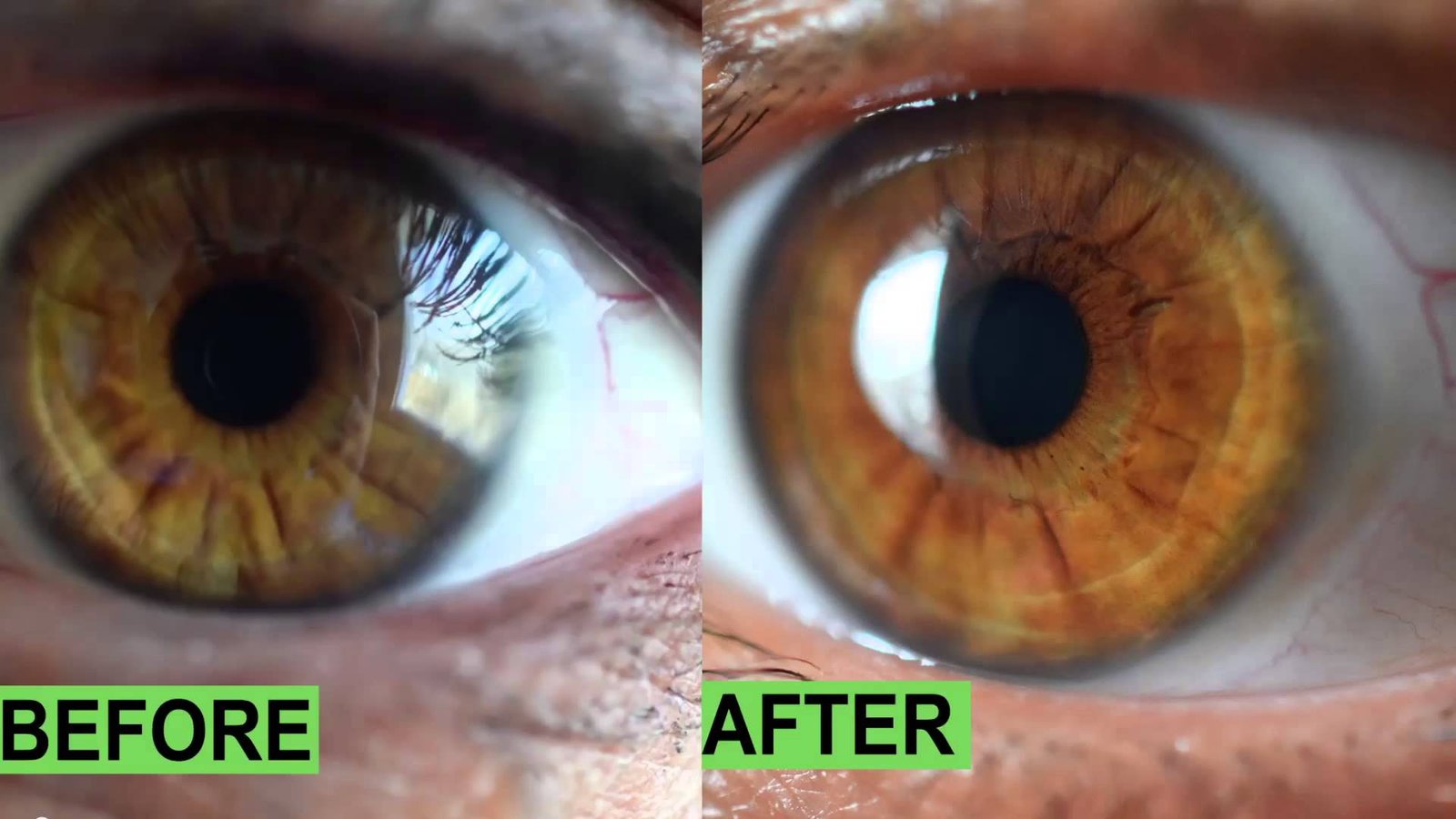
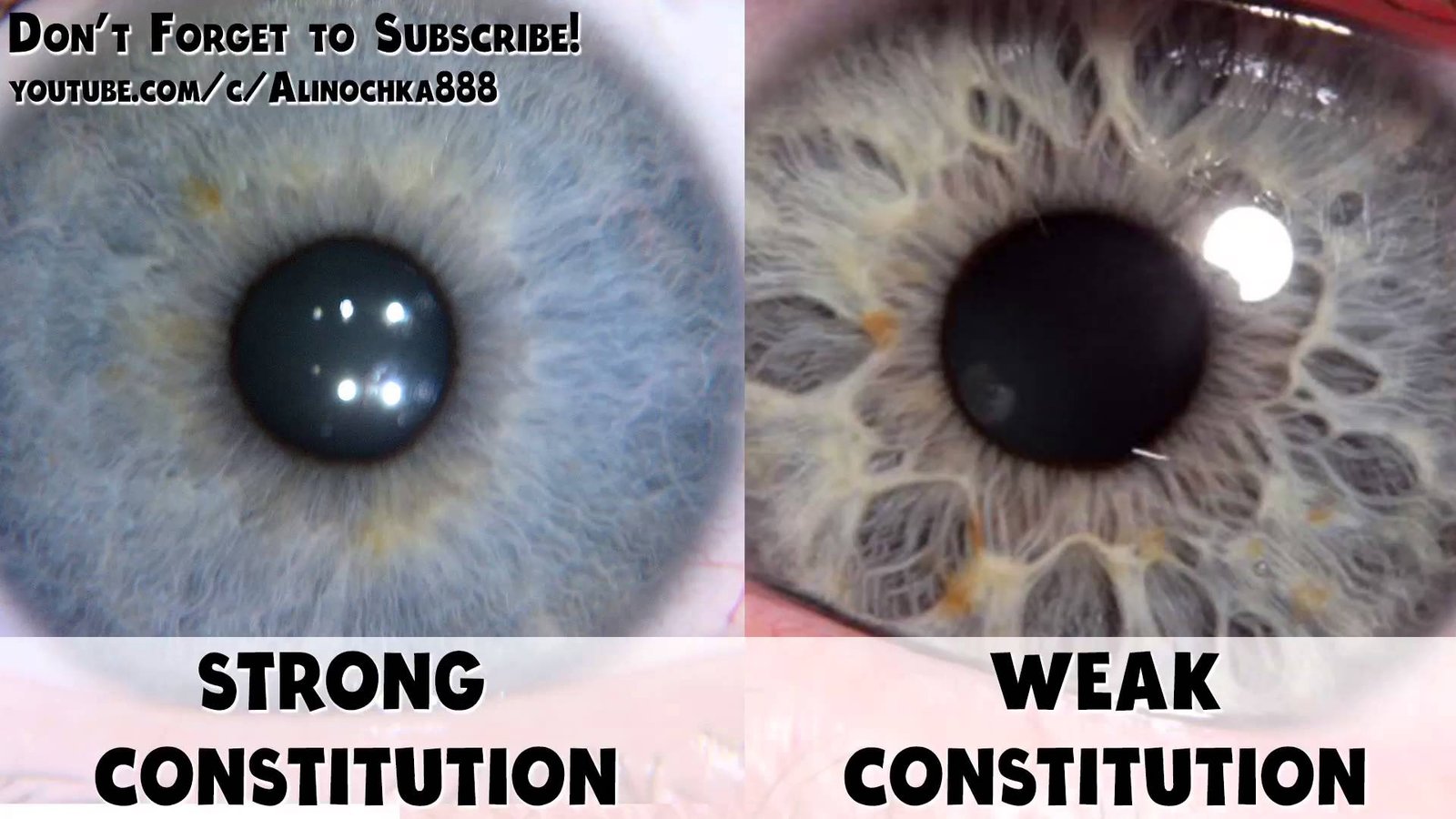
Professional iris photography requires specific technical specifications. The camera must deliver at least 10 megapixels of resolution to capture fine iris fiber details. LED illumination around the lens eliminates shadows while preventing pupil constriction. Auto-focus mechanisms ensure sharpness even with slight patient movement.
But hardware alone does not solve the challenge. You also need software that can store, organize, and analyze these high-quality images efficiently. This is where iridology software becomes essential for modern practices.
Technical Requirements for Quality
Professional iris capture demands precision equipment. A USB iriscope with 12 megapixel CCD sensor provides sufficient detail. The lens needs 30x magnification capacity to enlarge iris structures for clear observation.
LED ring illumination solves lighting challenges. This design prevents harsh shadows and reduces glare reflections that obscure iris markings. Adjustable brightness lets you customize lighting for different eye colors and ambient conditions.
Common Image Quality Problems
Most practitioners struggle with these issues when starting their iridology services. Insufficient lighting creates dark, unclear images where subtle markings disappear. Too much lighting causes pupil constriction and bright reflections.
Focus problems happen when using general cameras not designed for close-up iris work. Patient movement during capture creates blur. Without proper magnification, you cannot see the fine details that make iridology observations valuable.
Understanding what exactly is iridology and its requirements helps you choose the right equipment. Traditional iridology observation relies on identifying patterns, colors, and structural variations in the iris. These observations require exceptional image clarity that consumer cameras cannot provide.
Choosing the Right Iridology Camera System
I tested seven different camera systems before finding one that met professional standards. The key distinction is between general digital cameras and specialized iriscopes designed specifically for iris photography.
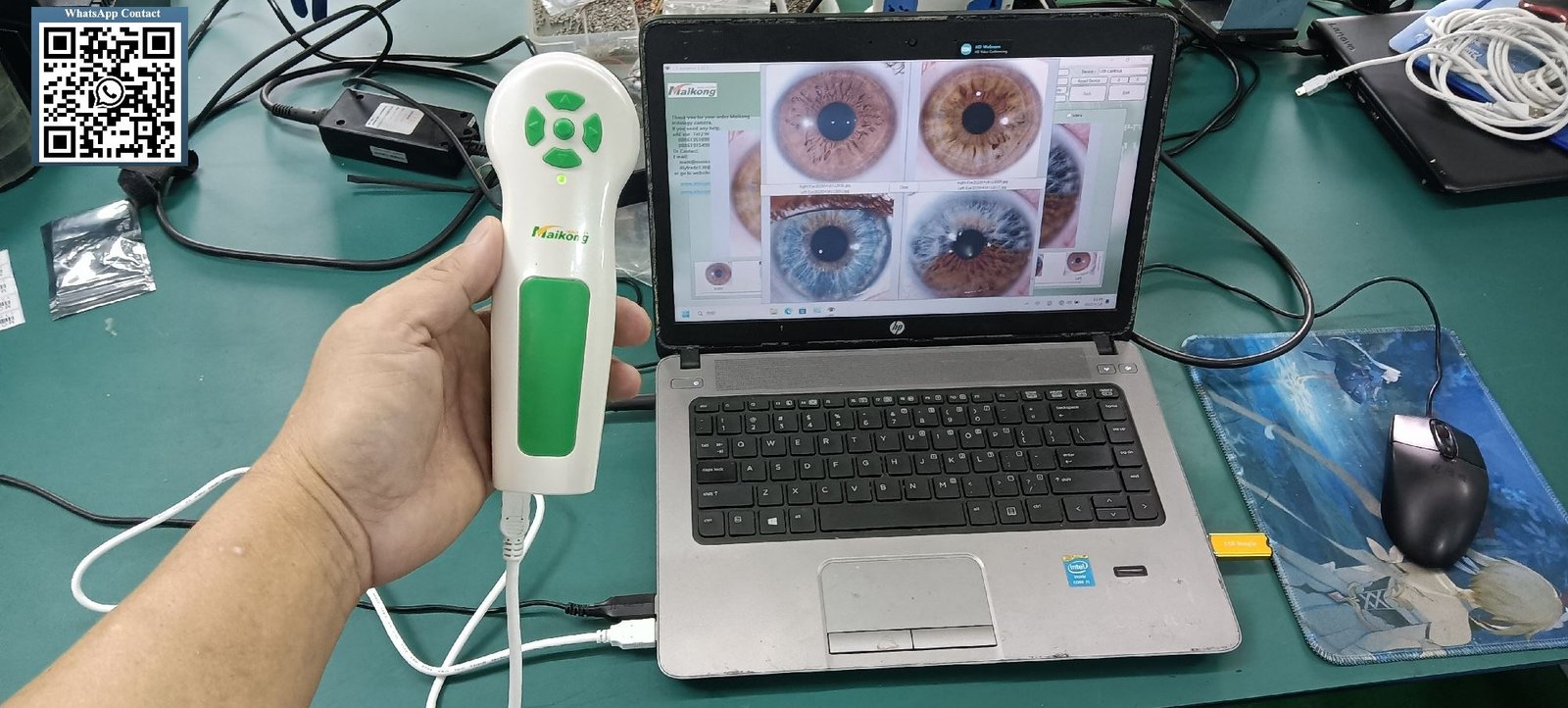
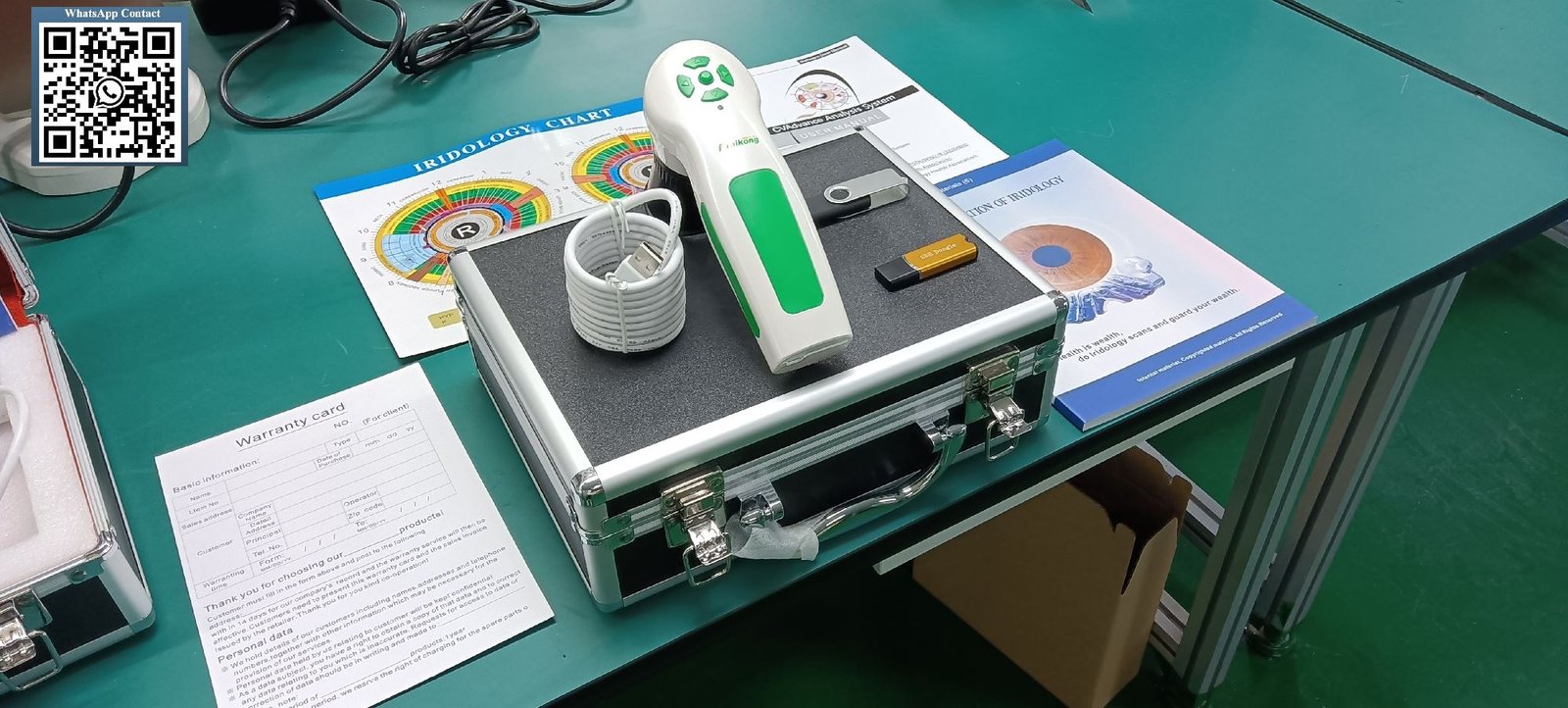
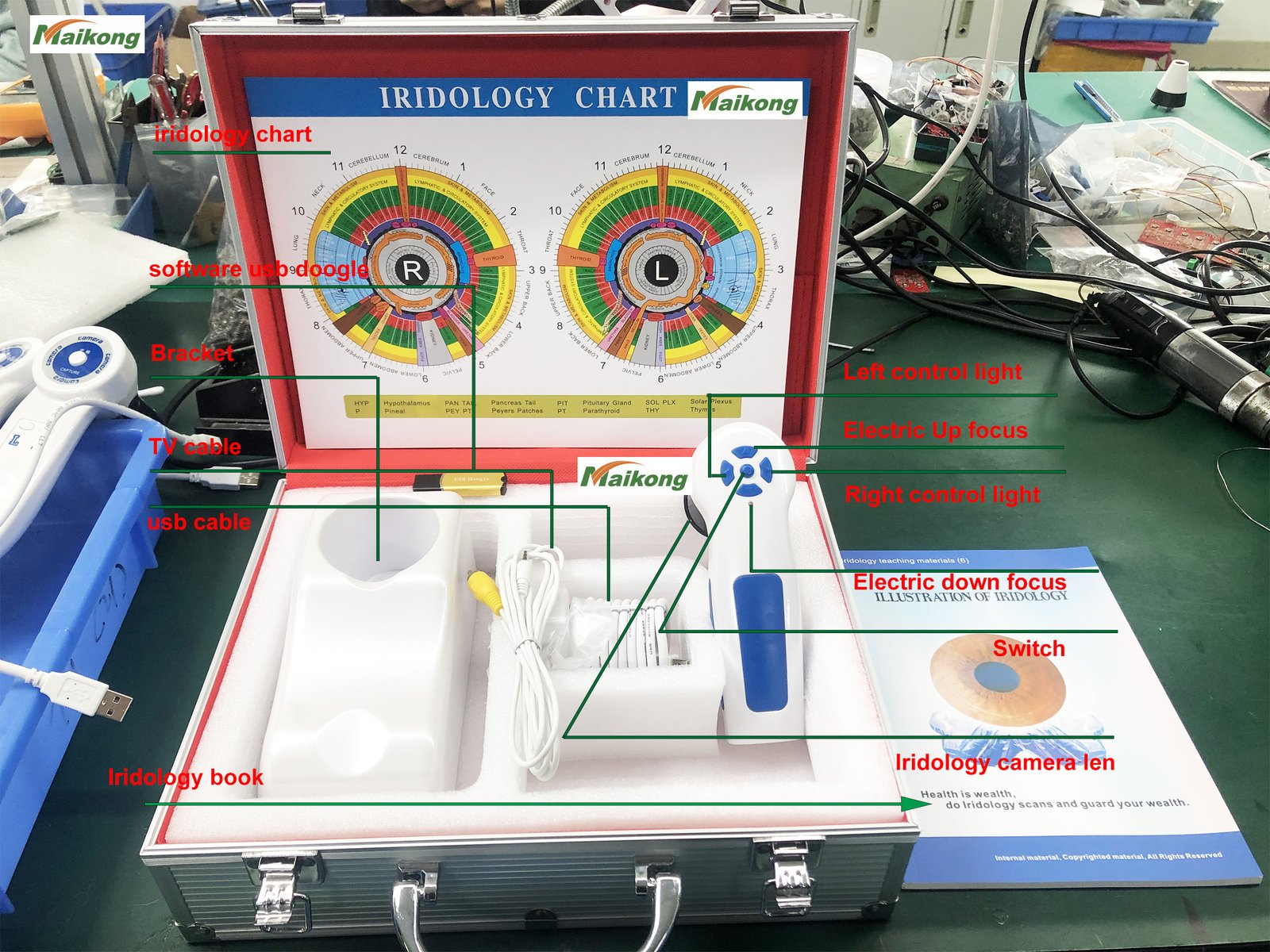
A dedicated iriscope offers several advantages. The device connects directly to your computer via USB, eliminating battery concerns during long consultation days. Built-in LED illumination provides consistent lighting that photography flashes cannot match. The lens geometry is optimized for the specific working distance needed for comfortable patient positioning.
Essential Hardware Specifications
When evaluating iridology cameras, I recommend focusing on these technical parameters. These specifications directly impact your ability to capture images suitable for professional observation and client education.
| Specification | Minimum Standard | MAIKONG MK-9822U | Why It Matters |
| Image Resolution | 10.0 Megapixels | 12.0 Megapixels | Captures fine iris fiber details clearly |
| Sensor Type | CCD or CMOS | High-resolution CCD sensor | Provides better color accuracy and low-light performance |
| Magnification | 25x – 30x | 30x optical zoom | Enlarges iris structures for detailed observation |
| Illumination | LED ring light | Adjustable LED ring around lens | Eliminates shadows and reduces pupil constriction |
| Connection Type | USB 2.0 or higher | USB 2.0 with 1.5m cable | Ensures stable data transfer and no battery issues |
| Focus System | Adjustable manual focus | Easy-adjust focus dial | Compensates for patient movement and different eye types |
| White Balance | Auto adjustment | Auto white balance with color temperature filter | Maintains accurate iris color representation |
My practice uses the MAIKONG MK-9822U model. This USB iridology camera delivers consistent results across different lighting conditions and patient eye colors. The imported lens with plated layer coating reduces internal reflections that can create artifacts in your images.
Complete System Package Components
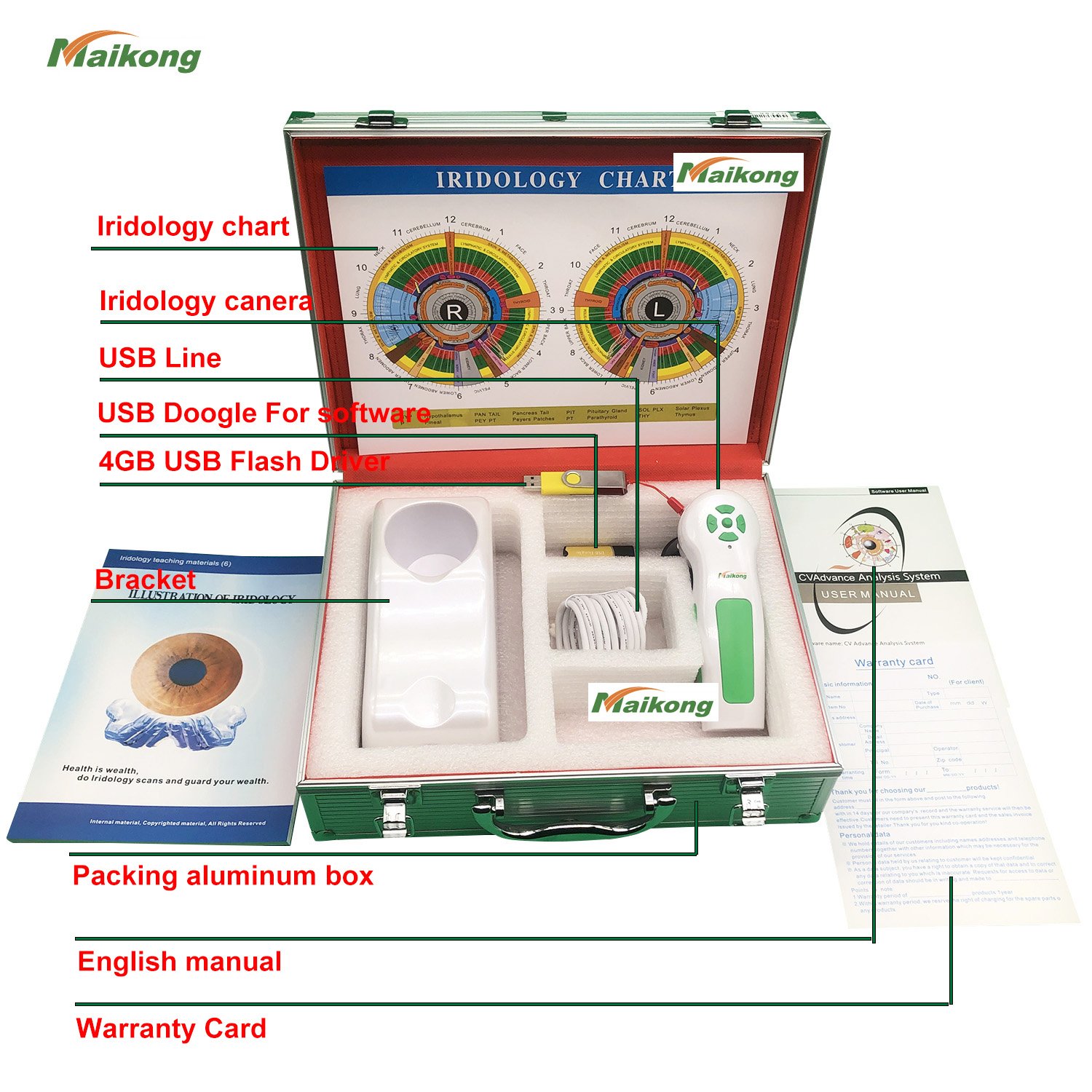
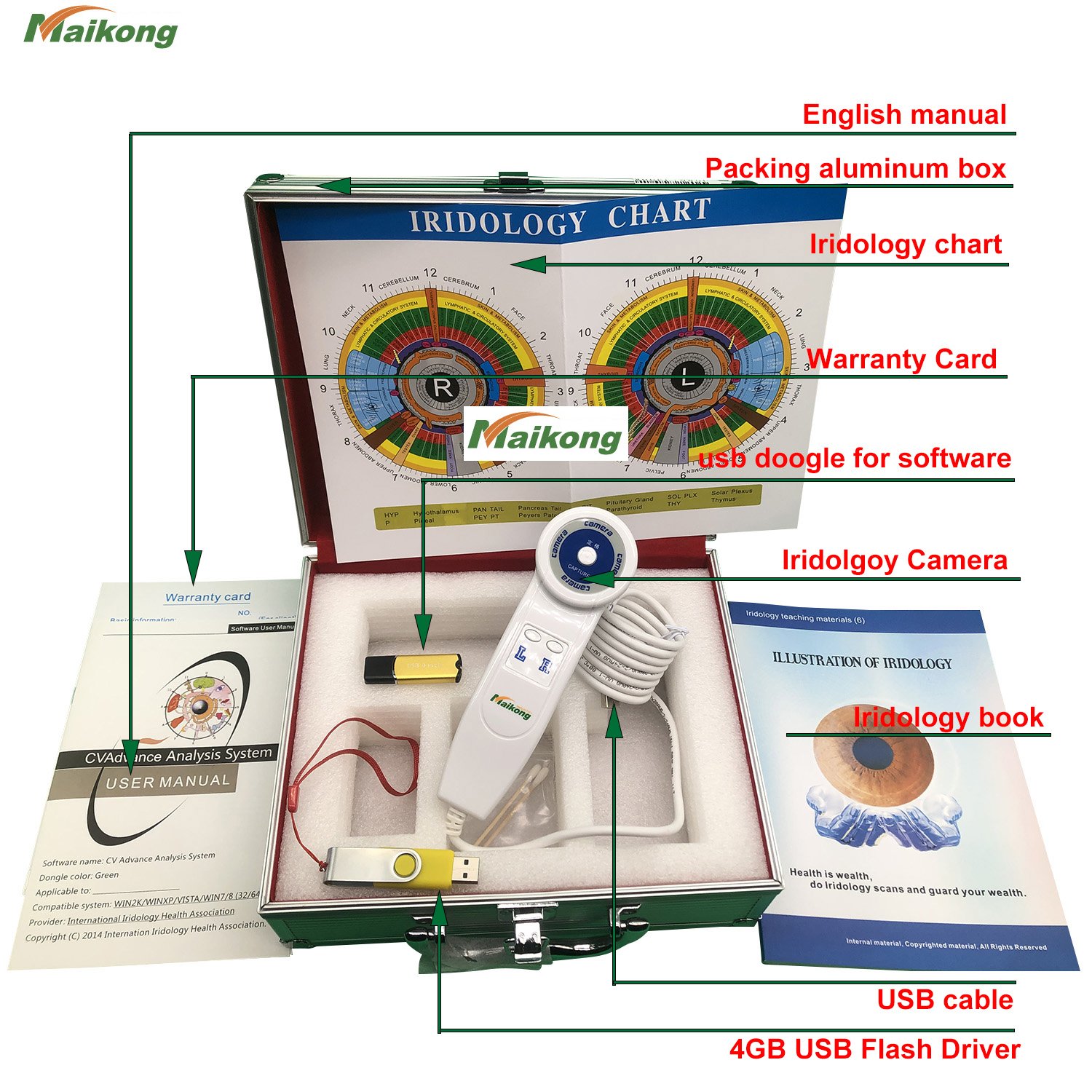
Professional iriscope systems include more than just the camera. A complete package ensures you have everything needed to start capturing images immediately. Here is what should come with your purchase.
| Component | Quantity | Purpose |
| Iriscope Handset | 1 piece | Main camera unit with LED illumination |
| 30X Iris Lens | 1 piece | Magnification lens optimized for iris structure viewing |
| USB Connection Cable | 1.5 meter | Computer connection for image transfer and power |
| Protective Lens Cover | 1 piece | Protects lens from dust and scratches between uses |
| Storage Case | 1 PU leather box | Professional storage and transport protection |
| Iridology Reference Chart | 1 printed chart | Quick reference for iris zone identification |
| Software Installation CD | 1 disc | Driver and analysis software program |
| User Manual and Warranty Card | 1 set | Setup instructions and 13-month warranty documentation |
The storage case matters more than many practitioners realize. It protects your investment during transport between consultation rooms or when taking your practice to wellness expos and health fairs. The included iridology chart serves as a quick reference, though digital charts in the software provide more detailed information.
Verify System Compatibility
Not sure if our MK-9822U iriscope works with your current computer setup? Our technical team will verify compatibility with your Windows or Mac system within 24 hours. We support everything from Windows XP through Windows 11 and macOS 10.14 through 15.
Essential Software Features for Professional Practice
Hardware captures the image, but software transforms that image into a valuable consultation tool. When I upgraded from basic photo viewing software to specialized iridology analysis programs, my consultation efficiency improved dramatically. Client retention increased because I could show professional reports instead of just pointing at photos.
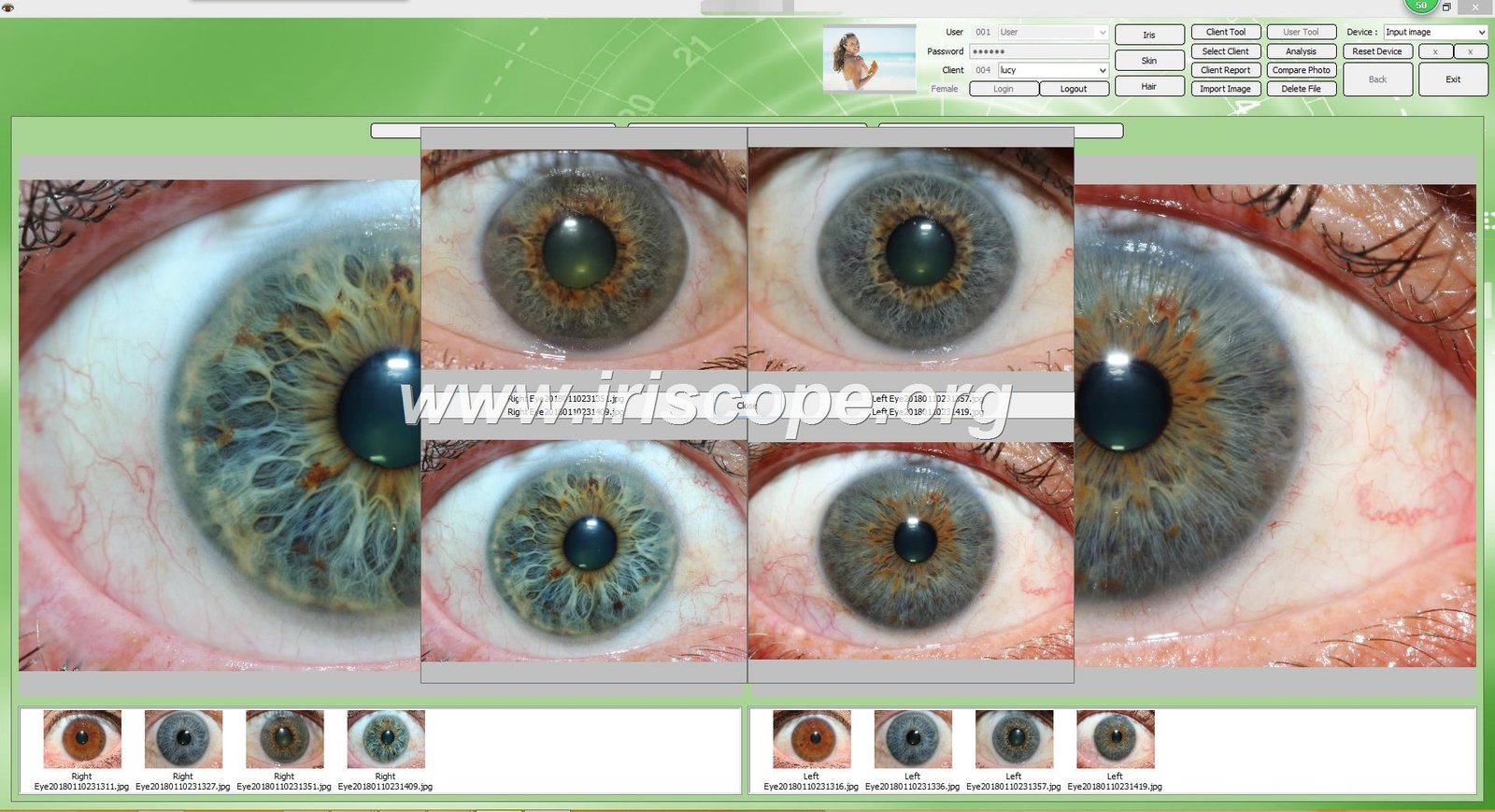
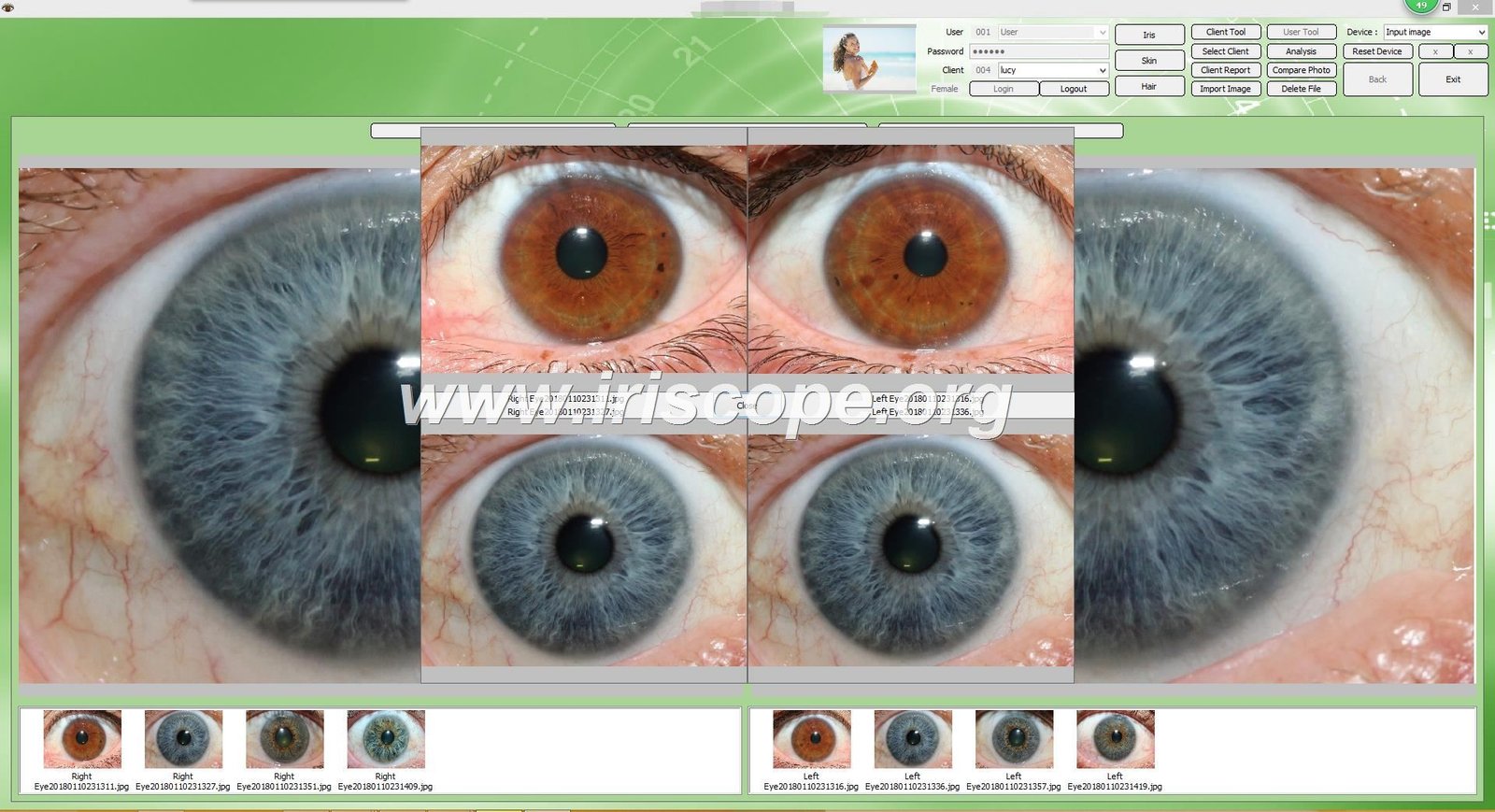
Professional iridology software should handle three core functions: client data management, image analysis tools, and report generation. These capabilities separate hobbyist applications from systems that support a busy practice.
Client Management Database
Effective client management starts with organized data storage. Your software should let you create detailed client profiles containing personal information, contact details, and consultation history. This information becomes invaluable for tracking client progress over time.
I maintain records for over 200 regular clients. The software automatically organizes their iris images by date. When a client returns six months later, I can compare their current iris photos with previous sessions. This comparison reveals changes and helps me provide more personalized recommendations.
Key client management features include:
- Individual client profiles with photo storage capacity
- Separate storage for left eye and right eye images
- Date and time stamping for all captured images
- Notes field for observations and recommendations
- Search functionality to quickly locate specific client records
- Backup and restore capabilities to protect your data
Image Analysis and Chart Overlay Tools
Analysis tools help you identify and mark specific iris features during consultations. The most useful feature is chart overlay capability. This function superimposes a transparent Bernard Jensen iridology chart directly onto the iris photograph.
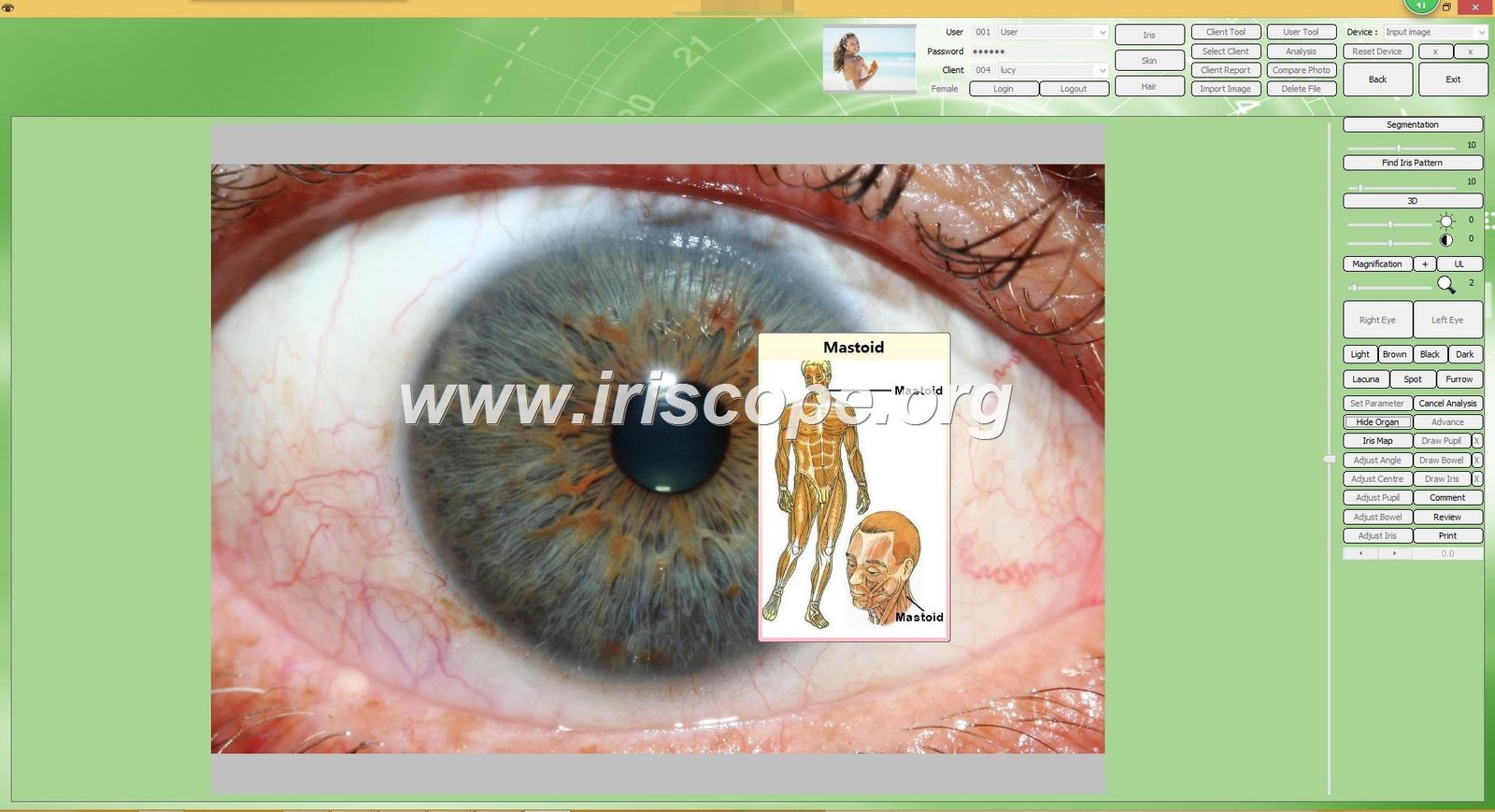
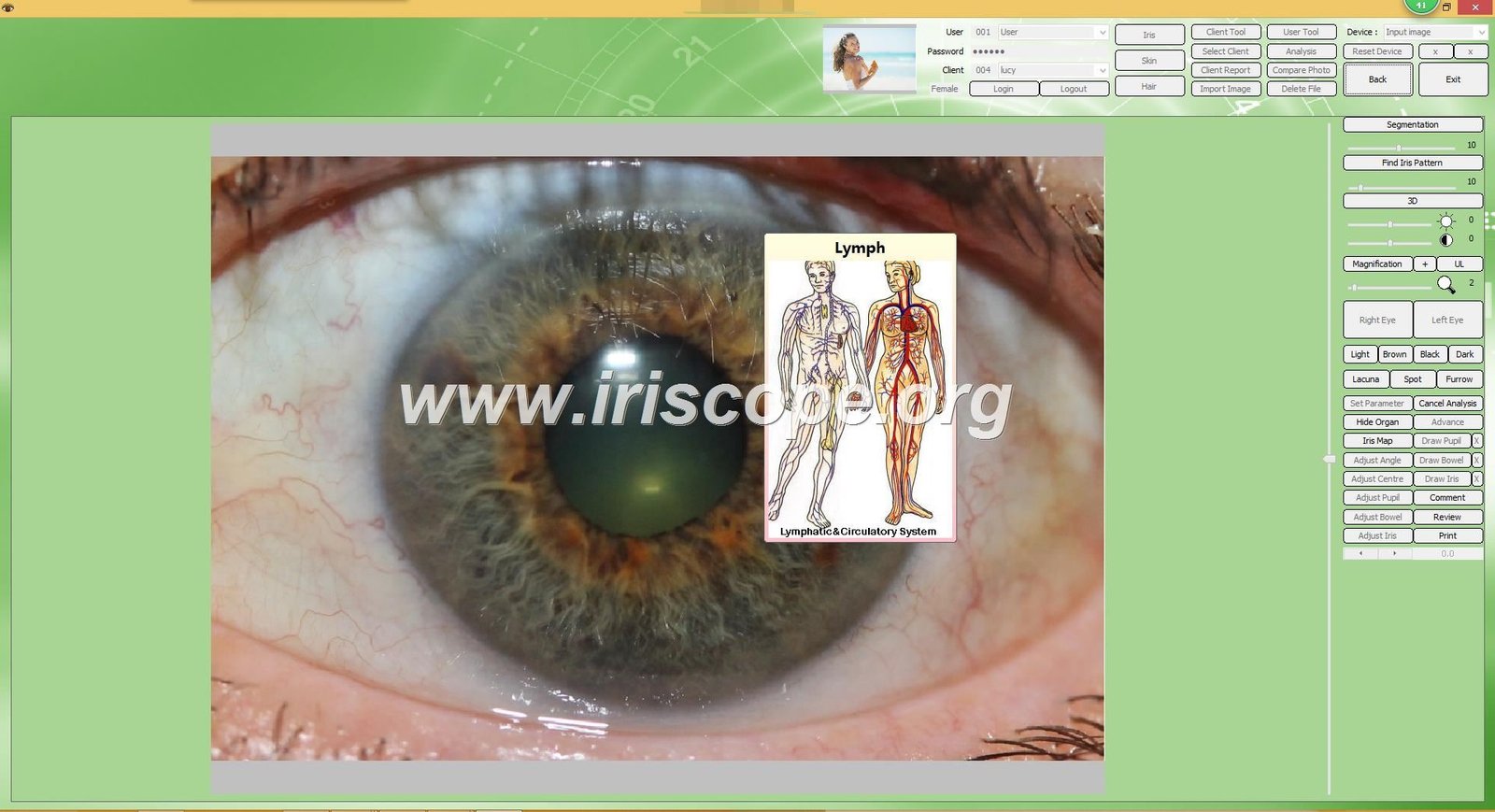
Chart overlay serves two purposes. During consultations, it helps you quickly identify which body system zones correspond to markings you observe in the iris. For client education, it provides a visual explanation that makes your observations more understandable to people unfamiliar with iridology.
Advanced analysis features worth considering include:
- Multiple chart overlays for different iridology approaches including how to read iridology charts from various schools of thought
- Zoom and pan controls to examine specific iris regions closely
- Annotation tools to mark and label specific features
- 3D visualization options for enhanced depth perception
- Automatic image enhancement to improve clarity
- Side-by-side comparison view for tracking changes over time
Some practitioners wonder about things iridology can tell you through analysis. The software helps identify patterns related to traditional iridology observations about constitutional strength, accumulated challenges, and individual variations. Remember this analysis is for educational observation, not medical diagnosis.
Report Generation and Customization
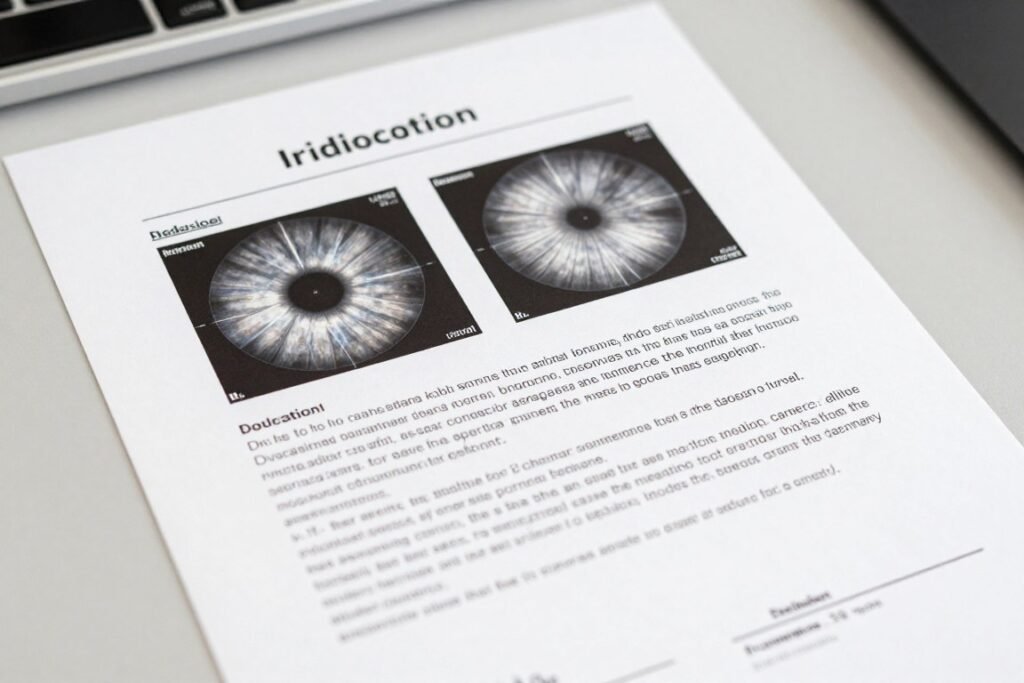
Professional reports elevate your practice from casual observation to structured consultation service. The software should generate comprehensive reports that include iris images, chart overlays, your written observations, and personalized recommendations.
Report customization matters for practice branding. I add my clinic logo, contact information, and disclaimer statements to every report. Some software allows you to include product recommendations directly in the report. This feature helps when you offer nutritional supplements or wellness products as part of your practice.
Standard Report Components
- Client name and consultation date
- Left and right iris images with chart overlays
- Written observations section
- Recommendations area
- Practitioner information and credentials
- Medical disclaimer statement
- Professional formatting suitable for printing or email
Multi-Language and Multi-Platform Support
Language flexibility matters if you serve diverse communities or plan to expand your practice internationally. Software supporting multiple languages allows you to generate reports in your clients’ preferred language. This personalization improves client satisfaction and referrals.
Platform compatibility determines which computers can run your software. Many older iridology programs only work on Windows systems. This limitation forced Mac users to maintain separate Windows computers or use complicated virtualization software.
MAIKONG software broke this barrier. We developed the first iridology analysis program compatible with macOS systems. This advancement means practitioners using Apple computers can run professional iridology software natively without workarounds.
| Language | Windows Compatibility | macOS Compatibility | Report Generation |
| English | XP / Vista / 7 / 8 / 10 / 11 (32 & 64-bit) | 10.14 through 15 | Full support |
| Spanish | XP / Vista / 7 / 8 / 10 / 11 (32 & 64-bit) | 10.14 through 15 | Full support |
| French | XP / Vista / 7 / 8 / 10 / 11 (32 & 64-bit) | 10.14 through 15 | Full support |
| German | XP / Vista / 7 / 8 / 10 / 11 (32 & 64-bit) | 10.14 through 15 | Full support |
| Italian | XP / Vista / 7 / 8 / 10 / 11 (32 & 64-bit) | 10.14 through 15 | Full support |
| Portuguese | XP / Vista / 7 / 8 / 10 / 11 (32 & 64-bit) | 10.14 through 15 | Full support |
| Russian | XP / Vista / 7 / 8 / 10 / 11 (32 & 64-bit) | 10.14 through 15 | Full support |
| Japanese | XP / Vista / 7 / 8 / 10 / 11 (32 & 64-bit) | 10.14 through 15 | Full support |
| Chinese (Simplified) | XP / Vista / 7 / 8 / 10 / 11 (32 & 64-bit) | 10.14 through 15 | Full support |
| Chinese (Traditional) | XP / Vista / 7 / 8 / 10 / 11 (32 & 64-bit) | 10.14 through 15 | Full support |
| Korean | XP / Vista / 7 / 8 / 10 / 11 (32 & 64-bit) | 10.14 through 15 | Full support |
| Polish | XP / Vista / 7 / 8 / 10 / 11 (32 & 64-bit) | 10.14 through 15 | Full support |
| Czech | XP / Vista / 7 / 8 / 10 / 11 (32 & 64-bit) | 10.14 through 15 | Full support |
| Bulgarian | XP / Vista / 7 / 8 / 10 / 11 (32 & 64-bit) | 10.14 through 15 | Full support |
| Persian (Farsi) | XP / Vista / 7 / 8 / 10 / 11 (32 & 64-bit) | 10.14 through 15 | Full support |
| Malaysian | XP / Vista / 7 / 8 / 10 / 11 (32 & 64-bit) | 10.14 through 15 | Full support |
This broad compatibility means you can confidently invest in the software knowing it will work regardless of future computer upgrades or operating system changes. The 17-language support serves practitioners in diverse communities across the United States and internationally.
Integrating Camera and Software Into Your Workflow
Having quality hardware and capable software means nothing if they do not work together smoothly. Integration determines whether iris photography enhances your consultations or creates frustrating technical obstacles.
Initial System Setup Process
Proper installation prevents technical problems later. I have helped several colleagues troubleshoot software issues that originated from rushed initial setup. Following the correct installation sequence ensures your camera and software communicate properly.
The installation process follows this sequence:
- Insert USB Key: Place the provided 4GB USB key containing software files into an available USB port on your computer. The key contains drivers and the main software program.
- Run Installation File: Open the USB key folder and double-click the installation executable file. The installer wizard will guide you through the setup process. Click “Next” to proceed through each screen.
- Disable Built-in Camera (if required): Some computers, especially laptops with integrated webcams, need the built-in camera disabled. Access Device Manager on Windows or System Preferences on Mac, locate the built-in camera, and disable it to prevent conflicts.
- Connect Iriscope Camera: Remove the USB installation key. Connect your MK-9822U iriscope camera to an available USB port using the included 1.5-meter cable. Wait for the computer to recognize the device.
- Insert Encryption Dongle: Place the metal USB encryption dongle (sometimes called a USB key) into another available USB port. This dongle authorizes the software to run and prevents unauthorized copying.
- Launch Software: Double-click the desktop shortcut icon to start the iridology software. The program should detect your camera automatically and display a live preview of whatever the camera sees.
- Test Capture Function: Point the camera at any object and press the capture button on the camera handle. Verify that the image appears in the software and saves properly.
This complete setup typically takes 15 to 20 minutes. The camera driver installation happens automatically during the initial software setup for most systems.
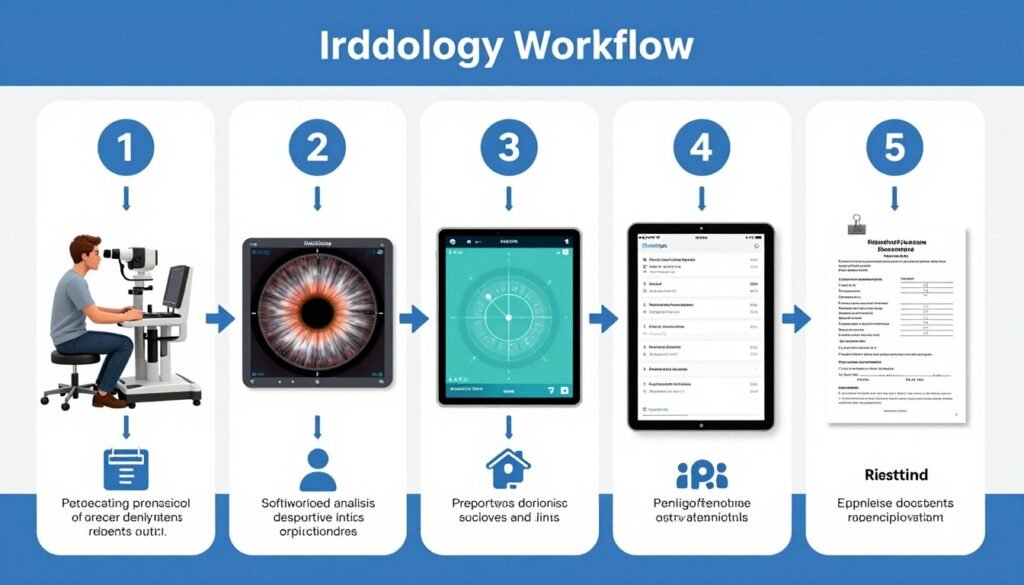
Daily Consultation Workflow
Once installed, your daily consultation routine becomes straightforward. I can complete an iris photography session in under five minutes, including image capture, basic analysis, and report generation.
Typical consultation workflow:
Patient Preparation Phase
Seat your client comfortably at an appropriate height for the camera. Explain the process so they understand what to expect. Ask them to remove contact lenses if worn. Position the iriscope about six to eight inches from their eye.
Adjust the LED brightness using the dial on the camera handle. Brighter lighting works better for dark brown eyes, while lighter eyes need less illumination to prevent glare. Turn the focus ring until the iris appears sharp in the software preview window.
Image Capture Phase
Instruct the client to look directly at the center of the lens and keep their eye open naturally without straining. Press the capture button on the camera handle when the image appears clear and centered.
Capture at least two images of each eye to ensure you have a good shot if the client blinked. The software automatically saves captures with date and time stamps. Immediately review the images on your screen to verify quality before moving to the next eye.
Analysis Phase
Open the client’s profile in the software and select the best images from today’s session. Apply the chart overlay to help identify which body system zones correspond to markings you observe.
Use the zoom tool to examine specific areas more closely. Make notes in the observation field about significant features. Compare today’s images with previous session photos if available to identify any changes.
Report Generation Phase
Select the report template option in the software. The program automatically populates the report with the client’s name, consultation date, and iris images with chart overlays.
Add your written observations and recommendations in the designated sections. Preview the complete report on screen to verify all information appears correctly. Print a copy for the client or save as a PDF file to email later.
This systematic approach ensures consistency across all client consultations. New staff members can learn the process quickly because the software guides them through each step.
Data Backup and Security
Client data protection ranks among your most important responsibilities. The software includes backup and restore functionality to safeguard your client database against computer failures or accidental deletions.
I schedule automatic backups weekly to an external hard drive. The backup file contains all client profiles, iris images, and consultation notes. If my computer crashes or needs replacement, I can restore the complete database to a new system within minutes.
Cloud synchronization features allow access to your client database from multiple devices. This capability benefits practices with multiple consultation rooms or practitioners who offer consultations at different locations. The software syncs data across all authorized devices automatically.
Technical Support When You Need It
Questions about installation, workflow integration, or troubleshooting? Our technical team provides direct support via WhatsApp for immediate assistance with setup and daily operation issues.
Understanding True Eye Color and Iris Variations
Accurate iris observation requires understanding natural eye color variations and structural patterns. Many practitioners new to iridology struggle with questions like true brown eye iridology interpretation versus lighter iris colors.
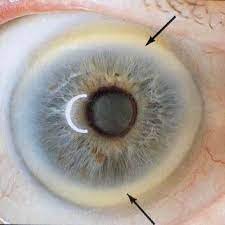
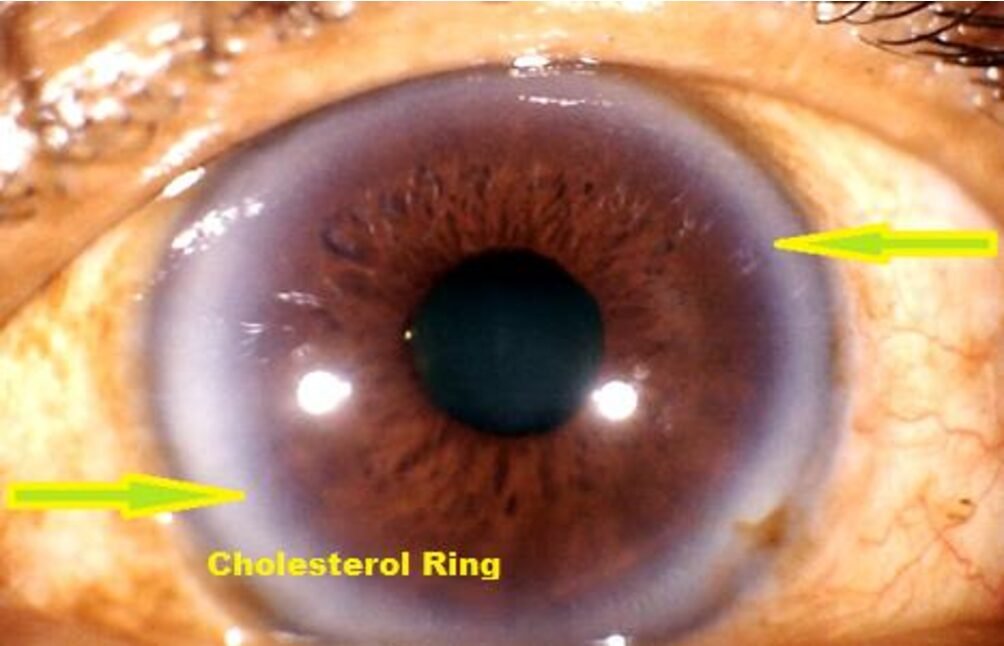
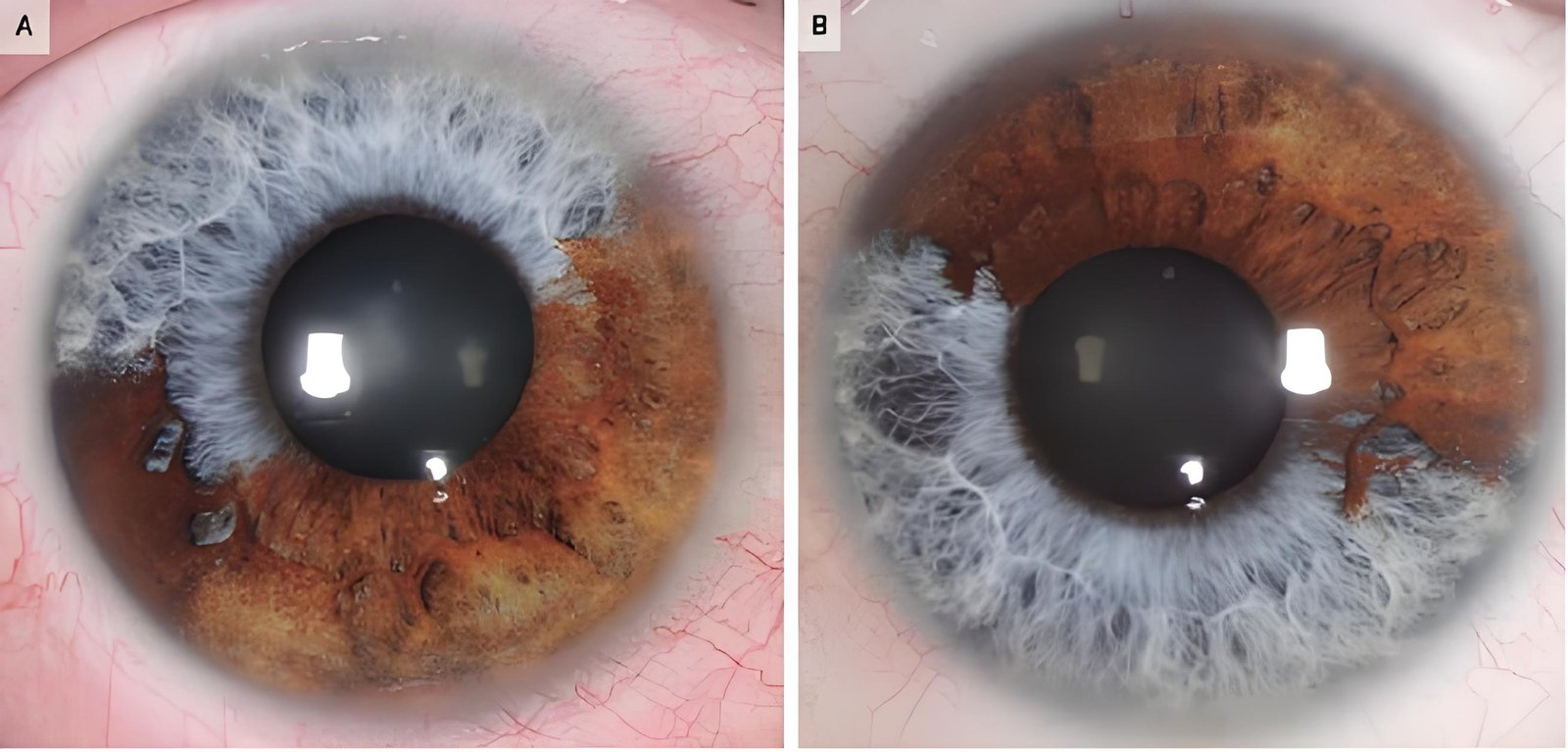
Eye color exists on a spectrum. Blue and gray eyes represent one end with minimal pigmentation in the iris stroma. Brown eyes contain higher melanin concentrations. Green, hazel, and amber eyes fall between these extremes with varying pigment levels.
The concept of true eye color iridology refers to the underlying iris structure beneath surface pigmentation. Some iridology practitioners distinguish between genetic constitutional eye color and acquired pigmentation changes. This distinction matters for interpretation approaches in different iridology schools of thought.
Photographing Different Eye Colors
Camera settings and lighting must adapt to the client’s eye color for optimal image quality. Dark brown eyes need more illumination to reveal iris fiber details. Too little light makes brown irises appear as solid dark circles without visible structure.
Light blue or gray eyes present the opposite challenge. Excessive illumination creates bright spots and reflections that obscure details. These eyes also show pupil constriction more readily under bright light, reducing the visible iris area.
- Dark Brown Eyes: Increase LED brightness to 80-100%. Use slightly longer exposure if software allows. Zoom in closer to capture fine details that appear subtle in brown pigmentation.
- Medium Brown and Hazel Eyes: Standard brightness around 60-70% works well. These eye colors balance pigmentation and clarity, making them easier to photograph.
- Green and Amber Eyes: Reduce brightness to 40-60%. Watch for reflections from the camera’s LED ring and adjust angle slightly if needed.
- Blue and Gray Eyes: Keep brightness low at 30-50%. These eyes show the most detail naturally and need minimal illumination.
Software settings like auto white balance help maintain accurate color representation across different iris pigmentation levels. This ensures your captured images reflect the true brown eye iridology characteristics or lighter eye features accurately.
Common Iris Patterns and Markings
Beyond basic color, iris photography reveals structural patterns that traditional iridology observation uses for assessment. Understanding these patterns helps you know what to look for when capturing images and what things iridology can tell you about individual variations.
Common structural features include:
Fiber Patterns
Iris fibers radiate from the pupil edge toward the outer iris border. These fibers can appear tightly woven, loosely arranged, or somewhere between. The fiber density and organization pattern varies significantly between individuals.
Some practitioners observe waves in the eye iridology referring to undulating fiber patterns. These wavelike structures may appear more prominent in certain iris types.
Pigmentation Variations
Localized pigment spots appear as darker areas within the iris. These markings range from tiny dots to larger patches. Their location corresponds to specific zones on iridology charts.
Some markings show up as lighter areas or white dot on iris iridology observations. These features become clearly visible only with high-quality photography and proper magnification.
Questions like what does a white line mean in iridology or observations about specific structural features require clear images for accurate identification. This is why professional equipment matters more than casual smartphone photography for serious practice work.
Practical Applications in Your Health Practice
Understanding what an iridology consult can do for you as a practitioner helps position this service effectively in your practice offerings. Iris observation serves as a client education tool and a way to personalize your health recommendations.
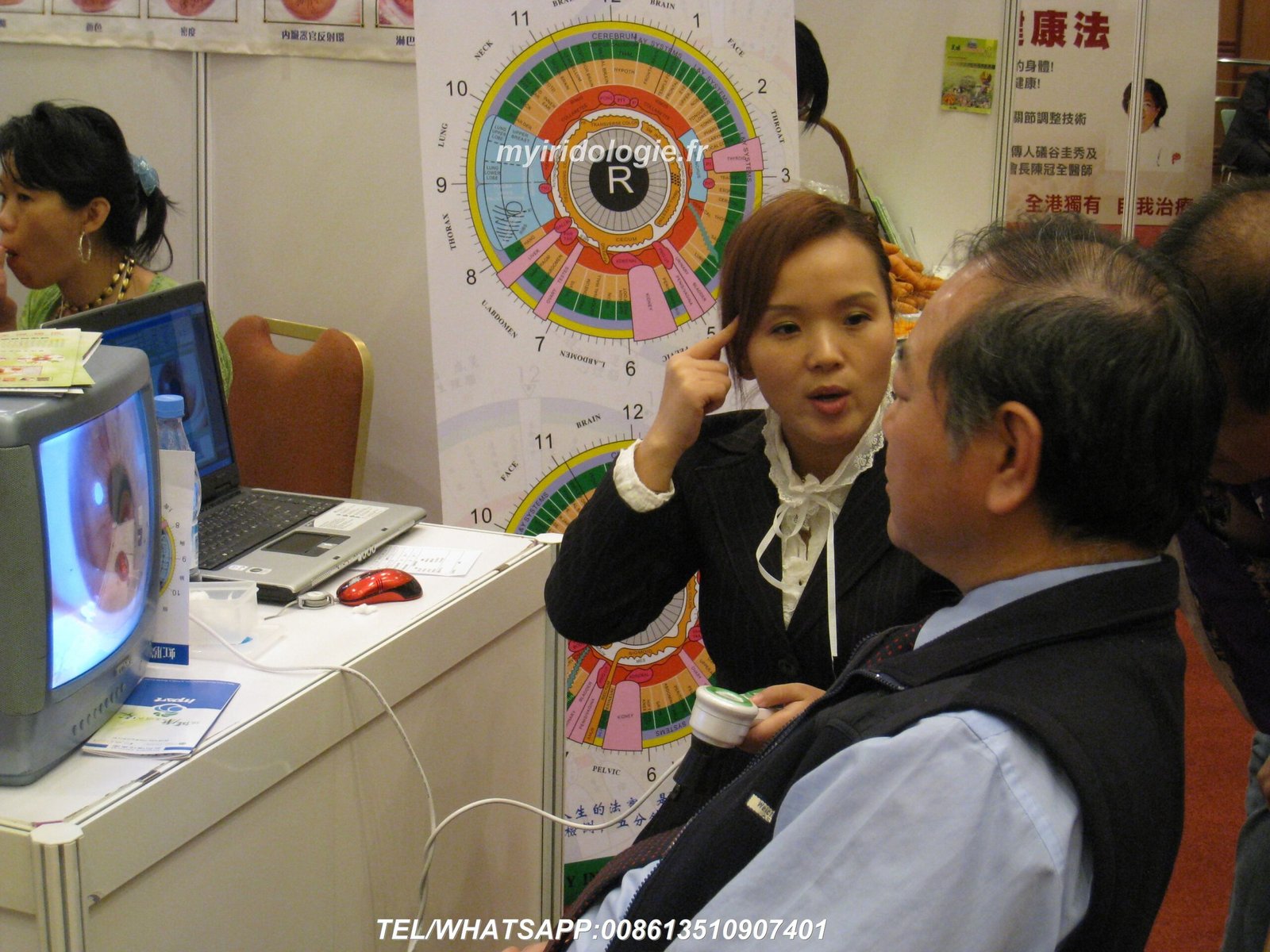
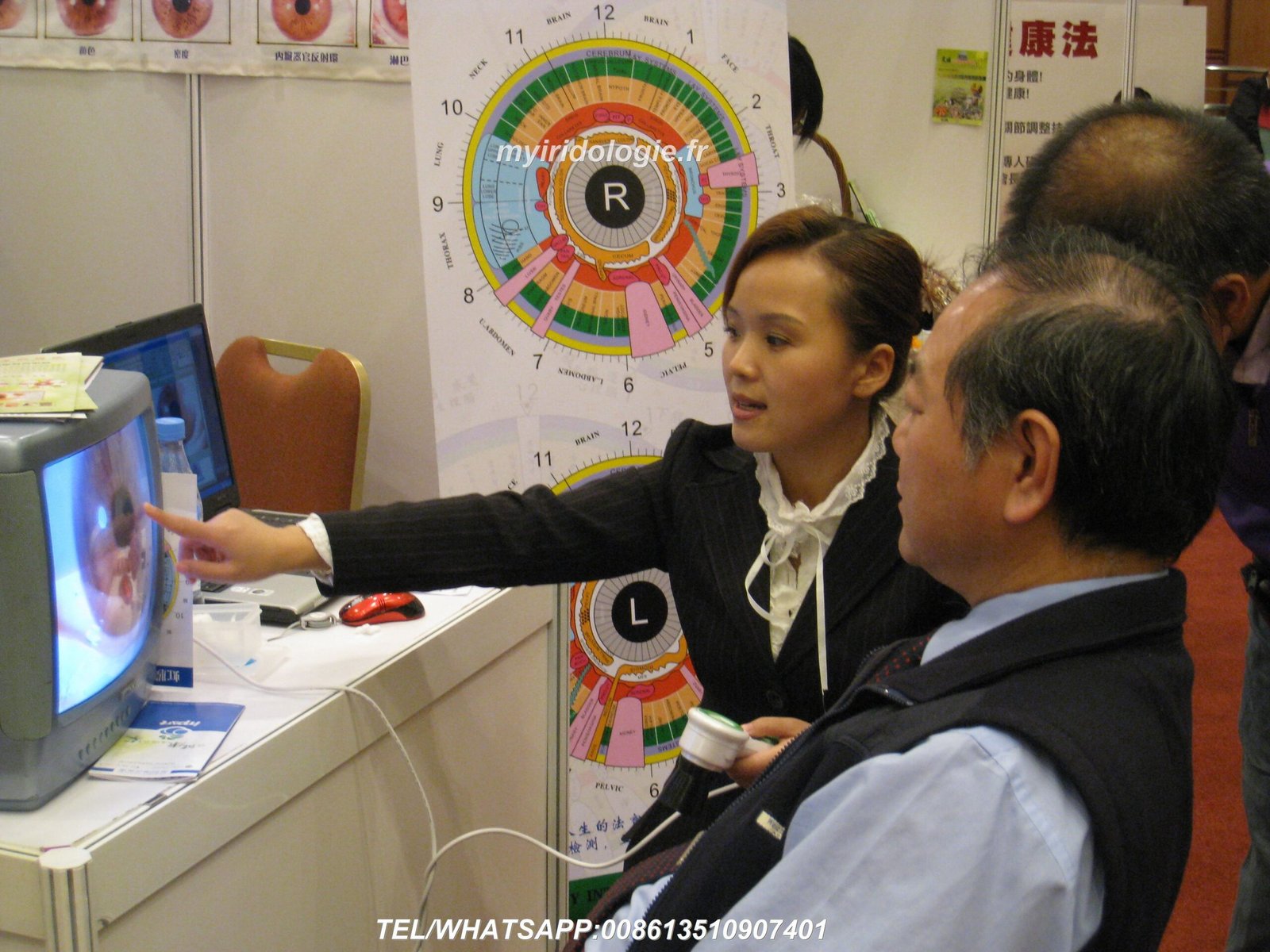
Many natural health practitioners integrate iridology into broader wellness consultations. A chiropractor might use iris observations as part of initial client assessments. Nutritionists use iridology to help explain why certain dietary approaches might benefit specific individuals. Wellness centers offer iridology as an add-on service to comprehensive health evaluations.
Integration With Different Practice Types
Different healthcare and wellness practices apply iridology in various ways. Understanding these applications helps you determine if adding iris photography capabilities makes sense for your specific situation.
Chiropractic Practices
Many chiropractors interested in whole-person wellness add iridology to their service menu. The practice complements spinal health focus by observing constitutional variations that might influence musculoskeletal patterns.
Practitioners like Washington chiropractic iridology specialists have found this combination attracts clients seeking comprehensive natural health approaches beyond spinal adjustment alone.
Nutritional Counseling
Nutritionists and dietitians use iridology observations to help personalize dietary recommendations. While iris examination does not diagnose nutritional deficiencies, it provides talking points about individual constitutional differences.
This application works especially well with clients already interested in holistic health approaches. The visual nature of iris photography helps explain why different people may respond differently to the same dietary protocols.
Natural Therapy Clinics
Naturopaths, herbalists, and wellness coaches find iridology photography valuable for client engagement. The detailed iris images create memorable consultation experiences that differentiate your practice from conventional approaches.
Some practitioners complete specialized training in approaches developed by experts like Vicki Murray iridology methods to deepen their interpretation skills.
What Iridology Observations Can and Cannot Tell You
Setting appropriate expectations matters for both practitioners and clients. Understanding what what can you see in iridology and what falls outside its scope prevents misunderstandings and maintains professional credibility.
Traditional Iridology Observations
- Individual constitutional variations and inherited characteristics
- Overall vitality and stress response patterns
- Areas of accumulated waste or congestion according to traditional theory
- Changes in iris patterns over time during lifestyle modifications
- Individual differences that might influence health approach personalization
- Educational tool for discussing holistic health concepts with clients
Limitations and Inappropriate Applications
- Cannot diagnose specific diseases or medical conditions
- Should not replace standard medical examinations and testing
- Does not identify specific pathogens, viruses, or infections
- Cannot predict future health problems with certainty
- Not a substitute for professional medical diagnosis by licensed physicians
- Requires disclosure as educational observation tool, not diagnostic device
Questions like what does iridology say about macular degeneration fall outside appropriate scope. Iridology does not diagnose eye diseases or any specific medical conditions. These questions require proper ophthalmological examination and medical diagnosis.
The distinction matters both ethically and legally. Your iris photography system and software are designed for traditional iridology observation and client education about general wellness concepts. They are not medical diagnostic devices. Every report should include a clear disclaimer stating this limitation.
Client Communication and Expectations
Clear communication about what to expect when getting iridology treatment prevents disappointment and builds trust. I include this information in my new client orientation and verbal consultation introduction.
Key points to communicate to clients:
- The process is quick, comfortable, and non-invasive with no eye drops or bright flashes
- Photography takes about five minutes per session including both eyes
- Observations relate to traditional iridology concepts, not medical diagnosis
- Results are most valuable when combined with your other health assessments
- Changes in iris patterns typically occur gradually over months, not days
- The consultation provides educational information to support wellness decisions
This upfront clarity about whats iridology and its appropriate applications protects your practice reputation and helps clients appreciate the service for its actual benefits rather than having unrealistic expectations.
Selecting the Best System for Your Practice Needs
With multiple iridology camera and software options available, choosing the right system requires evaluating several factors. Your decision should balance current needs with future growth plans.
Evaluation Criteria for Equipment Selection
When researching best iridology camera options, consider these factors based on your specific practice situation and client volume expectations.
| Consideration | Questions to Ask | Why It Matters |
| Client Volume | How many iris consultations do you plan monthly? Will this grow over time? | Higher volume requires more durable equipment and faster workflow software |
| Computer Systems | Do you use Windows, Mac, or both? What operating system versions? | Ensures software compatibility without requiring new computer purchase |
| Multi-location Practice | Do you consult at multiple offices or offer mobile services? | Affects needs for portable equipment and cloud-based client data access |
| Multi-language Needs | What languages do your clients speak? Do you serve diverse communities? | Determines required software language support for client reports |
| Customization Requirements | Will you want to add your logo, custom disclaimers, or product recommendations? | Not all software allows report customization or branding modifications |
| Budget Constraints | What is your equipment budget? Consider both initial cost and ongoing expenses? | Balances features against affordability for your current practice stage |
| Technical Support | Do you need installation help? What ongoing support do you expect? | Affects system usability and downtime when problems occur |
| Growth Plans | Might you add staff or expand to multiple consultation rooms? | Determines need for multi-user software licensing and network capabilities |
These considerations help you match system capabilities to your real practice requirements rather than paying for features you will never use or choosing systems that limit future growth.
Comparing Different System Configurations
Iridology camera systems come in various configurations at different price points. Understanding what distinguishes entry-level, mid-range, and professional systems helps you make informed purchasing decisions.
Basic systems typically include a lower-resolution camera around 5 megapixels with simpler software offering limited client management features. These entry-level options work for practitioners just exploring iridology who see only a few clients monthly.
Professional-grade systems like the MAIKONG iridology camera offerings provide 12-megapixel resolution, comprehensive software with multi-language support, and robust client database management. These systems support busy practices with significant client volumes.
Understanding Pricing and Value
When researching iriscope price information, recognize that cost reflects both hardware quality and software capabilities. Lower-priced systems typically compromise on image resolution, software features, or both.
Consider total cost of ownership beyond initial purchase price. This includes:
- Equipment durability and expected lifespan before replacement needed
- Software update fees or subscription costs if applicable
- Technical support availability and whether it costs extra
- Warranty coverage and replacement part availability
- Training resources to help you maximize system capabilities
A slightly higher upfront investment often provides better long-term value through superior reliability, comprehensive features, and better support resources. This is especially true if you plan to make iridology a significant practice component.
Explore Partnership Opportunities
Interested in becoming a MAIKONG distributor for your region? We offer exclusive territory rights, wholesale pricing with healthy margins, OEM/ODM customization capabilities, and comprehensive technical support. Our partners benefit from 20+ years manufacturing expertise and products trusted by 1,000+ practitioners worldwide.
Installation Guide and Common Troubleshooting
Proper installation prevents most technical problems with iridology systems. This section addresses common setup challenges and their solutions based on questions I frequently receive from new system users.
Detailed Installation Steps
Follow this complete installation sequence to ensure your system operates correctly from the first use. These steps apply specifically to MAIKONG MK-9822U systems but provide general guidance applicable to most professional iriscope equipment.
Windows Installation Process
- Insert the 4GB USB installation key into any available USB port
- Open File Explorer and navigate to the USB key drive
- Locate and double-click the file named “Setup.exe” or similar installer
- Click “Yes” if Windows User Account Control asks for permission
- Follow installer prompts, clicking “Next” to accept default settings
- Choose installation location (default C:Program Files recommended)
- Wait for file copying and driver installation to complete
- If prompted, restart your computer before continuing
- Remove USB installation key after restart completes
- Connect iriscope camera to USB port and wait for device recognition
- Insert USB encryption dongle into different USB port
- Launch software from desktop shortcut icon
- Camera live preview should appear automatically
macOS Installation Process
- Insert the 4GB USB installation key into any available USB port
- Open Finder and click on the USB key in the sidebar
- Locate and double-click the .dmg or .pkg installation file
- If prompted about unidentified developer, go to System Preferences > Security
- Click “Open Anyway” to proceed with installation
- Follow installer prompts, entering admin password when requested
- Choose installation location (Applications folder recommended)
- Wait for installation to complete
- Remove USB installation key
- Connect iriscope camera to USB port
- If prompted, allow camera access in System Preferences > Security > Privacy
- Insert USB encryption dongle into different USB port
- Launch software from Applications folder or Launchpad
- Camera live preview should activate automatically
The installation typically completes in 15 to 20 minutes depending on your computer speed. If you encounter any problems during installation, the driver download page provides updated installation files and troubleshooting resources.
Common Technical Issues and Solutions
Even with careful installation, you might encounter occasional technical challenges. These solutions address the most frequent problems reported by users.
Problem: Software does not detect the iriscope camera
Solution: First verify the camera connects properly to a USB port that provides sufficient power. Try connecting directly to a computer USB port rather than through a USB hub, as hubs sometimes provide insufficient power for the camera’s LED illumination system.
Check if your computer’s built-in webcam causes conflicts. Open Device Manager on Windows or System Preferences on Mac, locate any built-in camera, and disable it. Restart the software after disabling the built-in camera.
Ensure the USB encryption dongle is inserted. The software requires this dongle for authorization and will not activate the camera without it.
Problem: Images appear dark or unclear
Solution: Adjust the LED brightness dial on the camera handle. Dark images indicate insufficient illumination. Turn the dial clockwise to increase brightness. Different eye colors need different illumination levels, with darker eyes requiring more light.
Check if the lens has dust, fingerprints, or smudges. Clean the lens gently with the provided microfiber cloth. Even small amounts of debris on the lens reduce image clarity significantly.
Verify focus adjustment. Turn the focus ring on the camera barrel until the iris appears sharp in the software preview. Proper focus distance is critical for clear images.
Problem: Software crashes or freezes during use
Solution: Ensure your computer meets minimum system requirements. The software needs at least 2GB RAM and 500MB free hard drive space to operate smoothly. Insufficient resources cause crashes and freezing.
Close other programs running simultaneously, especially video editing software, games, or other camera applications that might conflict with the iriscope software.
Check for software updates. We release periodic updates fixing bugs and improving stability. Visit the software download page for the latest version.
Problem: Cannot save images or client data
Solution: Verify you have write permissions for the folder where the software stores data. On Windows, right-click the program folder, select Properties, then Security tab, and ensure your user account has “Modify” permissions.
Check available hard drive space. The software needs space to save high-resolution iris images. Each image consumes approximately 2-5MB depending on resolution settings.
Ensure the USB encryption dongle remains connected. Some features, including data saving, require the dongle for authorization. If the dongle disconnects during use, reinsert it and restart the software.
Problem: Report generation produces errors
Solution: Confirm you have properly filled all required fields in the client profile before generating reports. Missing information like client name or date can cause report generation failures.
Check your printer connection and settings if trying to print directly. Ensure the printer has paper and is set as the default printer in your system settings.
Try generating the report as a PDF instead of printing directly. This helps identify if the problem relates to printer communication rather than the report generation itself.
For problems not covered by these solutions, direct support is available. Contact our technical team via email at Lucy@myiridology.us or through WhatsApp at +86 135-1090-7401 for personalized troubleshooting assistance.
Return on Investment for Your Practice
Adding iridology photography services creates multiple revenue and marketing benefits beyond direct consultation fees. Understanding the complete financial picture helps justify the equipment investment for your practice.
Direct Revenue Generation
Iridology consultations command premium pricing compared to basic wellness assessments. In my region, practitioners charge between $75 and $150 per iris photography session depending on consultation depth and included services.
Consider this revenue scenario for a mid-sized wellness practice:
- Average consultation fee: $100 per session
- Conservative estimate: 8 iridology sessions per week
- Weekly revenue from iridology: $800
- Monthly revenue: $3,200
- Annual revenue: $38,400
These figures represent direct consultation fees only. Additional revenue comes from products recommended during consultations, follow-up sessions, and referrals from satisfied clients who share their unique consultation experience with friends and family.
Equipment investment typically pays for itself within three to six months at moderate consultation volumes. After payback, the service continues generating revenue with minimal ongoing costs besides occasional replacement parts.
Marketing and Practice Differentiation
Iridology photography creates marketing advantages beyond immediate revenue. The service differentiates your practice from competitors offering only conventional wellness services. This distinction attracts clients seeking comprehensive, integrative health approaches.
Visual consultation components are inherently memorable. Clients remember seeing detailed images of their own eyes more readily than verbal health discussions. This memorable experience drives word-of-mouth referrals more effectively than generic services.
Social media marketing benefits from iridology content. Iris photography produces visually striking images that perform well on Instagram, Facebook, and other platforms. This creates organic marketing opportunities that supplement paid advertising.
Practice Expansion Opportunities
Successful iridology integration often leads to practice growth in several ways. The service attracts new client demographics interested in holistic health who might not otherwise visit your practice. These clients often become long-term patients who utilize multiple services.
Some practitioners develop specialized niches around iridology photography. Training programs, group workshops, and corporate wellness events become possible revenue streams once you establish expertise and have professional equipment.
Geographic expansion becomes easier with portable iridology systems. I know practitioners who conduct regular consultations at farmers markets, health expos, and partner wellness centers. This mobility grows your client base beyond your primary practice location.
Partnership and Distribution Opportunities
Beyond using equipment in your own practice, partnership opportunities exist with manufacturers like MAIKONG. Becoming a regional distributor or equipment representative creates additional income streams leveraging your practical experience with the systems.
Distributor benefits typically include:
- Wholesale pricing with 20-30% margins on equipment sales
- Exclusive territory rights protecting your market area
- Marketing materials and sales support from manufacturer
- Technical training to support your clients effectively
- OEM/ODM customization capabilities for private labeling
- Recurring revenue from software updates and accessories
This partnership approach works especially well for established practitioners with strong local networks. Your professional reputation and existing client relationships make equipment recommendations more trusted than conventional sales channels.
If you are interested in exploring distribution opportunities for your region, contact our partnership team to discuss territories, pricing structures, and support provided to our distribution partners.
Frequently Asked Questions About Iridology Photography
These questions come up regularly in conversations with practitioners considering iridology equipment for their practices. The answers provide practical guidance based on real implementation experience.
What is the most important factor in taking the perfect iridology picture?
The most critical factor is proper illumination combined with sufficient image resolution. Even the best camera fails without adequate lighting to reveal iris detail, especially in darker eye colors. The LED ring illuminator around the lens eliminates shadows and provides even lighting crucial for clear iris fiber visualization.
Second in importance is image resolution. Minimum 10 megapixels ensures you capture fine details necessary for meaningful observation. Lower resolution cameras miss subtle markings that differentiate professional iridology photography from casual eye pictures.
Patient positioning and focus rank third. The iris must be centered in frame at the correct working distance for the lens magnification. Out-of-focus images waste high-quality camera capabilities.
Can I use a regular digital camera or smartphone for professional iridology photography?
Regular cameras and smartphones lack three essential features for professional work. First, they do not provide proper magnification to enlarge iris structures to visible detail. Even with digital zoom, image quality degrades significantly at the magnification levels needed for iridology observation.
Second, lighting proves inadequate. Camera flashes create harsh reflections and cause pupil constriction that reduces the visible iris area. The LED ring illumination on dedicated iriscopes provides consistent, shadow-free lighting impossible to achieve with standard camera equipment.
Third, standard cameras do not integrate with specialized software for client management, chart overlay, and report generation. This software integration is what transforms simple photography into a complete practice workflow system. While you can take pictures with regular cameras, you cannot provide professional iridology consultations without proper equipment.
How long does it take to learn to use an iridology camera system effectively?
Basic camera operation requires minimal training. Most practitioners capture their first quality iris images within 30 minutes of initial setup. The learning curve involves understanding proper patient positioning, adjusting LED brightness for different eye colors, and using the focus adjustment effectively.
Software proficiency takes slightly longer. Plan on spending two to three hours exploring client management features, report customization options, and chart overlay tools. After this initial learning period, daily operations become routine and efficient.
Interpretation skills represent a separate learning path. Understanding what you observe in iris photographs requires studying iridology principles through courses, books, or mentorship. Equipment operation is straightforward; interpretation is the ongoing learning process.
Our software includes built-in tutorials and educational resources to accelerate your learning. Video demonstrations show proper technique for different scenarios you encounter in practice.
What maintenance does an iriscope camera require?
Iriscope cameras need minimal maintenance for reliable long-term operation. Keep the lens clean by wiping gently with the provided microfiber cloth before each use. Fingerprints, dust, and smudges on the lens reduce image quality more than any other factor.
Store the camera in its protective case when not in use. This prevents dust accumulation and protects the delicate lens from accidental impacts. The LED illumination system requires no maintenance and typically lasts for years of regular use.
USB cables can wear out with repeated plugging and unplugging. Handle connections gently and avoid pulling on the cable. Replacement cables are available if needed.
The software requires no routine maintenance. Periodic updates improve features and fix bugs, but the system operates reliably without constant updates if you prefer stability over new features.
MAIKONG systems come with a 13-month warranty covering manufacturing defects. Extended service plans are available for practices wanting additional coverage beyond the standard warranty period.
Which operating systems and computer types work with MAIKONG iridology software?
MAIKONG software supports the broadest range of operating systems in the iridology industry. For Windows users, compatibility extends from Windows 2000 through Windows 11, including both 32-bit and 64-bit versions. This means even older practice computers can run the software without requiring expensive upgrades.
Mac users benefit from native macOS support spanning versions 10.14 (Mojave) through version 15 (Sequoia). We developed the first iridology software with true Mac compatibility, eliminating the need for Windows emulation or dual-boot configurations that complicate workflow.
The software works on desktop computers, laptops, and all-in-one systems. Minimum hardware requirements include 2GB RAM and 500MB free storage space. These modest requirements mean most modern computers handle the software without performance issues.
If you are unsure about your specific system compatibility, our technical team provides free compatibility verification. Send your computer specifications to Lucy@myiridology.us and we will confirm compatibility before purchase.
Can I customize reports with my practice logo and branding?
Yes, MAIKONG software includes comprehensive customization options for professional branding. You can upload your practice logo, which appears on all generated reports. Custom headers and footers let you add contact information, credentials, and practice location details.
The software allows editing of report templates to match your preferred format. Adjust section headings, change font styles, and modify layout to align with your existing practice documents and branding guidelines.
Disclaimer statements can be customized to meet your specific legal requirements and practice policies. This flexibility ensures your reports comply with local regulations and professional standards in your jurisdiction.
For practices wanting even deeper customization, OEM and ODM services are available. These services allow complete software interface redesign, custom feature development, and white-label solutions for distributors or large multi-location practices.
Contact our customization team to discuss specific branding and feature requirements for your practice needs.
What if I need to upgrade my computer or move the software to a new machine?
Software licensing allows reinstallation on new computers when you upgrade systems. The USB encryption dongle serves as your license key, so you can transfer the software between machines by simply moving the dongle to your new computer.
Data migration is straightforward using the built-in backup function. Create a backup file from your old computer’s software, transfer that file to your new machine via USB drive or network, then restore the backup. This process transfers all client profiles, iris images, and consultation notes to your new system.
The software installation files remain available for download from your account even years after purchase. This ensures you can always reinstall when needed without requiring physical installation media.
If you experience difficulty during migration, our support team provides step-by-step assistance. Most migrations complete within 30 minutes including complete data transfer.
Taking Your Practice Forward With Professional Iridology
Professional iris photography transforms wellness consultations from generic health discussions into personalized, visually engaging experiences that clients remember and value. The combination of quality hardware and capable software creates a complete practice solution that differentiates your services in competitive health and wellness markets.
The key to success lies in integration. Your iridology equipment must work seamlessly with your existing practice workflow. The software should enhance rather than complicate your consultation process. Technical reliability matters because equipment failures create client disappointment and lost revenue.
After working with iridology systems for several years and helping colleagues implement their own solutions, I have found that complete systems from established manufacturers provide better long-term value than piecing together components from different sources. Integrated solutions ensure hardware and software compatibility while simplifying technical support when problems arise.
Why Choose MAIKONG Systems
MAIKONG brings 20 years of manufacturing experience specifically focused on iridology equipment. This specialization shows in product design details that matter for daily practice use. The MK-9822U camera delivers 12 megapixels through an imported lens optimized for iris structure visualization. Adjustable LED ring lighting adapts to different eye colors and ambient conditions without complicated manual settings.
The software advantage comes from our comprehensive language support and genuine Mac compatibility. With 17 languages available, you can serve diverse client populations and generate reports in their preferred language. This capability matters increasingly in multicultural practice environments across the United States.
Our status as the first iridology software with native macOS support freed thousands of Apple-using practitioners from Windows emulation workarounds. Whether you prefer Windows or Mac, the software operates identically on both platforms with full feature parity.
Beyond products, partnership opportunities exist for practitioners interested in expanding beyond direct service provision. Our distributor program offers:
- Exclusive territory protection in your geographic region
- Wholesale pricing with 20-30% margins on equipment sales
- Complete OEM and ODM customization capabilities
- Technical training and ongoing support resources
- Marketing materials designed for professional B2B sales
- Access to manufacturing innovations before public release
Over 1,000 practitioners worldwide have chosen MAIKONG systems for their practices and distribution businesses. This established base provides confidence in product reliability, company stability, and ongoing support availability.
Getting Started
If you are ready to add professional iridology photography to your practice offerings or explore partnership opportunities, several paths forward are available. You can start with a free software demonstration to experience the capabilities before committing to equipment purchase. This hands-on trial shows exactly how the system will function in your specific practice environment.
For practices with existing equipment considering upgrades, compatibility consultations ensure new systems integrate with your current setup. We verify that your computer specifications meet requirements and answer questions about data migration from previous software.
Distributors and equipment resellers benefit from comprehensive information about wholesale programs, territory availability, and customization options for private label solutions. These partnerships work best when you have established relationships in the natural health community and want to offer quality products to your professional network.
Ready to Enhance Your Practice With Professional Iridology?
Contact MAIKONG today to discuss equipment options, software capabilities, and partnership opportunities. We support practitioners and distributors across the United States with products trusted by health professionals worldwide. Our team responds within 24 hours to all inquiries.
Visit our complete product catalog and technical resources: myiridology.us
Important Disclaimer
MAIKONG iridology cameras and software are designed for traditional iridology observation and educational purposes. These systems are not medical devices and are not intended to diagnose, treat, cure, or prevent any disease. The observations made through iris photography represent traditional iridology concepts and should not replace professional medical examination, diagnosis, or treatment by licensed healthcare providers. Always consult qualified physicians for medical advice regarding health conditions. This equipment is sold for wellness observation and client education applications only.
Professional iris photography requires the right combination of equipment, software, and technique. When these elements work together seamlessly, you create consultation experiences that educate clients, support personalized recommendations, and differentiate your practice from conventional approaches. The investment in quality systems pays dividends through increased client satisfaction, practice growth, and revenue generation for years to come.
Take the next step toward offering comprehensive iridology services in your practice. Whether you are just beginning to explore iris photography or ready to upgrade from older equipment, MAIKONG provides solutions matching your current needs while supporting future growth. Contact us today to begin your journey toward professional iridology integration.