
Best Iridology Software: Complete 2026 Professional Buyer’s Guide
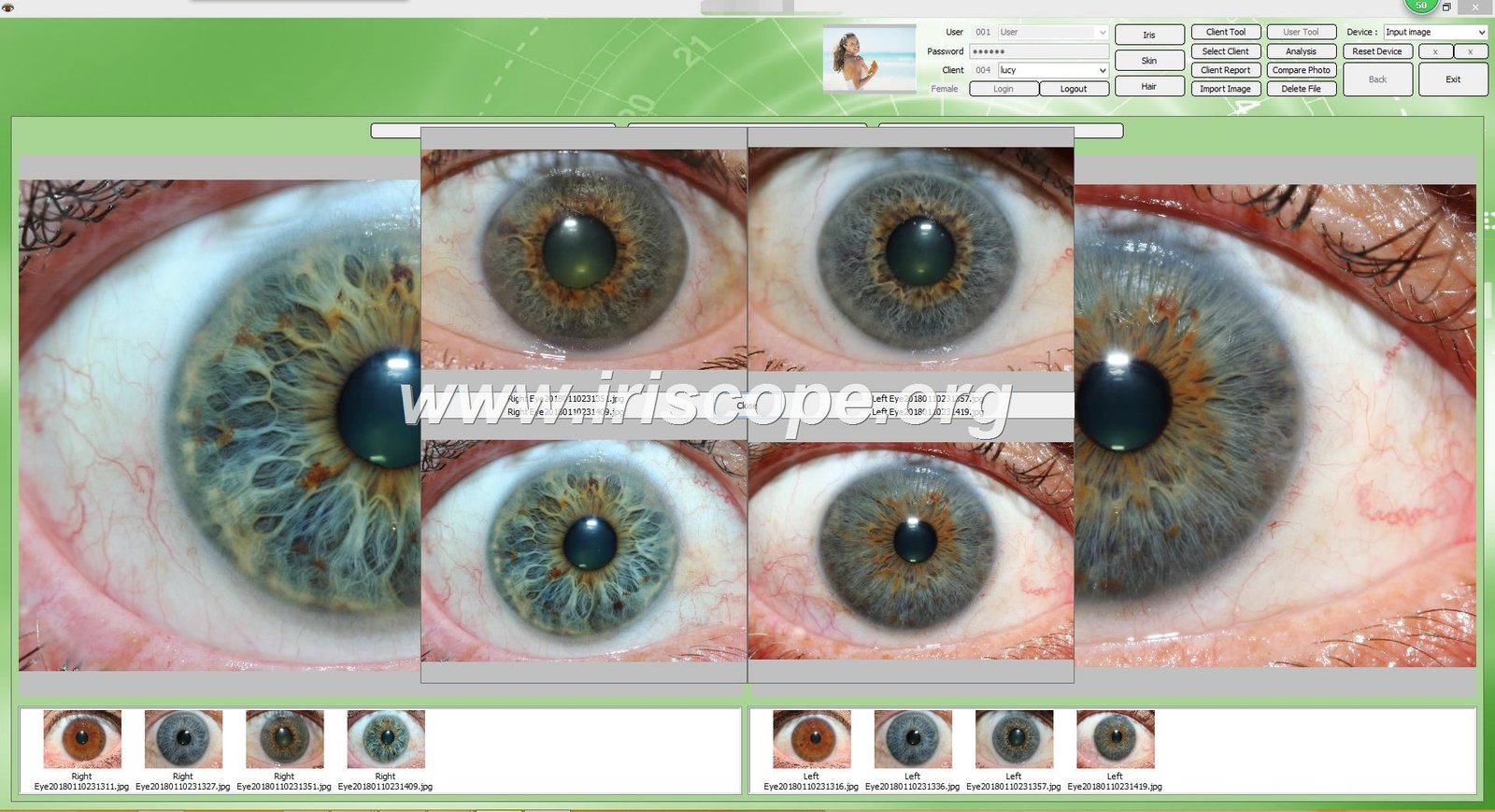
Choosing the best iridology software means finding a solution that manages client records seamlessly, generates detailed reports quickly, and works reliably with your existing camera hardware. After testing dozens of platforms over twenty years of manufacturing iridology equipment, our team understands what practitioners actually need.
The right software makes your practice more efficient. The wrong choice costs you time and frustrated clients.
This guide answers your most pressing questions about selecting iridology software. You will learn which features matter most, how to ensure compatibility with your computer system, and what to expect from professional-grade analysis tools. We break down everything from installation steps to multi-language support, based on real-world use in over one thousand clinics worldwide.
Connect with MAIKONG Software Specialists
What Makes the Best Iridology Software Stand Out in 2025
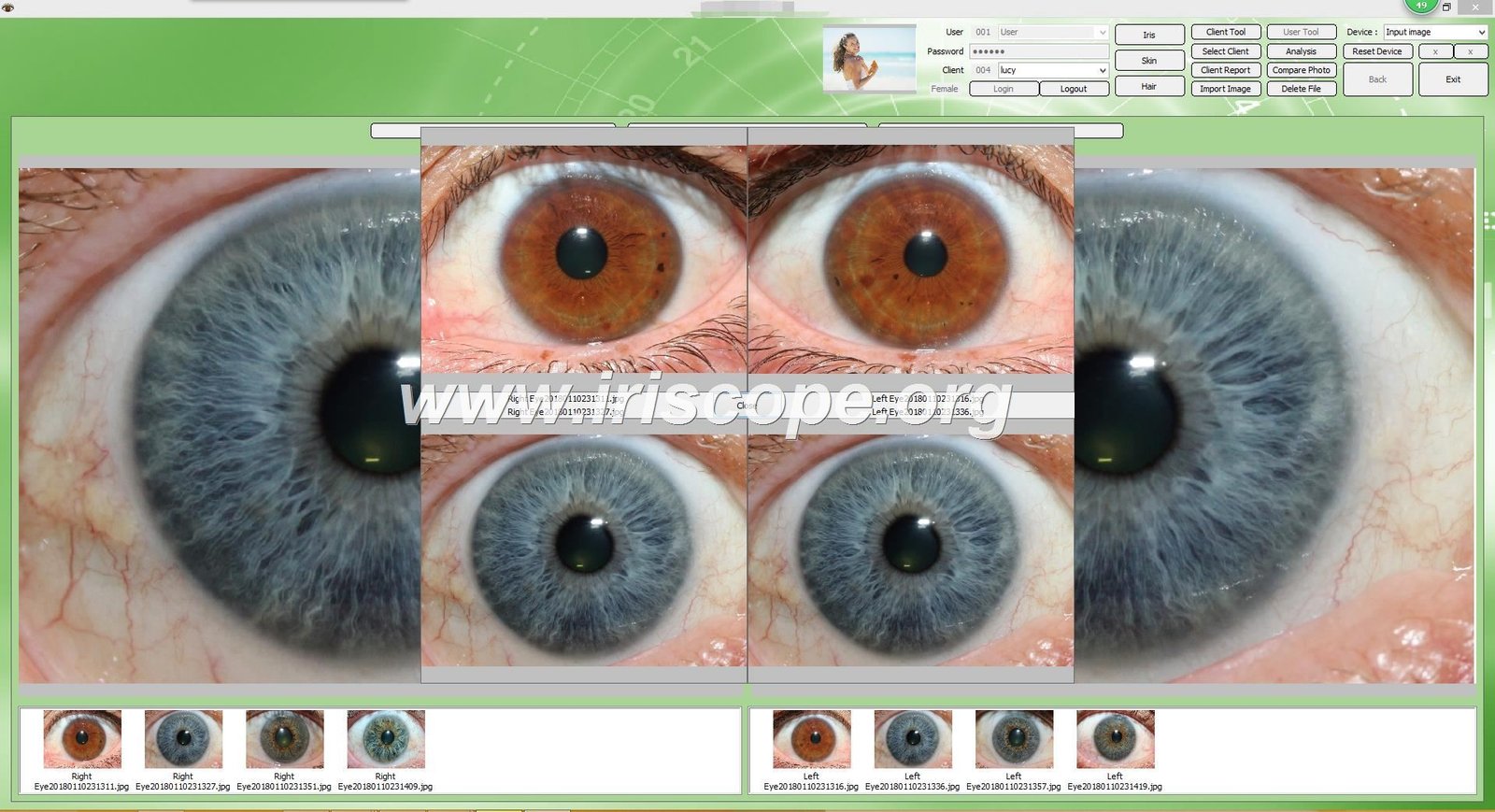
The best iridology software combines powerful analysis tools with practical workflow features. It should save you time while giving clients comprehensive reports they can understand. Here is what separates professional platforms from basic image viewers.
Core Software Capabilities That Actually Matter
Professional iridology software does more than capture pictures. It maintains organized client databases where you store complete health histories. Each client gets left and right eye images saved with dates and session notes. You can compare images taken months apart to track changes over time.
Advanced platforms overlay traditional iridology chart zones directly onto iris images. This visual reference helps you identify specific areas quickly during consultations. The best systems include multiple chart types so you can switch between Bernard Jensen, European, and other mapping approaches.
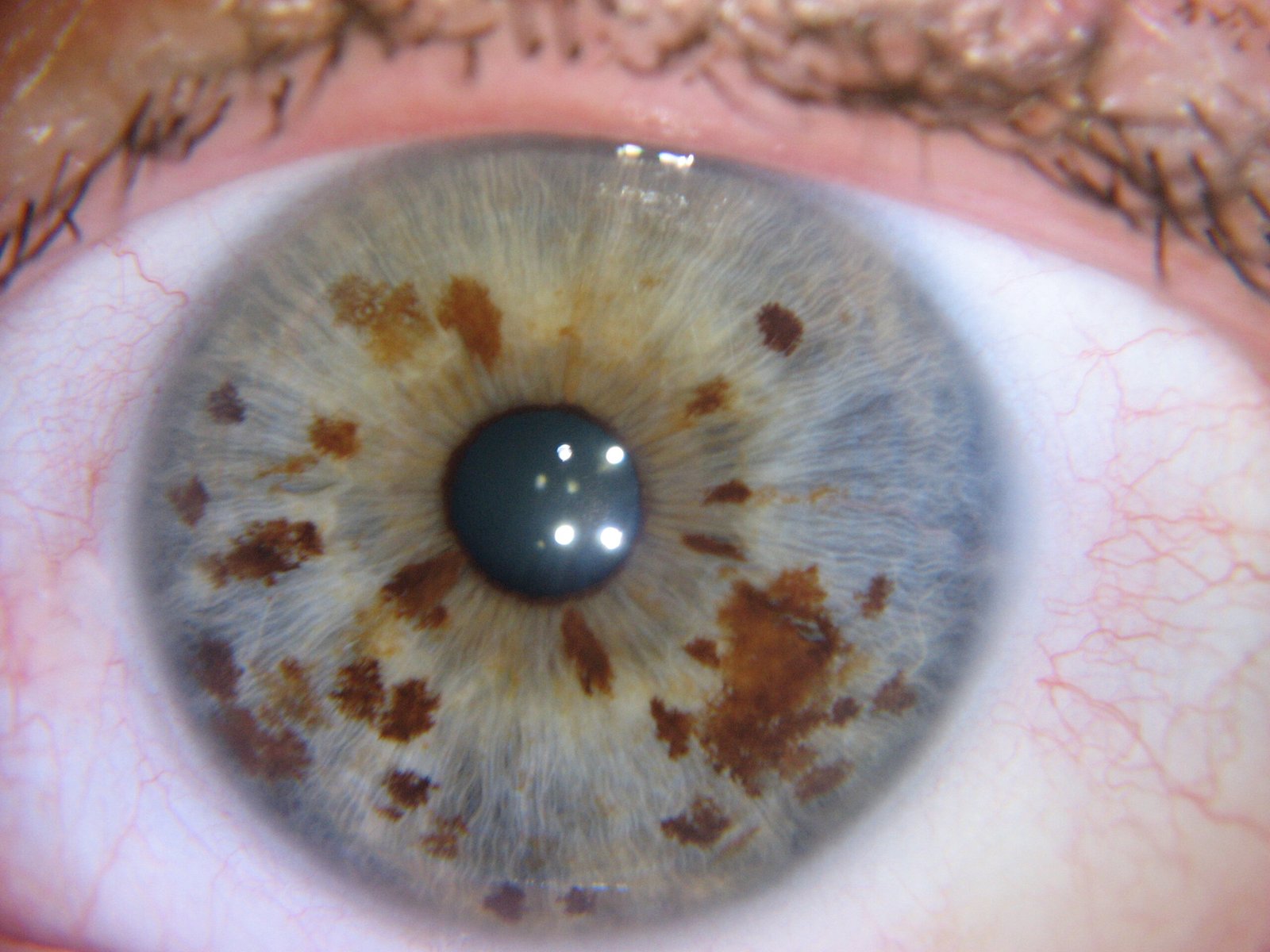
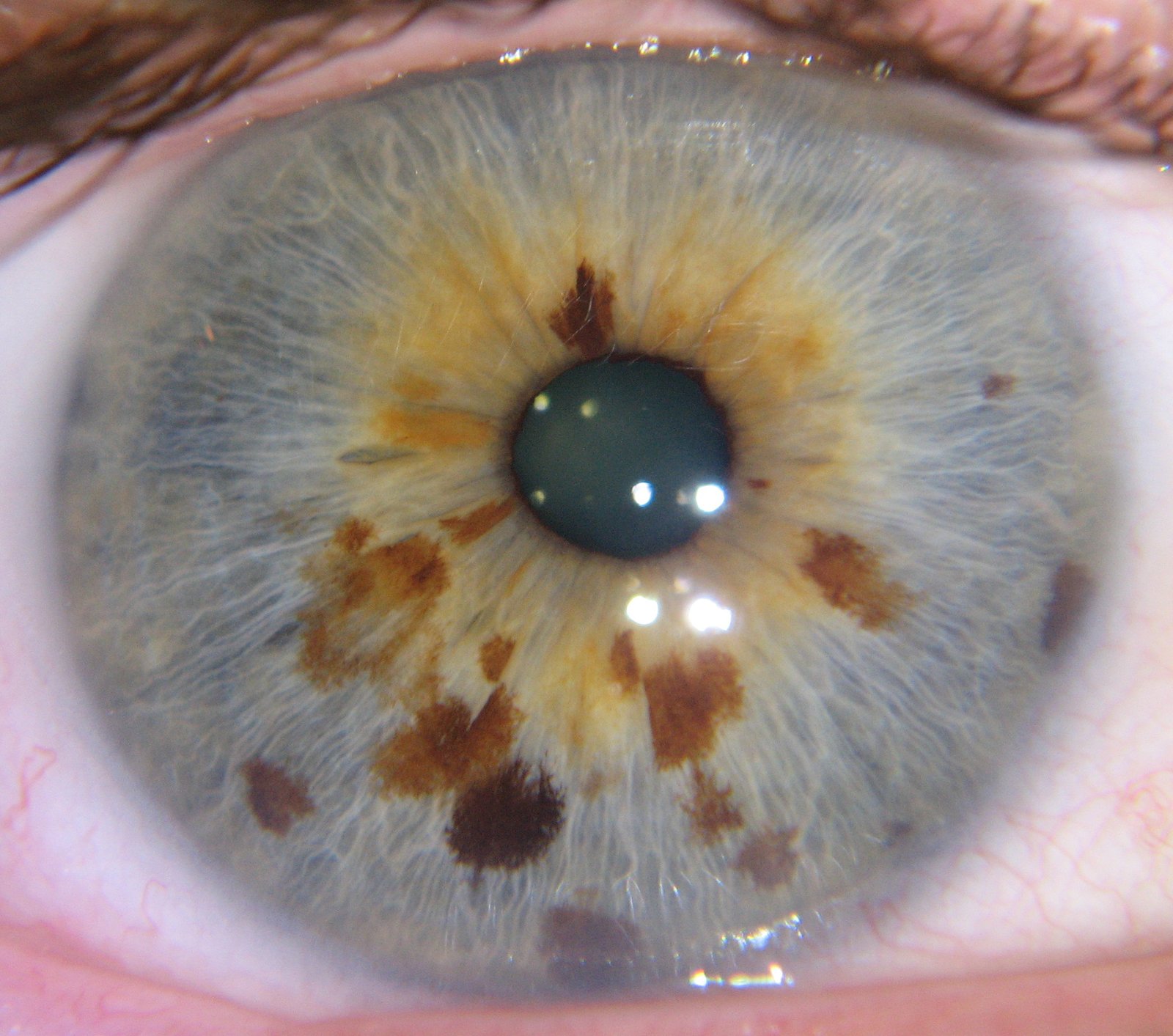
Report generation separates casual tools from professional solutions. Quality iridology software creates printable documents with your clinic branding, client photos, observations, and recommendations. These reports strengthen client education and provide take-home value after sessions.
Why System Compatibility Determines Software Success
Your software must work with your computer and camera without technical headaches. Windows compatibility should cover everything from older Windows XP systems still running in some clinics up to Windows 11. This range matters because replacing computers costs money many practitioners would rather spend elsewhere.
Mac users need to verify macOS support carefully. Until recently, most iridology platforms only worked on Windows. The best iridology software now supports macOS versions from 10.14 Mojave through the latest releases. This cross-platform flexibility lets you choose computers based on preference rather than software limitations.
Camera Integration Requirements
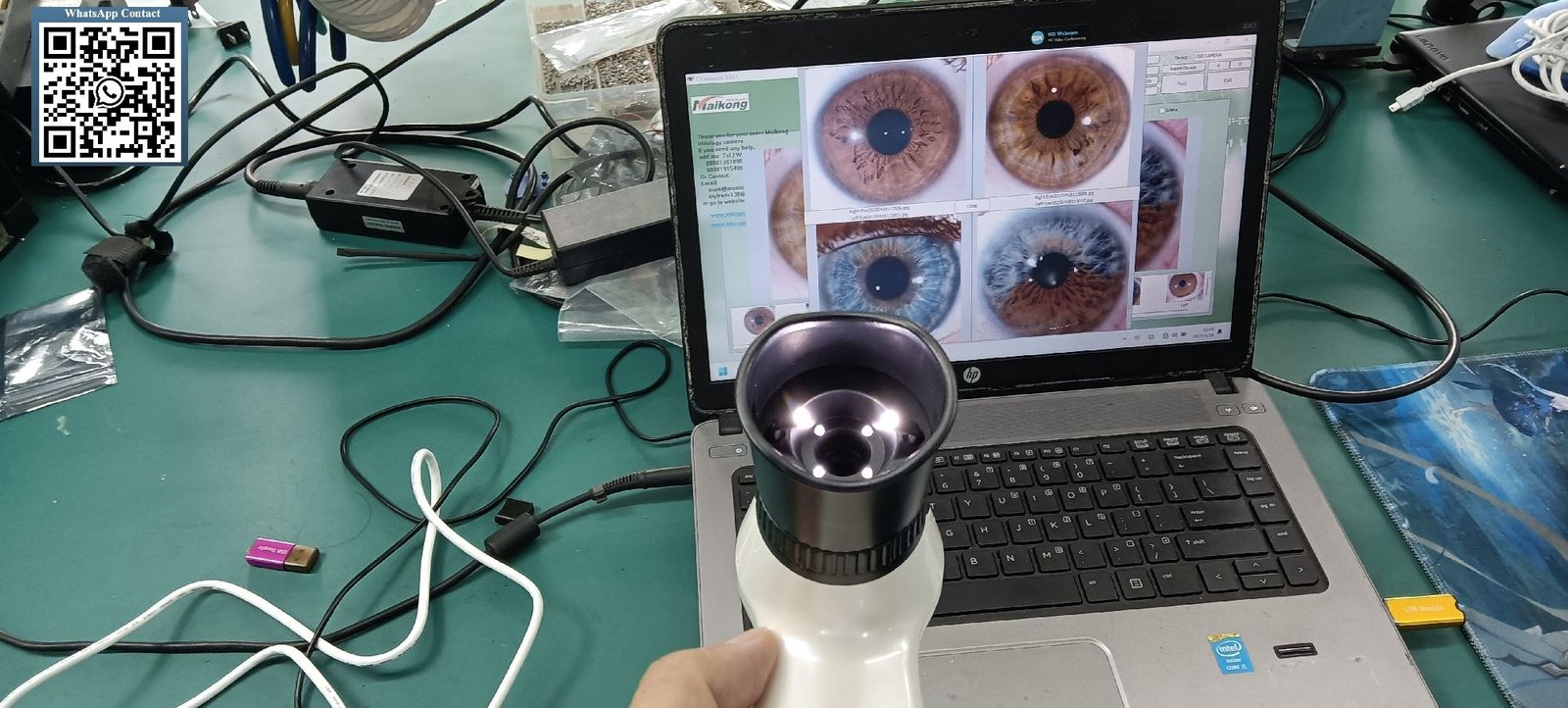
Your iridology camera must connect smoothly to your software. USB cameras work with most platforms, but verify the specific model compatibility. Some software requires proprietary cameras that lock you into one manufacturer. Others accept standard USB video devices, giving you hardware flexibility.
High-resolution sensors capture better images, but software needs to handle that data efficiently. Look for platforms supporting at least 12-megapixel cameras. This resolution provides clear detail for accurate iris analysis without overwhelming your computer processor.
Language Support Expands Your Client Base
Multi-language capabilities matter more than many practitioners realize. If you serve diverse communities or plan to expand internationally, software that supports client languages builds trust. Reports generated in a client’s native language improve comprehension and follow-through on recommendations.
We have seen clinics expand their practice significantly after adding Spanish or Chinese language options. The best platforms offer 15 or more languages, letting you switch interfaces and reports instantly. This flexibility also opens wholesale and partnership opportunities with international distributors.
Essential Features: Comparing Professional Iridology Software Options
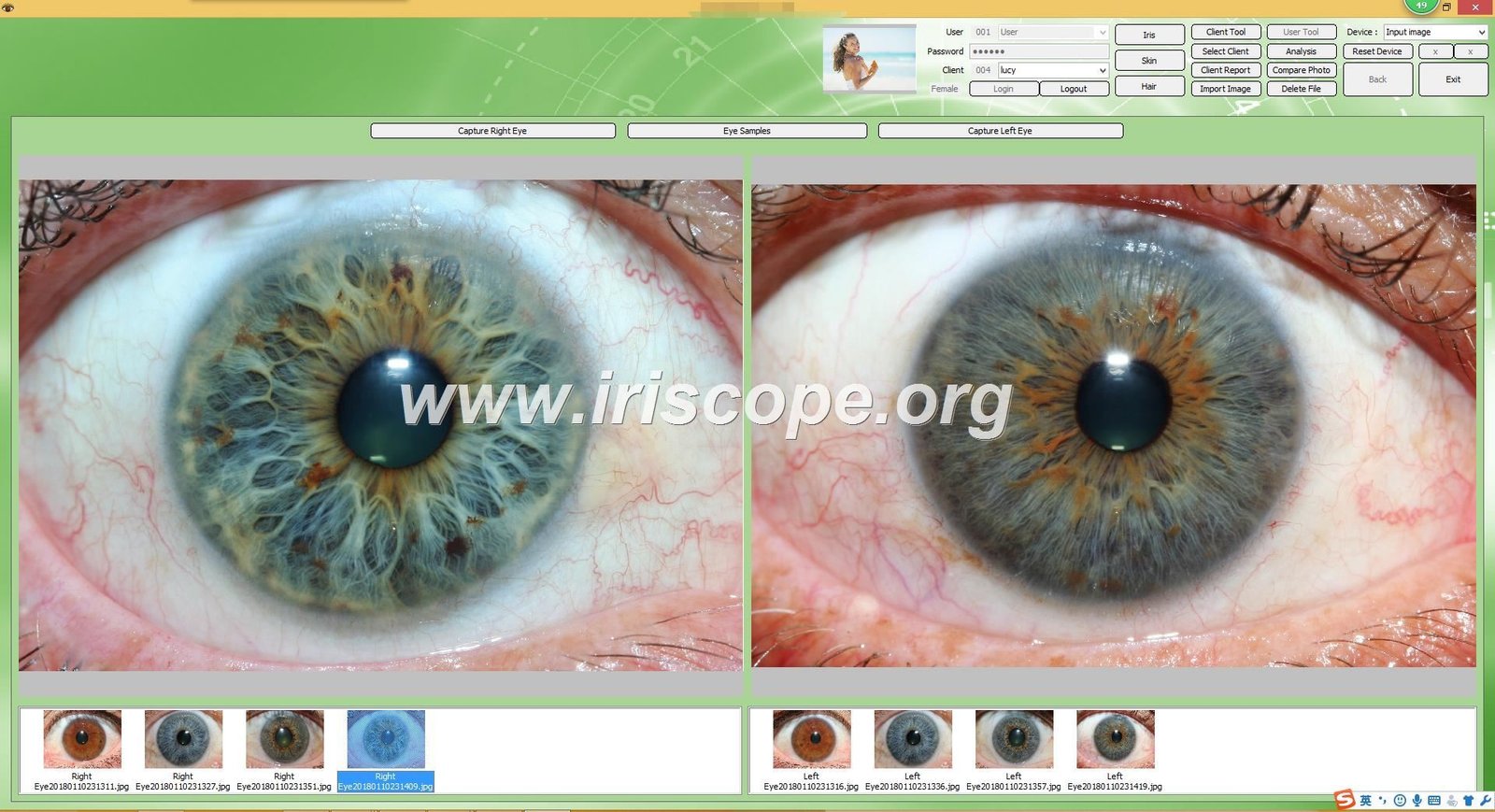
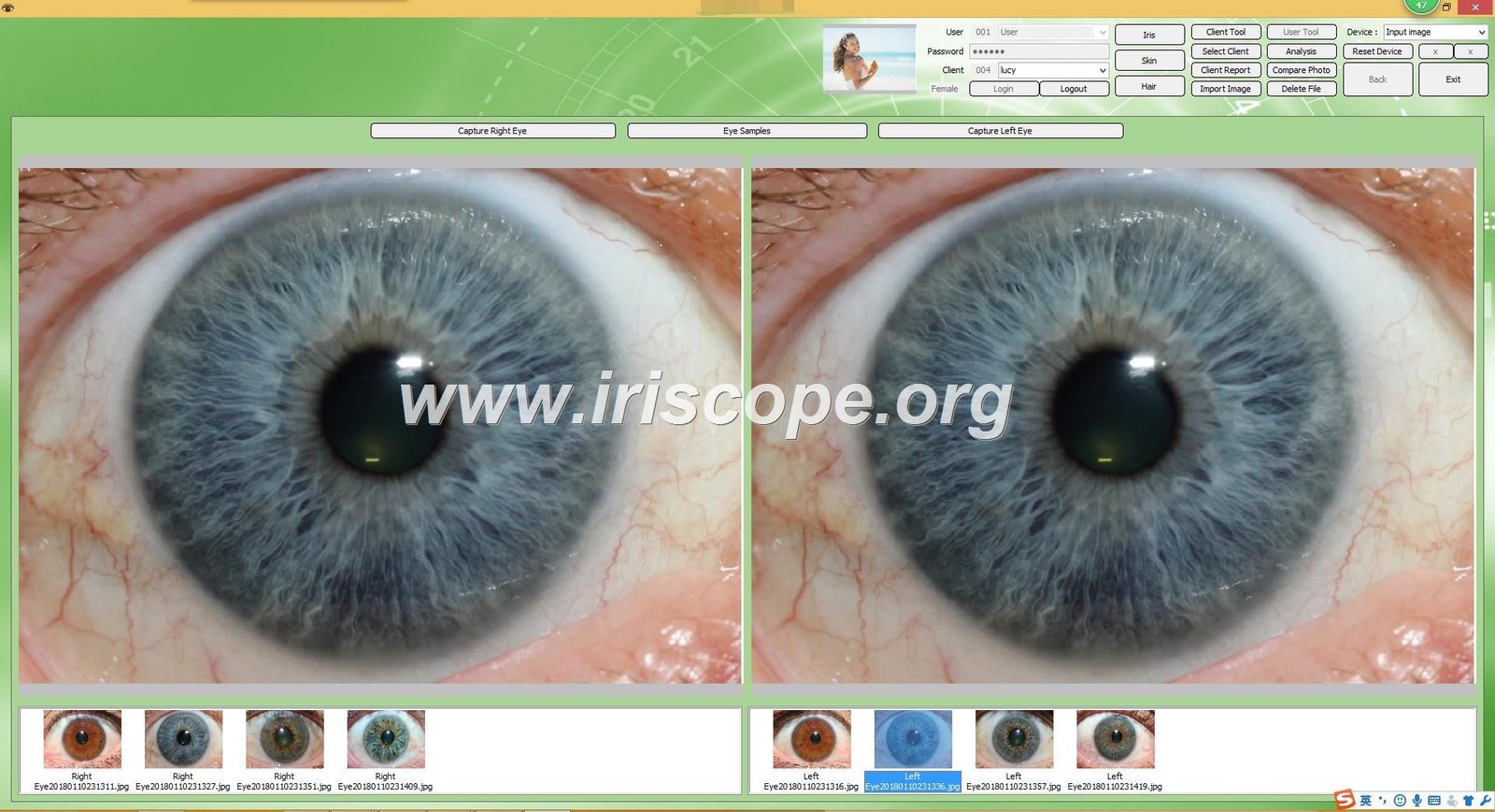
Different software platforms emphasize different strengths. Understanding these differences helps you match capabilities to your practice needs and future growth plans.
Client Management and Data Organization
Strong client management systems form the foundation of efficient practices. Your iridology software should let you add client profiles in seconds, including basic information like name, birth date, and contact details. More comprehensive systems track health history, previous session notes, and product recommendations.
Search functionality becomes critical as your client base grows. The ability to quickly find records by name, date, or condition saves substantial time during busy clinic days. Backup capabilities protect this valuable data from computer failures or accidents.
Image Storage and Comparison
Every session generates new iris images. Professional software organizes these chronologically within each client record. You should see thumbnail previews of all previous images when opening a client file.
Side-by-side comparison views let you track changes over time. Place an image from six months ago next to today’s capture to identify improvements or developing concerns. This visual timeline strengthens client motivation and validates your recommendations.
Chart Overlay and Annotation Tools
Digital chart overlays replace the need to reference paper charts during consultations. The software should let you toggle overlays on and off, adjust transparency, and switch between different chart systems instantly.
Annotation tools let you mark specific zones or add notes directly on images. These markers help during consultations and appear on printed reports for client reference. Drawing tools that circle or highlight areas focus attention on key observations.
Analysis Capabilities and Report Generation
The depth of analysis tools varies significantly between platforms. Basic software displays images with manual chart reference. Advanced systems use AI-assisted iris analysis to identify patterns and suggest corresponding health markers based on traditional iridology principles.
Automated analysis must remain educational rather than diagnostic. The best iridology software clearly labels all findings as observations for traditional iridology reference, not medical diagnoses. This distinction maintains professional boundaries and compliance with health regulations.
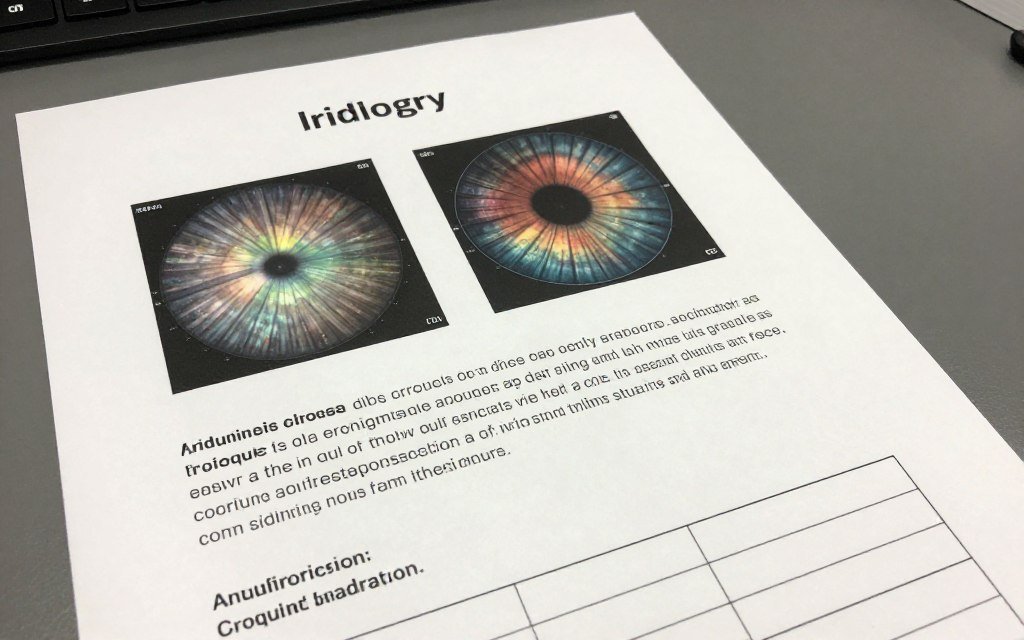
Report customization separates professional platforms from basic tools. You should control which elements appear in client documents, from your clinic logo to specific recommendation sections. Templates speed up report creation while maintaining consistent presentation.
Export options matter for sharing and archiving. PDF generation works universally for printing and digital distribution. Some platforms also export to image formats for presentations or educational materials.
3D Visualization and Advanced Imaging
Three-dimensional iris rendering represents recent software innovation. These 3D models let you rotate and examine iris structures from different angles, revealing texture details that flat images sometimes miss. This technology enhances observation accuracy for practitioners comfortable with advanced tools.
Texture analysis algorithms identify fiber patterns, density variations, and structural characteristics. While these automated assessments support traditional observation methods, experienced practitioners still provide the interpretive expertise that software cannot replace.
System Compatibility and Installation: What You Need to Know
Technical compatibility determines whether software works smoothly in your specific practice environment. Getting this right prevents frustration and wasted money on incompatible systems.
Windows Operating System Requirements
Windows remains the most common platform in healthcare settings. Professional iridology software should work across Windows versions to accommodate existing computers. Full compatibility from Windows 2000 and XP through Windows 11 means you can install the same software whether using an older office computer or the latest laptop.
Both 32-bit and 64-bit system architectures need support. While most new computers run 64-bit Windows, many clinics still operate 32-bit systems. Software that works on both eliminates upgrade pressure and extends your hardware investment.
| System Type | Supported Versions |
| Windows OS | Windows 2000, XP, Vista, 7, 8, 10, 11 (32-bit & 64-bit) |
| macOS | macOS 10.14 (Mojave), 10.15 (Catalina), 11 (Big Sur), 12 (Monterey), 13 (Ventura), 14 (Sonoma), 15 (Sequoia) |
| Linux | Not currently supported by most iridology platforms |
macOS Support Changes the Game
Mac users faced limited options until recently. Most iridology platforms ignored macOS entirely, forcing Apple users to either run Windows in virtual machines or choose different computers. This changed when forward-thinking manufacturers recognized the growing Mac presence in healthcare.
The best iridology software now runs natively on macOS without virtualization overhead. Native apps perform better and integrate properly with Mac features. When evaluating software, verify actual macOS versions supported, not just vague “Mac compatible” claims.
Our MAIKONG platform became the first iridology software with full macOS support in 2018. This breakthrough eliminated the Windows requirement that previously limited Mac users. Current versions work seamlessly from macOS 10.14 through the latest releases.
Step-by-Step Installation Process
Professional software installation should take minutes, not hours. The typical process begins with inserting the provided USB key containing installation files. Modern USB 3.0 keys transfer software and drivers quickly compared to older CD-ROM distribution methods.
Installation Steps
- Insert USB key into available computer port
- Launch installation executable file from USB
- Follow setup wizard prompts accepting defaults
- Disable built-in camera if software conflicts occur
- Connect iridology camera hardware to USB port
- Insert encryption dongle for software activation
- Launch application from desktop shortcut icon
Troubleshooting Tips
- Update Windows or macOS before installing software
- Disable antivirus temporarily if blocking installation
- Run installer as administrator on Windows systems
- Check USB camera appears in device manager
- Verify encryption dongle lights up when inserted
- Restart computer if camera not recognized initially
- Contact manufacturer support for activation issues
Encryption dongles protect software from unauthorized copying while allowing installation on multiple computers you own. This security dongle must remain inserted during use, though some newer systems use online activation instead. Understand which method your chosen software employs before purchasing.
Hardware Requirements Beyond Operating System
Processor speed affects how quickly software processes high-resolution iris images. Modern dual-core processors handle most iridology software easily. Four or more cores improve performance when using AI-assisted analysis features or generating multiple reports simultaneously.
RAM capacity matters more than many realize. While 4GB meets minimum specifications, 8GB or more prevents slowdowns when working with large image files or extensive client databases. Insufficient memory causes frustrating lag during consultations.
Storage space requirements stay modest for the software itself, typically under 2GB. However, iris images accumulate quickly. A practice seeing 20 clients weekly generates several gigabytes of data annually. Plan for adequate hard drive space or implement cloud backup systems.
Download Trial VersionTest compatibility on your system before purchasing. Free trial works fully for 15 days.
MAIKONG Iridology Software: Complete Technical Specifications
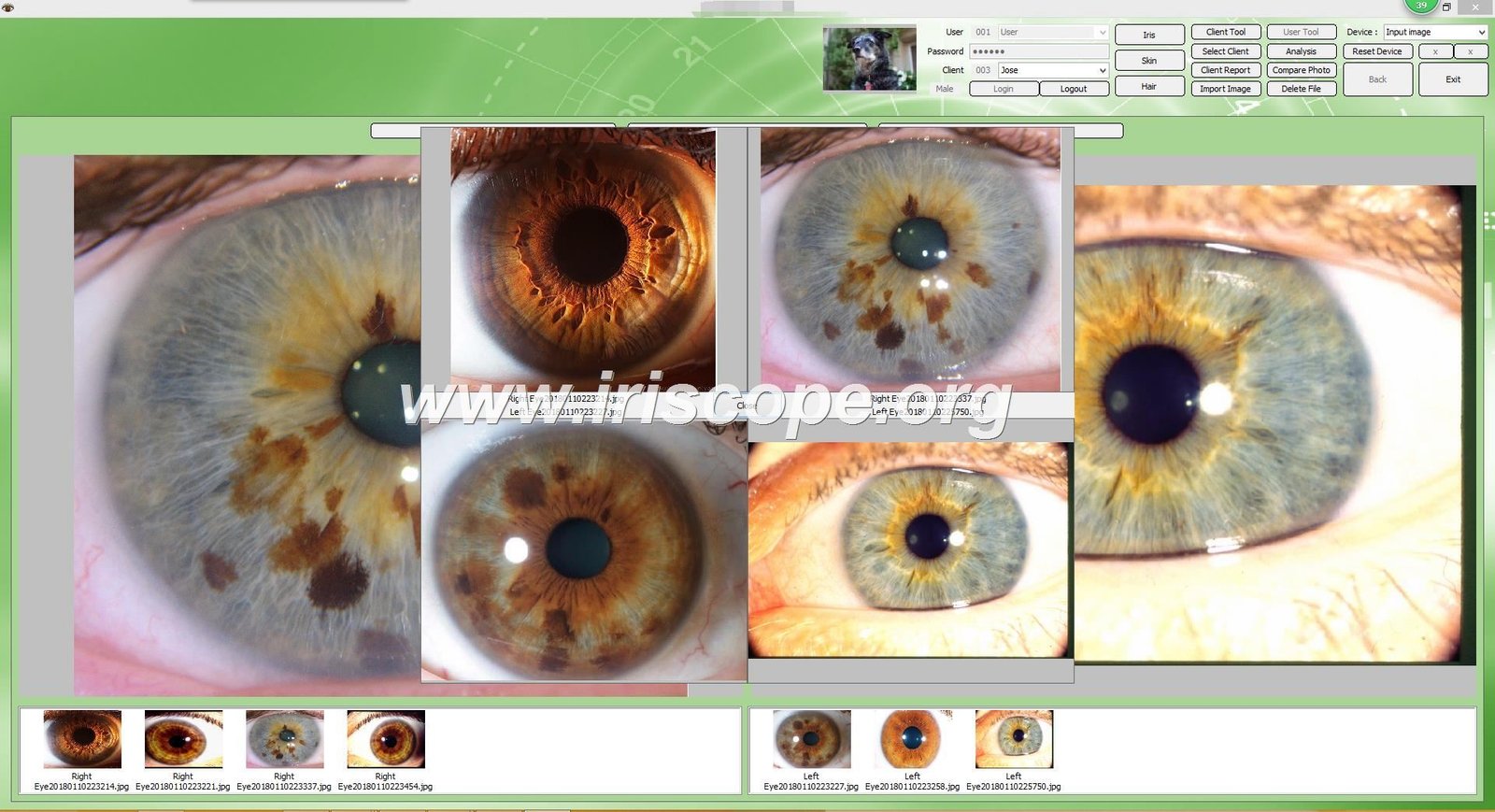
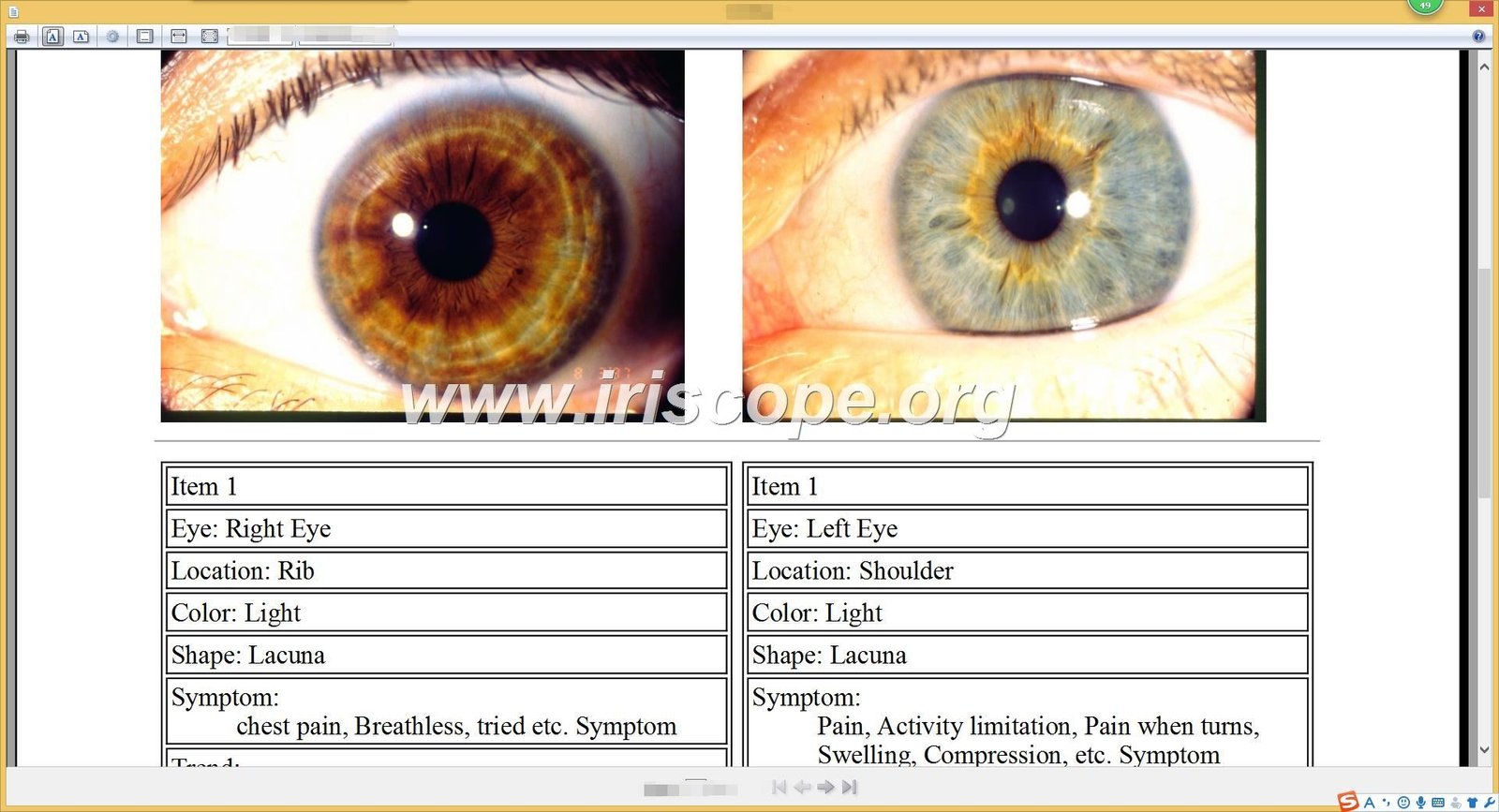
Our MAIKONG platform represents over twenty years of continuous development and refinement based on practitioner feedback worldwide. We built this software to address real workflow challenges while incorporating cutting-edge technology where it genuinely improves results.
Development History and Innovation Timeline
Our journey began in 2004 with basic manual iridology analysis tools. Each subsequent version responded to specific practitioner needs and technological advances. This evolution created one of the most comprehensive platforms available today.
| Year | Version | Key Milestones |
| 2004 | Initial Version | First release with basic manual iridology analysis software |
| 2005 | Version 3.0 | Added Simplified Chinese language and expanded health indicators |
| 2008 | Version 3.04 | Multi-language support including English and Spanish, improved image clarity |
| 2010 | Version 3.10 | Introduced AI-based automatic analysis and 3D image enhancement |
| 2014 | Version 3.15 | Released multi-user version with cloud data management |
| 2018 | Version 3.18 | First iridology software supporting macOS for Apple users |
| 2020 | Version 3.20 | Enhanced AI with automatic product recommendations and device synchronization |
| 2025 | Version 3.23 | Advanced automatic analysis, 3D textures, expanded language options |
Each upgrade maintained backward compatibility with previous versions. This design principle means client databases from our 2004 software still open in 2025 versions. Practices using our platform for years never lose historical data during updates.
Comprehensive Feature Set
Current MAIKONG software combines automated efficiency with practitioner control. The AI-assisted analysis suggests observations based on traditional iridology patterns, but you always review and modify before including in client reports. This balance speeds workflow without removing professional judgment.
Client Management Features
- Unlimited client profile storage
- Comprehensive demographic and health history fields
- Quick search by name, date, or custom tags
- Session notes with timestamp tracking
- Product recommendation history per client
- Automated appointment reminders (optional module)
Analysis and Reporting Tools
- Multiple traditional iridology chart overlays
- AI pattern recognition with confidence scores
- Side-by-side image comparison across dates
- Customizable report templates with branding
- PDF export with encryption options
- Batch report generation for group screenings
Language Support for Global Practice
We developed language modules based on actual distributor requests from practitioners worldwide. Our 17-language library covers major markets and emerging regions. Each translation maintains technical accuracy while adapting to local iridology terminology preferences.
| Language | Compatibility | OEM Support | Video Teaching |
| English | Windows XP/7/Vista/8/10/11, macOS 10.14-15 | Available | Online |
| Spanish | Windows XP/7/Vista/8/10/11, macOS 10.14-15 | Available | Online |
| French | Windows XP/7/Vista/8/10/11, macOS 10.14-15 | Available | Online |
| German | Windows XP/7/Vista/8/10/11, macOS 10.14-15 | Available | Online |
| Italian | Windows XP/7/Vista/8/10/11, macOS 10.14-15 | Available | Online |
| Portuguese | Windows XP/7/Vista/8/10/11, macOS 10.14-15 | Available | Online |
| Russian | Windows XP/7/Vista/8/10/11, macOS 10.14-15 | Available | Online |
| Japanese | Windows XP/7/Vista/8/10/11, macOS 10.14-15 | Available | Online |
| Korean | Windows XP/7/Vista/8/10/11, macOS 10.14-15 | Available | Online |
| Simplified Chinese | Windows XP/7/Vista/8/10/11, macOS 10.14-15 | Available | Online |
| Traditional Chinese | Windows XP/7/Vista/8/10/11, macOS 10.14-15 | Available | Online |
| Czech, Polish, Bulgarian, Persian, Malaysian | Windows XP/7/Vista/8/10/11, macOS 10.14-15 | Available | Online |
Switching languages takes one click without restarting the software. This flexibility helps practitioners serving multilingual communities or conducting international training sessions. All report templates automatically update to match the selected language.
3D Visualization and Texture Analysis
Our three-dimensional rendering engine converts standard iris photographs into rotatable 3D models. This technology reveals fiber patterns and structural details that traditional flat images sometimes obscure. Practitioners can zoom, rotate, and adjust lighting to examine specific zones from optimal angles.
Texture analysis algorithms measure fiber density, calculate lacuna dimensions, and identify pigmentation variations. These measurements remain consistent across sessions, eliminating subjective evaluation differences. Automated measurements complement traditional observation methods rather than replacing practitioner expertise.
Experience MAIKONG Software in Action
See how our 17-language, AI-powered platform streamlines your iridology practice. Request a personalized demo tailored to your clinic workflow. Our specialists will show you features that matter most for your specific needs.
MAIKONG iridology software is designed for traditional iridology observation and educational purposes. It does not diagnose, treat, or prevent any disease and is not a substitute for professional medical diagnosis.
Complete Hardware Integration: Camera Systems and Accessories
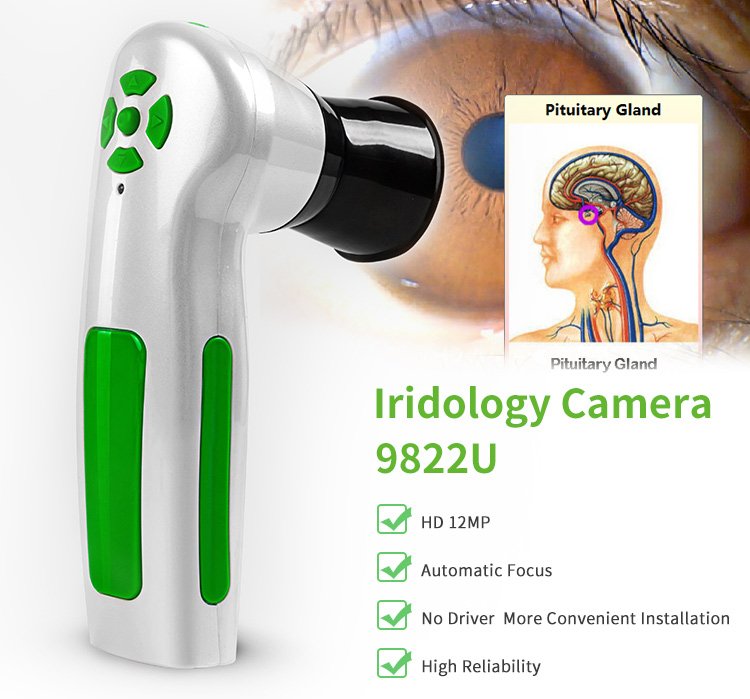
Software performance depends heavily on camera hardware quality and proper integration. We design our systems to work together seamlessly, eliminating compatibility frustrations that plague practitioners mixing components from different manufacturers.
MAIKONG MK-GY-9822U Camera Specifications
Our current-generation USB iridology camera provides clinical-grade image quality in a portable design. The 12-megapixel sensor captures sufficient detail for accurate traditional iridology observation while keeping file sizes manageable.
| Specification | Details |
| Model Number | MK-GY-9822U |
| Sensor Resolution | 12.0 Megapixels |
| Lens Type | Imported optical glass with anti-reflective coating |
| LED Illumination | Adjustable ring light around lens barrel |
| Focus System | Manual adjustment for precise iris capture |
| Image Stabilization | Digital stabilization via DSP processor |
| Connection | USB 2.0 (compatible with USB 3.0 ports) |
| Power Source | USB bus-powered, no external adapter required |
| Compatible Systems | Windows 2000/XP/Vista/7/8/10/11, macOS 10.14+ |
| Certifications | CE certified, ISO9000 manufacturing standards |
| Warranty | 1 year manufacturer warranty with return/replacement service |
USB bus power eliminates bulky external adapters that clutter examination spaces. Simply connect the camera to your computer and begin capturing images immediately. The LED ring light intensity adjusts via controls on the handle, letting you optimize illumination for different iris colors.
Included Accessories and Packaging
Complete systems include everything needed to begin practice immediately. We package cameras in protective carrying cases that fit easily in travel bags for mobile practitioners or health fairs.
| Item | Quantity | Purpose |
| Camera Handset | 1 | Main iris capture device with LED illumination |
| 30X Iris Lens | 1 | Optical magnification for detailed iris capture |
| Leather PU Carrying Case | 1 | Protective storage and transport |
| USB Cable (1.5 meter) | 1 | Computer connection with adequate length for positioning |
| Lens Protective Cover | 1 | Prevents scratches and dust on optical surfaces |
| Printed Iridology Chart | 1 | Quick reference during consultations |
| Installation CD/USB | 1 | Software, drivers, and documentation |
| Instructions & Warranty Card | 1 | Setup guide and warranty registration |
The 30X magnification lens provides optimal detail without excessive working distance. Practitioners can maintain comfortable positioning during examinations while capturing clinical-quality images. Alternative lens strengths accommodate specific practice preferences.

Optional Stand Systems for Consistent Positioning
Handheld cameras work well for mobile practices, but fixed stands improve consistency in busy clinics. Our iridology camera stand systems position cameras at optimal working distance with height adjustment and stable mounting.
Stands reduce practitioner fatigue during long examination sessions. Clients appreciate the professional appearance and consistent positioning that stands provide. The investment pays off through improved image quality and reduced physical strain.
Integrating Iridology Software into Your Practice Workflow
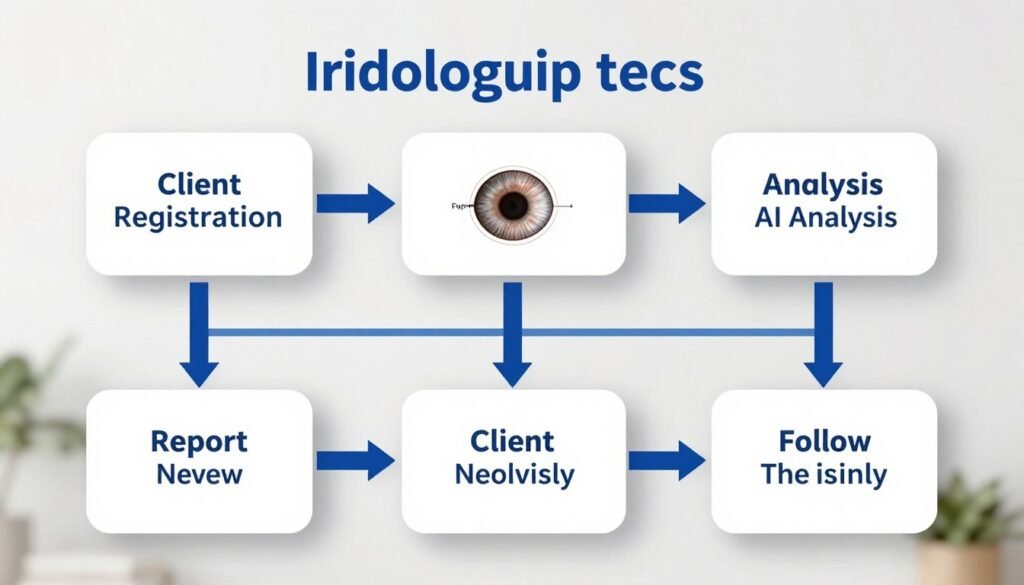
The best iridology software adapts to your existing practice patterns rather than forcing workflow changes. Successful integration requires understanding how software fits into client interactions from check-in through follow-up.
Initial Client Visit Workflow
New client visits begin with profile creation in your software. This process takes under two minutes when you use efficient data entry forms. Required fields typically include name, contact information, and birth date. Optional fields capture health history details that inform your observations.
Image capture happens after initial consultation. Position your best iridology camera comfortably for both you and the client. Take multiple captures of each eye to ensure at least one perfectly focused image. Delete obviously poor images immediately to avoid confusion later.
Real-Time Client Engagement
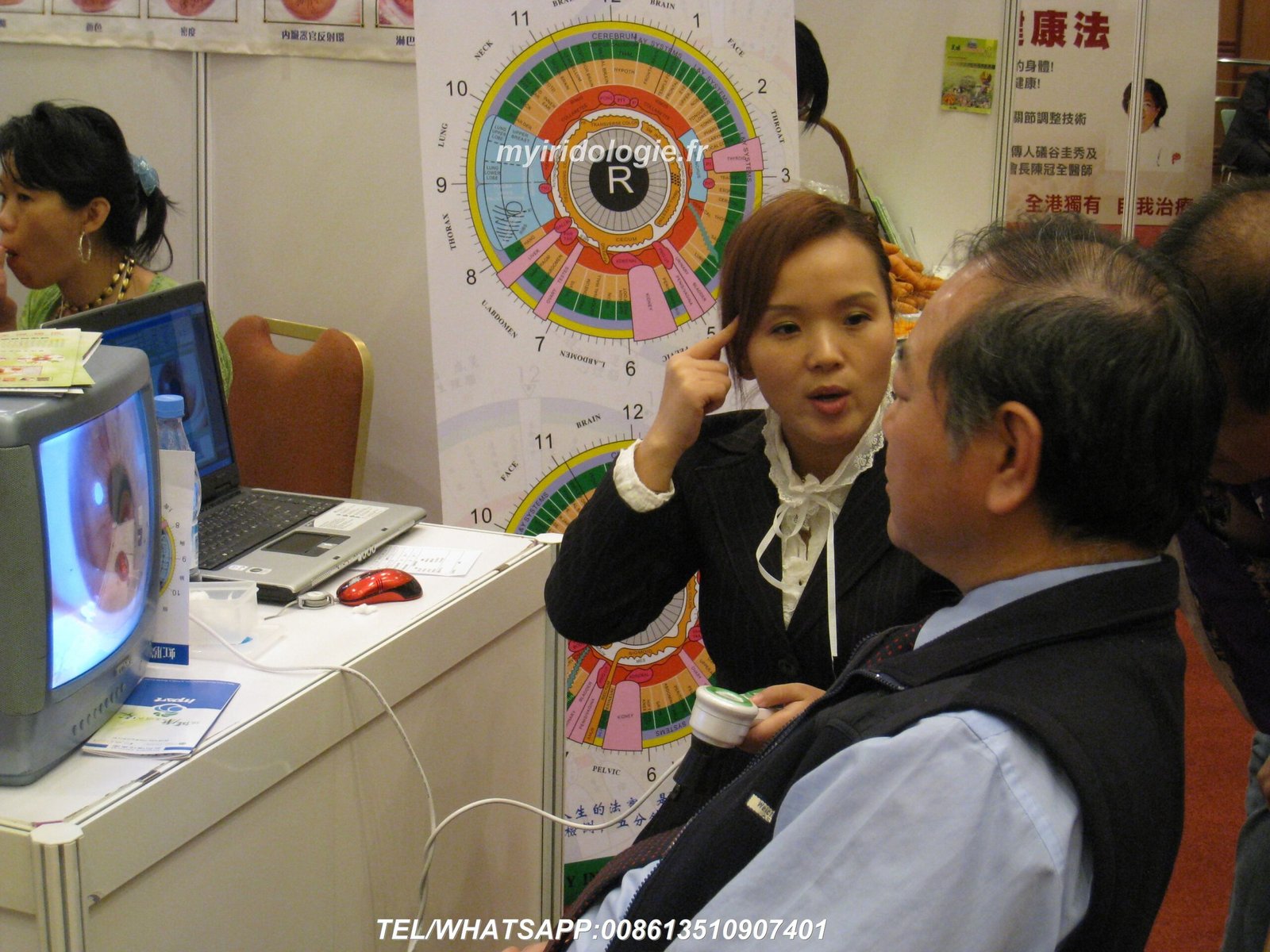
Display captured images on a monitor visible to clients during consultations. This visual engagement transforms abstract concepts into concrete observations clients can understand. Zoom into specific iris zones while explaining traditional iridology interpretations.
Chart overlays help clients visualize zone correlations to body systems. Toggle overlays on and off to show the same iris with and without reference markers. This comparison demonstrates how practitioners identify specific areas worth discussing.
Report generation completes visits with tangible value clients take home. Select appropriate report templates based on visit type and observations made. Professional reports typically include client information, paired iris images, your observations written in accessible language, and wellness recommendations.
Follow-Up Visit Optimization
Return visits benefit enormously from historical image comparison. Open the client record and view all previous images chronologically. Select the most recent prior visit image and today’s capture for side-by-side display. This visual timeline helps both you and clients track changes over time.
Comparative analysis strengthens client motivation. Visible improvements validate recommendations they have followed. Areas showing little change prompt discussion of compliance or approach modifications. This objective feedback loop improves outcomes.
Updated reports for follow-up visits include comparison images showing the before and after progression. Clients appreciate seeing their progress documented professionally. These reports also serve as motivation to continue wellness efforts between visits.
Group Screening and Educational Events
Software designed for individual consultations also supports group screenings at health fairs and community events. Create temporary client profiles for screening participants using abbreviated information. Capture basic iris images without extensive consultation notes.
Batch processing features generate simplified reports for all screening participants efficiently. These introductory reports provide enough information to interest potential new clients while avoiding overwhelming detail inappropriate for brief screenings. Include your contact information and invitation for comprehensive consultations.
Frequently Asked Questions About Choosing Iridology Software

Practitioners considering new software platforms ask similar questions repeatedly. These answers address the most common concerns based on thousands of customer interactions.
What is the best iridology software for practitioners just starting out?
New practitioners benefit most from platforms offering comprehensive training resources alongside core features. Look for software including tutorial videos, sample cases, and clear documentation. The best iridology app for beginners provides guided workflows that teach proper image capture and traditional observation methods while managing client records.
MAIKONG software includes online training videos in multiple languages and step-by-step guides for each function. Our interface design presents features progressively, so beginners are not overwhelmed while advanced users access sophisticated tools. This scalable approach supports growth from student to experienced practitioner without changing platforms.
Does iridology software work with any camera or only specific models?
Software compatibility varies significantly between platforms. Some manufacturers create proprietary systems requiring their specific cameras. Others accept standard USB video devices, providing hardware flexibility. The best iridology software approach balances these extremes by optimizing performance with recommended cameras while maintaining basic functionality with compliant alternatives.
Our MAIKONG platform works optimally with our iridology camera manufacturers‘ hardware but also accepts other high-resolution USB cameras meeting minimum specifications. This flexibility protects your investment if you already own compatible equipment. We provide a compatibility check tool to verify whether your existing camera works before purchasing software.
Can I customize reports with my clinic logo and branding?
Professional iridology software should absolutely support report customization. Your client reports represent your practice and should reflect your brand identity. Look for platforms allowing logo upload, color scheme modification, header and footer customization, and flexible template layouts.
MAIKONG software provides extensive report customization options. Upload your clinic logo, select color themes matching your brand, modify report sections to emphasize areas important to your practice, and save multiple templates for different visit types. OEM clients receive additional customization including software interface branding and custom splash screens.
How does multi-language support work in iridology software?
Quality multi-language implementations translate all interface elements, menu items, reports, and documentation. Basic systems only translate menus, leaving reports in English regardless of selection. The iridology app best suited for diverse communities provides complete language switching including client-facing reports.
Our platform switches languages instantly throughout the entire system. When you select Spanish, for example, menus, buttons, report templates, and even chart labels all change to Spanish. This comprehensive translation approach ensures clients who do not speak English receive reports they fully understand. We currently support 17 languages with more added based on demand.
What happens to my client data if I need to replace my computer?
Database portability protects years of accumulated client data when hardware fails or requires replacement. Professional software should export complete databases to external drives or cloud storage. Look for platforms supporting automatic backup scheduling so you never forget manual backups.
MAIKONG software includes built-in backup tools that export your entire database with one click. Copy this backup file to external storage, cloud services, or additional computers. When installing software on replacement hardware, simply import your backup file to restore all client records, images, and settings exactly as they were. We recommend weekly backups to minimize potential data loss.
Is there a difference between Windows and Mac versions of iridology software?
Ideally, Windows and macOS versions should provide identical functionality despite different operating systems. Some manufacturers create separate codebases leading to feature discrepancies between platforms. The best iridology software maintains feature parity so users can work on either system without limitations.
We maintain identical feature sets across both Windows and macOS versions. Whether you use a PC or Mac, you get the same AI analysis tools, language options, report templates, and client management capabilities. Files export in identical formats allowing seamless sharing between Windows and Mac users. This cross-platform consistency supports practices using mixed computer environments.
How do software updates work and do they cost extra?
Update policies vary widely between manufacturers. Some charge annual fees for continued updates while others include free updates for specific periods. Understand the long-term cost implications before purchasing. The best iridology software investment includes reasonable update access without perpetual fees.
MAIKONG software includes free updates for the first year after purchase. These updates add features, improve performance, and maintain compatibility with new operating system releases. After the first year, updates remain available at nominal annual fees significantly lower than new license costs. Major version upgrades receive discounted pricing for existing customers. This model balances ongoing development costs with customer value.
Additional questions about specific features or technical requirements receive prompt responses from our support team. We encourage potential customers to contact us directly rather than making assumptions about capabilities. Every practice has unique needs that conversation clarifies better than written documentation.
Partnership and Distribution Opportunities with MAIKONG
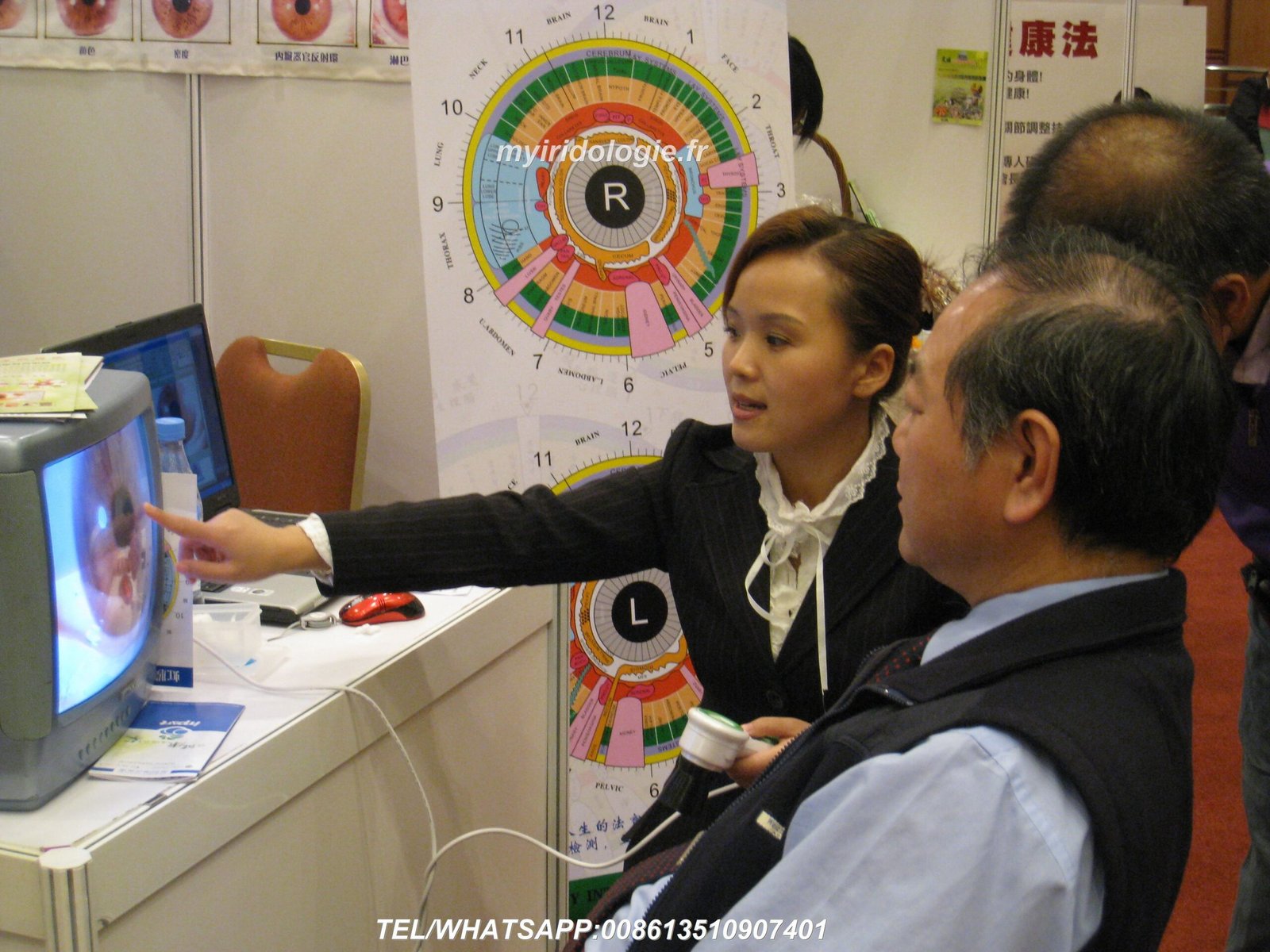
We built our manufacturer reputation on supporting partners who bring our products to practitioners worldwide. Over twenty years, we have refined our partnership program based on what actually helps distributors succeed in their markets.
Why Partner with an Established Manufacturer
Working directly with manufacturers provides advantages unavailable through middlemen. You receive better pricing that improves your margins or competitive positioning. You gain access to customization options that differentiate your offerings from generic imports. You establish relationships with the actual engineering and support teams who can address technical questions definitively.
Our GD Province, SZ City manufacturing facility maintains ISO9000 quality management systems and holds CE certifications. These credentials matter when selling into regulated markets or to institutions requiring compliance documentation. We provide all necessary paperwork to support your sales efforts.
OEM Customization Services
- Hardware model numbers customized to your brand
- Software interface branded with your company identity
- Custom language development for specific markets
- Report templates featuring your logo and colors
- Packaging design modified to your specifications
- Minimum order quantities scaled to your business size
ODM Development Support
- Custom feature development for specialized needs
- Integration with your existing practice management systems
- Proprietary analysis algorithms for unique methodologies
- White-label products sold under your brand exclusively
- Intellectual property protection for custom developments
- Engineering collaboration for innovative product concepts
Partner Success Through Market Knowledge
We recognize that you understand your local market better than any overseas manufacturer possibly could. Our role involves providing quality products and technical support while you focus on marketing, sales, and client relationships in your region.
US market partners benefit from our warehouse presence in the United States. This domestic inventory reduces shipping times and costs compared to direct China shipments. It also simplifies customs procedures and provides faster access to replacement parts when customers need support.
Our established relationships with major direct sales companies, supplement manufacturers, and wellness organizations provide partnership opportunities and credibility. Partners mention working with the same manufacturer trusted by Amway, Herbalife, and other recognized brands when discussing their products with potential customers.
Technical and Marketing Support
Partners receive more than just product access. We provide technical training so your sales team understands both hardware and software capabilities thoroughly. This knowledge lets them answer customer questions confidently and position products appropriately for different buyer types.

Marketing materials including product photos, specification sheets, and comparison charts help you create effective promotional content. We grant rights to use our certifications and test results in your marketing, providing third-party validation that improves conversion rates.
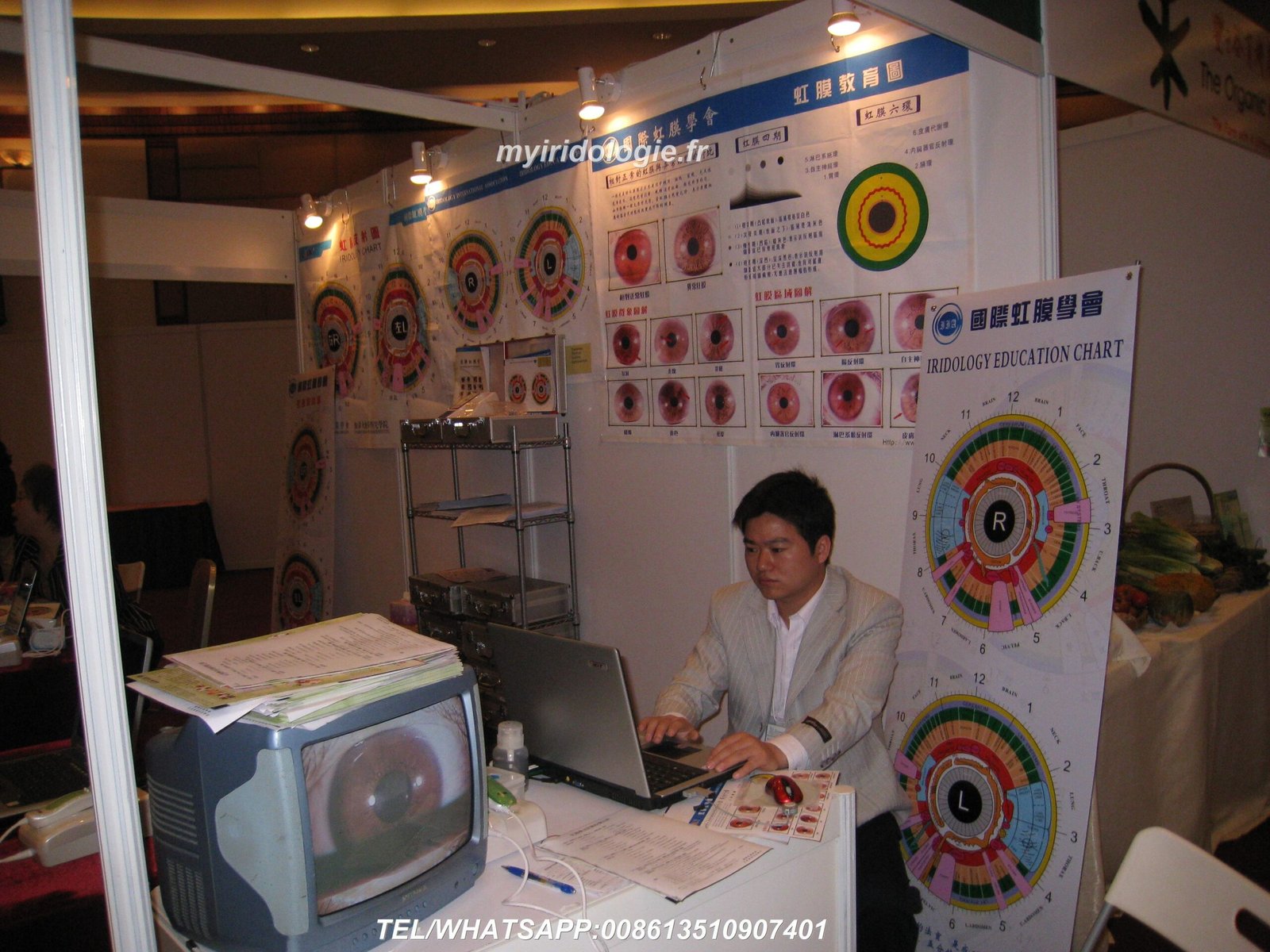
Co-marketing opportunities exist for partners interested in joint educational events or trade show participation. We have experience supporting partners at natural health expos, iridology conferences, and wellness practitioner gatherings with booth materials, demonstration equipment, and sometimes direct attendance.
Become a MAIKONG Distributor in the United States
Join 1,000+ successful partners worldwide who trust MAIKONG for their iridology solutions. We offer OEM/ODM customization, local language support, competitive wholesale pricing, and dedicated US market assistance. Build your business with a manufacturer trusted for Modern iridology software interface displaying iris analysis on computer screen with camera equipment20 years by leading wellness companies and practitioners.
Connect with MAIKONG: Request Information or Demo

We understand that choosing the best iridology software represents a significant decision for your practice. Our team welcomes questions about technical specifications, compatibility concerns, pricing, or partnership details. Reach out using whatever method works best for you.
Direct Contact Information
Phone & WhatsApp:
8613-51090-74-01
WhatsApp: +86 135-1090-7401
Email:
Lucy@myiridology.us
Website:
https://myiridology.us/
Manufacturing Location:
GD Province, SZ City, China
US warehouse available for faster delivery
Making Your Decision: Next Steps for Selecting Iridology Software
The best iridology software for your practice balances features, compatibility, support, and cost in proportions that match your specific situation. New practitioners prioritize learning resources and straightforward interfaces. Established practices value advanced analysis tools and extensive customization. Wholesale distributors focus on OEM capabilities and technical support for their customers.
Whatever your position, invest time evaluating options thoroughly before committing. Request demonstrations from multiple vendors. Test trial versions on your actual computer systems with your preferred camera hardware. Speak with current users about real-world experiences rather than relying solely on marketing materials.
Our MAIKONG platform serves over one thousand practitioners and distributors worldwide because we listen to actual needs rather than imposing our assumptions. Twenty years of continuous development created software that practitioners actually use daily, not systems gathering dust after initial enthusiasm fades.
We invite you to experience our software firsthand through personalized demonstrations or trial downloads. See whether the features we have discussed deliver value for your specific workflow. Compare our approach to alternatives honestly, as informed customers become satisfied long-term partners.
The iridology field continues evolving with new research methodologies and technological capabilities. Choosing a manufacturer committed to ongoing development ensures your investment remains current as practices advance. Our development history demonstrates consistent innovation and platform improvement spanning two decades.
Contact our team today to discuss your requirements, schedule a demonstration, or explore partnership opportunities. Whether you need a single practitioner license or plan to distribute throughout the United States market, we provide solutions scaled appropriately for your situation.
Ready to enhance your iridology practice?
For traditional iridology observation and educational reference only. Not a substitute for professional medical diagnosis. Always consult qualified healthcare providers for medical advice regarding health conditions.