
HSK Iridology Software: Complete System Compatibility, Features, and Partnership Guide for US Health Professionals
When I first started researching hsk iridology software for my natural health clinic, I faced the same challenges you might be experiencing right now. I needed a system that could handle client records efficiently, produce professional reports my patients would trust, and work seamlessly with the equipment I already owned. After testing multiple platforms, I discovered what truly separates effective iridology software from basic image capture tools.
If you are wondering whether HSK iridology software can support your specific workflow, integrate with your camera setup, or scale with your growing practice, this guide answers those exact questions. I will walk you through compatibility requirements, core functionality, customization options, and real-world implementation scenarios that matter for clinics, training institutions, and distributors in the United States market.
Already familiar with what you need? Request pricing and compatibility confirmation now to move forward quickly.
Important Medical Disclaimer: The software and information discussed in this article are designed for traditional iridology observation and educational purposes only. This technology does not diagnose, treat, cure, or prevent any disease or medical condition. It should never replace professional medical evaluation, diagnosis, or treatment by licensed healthcare providers. Always consult qualified medical professionals for health concerns.
What Exactly Is HSK Iridology Software and Who Uses It?
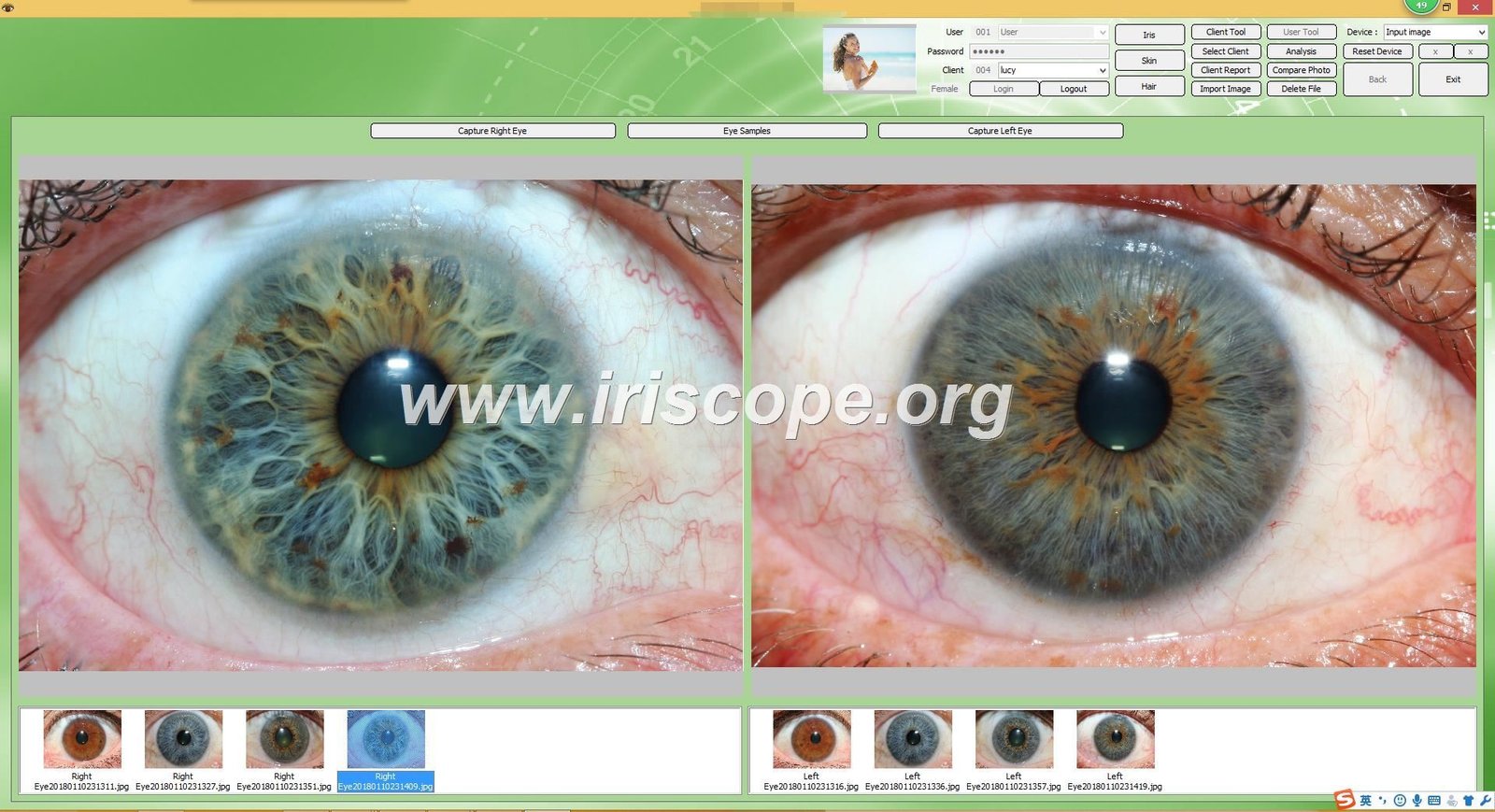
HSK iridology software represents a specialized category of iris analysis tools designed for practitioners who examine iris patterns as part of traditional health observation practices. Unlike basic photo editing programs, this software integrates client management databases, standardized iris chart overlays, comparative analysis features, and report generation capabilities into one cohesive platform.
The system captures high-resolution images of both left and right iris structures. It then allows practitioners to overlay anatomical zone maps, note specific iris features, track changes over multiple visits, and produce educational materials for clients. This differs fundamentally from diagnostic medical imaging systems, which analyze tissue for disease detection under regulated healthcare protocols.
Primary User Categories for Iridology Software Systems
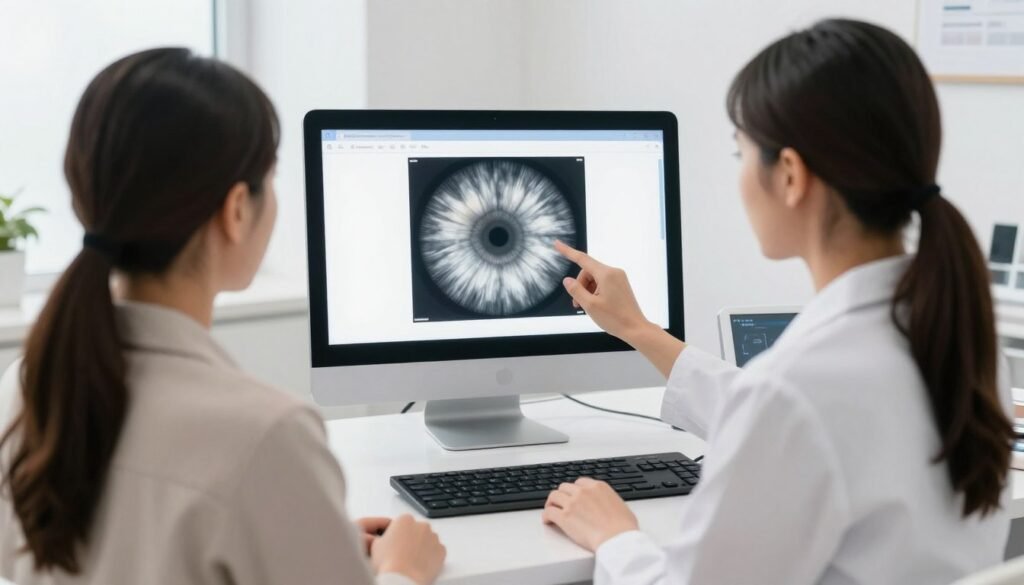
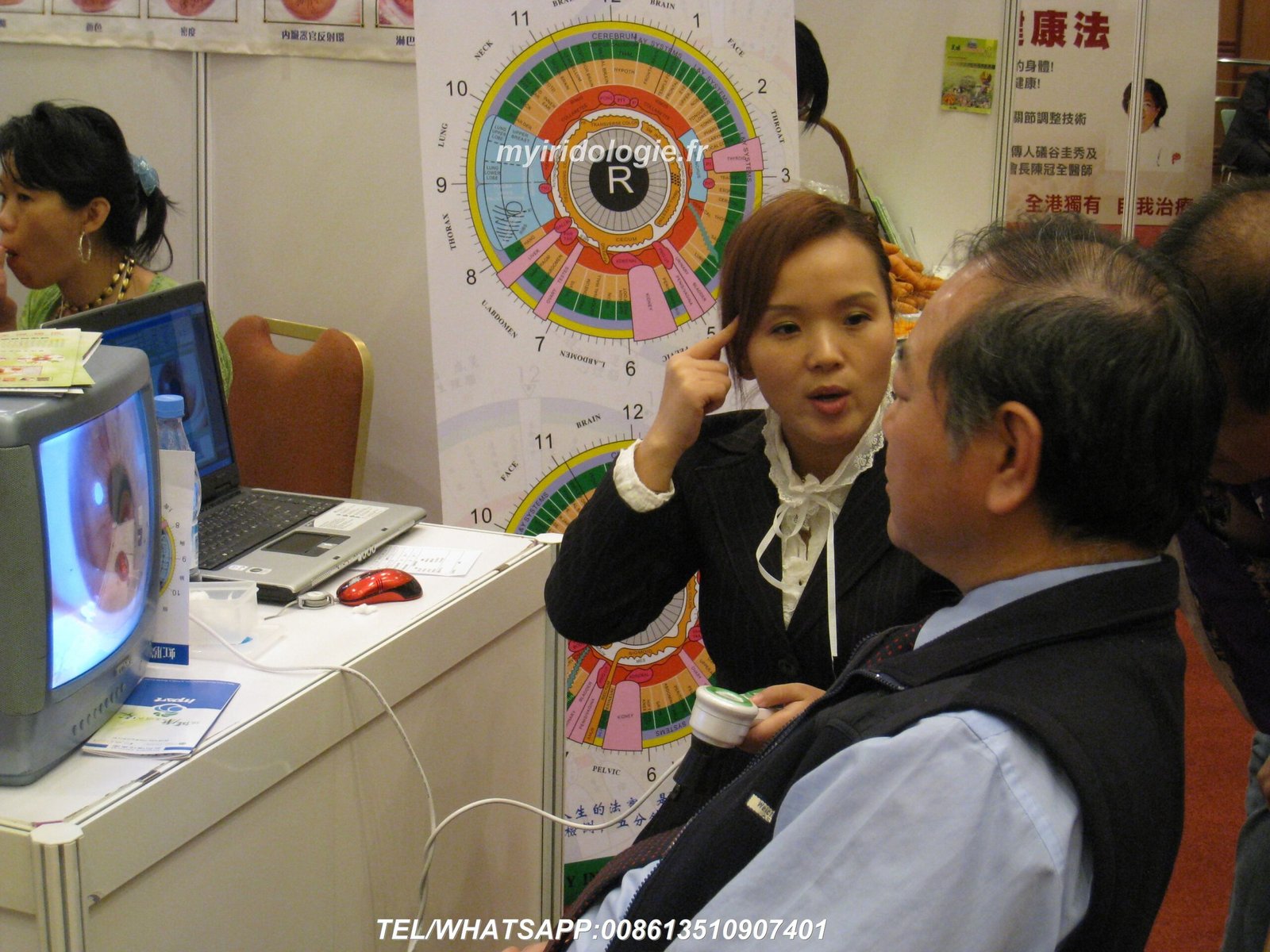
Iridology practitioners rely on these tools during client consultations. They photograph each iris, reference traditional iris charts that map body systems to specific iris zones, and document observed patterns. The software serves as both a record-keeping system and a visual education tool for explaining observations to clients.
Natural therapy clinics implement iridology software as part of broader wellness assessment protocols. Chiropractors, nutritionists, and holistic health centers use iris images alongside other traditional observation methods. The software helps these facilities maintain consistent documentation standards and professional presentation quality.
Training institutions teaching iridology methodology need software that supports learning objectives. Students require access to diverse iris images, the ability to practice chart overlay techniques, and feedback on their observational skills. Educational versions of iridology software often include expanded image libraries and comparative case studies.
Medical equipment distributors and health technology wholesalers seek software solutions they can bundle with iris cameras or rebrand for regional markets. These business buyers evaluate software based on customization capabilities, multi-language support, and licensing terms that accommodate resale or white-label arrangements.
Core Problems HSK Iridology Software Solves
Traditional iris observation methods involved manual sketching, written notes, and physical photograph storage. This created several operational challenges. Record retrieval took excessive time. Comparison between visits required sorting through physical files. Producing professional client reports meant outsourcing graphic design or accepting hand-drawn documentation.
Modern iridology software addresses these workflow inefficiencies directly. Digital client databases enable instant record access by name, date, or specific iris features. Side-by-side comparison tools let practitioners review changes across multiple visits in seconds. Automated report templates maintain consistent professional presentation while reducing preparation time from hours to minutes.
System compatibility represents another significant challenge this software solves. Many practitioners use Mac computers, which historically lacked iridology software support. Others struggle with camera integration, finding that their USB cameras do not communicate properly with available programs. Quality hsk iridology software eliminates these technical barriers through broad operating system support and standardized camera protocols.
Core Features That Define Professional Iridology Software
Understanding what capabilities matter most helps you evaluate whether specific software meets your practice requirements. Professional-grade systems include several essential features that directly impact daily workflow efficiency and client communication effectiveness.
Client Management and Data Organization
Comprehensive client databases form the foundation of effective iridology software. The system should store detailed client profiles including personal information, visit history, and associated iris images. Each client record connects to unlimited image pairs, capturing left and right iris data from multiple sessions.
Search and filter functionality becomes critical as your client base grows. Quality software allows you to locate specific records by name, date range, or documented iris features. You should be able to review all visits for a particular client chronologically or compare specific iris patterns across your entire database.
Backup and restore capabilities protect your practice data. The software should enable automatic backups to external drives or cloud storage. Data export functions let you migrate information between computers or share specific records with colleagues when appropriate.
Image Capture and Enhancement Tools
Direct camera integration eliminates the need to capture images in separate programs then import files. Professional iridology software communicates directly with USB iris cameras, allowing you to photograph both eyes within the software interface. This streamlines workflow and reduces opportunities for file management errors.
Image enhancement features compensate for varying lighting conditions and camera quality. Brightness and contrast adjustments bring out subtle iris details. Focus and clarity tools sharpen edges and textures. Color balance corrections ensure accurate iris hue representation, which matters when noting specific pigmentation patterns.
The system should support multiple image formats and high-resolution capture. Megapixel counts above 8MP provide sufficient detail for zoomed examination of fine iris structures. The ability to capture and store images in lossless formats prevents quality degradation over time.
Iris Chart Overlay and Anatomical Mapping
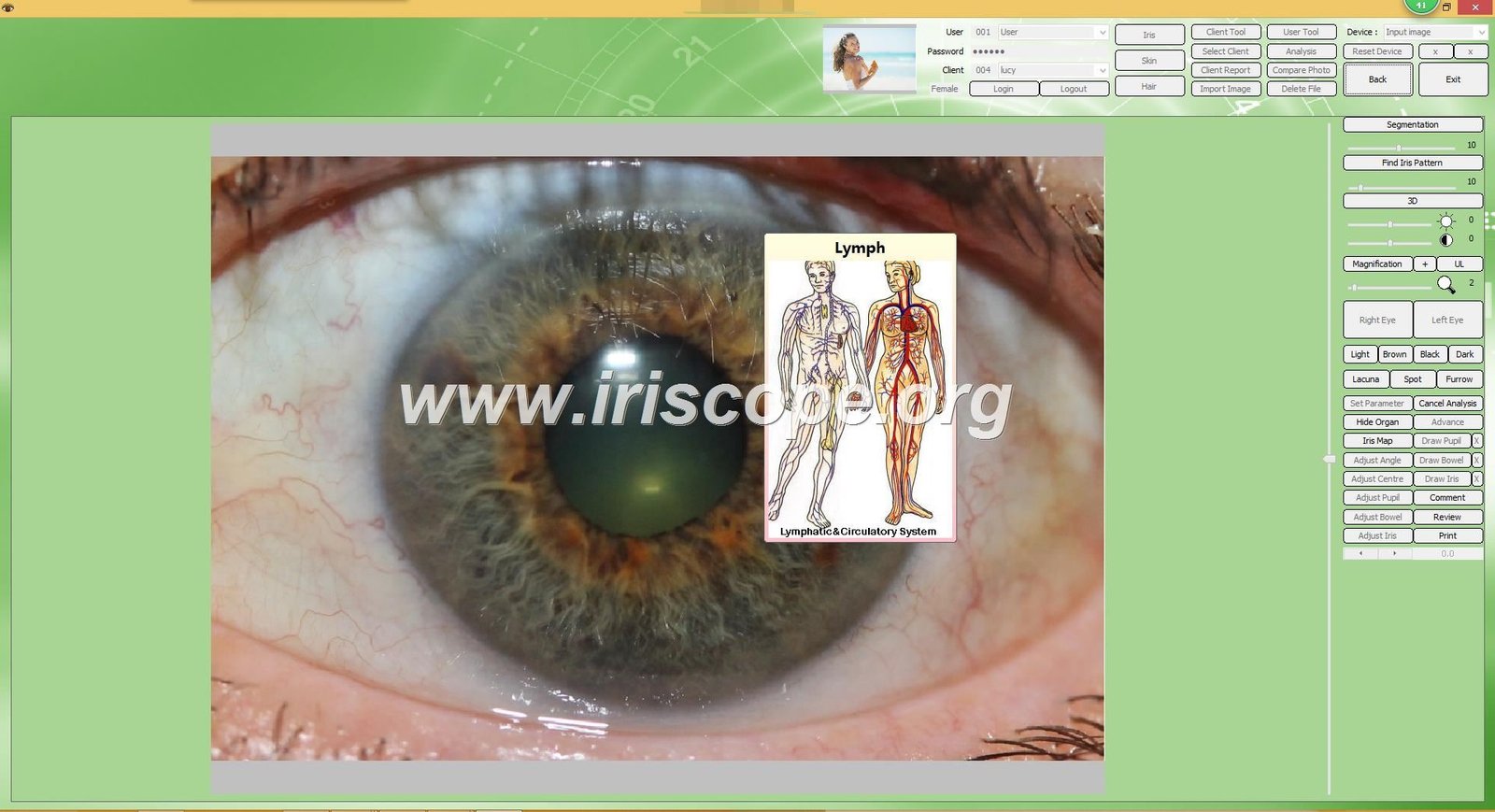
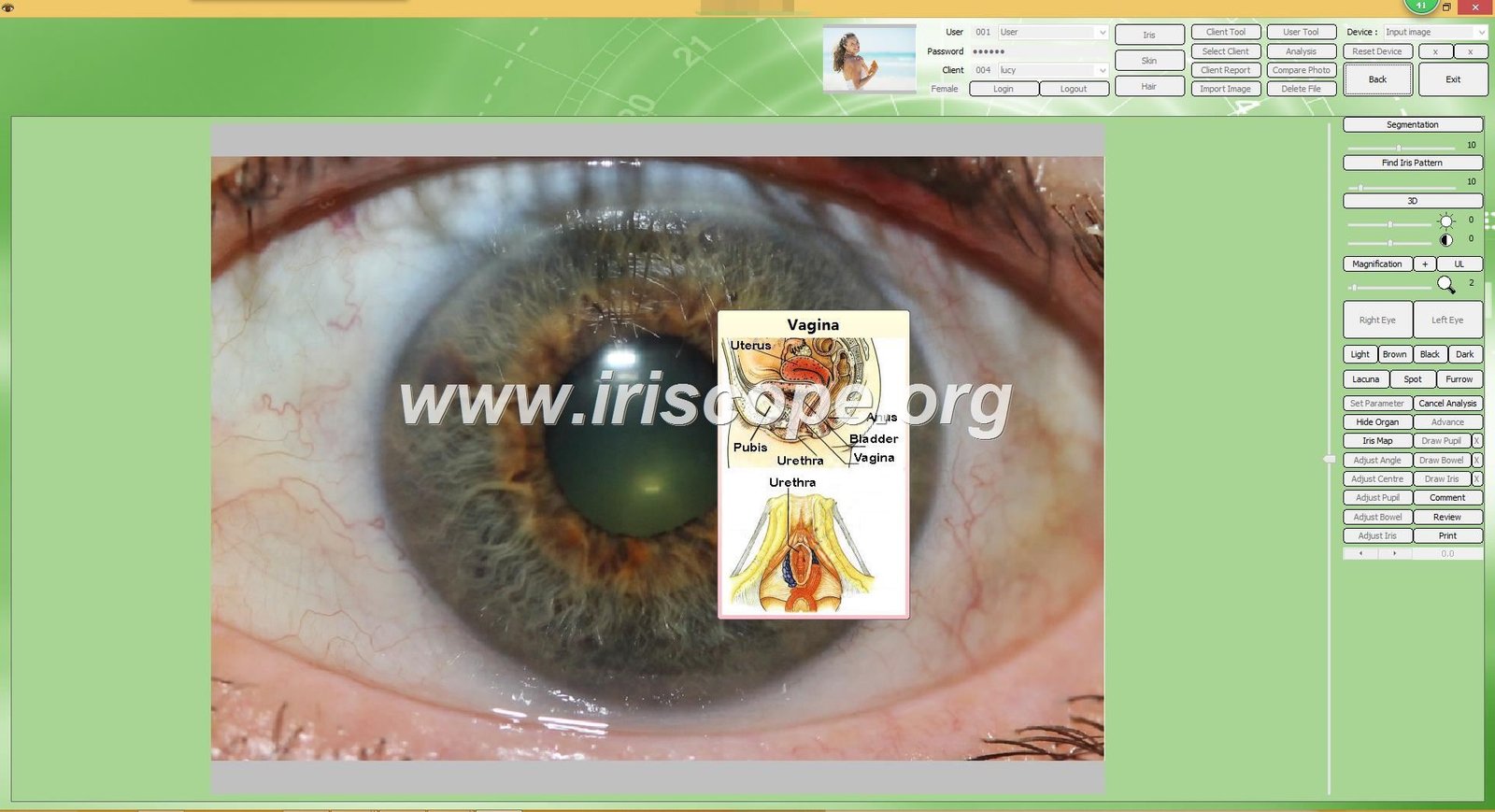
Standardized iris chart integration represents a defining feature of specialized iridology software. The program includes digital versions of established iris charts that map traditional body system zones to specific iris regions. You can overlay these transparent charts directly onto captured iris images for reference during observation.
Multiple chart systems serve different observational approaches. Some practitioners follow Jensen’s constitutional iris chart, while others reference European or more contemporary mapping systems. Quality software provides several chart options, allowing you to select whichever methodology aligns with your training.
Chart opacity and size adjustment tools let you fine-tune overlay visibility. You can make charts more transparent to see underlying iris details, or more opaque for clearer zone demarcation. Rotation and positioning controls ensure precise alignment between chart zones and actual iris anatomy despite natural variations in pupil size and iris orientation.
Comparative Analysis and Progress Tracking
Side-by-side image comparison tools enable systematic progress monitoring. The software displays iris images from different dates simultaneously, making it easier to identify changes in iris patterns over time. This functionality proves particularly valuable when clients return for follow-up consultations after implementing lifestyle or nutritional changes.
Annotation and marking features let you highlight specific iris features for reference. You can draw attention to particular patterns, add text notes directly on images, or use color coding systems. These visual markers facilitate communication with clients and serve as memory aids when reviewing complex cases.
Some advanced systems incorporate measurement tools that quantify specific iris characteristics. You might measure the width of certain markings, calculate proportions between different iris zones, or track numerical changes in specific features across multiple visits. These objective measurements complement subjective observations.
System Compatibility and Installation Requirements
Technical compatibility determines whether software will actually function in your practice environment. Many practitioners purchase iridology systems only to discover incompatibility issues that render the software unusable with their existing computer setup or camera equipment.
Operating System Support Across Windows and Mac Platforms
Windows compatibility spans multiple operating system versions to accommodate various hardware ages. Professional iridology software typically supports Windows 7 through Windows 11, including both 32-bit and 64-bit architectures. This broad support ensures the software functions whether you are using a new laptop or an older desktop computer still running legacy Windows versions.
Mac compatibility historically posed challenges for iridology practitioners. Most software developers focused exclusively on Windows, leaving Apple computer users without options. MAIKONG addressed this market gap by developing one of the first iridology software platforms with full Mac OS support, covering versions from Mojave through the latest releases.
Windows System Requirements
- Operating Systems: Windows 2000, XP, Vista, 7, 8, 10, 11
- Architecture: Both 32-bit and 64-bit supported
- Processor: Minimum 1.5 GHz dual-core recommended
- RAM: Minimum 2GB, 4GB recommended for smooth operation
- Storage: 500MB for software, additional space for client images
- USB Port: Available USB 2.0 or 3.0 port for camera and dongle
- Display: Minimum 1280×720 resolution, 1920×1080 recommended
Mac System Requirements
- Operating Systems: macOS 10.14 (Mojave) through macOS 15 (Sequoia)
- Processor: Intel or Apple Silicon (M1/M2) compatible
- RAM: Minimum 4GB, 8GB recommended
- Storage: 500MB for software, additional space for client images
- USB Port: Available USB-A or USB-C port (adapter if needed)
- Display: Retina display supported, minimum 1440×900 resolution
- Security: May require permissions adjustment for camera access
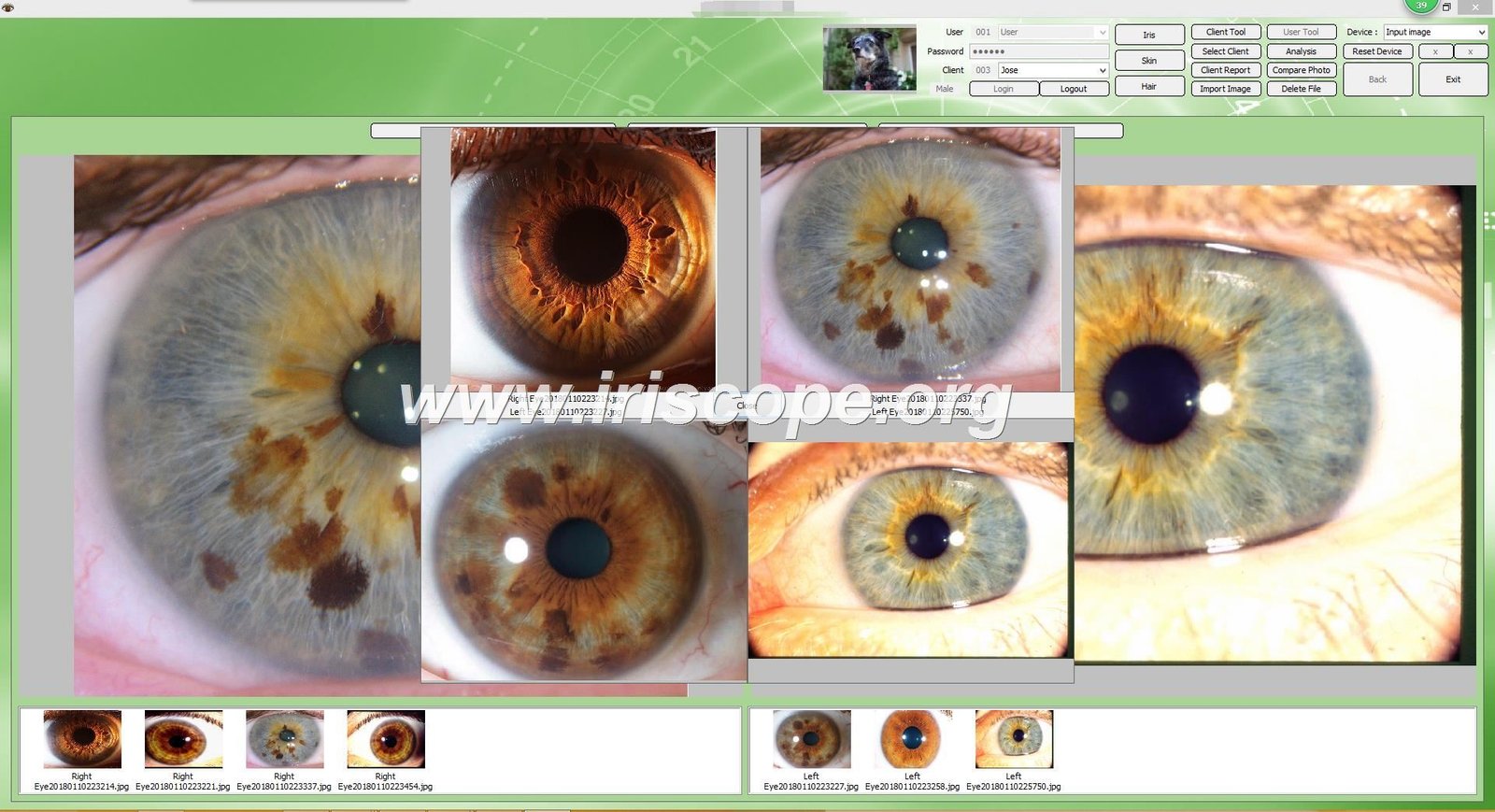
Camera Hardware Compatibility and USB Connection Standards
USB iris cameras represent the standard input device for iridology software. Quality programs recognize cameras through universal USB protocols, eliminating the need for complex driver installations. When you connect a compatible camera, the software detects it automatically and enables image capture functions.
Resolution specifications affect image quality and diagnostic utility. Cameras with 5 megapixel sensors provide adequate detail for basic iris observation. Professional applications benefit from 12+ megapixel cameras that capture fine iris textures, subtle color variations, and minute structural details. The software should preserve this image quality throughout storage and display.
Lighting systems integrated into iris cameras require software control capabilities. LED illumination surrounding the camera lens provides the even lighting necessary for clear iris photography. The software needs to interface with these lighting systems, allowing brightness adjustment from within the program interface.
Some practitioners already own digital cameras or smartphones with high-quality optics. While iridology software primarily targets dedicated iris cameras, certain systems accept images from any source. This flexibility lets you import photos captured with alternative equipment, though purpose-built iris cameras typically produce more consistent results due to specialized lighting and magnification.
Installation Process and Software Activation
Standard installation follows straightforward computer program setup procedures. You insert the provided USB drive containing installation files, run the executable program, and follow on-screen prompts. The process typically completes within five minutes on modern computers with sufficient processing power.
License activation through hardware dongles protects software from unauthorized copying. After installation, you insert a small USB encryption key into an available USB port. The software verifies this dongle’s presence before allowing full program access. This hardware-based protection system prevents software piracy while permitting legitimate users to transfer the program between computers by moving the dongle.
Some users encounter conflicts with built-in webcams during initial setup. If your computer has an integrated camera, the software might attempt to connect to it instead of your external iris camera. The solution involves disabling the built-in webcam through your operating system’s device manager, forcing the software to recognize only the dedicated iris camera.
Language selection occurs during installation or through preference settings afterward. Multi-language software includes interface translations covering menu items, button labels, and help documentation. This localization ensures usability for international practitioners and multilingual clinic environments.
Technical Questions About Mac Compatibility or Camera Setup?
Our technical team provides rapid support for system compatibility questions. Whether you need confirmation about your specific Mac model, guidance on USB-C adapter requirements, or help troubleshooting camera recognition issues, we respond within 2 hours during business hours.
Multi-Language Support and International Market Capabilities
Language localization determines whether software serves international markets effectively. Practitioners operating in multicultural regions or distributors targeting specific countries need comprehensive translation support beyond basic English interfaces.
Available Language Versions and Interface Translations
MAIKONG hsk iridology software provides full interface translations across 17 major languages. This extensive localization covers all menu systems, button labels, report templates, and help documentation. Practitioners can select their preferred language during installation or switch between languages through program settings.
The complete language library includes English, Spanish, French, German, Italian, Portuguese, Russian, Polish, Czech, Bulgarian, Japanese, Korean, Traditional Chinese, Simplified Chinese, Persian, and Malaysian. This range addresses major markets across North America, Europe, Asia, and the Middle East.
Translation quality affects user experience significantly. Professional localization goes beyond word-for-word conversion, adapting terminology to match how practitioners in each region discuss iris analysis concepts. Medical and anatomical terms follow established conventions in each language, ensuring clarity for trained professionals.
Report Generation in Multiple Languages
Client reports automatically generate in the selected interface language. When a Spanish-speaking practitioner produces a client report, all text elements, chart labels, and explanatory notes appear in Spanish. This maintains professional presentation standards regardless of practice location or client demographics.
Custom report templates accommodate language-specific formatting requirements. Some languages require more space for translated text, while others use different date formats or measurement units. The software adjusts layouts automatically to prevent text overflow or formatting inconsistencies across language versions.
Mixed-language environments benefit from per-client language settings. A multilingual clinic might maintain the software interface in English while generating reports for individual clients in their native languages. This flexibility supports diverse patient populations without requiring software restarts or multiple installations.
Benefits for International Distributors and OEM Partners
Medical equipment distributors targeting specific geographic markets need software that serves local practitioners without modification. Comprehensive language support eliminates the need for costly custom translation projects or multiple software versions. A single software platform addresses the entire global market through built-in localization.
OEM partners can brand the software with their company identity while maintaining language flexibility. White-label versions display your company name and logo across all interface elements, yet retain full multi-language capabilities. This combination lets you serve international markets under your brand without developing separate products for each region.
Technical support resources including manuals and video tutorials exist for each supported language. Distributors can provide comprehensive customer support materials without creating translation projects. This reduces barrier to entry for new markets and improves end-user satisfaction through native-language documentation.
Professional Report Generation and Client Communication Tools
Client-facing documentation represents a critical software function. The reports you provide shape how clients perceive your professionalism and understand the observations you share. Effective report tools balance visual appeal with clear information presentation.
Automated Report Templates and Customization Options
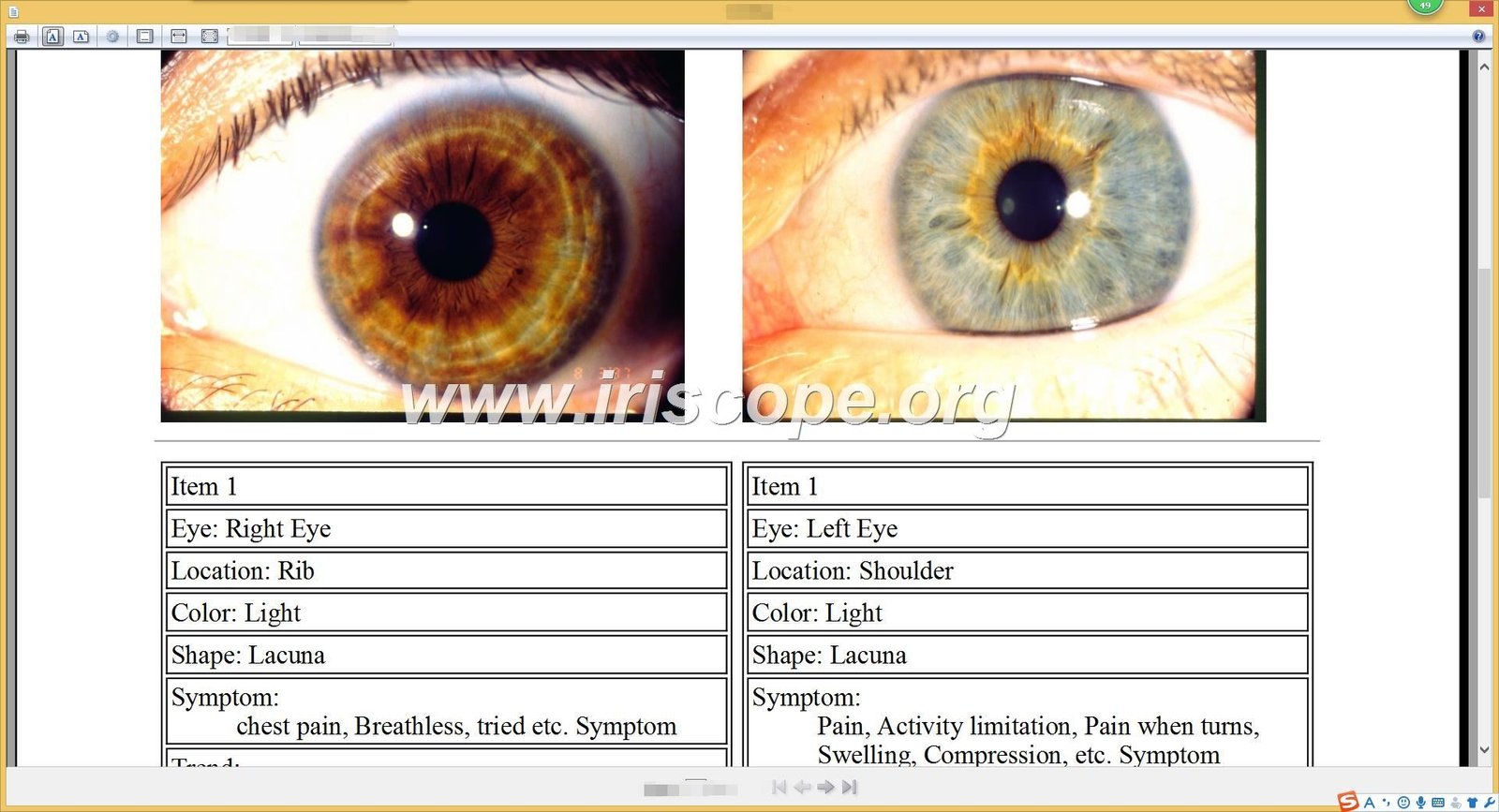
Pre-designed report templates eliminate the need for graphic design expertise. The software includes multiple layout options featuring your practice logo, client information, dated iris images, and observation notes sections. You select a template, input your notes, and generate a complete report in minutes.
Template customization lets you align reports with your practice branding. You can modify color schemes, adjust layout proportions, add or remove sections, and incorporate your practice’s specific disclaimer language. These personalized templates save for repeated use, establishing consistent report formatting across all clients.
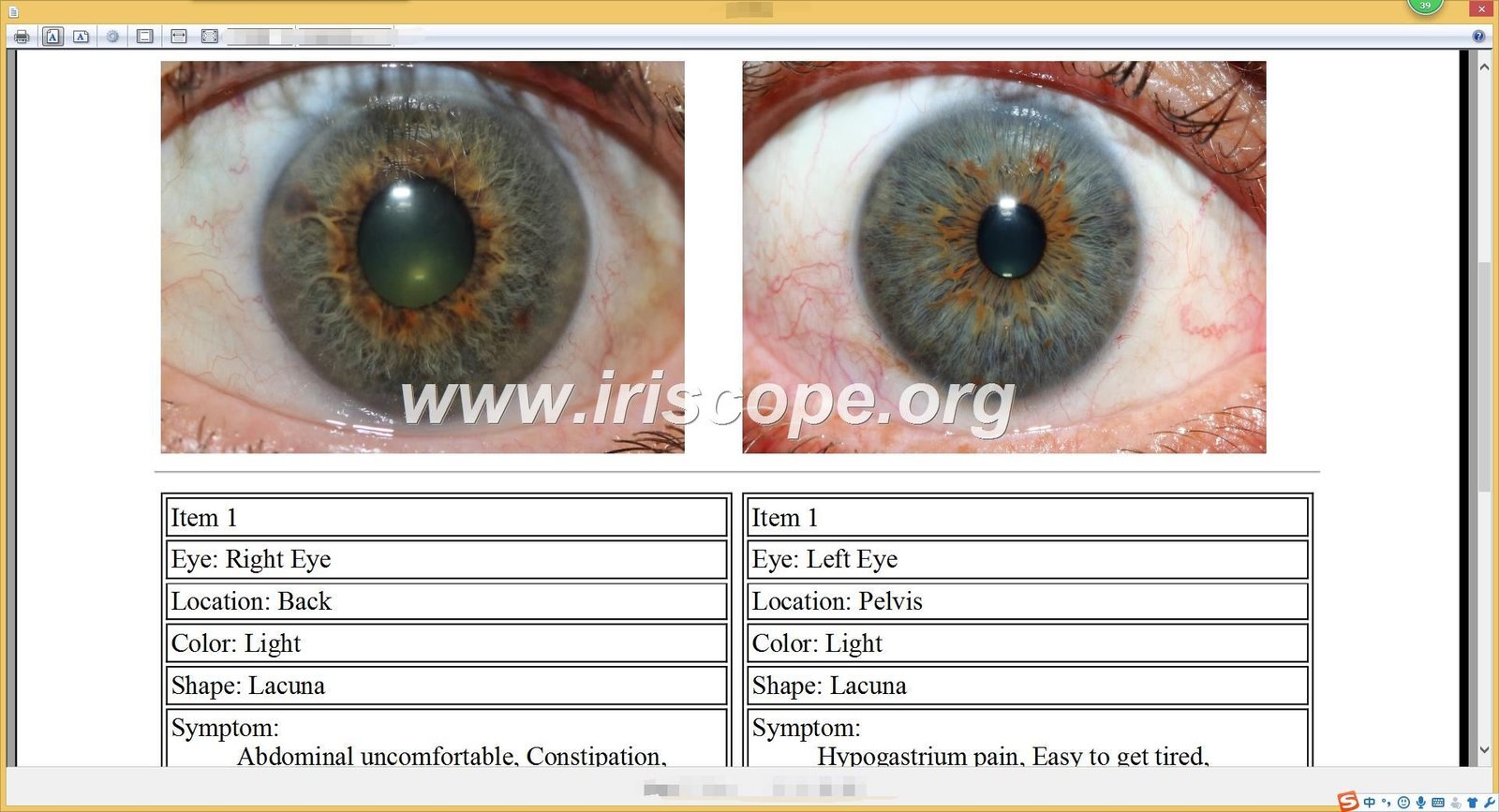
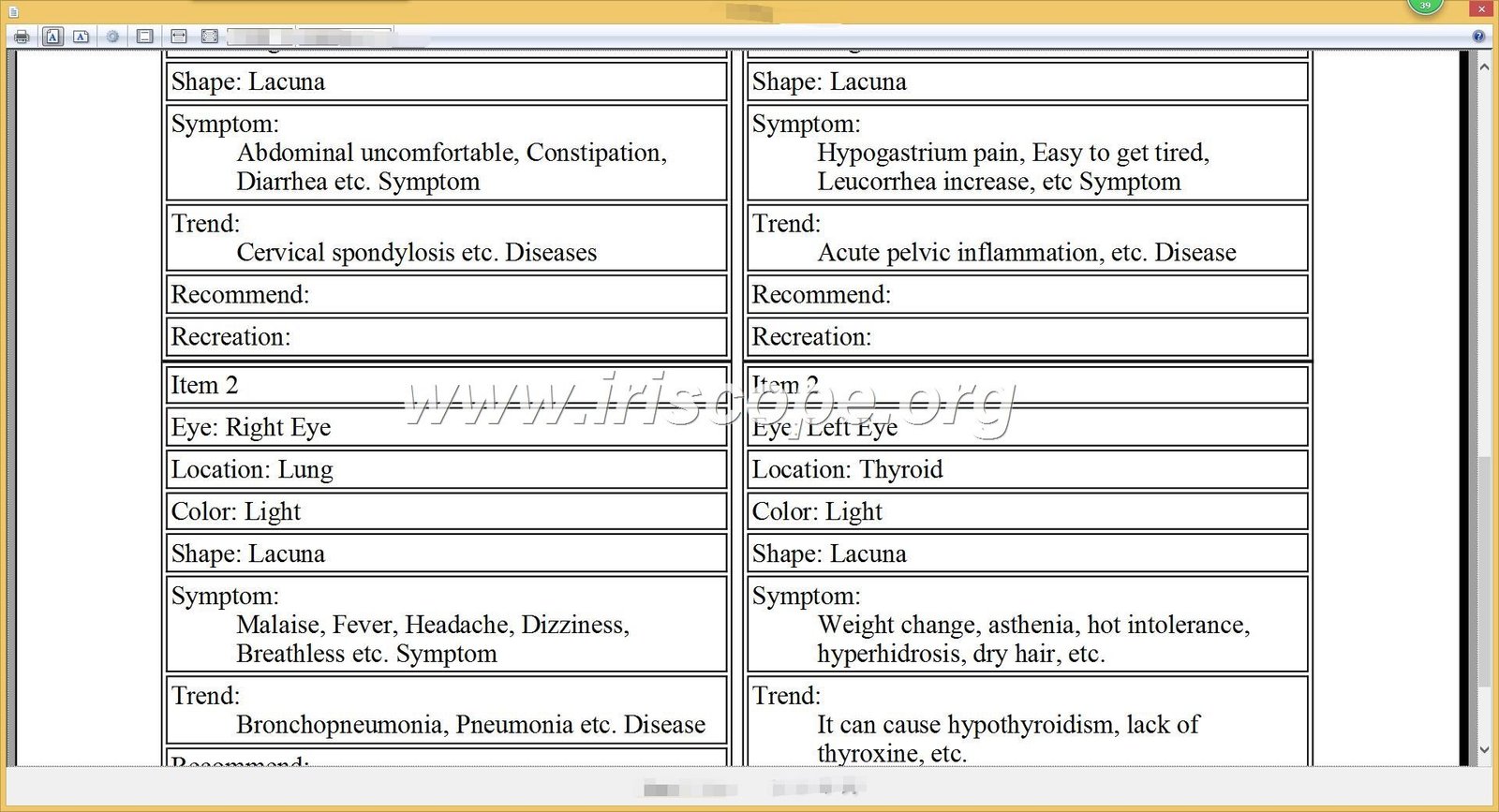
Report content flexibility accommodates various practice styles. Some practitioners prefer minimal text with large iris images, while others include detailed written observations organized by body system. The software supports both approaches through section-by-side templates and text field sizing options.
Image Quality and Printing Specifications
Reports maintain high-resolution iris images suitable for professional printing. The software preserves image quality at 300 DPI or higher, ensuring sharp, clear iris details on printed documents. This resolution standard prevents the pixelation or blurriness that occurs when expanding low-quality digital images.
Chart overlay printing requires careful balance between visibility and image clarity. The software adjusts overlay opacity for print output, making anatomical zone markings visible without obscuring underlying iris features. You can preview exactly how printed reports will appear before generating final documents.
PDF export functionality creates universally compatible report files. Clients can view, store, and print PDF reports on any device without requiring specific software. Email distribution becomes straightforward, and digital storage prevents the deterioration associated with physical documents.
Educational Content Integration for Client Understanding
Effective reports educate clients about traditional iris observation concepts. Some software versions include libraries of explanatory text blocks describing common iris features and their traditional interpretations according to established iridology principles. You can insert these educational sections into reports to provide context for your observations.
Visual comparison tools demonstrate changes between visits. Side-by-side before-and-after iris images with matching magnification and lighting conditions help clients see the patterns you discuss. Arrow annotations and circled areas draw attention to specific features without requiring technical knowledge to interpret.
Disclaimer statements protect both practitioner and client. Reports should include clear language explaining that iris observation serves educational purposes within traditional health practices, and that observations do not constitute medical diagnosis. Pre-written, legally reviewed disclaimer text can be incorporated into all report templates automatically.
OEM and ODM Customization Capabilities for Distributors
Equipment distributors and private label brands require software solutions that reflect their company identity rather than the original manufacturer’s branding. Customization depth determines whether software can truly serve as a white-label product or remains identifiable as third-party technology.
Software Branding and Interface Customization
Complete logo replacement eliminates all references to the original software developer. OEM versions display your company name, logo, and branding throughout the entire interface including splash screens, main windows, report headers, and about screens. End users perceive the software as your proprietary technology rather than a rebranded third-party product.
Color scheme customization aligns software appearance with your brand guidelines. You can modify primary and accent colors, button styles, and background elements to match your company’s visual identity. This cohesive branding extends from packaging and marketing materials directly into the software interface.
Custom splash screens and loading sequences establish brand identity from the moment users launch the program. Your company logo can appear during software startup with custom messaging, creating a polished first impression that reinforces your brand rather than revealing third-party origins.
Feature Set Modifications and Functional Customization
Module inclusion or exclusion lets you tailor software capabilities to specific market needs. If your target customers primarily need basic iris photography and chart overlays without advanced comparative analysis, you can simplify the interface by removing unused features. This streamlining reduces training complexity and positions the software as focused rather than bloated.
Product recommendation integration supports business models where you sell complementary products. The software can include a product catalog feature that lets practitioners recommend specific supplements, nutritional products, or wellness services based on their iris observations. These recommendations can link directly to products you supply, creating additional revenue opportunities.
Custom report templates can emphasize specific observational approaches or body system focuses that distinguish your market positioning. If you target practitioners who specialize in digestive health, reports can feature expanded sections for intestinal zone documentation. This specialization adds perceived value compared to generic software alternatives.
Language Localization and Regional Adaptations
While the base software includes 17 languages, OEM partners can request additional language translations for specialized markets. If you target a region with a language not currently supported, custom translation projects can extend the software’s reach. This service typically requires minimum order volumes to justify translation development costs.
Regional terminology adaptations address linguistic variations within the same language. Medical terminology differs between Latin American Spanish and European Spanish, or between Brazilian Portuguese and Continental Portuguese. Custom localizations can incorporate regional vocabulary preferences that resonate better with your specific target market.
Measurement unit defaults can be configured for regional preferences. Markets using metric systems have different expectations than those using imperial measurements. Date formats, number formatting, and currency symbols can all be localized to match regional standards, creating a native feel regardless of actual software origins.
Minimum Order Requirements and Pricing Structures
OEM customization typically requires minimum order commitments that justify the development investment. Basic branding modifications (logo replacement, color changes) might require orders of 50-100 units. Deeper customization involving feature modifications or custom translations generally requires commitments of 200-500 units or more.
Pricing structures for OEM orders differ significantly from single-unit retail pricing. Wholesale discounts increase with volume, with major distributors potentially accessing costs 40-60% below retail pricing. These margins create profitable business opportunities for distributors who successfully develop regional markets.
Licensing models vary between one-time purchases and subscription-based structures. One-time licenses suit distributors who prefer capital equipment sales models. Subscription licensing creates recurring revenue streams but requires different marketing approaches. MAIKONG supports both models depending on partner preferences and market characteristics.
Explore White-Label Opportunities for Your Market
MAIKONG has supported over 1000 OEM partners globally since 2004. Our customization capabilities range from simple logo replacement to complete feature set modifications. Whether you need Spanish-language versions for Latin America or specialized report templates for nutritionist markets, our engineering team delivers tailored solutions. US distribution territories with exclusive rights remain available in select regions.
Clinical Workflow Integration and Practice Management
Software effectiveness depends on how smoothly it integrates into existing practice operations. Systems that require significant workflow modifications or create administrative bottlenecks face adoption resistance regardless of their feature sophistication.
Client Intake and Appointment Management
Efficient client intake processes begin before the iris photography session. While iridology software focuses primarily on image capture and analysis, basic client information management streamlines daily operations. The system should allow quick new client creation with essential fields: name, contact information, birth date, and initial consultation date.
Appointment history tracking helps practitioners prepare for returning clients. Before each session, you can review previous visit dates, refresh your memory about prior observations, and identify specific areas to monitor for changes. This continuity improves client experience by demonstrating attentive, personalized care.
Intake form integration varies by software sophistication. Advanced systems might include questionnaire modules where clients complete health history forms that save directly into their digital records. Simpler systems focus purely on iris imaging, expecting practitioners to maintain separate intake processes through other practice management tools.
Image Capture Session Workflow
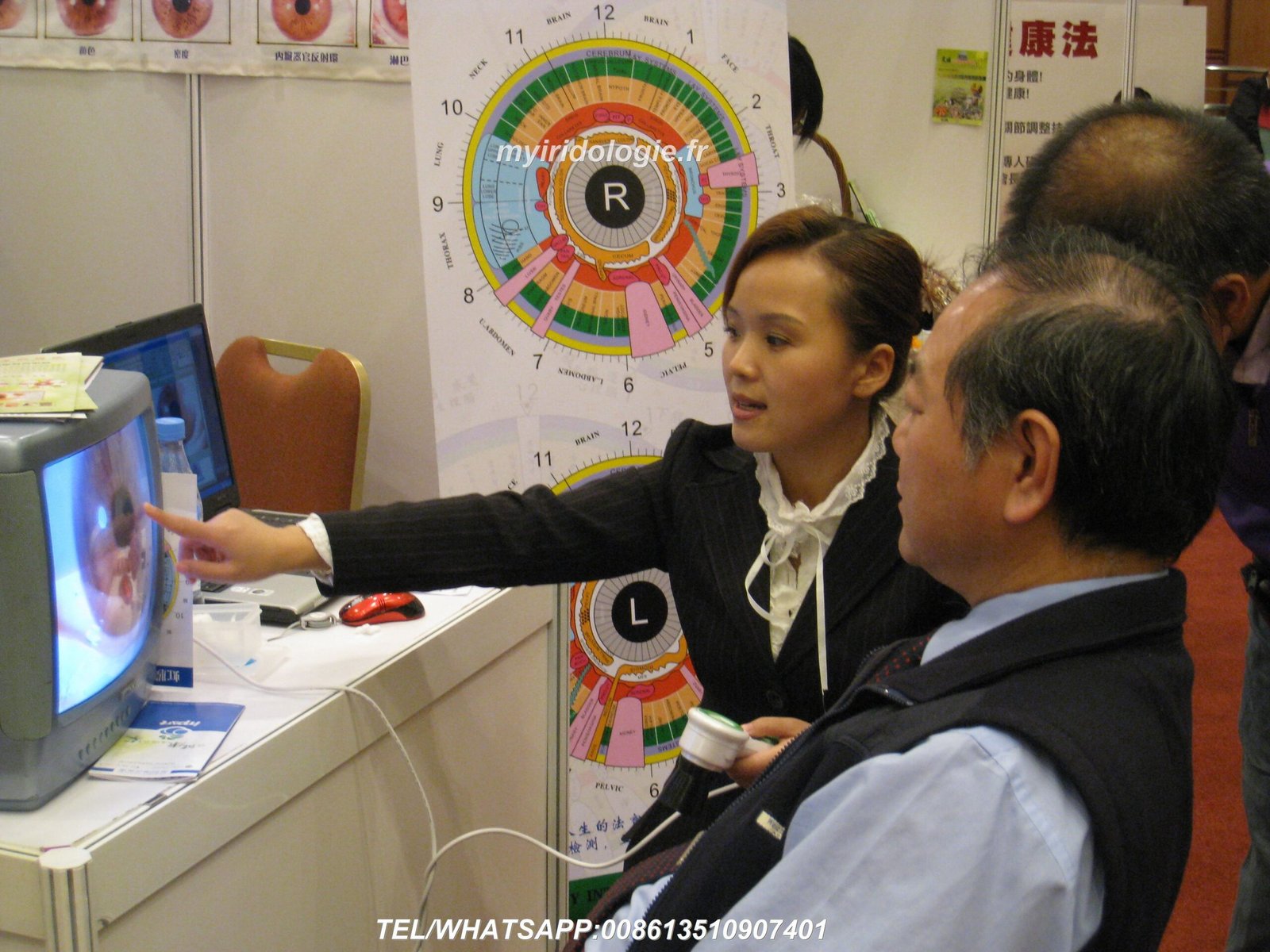
Streamlined capture workflows minimize time spent on technical operations during client visits. When a client sits for iris photography, you should be able to open their record, initiate camera connection, capture both eyes, and save images in under two minutes. This efficiency keeps sessions focused on client interaction rather than software navigation.
Real-time image preview prevents the need for repeated photographs. As soon as you capture an iris image, the software displays it at sufficient resolution to verify focus, lighting, and overall quality. If issues exist, you can immediately retake the photo rather than discovering problems later when the client has already left.
Automatic left-right designation eliminates organization errors. The software should clearly label which image represents the left eye and which shows the right eye, preventing confusion during later analysis. Color coding or positioning conventions maintain this clarity across all interface screens.
Analysis and Observation Documentation
Post-capture analysis occurs after the client leaves or during the consultation depending on practice style. The software should make it easy to zoom into iris regions, apply chart overlays at appropriate scales, and add annotation markers. These tools facilitate detailed examination without requiring navigation through complex menu systems.
Note-taking interfaces should accommodate varying levels of documentation detail. Some practitioners write extensive observations organized by body system. Others prefer brief bullet points highlighting key features. Text fields with adequate space and optional organization templates support both approaches.
Time-stamped observation entries create chronological records of your evolving understanding. If you notice something during initial analysis, then identify additional details upon further review days later, the system should maintain separate dated entries. This audit trail documents your thorough, careful approach to iris observation.
Report Generation and Client Communication
Same-session report generation lets you provide immediate documentation to clients. After completing your observations, you should be able to generate a professional report within 5-10 minutes. This immediacy impresses clients and provides tangible value that justifies consultation fees.
Electronic delivery options suit modern client communication preferences. The software should export reports as PDF files suitable for email attachment. Some clients prefer digital records they can store on their devices, while others want printed copies to take home. Supporting both preferences requires minimal additional effort when the software handles formatting automatically.
Follow-up appointment scheduling reminders help maintain client engagement. While pure iridology software may not include full scheduling systems, basic reminder functionality like notes about recommended follow-up intervals keeps future appointments on your radar. More sophisticated integrations might sync with external calendar systems.
Complete Hardware and Software System Packages
Many practitioners prefer integrated systems where camera hardware and software come packaged together with compatibility guaranteed. Pre-configured bundles eliminate technical uncertainty and simplify purchasing decisions, particularly for practitioners new to digital iris analysis.
MAIKONG Iriscope Camera Specifications
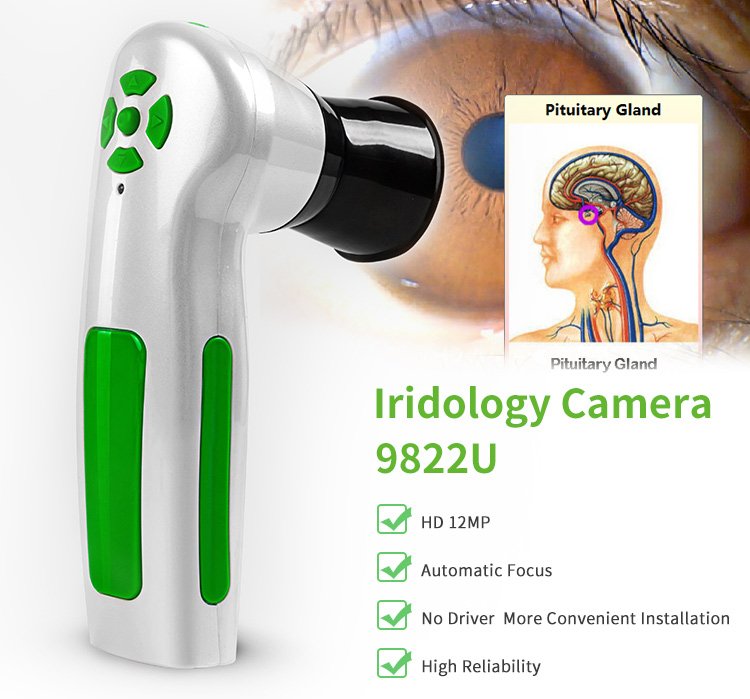
Professional iris cameras designed specifically for iridology applications offer significant advantages over generic USB cameras. Dedicated iriscope devices include specialized LED illumination systems that provide even, shadow-free lighting around the iris. This consistent illumination reveals iris details that remain obscured under standard lighting conditions.
High-resolution imaging sensors capture the fine details essential for detailed iris observation. MAIKONG iriscopes utilize 12-megapixel CCD sensors that resolve individual iris fibers, subtle pigmentation variations, and small structural features. This resolution exceeds what standard webcams provide, though it remains below the detail level of retinal imaging systems used in medical ophthalmology.
| Specification Category | Technical Details |
| Image Sensor | 12.0 Megapixel CCD sensor with optical image stabilization |
| Illumination System | LED ring light with adjustable brightness control |
| Lens Configuration | 30X magnification iris lens with anti-reflective coating |
| Focus System | Manual focus adjustment for optimal image clarity |
| Connection Interface | USB 2.0/3.0 compatible, plug-and-play functionality |
| Cable Length | 1.5 meter USB cable for flexible positioning |
| Power Requirements | USB bus-powered, no external power adapter required |
| Operating Temperature | 0°C to 40°C (32°F to 104°F) |
| Device Dimensions | Handset: 18cm length, ergonomic grip design |
| Weight | Approximately 200 grams (0.44 pounds) |
| Certifications | CE certified, ISO9000 quality system manufacturing |
| Warranty Coverage | 1 year manufacturer warranty on hardware defects |
Complete Package Contents and Accessories
Standard iriscope packages include everything necessary to begin iris photography immediately. Beyond the camera handset itself, complete kits contain protective carrying cases, multiple lens options for different applications, and all required cables. This comprehensive approach eliminates surprise additional purchases after delivery.
Software installation media comes included with hardware purchases. The provided USB drive contains the complete software installation package, user manual PDFs, video tutorial files, and USB encryption dongle for license activation. This all-in-one approach ensures you have every necessary component to set up your system independently.
| Package Component | Description and Purpose |
| Iriscope Camera Handset | Main camera unit with integrated LED illumination and imaging sensor |
| 30X Iris Lens | Standard magnification lens for detailed iris photography |
| Hair/Skin Analysis Lens (Optional) | Alternative lens for scalp and skin observation applications |
| Lens Protective Cover | Protective cap prevents lens scratches during storage and transport |
| 1.5M USB Cable | Connection cable between camera and computer with sufficient length for comfortable positioning |
| USB Encryption Dongle | Hardware license key required for software activation and protection |
| Software Installation USB (4GB) | Installation files, user manuals, video tutorials, and product documentation |
| Printed Iridology Chart | Physical reference chart for quick consultation during sessions |
| User Manual Booklet | Printed setup instructions and operational guidance |
| Warranty Certificate | Documentation of warranty coverage and service terms |
| Leather PU Carrying Case | Protective storage case for camera, lenses, and accessories during transport |
Camera Stand and Positioning Accessories
Stable camera positioning improves image consistency and reduces physical strain during extended photography sessions. Dedicated camera stands mount the iriscope at appropriate height and angle, allowing hands-free operation that frees practitioners to guide clients and adjust positioning.
Adjustable stands accommodate different client heights and seating arrangements. Quality stands offer vertical height adjustment, horizontal reach extension, and angular positioning that adapts to various consultation room layouts. Sturdy construction prevents wobbling that would blur images during capture.
Some practitioners prefer handheld operation for its flexibility and personal interaction quality. The lightweight camera design supports extended handheld use without fatigue. Ergonomic grip contours and balanced weight distribution make handheld photography comfortable during busy clinic days with multiple back-to-back clients.
Bundled Pricing Advantages and Package Options
Complete system packages typically offer 15-25% savings compared to purchasing camera hardware and software separately. Manufacturers incentivize bundle purchases through these discounts because bundled sales move both product types simultaneously and reduce inventory management complexity.
Multiple package tiers accommodate different practice needs and budget levels. Basic packages include essential components only: camera, standard lens, software, and carrying case. Professional packages add camera stands, additional lenses, extended warranties, and expanded training materials. Premium packages might include multiple camera units for multi-room clinics or training facilities.
Educational institution packages cater specifically to iridology training programs. These versions often include multiple software licenses supporting classroom computer labs, expanded case study image libraries, and instructor resources. Pricing structures for educational packages reflect volume licensing and acknowledge the market development value of training the next generation of practitioners.
Training Resources and Technical Support Services
Software sophistication means little if users struggle to access its capabilities. Comprehensive training resources and responsive technical support determine whether practitioners successfully integrate new technology into their workflow or abandon it after frustrating initial experiences.
Included Tutorial Materials and Learning Resources
Video tutorial libraries provide visual, step-by-step guidance through software functions. Quality training videos demonstrate each major feature from multiple angles: initial client setup, camera operation, image capture techniques, chart overlay application, comparative analysis, and report generation. These videos should total 2-4 hours of content organized into digestible 5-15 minute segments.
PDF user manuals serve as reference documentation when practitioners need to verify specific procedures or troubleshoot uncommon issues. Comprehensive manuals include annotated screenshots, workflow diagrams, and troubleshooting flowcharts organized by topic. Index and table of contents structures enable quick navigation to relevant sections without reading cover-to-cover.
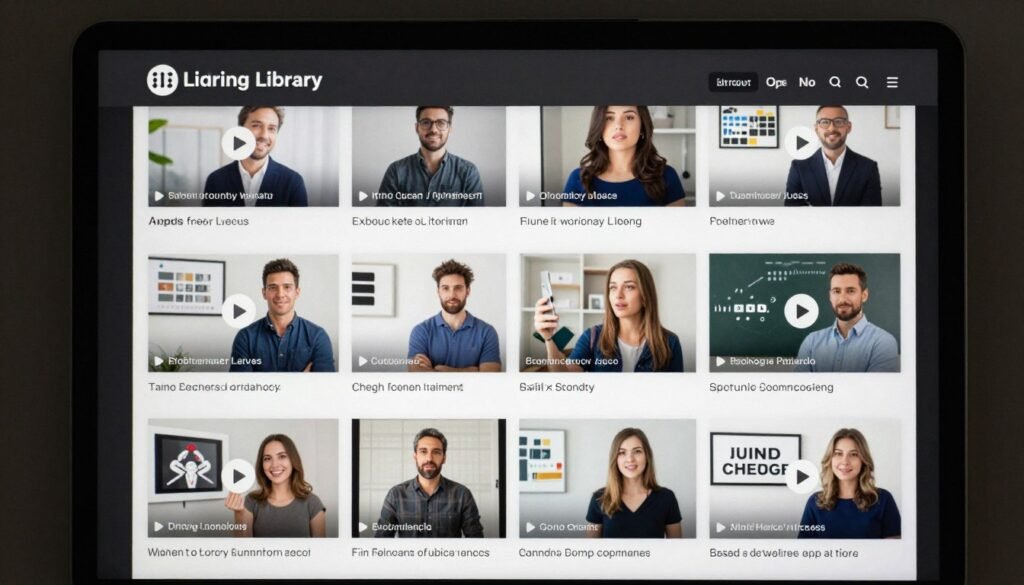
Quick-start guides accelerate initial setup for practitioners who prefer learning through doing rather than comprehensive study. Single-page or short-form guides walk users through the minimum necessary steps: software installation, camera connection, first client creation, and basic image capture. This gets practices operational within 30 minutes, with deeper feature exploration happening gradually over time.
Multi-Language Documentation Availability
Training materials exist in the same 17 languages supported by the software interface. When you select Spanish as your software language, corresponding video tutorials with Spanish narration and Spanish PDF manuals become available. This localization removes language barriers that prevent effective learning from English-only materials.
Cultural adaptation extends beyond simple translation in quality international training materials. Examples used in tutorials reflect diverse practice contexts rather than assuming all users operate identical clinic types. Terminology matches regional preferences, and visual examples show practitioners from various backgrounds to create inclusive learning environments.
Community forums and user groups organized by language create peer support networks. Practitioners can connect with others facing similar learning curves, share tips about effectively using specific features, and help troubleshoot common issues. These organic support networks often provide faster assistance for routine questions than formal technical support channels.
Technical Support Response and Problem Resolution
Responsive technical support proves critical during initial implementation and when rare issues arise. MAIKONG commits to 24-hour response times for email inquiries submitted to Lucy@myiridology.us. Complex technical issues that require remote desktop troubleshooting or engineering consultation may take longer to fully resolve, but initial acknowledgment and status updates occur within the one-day window.
WhatsApp support provides faster response for urgent issues during business hours. Technical staff monitor +86-135-1090-7401 and typically respond within 2 hours on weekdays (GMT+8 timezone). This rapid-response channel suits situations where practitioners face immediate problems with scheduled clients waiting.
Remote assistance capabilities allow support staff to view your screen and guide you through solutions in real-time. When verbal descriptions prove insufficient to diagnose problems, screensharing tools enable support personnel to see exactly what you see, then demonstrate correct procedures or identify configuration errors causing malfunctions.
Software Update Policy and Long-Term Support
Regular software updates address bug fixes, improve compatibility with new operating system versions, and occasionally add new features. Quality manufacturers release updates at minimum annually, with critical security or compatibility patches distributed more frequently as needed. Update notifications appear within the software or arrive via email to registered users.
Update installation processes should require minimal technical expertise. Ideally, users download a small update file, run it while the software is closed, and restart the program to access improvements. Updates should never require complete software reinstallation or cause data loss, though creating backups before major updates remains good practice.
Lifetime update eligibility varies by manufacturer policy. Some companies include free updates for the first 1-2 years, then charge annual maintenance fees for continued update access. Others provide free updates indefinitely for one-time license purchases. Understanding update terms before purchase prevents surprise costs later when operating system changes demand software compatibility updates.
How HSK Iridology Software Compares to Alternative Solutions
Understanding competitive positioning helps you evaluate whether specific software truly meets your needs better than alternatives. Different solutions emphasize different priorities, making “best” software dependent on your particular requirements and practice context.
Standalone Software Versus Integrated Practice Management Systems
Dedicated iridology software focuses exclusively on iris imaging, analysis, and reporting. These specialized tools offer deep functionality for iris-specific tasks but do not handle broader practice management functions like appointment scheduling, billing, or general client health records. They work best for practitioners who already have separate practice management systems or who maintain manual administrative processes.
Integrated practice management platforms attempt to consolidate all clinic operations into single software environments. These comprehensive systems include modules for scheduling, billing, general notes, and multiple assessment tools including iris analysis. The advantage lies in having all data in one place; the drawback involves feature depth trade-offs where each module offers less sophistication than specialized standalone alternatives.
The choice between approaches depends on practice complexity. Solo practitioners with simple workflows may prefer integrated systems that handle everything adequately. Busy multi-practitioner clinics often need best-in-class tools for each function, accepting the complexity of running multiple specialized software programs that each excel at specific tasks.
General Purpose Photography Software Versus Specialized Iridology Tools
Some practitioners attempt to use standard photo editing software like Adobe Photoshop for iris analysis. While these powerful tools offer extensive image manipulation capabilities, they lack iridology-specific features that streamline workflow. You would need to manually create client folders, name files consistently, generate charts separately, and design reports from scratch in other programs.
Specialized iridology software automates these tasks through purpose-built features. Client databases organize images automatically. Chart overlays sit one click away. Report templates generate finished documents in minutes. The time savings accumulate significantly across dozens or hundreds of clients, ultimately justifying dedicated software investment despite capable general-purpose alternatives.
Image quality represents another consideration. Professional iridology cameras and software optimize specifically for iris imaging conditions: close-up photography, ring lighting, high contrast between iris and pupil, and magnification levels that capture necessary detail without excessive file sizes. General photography equipment configured for iris work requires more technical expertise to achieve equivalent results.
Free Software Options and Their Practical Limitations
Free iridology software downloads exist, typically as basic viewers for iris images without comprehensive analysis tools. These free options suit students learning iris anatomy or practitioners conducting extremely simple observation protocols. They become inadequate when you need client management, professional reporting, or advanced analysis features.
Free software often lacks technical support, regular updates, or guarantee of continued availability. If the developer abandons a free project, you face migration to new software including retraining and data transfer challenges. Commercial software from established manufacturers provides continuity assurance and support resources that protect your practice investment.
Hidden costs of free software include time spent working around limitations. If free software takes three times longer to accomplish the same tasks as paid alternatives due to missing features or clumsy interfaces, you ultimately pay through reduced productivity. Calculating total cost of ownership including time value often reveals paid software actually costs less than free alternatives.
MAIKONG Competitive Advantages and Unique Capabilities
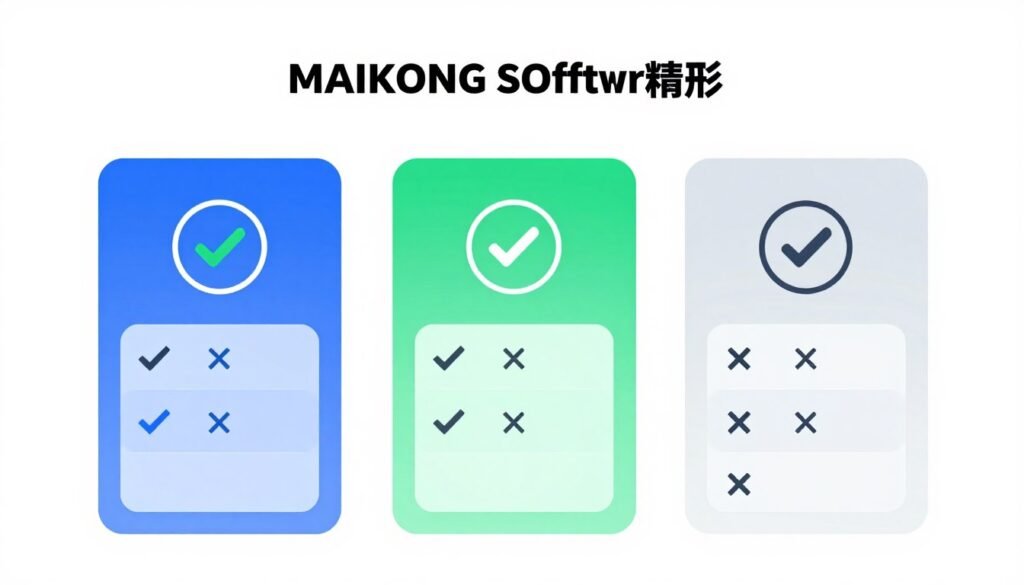
MAIKONG distinguishes itself through several specific advantages compared to typical iridology camera and software competitors. First and most notably, MAIKONG developed one of the market’s first fully Mac-compatible iridology software solutions. This breakthrough opened the market to Apple computer users previously forced to maintain separate Windows computers specifically for iridology software.
Seventeen-language support exceeds most competitors who focus on English plus 2-4 additional major languages. This extensive localization positions MAIKONG as the preferred choice for international distributors serving diverse markets. A single software version addresses global demand without requiring separate products for different regions.
OEM and ODM customization depth surpasses typical white-label offerings. While some manufacturers allow basic logo replacement, MAIKONG supports deeper modifications including feature set adjustments, custom report templates, and specialized terminology adaptations. This flexibility enables distributors to create genuinely differentiated products rather than obvious rebrands.
Manufacturing heritage spanning 20 years and over 1000 OEM partnerships demonstrates stability and expertise. New software vendors face uncertain longevity; established manufacturers like MAIKONG provide assurance they will remain operational to support long-term software use, updates, and technical assistance.
Pricing Structure and Return on Investment Considerations
Understanding software costs beyond initial purchase price reveals the true investment required. Total cost of ownership includes not just software licensing but also hardware, training time, ongoing updates, and opportunity costs during implementation periods.
Individual Practitioner Licensing Options
Single-user licenses suit solo practitioners or small clinics with one primary user. These licenses permit software installation on a specified number of computers, typically one or two devices. The USB encryption dongle controls access, allowing you to move the software between computers by transferring the dongle.
Perpetual licensing involves one-time payment for indefinite software use. You pay upfront and own that software version permanently. Updates may be included for a specified period (e.g., first two years free), after which continued update access might require paid maintenance subscriptions. This model suits practitioners who prefer capital equipment purchases over recurring expenses.
Subscription licensing spreads costs across time through monthly or annual payments. Lower upfront investment makes this model accessible for new practices with limited capital. However, total cost over 5-10 years typically exceeds perpetual license pricing. Subscriptions make sense when you value cash flow flexibility over long-term cost optimization.
Multi-User and Institutional Licensing
Training institutions and multi-practitioner clinics need licenses supporting multiple simultaneous users. Volume licensing provides cost advantages compared to purchasing individual licenses. A five-user license might cost 3.5x the single-user price rather than 5x, reflecting per-unit savings at higher volumes.
Network installations enable centralized data management across multiple workstations. All practitioners access the same client database, ensuring complete patient records regardless of which staff member conducted previous sessions. This centralization requires more sophisticated software architecture and typically commands premium pricing compared to standalone installations.
Educational licenses often include restrictions preventing commercial use. Schools and training programs receive substantial discounts acknowledging their educational mission and market development value. However, these licenses typically prohibit using the software for paying client consultations, restricting use to classroom instruction and supervised student practice.
Hardware and Software Bundle Pricing
Complete system packages combining iriscope cameras and software range from $800 to $2,500 for professional-grade configurations. Entry-level packages with 5MP cameras and basic software versions start around $800-1,200. Mid-range professional packages with 12MP cameras and full-featured software typically cost $1,500-2,000. Premium packages including camera stands, multiple lenses, and extended support reach $2,000-2,500.
Package discounts compared to separate purchases provide 15-25% savings. Manufacturers incentivize bundle purchases because bundled sales reduce inventory complexity and ensure camera-software compatibility that minimizes support burden. These savings justify bundle purchases even when practitioners already own cameras that might work with the software.
Financing options through medical equipment lenders spread costs across 12-48 month payment plans. Monthly payments of $50-150 often prove manageable for established practices even when multi-thousand dollar upfront costs strain budgets. Interest charges add to total cost but preserve working capital for other business needs.
Calculating Return on Investment for Practice Implementation
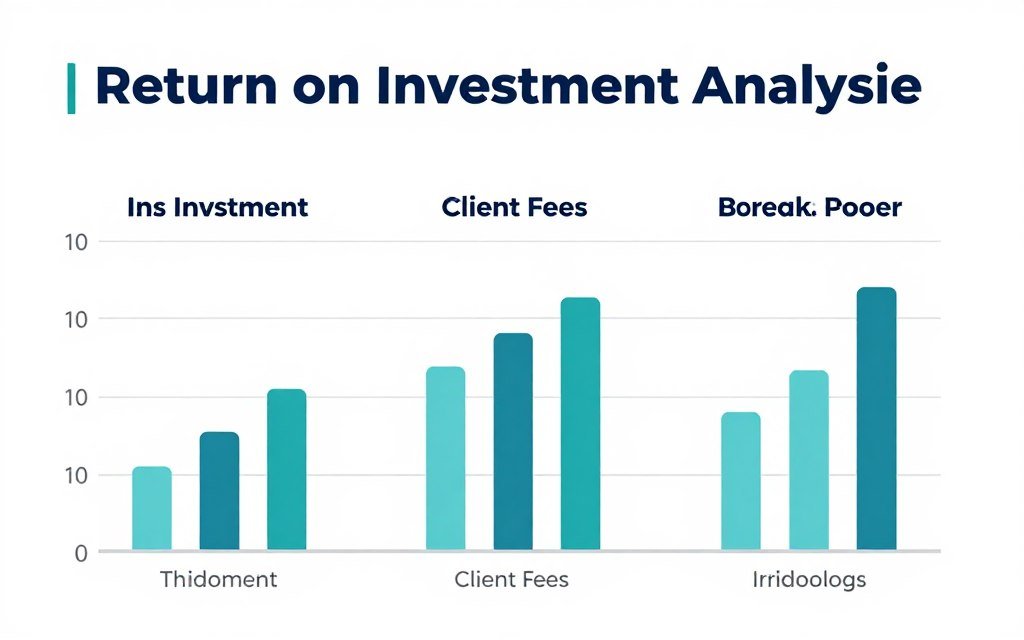
Direct revenue impact comes from increased consultation fees supported by professional documentation. Practitioners using professional iris analysis systems often command $75-150 per consultation compared to $40-75 for basic wellness assessments. Even at a conservative $25 premium per consultation, software pays for itself after 40-60 clients when total system costs run $1,000-1,500.
Time savings translate to capacity for more clients or reduced work hours. If software automation cuts report preparation from 45 minutes to 10 minutes per client, you save 35 minutes each session. Across 10 clients weekly, that is nearly 6 hours saved per week. The value of this time recovery, whether spent with additional clients or enjoying personal time, justifies substantial software investment.
Client retention improvements stem from professional presentation quality. Clients receiving polished, comprehensive reports perceive higher value and return more consistently for follow-up consultations. If professional documentation improves your client return rate from 40% to 55%, the revenue impact of those additional repeat visits quickly dwarfs software costs.
Marketing and differentiation benefits arise from advanced capabilities. Promoting cutting-edge iris analysis technology attracts clients seeking sophisticated wellness services. Mac compatibility, multi-language capabilities, and advanced reporting distinguish your practice from competitors using basic tools or manual methods.
Frequently Asked Questions About HSK Iridology Software
Can HSK iridology software run on Mac computers, or is it Windows-only like most alternatives?
MAIKONG HSK iridology software provides full native support for Mac operating systems from macOS 10.14 (Mojave) through the latest macOS 15 (Sequoia). This includes compatibility with both Intel-based Macs and newer Apple Silicon (M1/M2) models. The software installs and operates identically on Mac as on Windows systems, with all features functioning across both platforms. This cross-platform capability makes MAIKONG one of the few iridology software providers supporting Mac users who previously had to maintain separate Windows computers solely for iris analysis work.
Installation on Mac follows standard macOS application setup procedures. You may need to adjust security preferences to allow the software to access your USB camera, which involves granting camera permissions through System Preferences. Our technical documentation includes Mac-specific installation guides, and our support team can assist with any Mac-related setup questions via WhatsApp or email.
What iris cameras work with HSK iridology software, and do I need to purchase a specific brand?
HSK iridology software supports most USB iris cameras using standard UVC (USB Video Class) protocols. This includes MAIKONG iriscope cameras, many generic USB iris cameras, and some standard USB microscope cameras. The software automatically detects compatible cameras when you connect them to your computer’s USB port. No special drivers are typically required for standard UVC cameras.
For optimal results, we recommend MAIKONG’s purpose-built 12MP iriscope cameras, which were designed specifically to work seamlessly with our software. These cameras include specialized LED ring lighting, appropriate magnification lenses, and image sensors optimized for iris photography. While third-party cameras may function, MAIKONG cameras ensure the best image quality and most reliable operation. Complete bundles including both camera and software are available and often represent better value than purchasing components separately.
If you already own an iris camera, you can test compatibility by downloading our trial software before purchasing. Contact our technical team with your camera model details, and we can verify compatibility before you commit to purchase.
How does software customization work for distributors interested in white-label versions for their market?
MAIKONG offers comprehensive OEM and ODM customization services for qualified distributors and private label brands. Basic customization includes complete logo replacement throughout the software interface, custom color schemes matching your brand guidelines, and personalized splash screens. These modifications eliminate all MAIKONG branding, making the software appear as your proprietary product.
Advanced customization extends to feature set modifications, custom report templates emphasizing specific body systems or assessment approaches, and specialized product recommendation modules that integrate your catalog. We can develop custom language translations beyond our standard 17-language library for specialized regional markets. Minimum order requirements apply for customization services, typically starting at 50-100 units for basic branding changes and 200-500 units for deeper functional modifications.
The customization process begins with a consultation where we review your specific requirements, target market characteristics, and brand guidelines. Our engineering team then provides timeline estimates and fixed-price quotations for the requested modifications. Development typically requires 4-8 weeks depending on complexity. We have successfully completed over 1,000 OEM projects since 2004, serving distributors across North America, Europe, Asia, and Latin America.
Can the software handle multiple practitioners and maintain separate client databases for each user in a clinic setting?
Multi-practitioner functionality depends on the licensing and installation approach you choose. Standard single-user licenses install on individual computers, with each practitioner maintaining their own independent client database on their personal workstation. This approach works well for clinics where practitioners operate autonomously without needing to share client records.
For integrated multi-user environments where practitioners need access to shared client databases, network-based installations provide centralized data management. All practitioners access the same database regardless of which workstation they use. This centralization ensures complete client history visibility when patients see different practitioners across visits. Network installations require multi-user licensing and typically involve higher initial costs than standalone installations.
Alternative approaches include cloud-based backup synchronization, where individual installations save data to shared cloud storage locations. This provides some data sharing capabilities while maintaining simpler technical infrastructure than full network installations. Discuss your specific clinic workflow with our technical team to identify the optimal configuration for your multi-practitioner environment.
What happens if I upgrade my computer to a newer operating system? Will the software continue working?
MAIKONG maintains ongoing software compatibility with current operating systems through regular update releases. When Microsoft releases new Windows versions or Apple launches updated macOS versions, our engineering team tests compatibility and develops necessary updates to ensure continued function. These updates are provided to registered users at no additional cost during their included update period (typically the first 1-2 years after purchase).
Before upgrading your computer’s operating system, we recommend checking our website or contacting support to confirm your software version’s compatibility with the new OS. If an update is required, you can download and install it before performing the OS upgrade. This proactive approach prevents situations where your software stops functioning after an OS update with no immediate solution.
The USB encryption dongle that controls software licensing works across operating system changes. If you upgrade from Windows 10 to Windows 11 or from one Mac OS version to another, the same dongle continues authorizing your software license. You do not need to purchase new licenses when upgrading hardware or operating systems, only when adding additional simultaneous users to your practice.
How long does it take to learn the software, and what training resources are included?
Most practitioners achieve basic operational proficiency within 2-4 hours of initial use. The software includes intuitive interfaces designed for efficiency, allowing you to perform core functions—client creation, image capture, basic chart overlay, and report generation—after minimal training. Quick-start guides walk you through these essential operations, getting you functional within your first practice session.
Comprehensive video tutorial libraries totaling 2-4 hours of content cover advanced features and optimization techniques. These tutorials are available in all 17 supported languages, ensuring you can learn in your native language regardless of location. Topics progress from basic operations through advanced comparative analysis, custom report design, and database management best practices.
PDF user manuals serve as ongoing reference documentation whenever you encounter unfamiliar functions or need to troubleshoot issues. These manuals include annotated screenshots, workflow diagrams, and troubleshooting guides organized by topic for quick reference. All training materials are included with software purchase at no additional cost. Our technical support team remains available for questions that arise during your learning process.
Does the software generate reports that I can customize with my practice logo and contact information?
Yes, comprehensive report customization represents a core software feature. You can modify report templates to include your practice logo, business name, contact information, website, and any disclaimers or educational statements you use. These customizations save as your default templates, applying automatically to all future reports without requiring repeated setup.
Report layout flexibility accommodates different practice styles and client communication preferences. You can adjust the size and placement of iris images, modify text section sizes, choose between portrait and landscape orientations, and select from multiple color schemes. Some practitioners prefer minimal text with large images, while others include extensive written observations. The software supports both approaches through template customization options.
Generated reports export as professional PDF files suitable for printing or email distribution. PDF format ensures clients can view reports on any device without requiring specific software. You can save reports to client files for future reference and send copies directly to clients from within the software interface. Custom report templates distinguish your practice and reinforce your brand identity through consistent, professional documentation.
What security measures protect client data, and does the software comply with privacy regulations?
Client data security starts with local storage on your computer rather than cloud transmission by default. Your client database resides on your own hardware, giving you complete control over data access and security measures. This local storage approach aligns with privacy preferences and regulatory requirements that mandate strict control over personal health information.
Optional backup features enable encrypted data storage on external drives or secure cloud services of your choosing. If you implement backup procedures, we recommend using encrypted backup solutions and secure cloud storage providers that meet healthcare data protection standards relevant to your jurisdiction. The software itself does not mandate specific backup procedures, allowing you to implement security measures appropriate for your practice’s regulatory environment.
While the software provides tools for secure data management, ultimate responsibility for compliance with regulations like HIPAA (United States), GDPR (European Union), or equivalent privacy laws in your jurisdiction remains with you as the practice operator. We recommend consulting with legal or compliance professionals familiar with healthcare privacy regulations in your area to ensure your complete iridology practice protocols, including software usage, meet all applicable requirements. Our software’s local data storage design and customizable security features facilitate compliance rather than creating obstacles.
Connect With MAIKONG for Software Demos, Pricing, or Partnership Inquiries
Whether you are an individual practitioner evaluating software options for your clinic, a training institution exploring educational licensing, or a distributor investigating OEM opportunities for your market, we are here to provide detailed information tailored to your specific situation.
Request Your Personalized Consultation
Complete the form to receive specific answers to your questions. Our team reviews each inquiry individually and responds within 24 hours with relevant information including:
- Compatibility confirmation for your specific Mac model or Windows version
- Pricing details for individual licenses or volume purchases
- OEM customization options and minimum order requirements
- Educational institution licensing and volume discounts
- Demo version access or live demonstration scheduling
- Technical specifications and hardware recommendations
Alternative Contact Methods

Prefer Instant Communication?
Our WhatsApp business line provides rapid responses during business hours (GMT+8 timezone). Ideal for quick technical questions or urgent support needs.
Email for Detailed Inquiries
For complex questions requiring detailed technical specifications, formal quotations, or partnership proposals, email provides the appropriate communication channel.
Email: Lucy@myiridology.us
Phone Consultation
Schedule a phone conversation with our US market specialists to discuss detailed requirements, demo the software via screenshare, or explore partnership opportunities.
Phone: +86-135-1090-7401
Business Hours: Monday-Friday, 9:00 AM – 6:00 PM (GMT+8)
Emergency Support: Available for existing customers via WhatsApp
Website: https://myiridology.us/
Why US Distributors and Health Professionals Choose MAIKONG
Two decades of focused manufacturing experience in iridology technology distinguishes MAIKONG from newer market entrants or diversified health equipment companies treating iris analysis as a minor product line. Since 2004, our engineering team has refined hardware designs, expanded software capabilities, and built partnerships with over 1,000 distributors across 50 countries.
Manufacturing Excellence and Quality Assurance
ISO9000 quality management system certification verifies our production processes meet international manufacturing standards. Every iriscope camera progresses through multiple inspection stages from component sourcing through final assembly and testing. CE certification confirms our products meet European Union safety and environmental standards, facilitating international distribution.
In-house research and development capabilities enable rapid innovation cycles. When Mac compatibility became a critical market need, our engineering team developed native macOS support rather than relying on third-party emulation solutions. When practitioners requested expanded language support, we systematically added translations reaching today’s 17-language library. This internal development capacity means we can address market needs directly rather than waiting for external software vendors.

Production capacity and inventory availability eliminate backorder frustrations. We maintain substantial stock in both China and United States warehouses, enabling 2-3 day shipment for most North American orders. Large distributor orders totaling hundreds of units can be fulfilled within 1-2 weeks rather than requiring month-long production cycles.
Comprehensive OEM and ODM Support for Market Partners
One thousand completed OEM projects since 2004 demonstrate proven customization expertise. Whether you need simple logo replacement or complex feature modifications, our engineering team has likely implemented similar projects for other partners. This experience base accelerates your customization timeline and reduces implementation risks.
Flexible minimum order quantities accommodate distributors at various growth stages. While deep customization requires substantial volume commitments, basic branding modifications become accessible at 50-100 unit orders. This graduated approach lets you start with limited customization, then expand modifications as your market share grows and larger volumes justify additional investment.
White-label capability extends beyond software to complete hardware branding. Iriscope camera housings can be manufactured in custom colors, laser-etched with your logo, and packaged in branded cases. This comprehensive customization creates genuinely unique products rather than obviously rebranded alternatives that compete weakly against original brands.
Distributor Support and Partnership Benefits
Exclusive territory opportunities remain available in select US regions for qualified distributors. We limit the number of active distributors per geographic area to protect your market development investment and prevent price competition among partners selling identical products. Territory exclusivity agreements formalize these protections, giving you confidence to invest in regional marketing.
Wholesale pricing structures provide healthy profit margins supporting sustainable distribution businesses. Qualified distributors access wholesale pricing 40-50% below retail, creating room for your markup while remaining price-competitive in your market. Volume tier pricing rewards growth, with additional discounts at higher order quantities.
Marketing support materials accelerate your market entry. We provide product photography, technical specification sheets, comparison charts, and sample marketing copy you can adapt for your market. This collateral saves you thousands in creative development costs while ensuring technically accurate product representation.
Technical training for your sales staff ensures they can confidently demonstrate products and answer customer questions. We offer remote training sessions covering software features, hardware specifications, common customer objections, and competitive positioning. Your team represents MAIKONG technology knowledgeably without requiring you to develop training programs independently.
Taking the Next Step Toward Advanced Iris Analysis Capabilities
Modern iridology practice demands tools that match your professional standards and client expectations. Whether you are replacing outdated systems, implementing digital iris analysis for the first time, or seeking scalable solutions for growing clinic operations, selecting appropriate software and hardware represents a significant practice decision.
HSK iridology software addresses the practical challenges practitioners face: Mac compatibility that eliminates the need for dedicated Windows computers, multi-language support that serves diverse client populations, comprehensive client management that replaces scattered paper records, and professional report generation that impresses clients while saving preparation time. Combined with high-resolution iris cameras designed specifically for iris photography, complete systems provide the foundation for effective traditional iris observation practice.
For distributors and equipment resellers, MAIKONG’s manufacturing capabilities, customization flexibility, and partnership support create opportunities to build profitable businesses around iridology technology. The combination of established market presence, technical sophistication, and genuine OEM capabilities differentiates MAIKONG from suppliers offering basic rebranding of commodity products.
Partner With MAIKONG – Join Our Global Network of Successful Distributors
Since 2004, over 1,000 distributors, clinics, and training institutions across 50 countries have built their iridology practices and businesses on MAIKONG technology. Our proven manufacturing excellence, comprehensive customization capabilities, and committed partner support create the foundation for long-term success. US territory opportunities with exclusive distribution rights remain available in select regions.
Distributor and OEM Partners Benefit From:
- 40-50% wholesale margins on quality equipment
- Complete hardware and software customization
- Exclusive territory protection in agreed regions
- Comprehensive technical and marketing support
- Fast fulfillment from US warehouse inventory
- ISO9000 and CE certified quality assurance
- 20 years of proven manufacturing expertise
Individual Practitioners and Clinics Receive:
- Professional-grade tools at accessible pricing
- Complete training and support resources
- Mac and Windows compatibility assurance
- 17-language interface and report options
- Lifetime software updates during included period
- Rapid technical support via multiple channels
- Complete system packages ready for immediate use
Or contact us directly for immediate assistance:
WhatsApp Chat
Email Inquiry
Phone Consultation
MAIKONG Technology Co., Ltd. | Established 2004 | GD, SZ, China | Serving 50+ Countries Worldwide