
FYEO Iridology Software: Professional Analysis Solution for Modern Practitioners
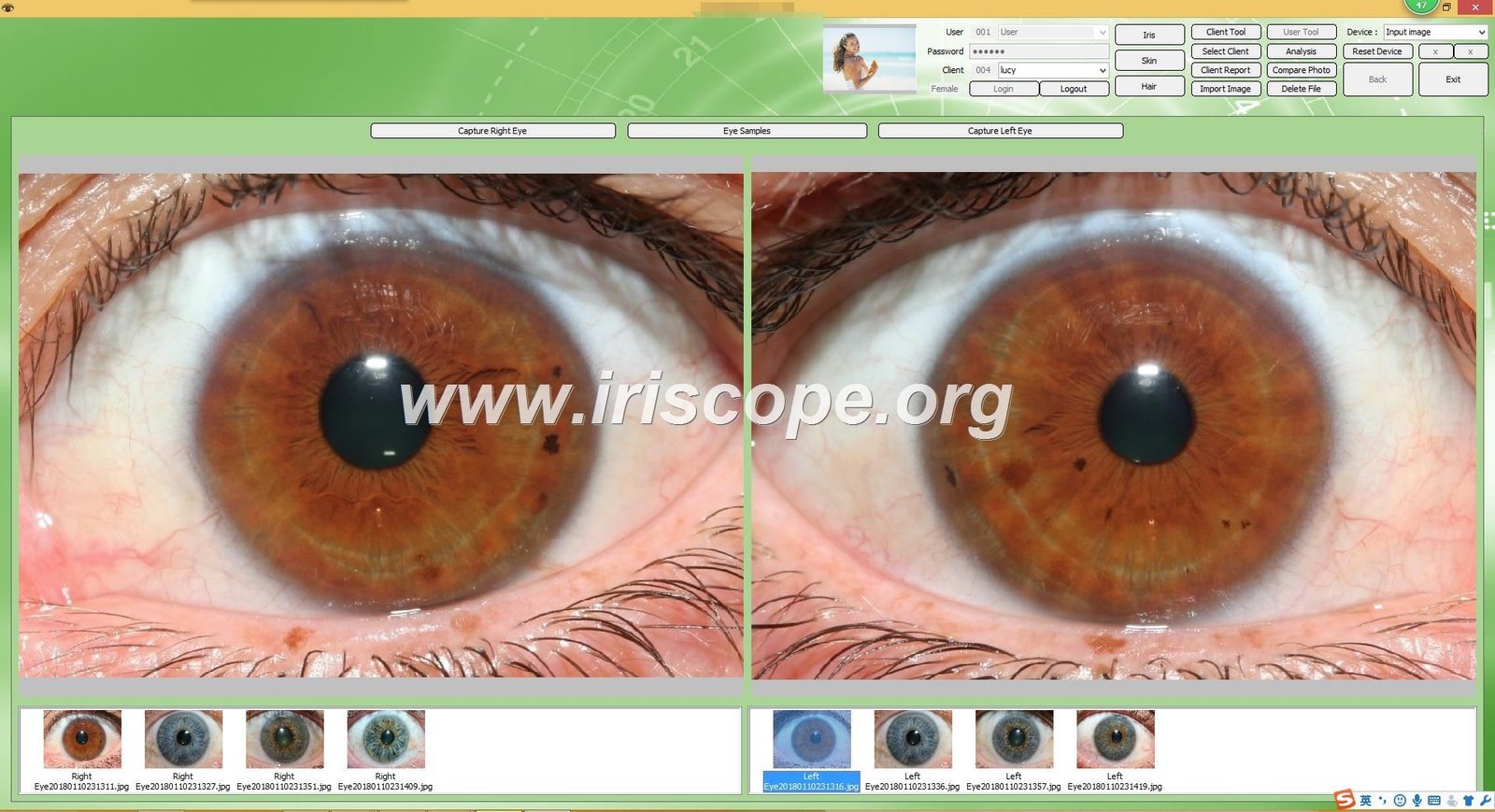
Finding the right iridology software can transform how you manage client assessments and practice workflows. When searching for fyeo iridology software, practitioners often face a common challenge: determining whether a specific software solution truly meets their operational needs.
I understand this frustration firsthand. After two decades manufacturing iridology equipment at MAIKONG in Shenzhen, I’ve worked with over 1,000 practitioners worldwide who shared similar concerns about software compatibility, feature limitations, and inadequate technical support.
This comprehensive guide addresses the core questions surrounding fyeo iridology software and similar professional analysis systems. You’ll discover essential capabilities, compatibility requirements, reporting features, and workflow integration details that directly impact your practice efficiency.
Important Note: All iridology software discussed in this article, including our MAIKONG solutions, serves traditional iris observation and health education purposes only. These tools do not diagnose medical conditions or replace professional healthcare consultation.
Understanding FYEO Iridology Software Capabilities
When practitioners search for fyeo iridology software, they’re typically investigating specific functionality that supports their daily practice operations. Professional iridology software solutions share common features that determine their practical value in clinical settings.
Core Software Functions That Matter
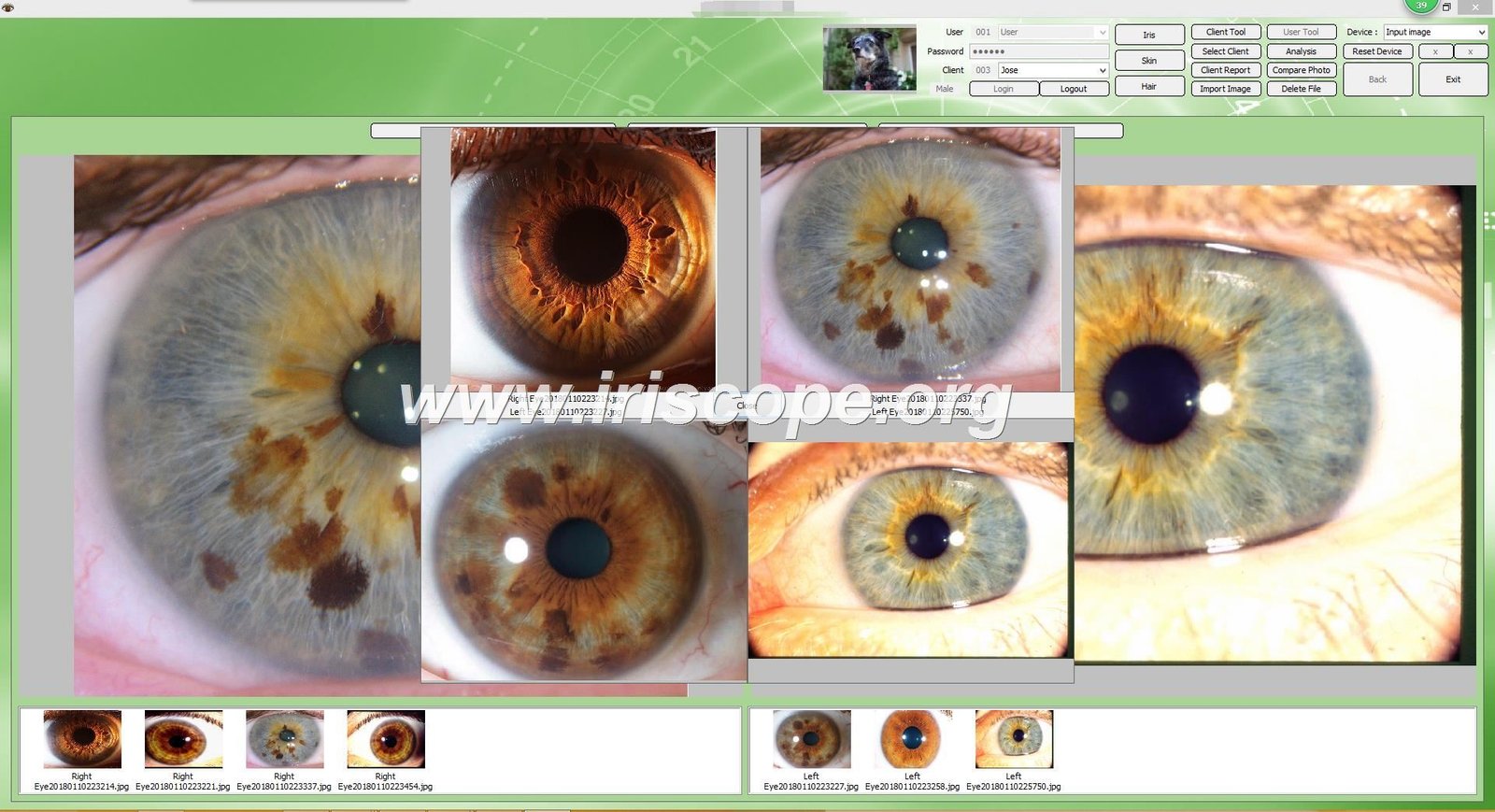
Modern iridology software handles several critical tasks simultaneously. The system must capture and store high-quality iris images efficiently. Client management features allow you to organize patient records systematically with detailed history tracking.
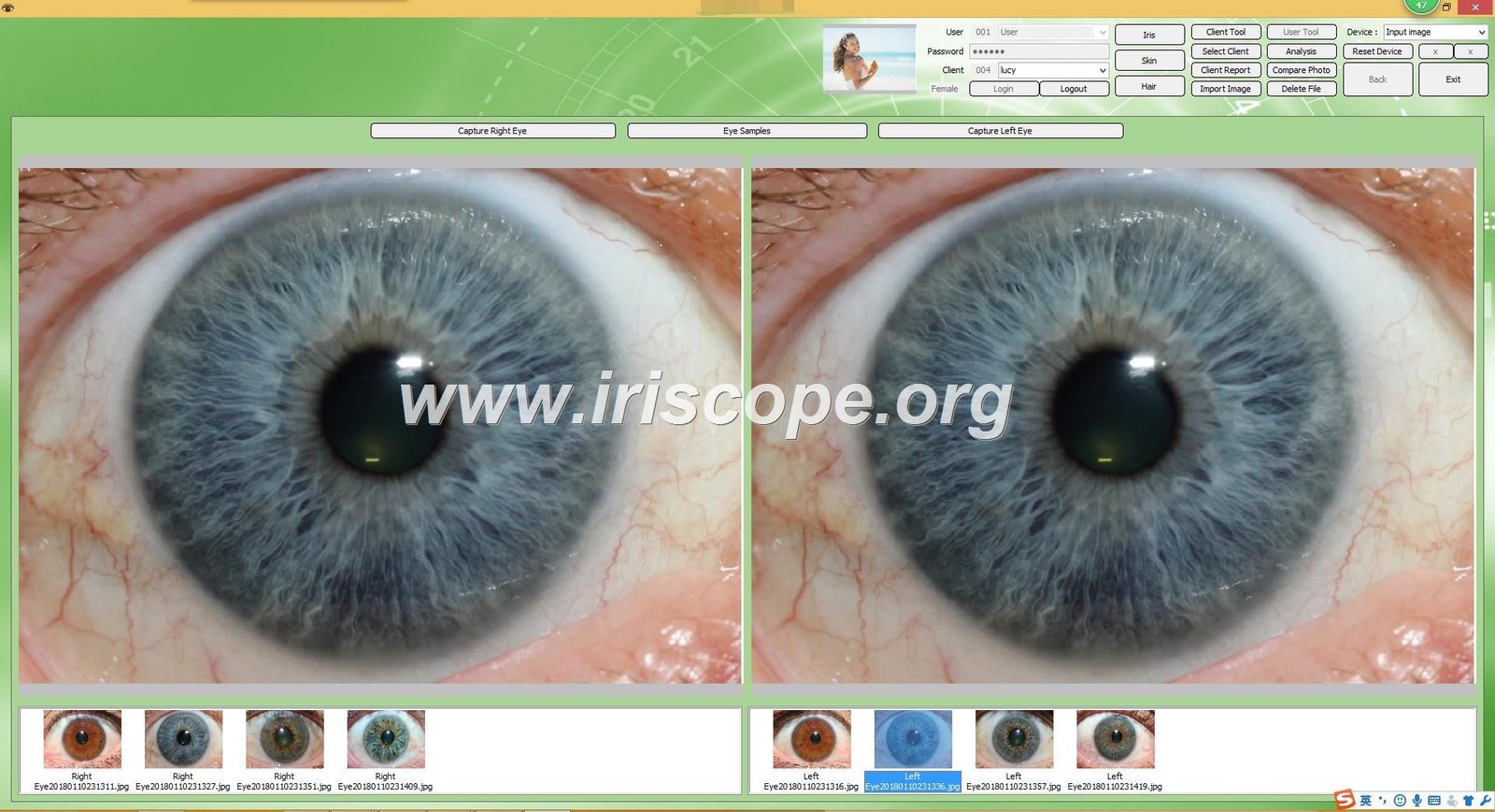
Image comparison tools let you monitor changes over time effectively. Report generation capabilities transform raw iris data into professional documentation your clients can understand. Chart overlay functions help identify specific iris zones and markings accurately.
These fundamental capabilities form the baseline for any professional-grade iridology software solution. However, implementation quality varies significantly between different software providers.
Essential Features for Professional Practice
A complete iridology software solution must support bilateral eye analysis. You need separate storage and comparison for left and right eye images captured during the same session.
The software should integrate seamlessly with your iris camera hardware. Automatic image capture and storage eliminates manual file management headaches. Built-in calibration tools ensure consistent image quality across multiple sessions.
Database backup functionality protects your client information from unexpected data loss. Multi-user access controls matter for practices with multiple practitioners sharing the same system.
Advanced Capabilities That Enhance Workflow
Beyond basic functions, advanced iridology software offers features that significantly improve practice efficiency. Automatic chart mapping uses algorithms to suggest potential areas of interest based on iris patterns and markings.
Customizable report templates allow you to create branded documentation that reflects your practice identity. Image enhancement tools adjust brightness, contrast, and clarity without distorting diagnostic accuracy.
Historical tracking displays visual timelines showing iris changes across multiple visits. This feature helps demonstrate progress to clients and supports your ongoing assessment processes.
Integration with product recommendations enables you to suggest complementary health products directly within your reports. This functionality streamlines your client education and increases practice revenue potential.
System Compatibility and Technical Requirements
Understanding technical compatibility prevents frustrating installation problems and ensures smooth daily operations. Practitioners need clarity about which operating systems, hardware configurations, and camera models work reliably with their chosen software.
Operating System Support
Most iridology software solutions target Windows environments exclusively. Standard compatibility extends from Windows XP through Windows 11, covering both 32-bit and 64-bit architectures.
However, macOS support remains limited in the iridology software field. Many practitioners using Apple computers face significant challenges finding compatible solutions for their preferred platform.
At MAIKONG, we recognized this gap early. Our software represents one of the first iridology solutions offering full macOS compatibility, supporting versions from Mojave 10.14 through Sequoia 15.
This cross-platform capability means you can choose your preferred computing environment without sacrificing software functionality. Your practice technology decisions shouldn’t be constrained by software limitations.
Windows Compatibility
- Windows 2000, XP, Vista (legacy support)
- Windows 7, 8, 10 (mainstream versions)
- Windows 11 (latest release)
- Both 32-bit and 64-bit architectures
- Minimum 4GB RAM recommended
- 500MB free storage space required
macOS Compatibility
- macOS 10.14 Mojave and later
- macOS 10.15 Catalina through 14 Sonoma
- Full support for latest macOS 15 Sequoia
- Intel and Apple Silicon processors
- 8GB RAM recommended for optimal performance
- 1GB free storage space suggested
Hardware Requirements and Camera Integration
Your computer hardware directly impacts software performance and user experience. A modern processor ensures smooth image processing without frustrating delays during client sessions.
USB port availability matters significantly. Most iridology cameras connect via USB 2.0 or USB 3.0 interfaces. You need at least two available USB ports – one for the camera and one for the software encryption dongle.
Screen resolution affects your ability to view iris images clearly. Minimum 1366×768 resolution works adequately, but 1920×1080 or higher provides much better detail visibility for accurate assessment.
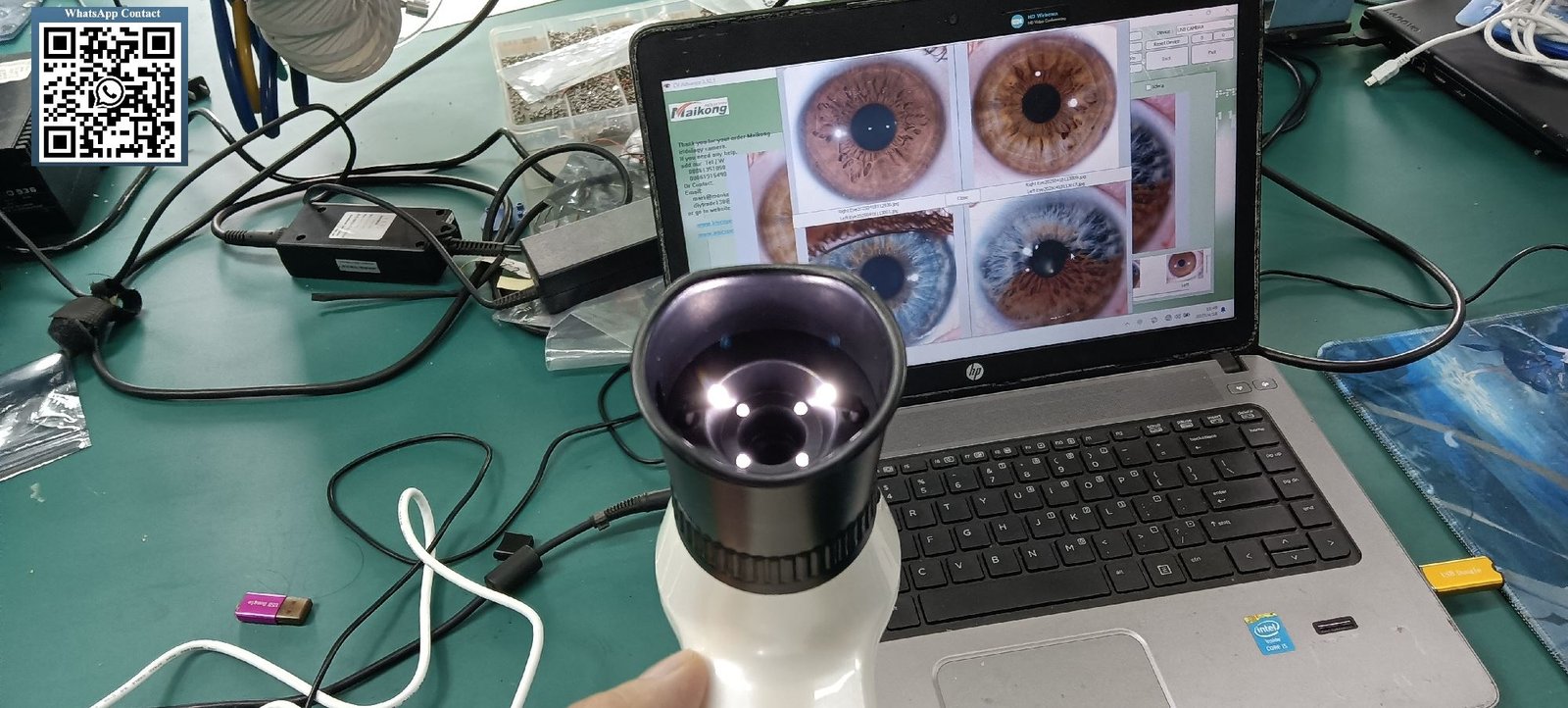
Camera compatibility represents a critical consideration. Professional iridology cameras typically include proprietary drivers that must integrate properly with your chosen software solution.
Network and Storage Considerations
Single-practitioner setups operate effectively on standalone computers without network requirements. However, multi-practitioner clinics benefit from networked installations enabling shared client databases across multiple workstations.
Cloud backup capabilities protect your client data from hardware failures and disasters. Some software solutions include automatic cloud synchronization features that continuously safeguard your information.
Local backup options provide an additional safety layer. Regular automated backups to external drives or network storage ensure you maintain complete client history even if your primary system fails.
Storage capacity planning depends on your client volume and image retention policies. High-resolution iris images typically require 2-5MB per image. A practice capturing 50 clients weekly accumulates approximately 10-25GB annually.
Comprehensive Software Features and Analysis Tools
Professional iridology software distinguishes itself through sophisticated analysis capabilities and user-friendly interfaces. Understanding these features helps you evaluate whether a specific solution truly supports your practice methodology and workflow preferences.
Client Management and Data Organization
Effective client management forms the foundation of productive practice operations. Your software should allow quick client profile creation with comprehensive demographic information including name, age, contact details, and medical history notes.
Search functionality enables rapid client lookup by name, ID number, or visit date. This feature becomes increasingly valuable as your client database grows over months and years of practice.
Visit history tracking displays chronological records of all sessions with each client. You can review previous images, notes, and recommendations without searching through multiple files or folders.
Appointment integration features help some practitioners manage scheduling directly within their iridology software. This consolidation reduces the need to switch between multiple applications during busy clinic days.
Image Capture and Enhancement
One-click image capture streamlines the photography process during client consultations. The software automatically stores images with proper client association and timestamp information.
Real-time image preview lets you verify image quality before saving. You can immediately recapture images if focus, lighting, or positioning isn’t optimal for accurate assessment.
Post-capture enhancement tools adjust brightness and contrast to reveal iris details more clearly. These adjustments happen non-destructively, preserving the original image data for future reference.
Image rotation and cropping features correct camera positioning issues without requiring complete recapture. This functionality saves time during sessions when minor adjustments suffice.
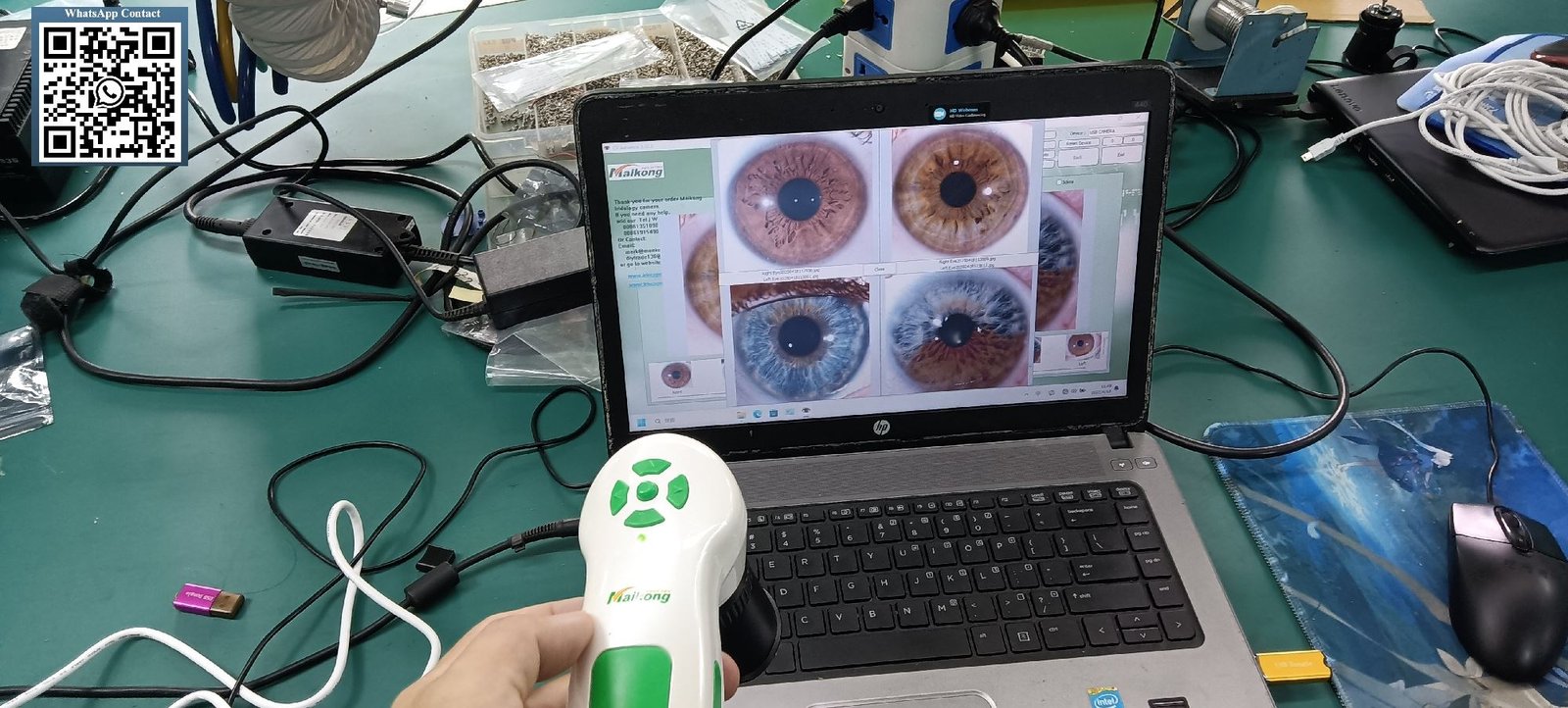
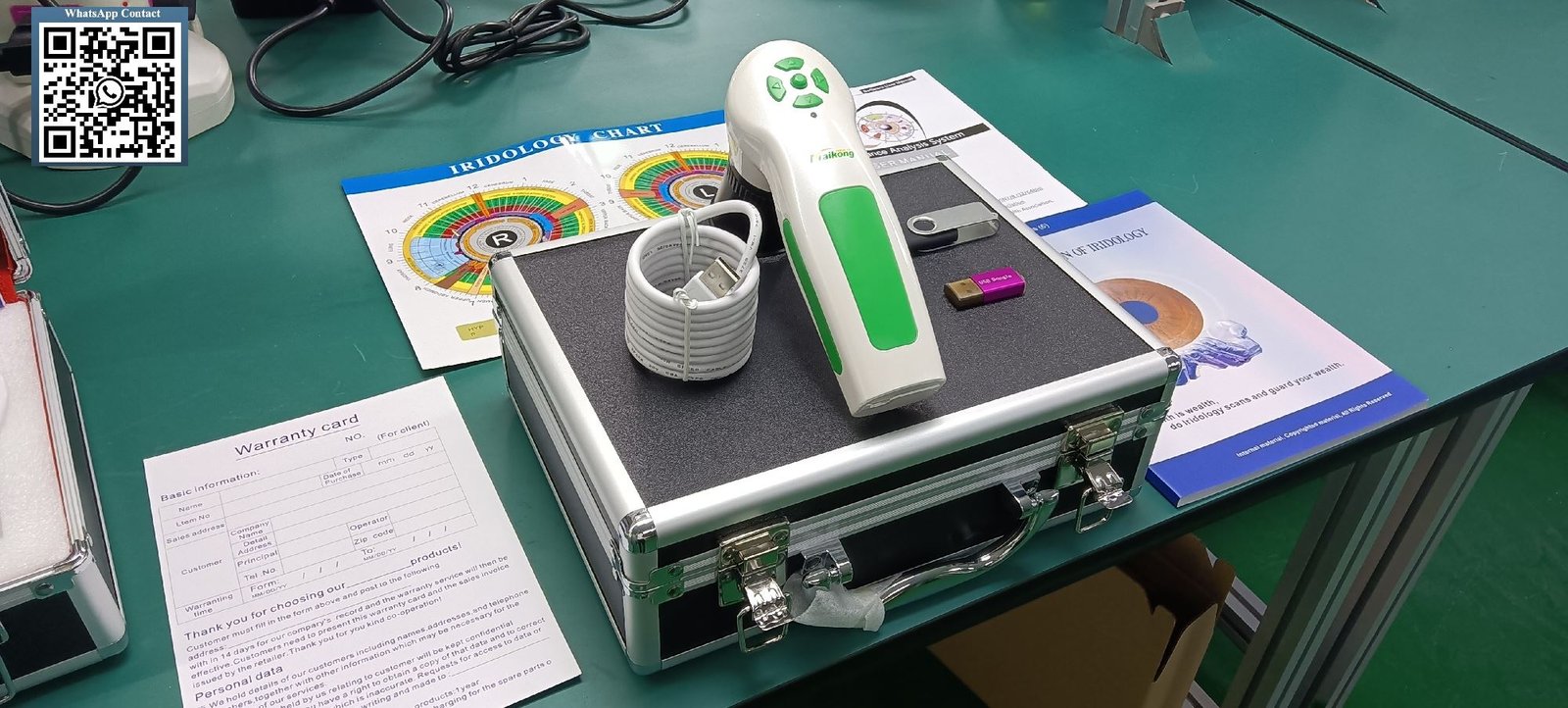
Chart Overlay and Zone Mapping
Standard iridology charts overlay directly onto captured iris images. These visual guides help identify specific zones corresponding to different body systems and organs according to traditional iridology mapping principles.
Multiple chart systems accommodate different iridology approaches. Practitioners can switch between Bernard Jensen charts, German school mappings, or other internationally recognized systems based on their training and methodology.
Opacity adjustment allows partial transparency of chart overlays. This feature helps you view underlying iris structures while maintaining zone reference visibility simultaneously.
Custom zone marking tools let you annotate specific areas of interest during analysis. These markings save with each image for future reference and client education purposes.
Report Generation and Documentation
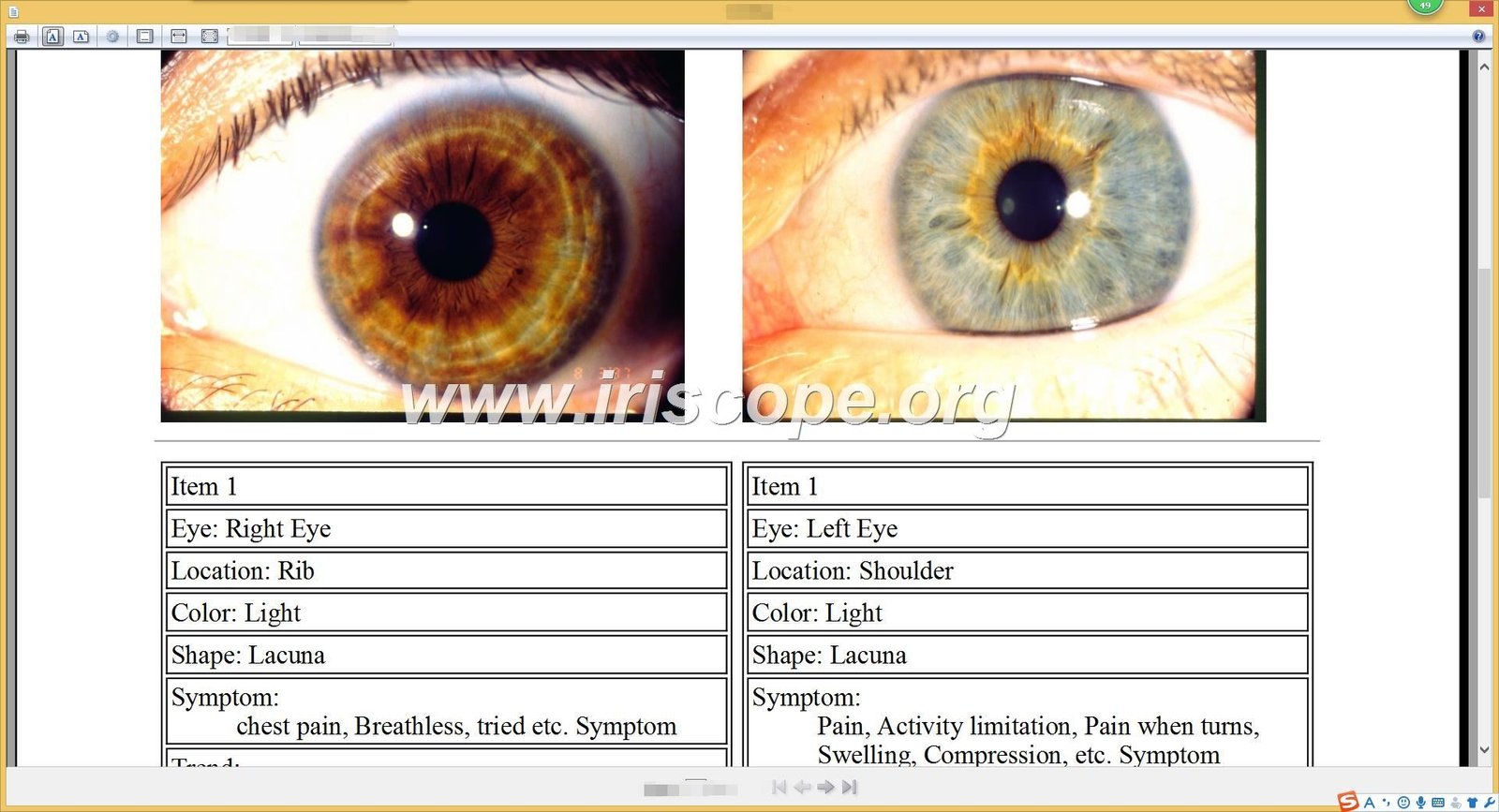
Automated report templates transform your analysis findings into professional documentation. The software compiles client information, iris images, observations, and recommendations into formatted reports.
Customization options allow you to modify report layouts, add your practice logo, and adjust content sections to match your documentation preferences. This branding reinforces your professional image.
Multi-language report support enables communication with clients in their preferred language. This capability expands your potential client base and improves client satisfaction through better understanding.
PDF export functionality creates portable documents easily shared via email or print. These standardized files open reliably on any device without requiring specialized software.
Experience MAIKONG Software Capabilities Firsthand
See how our iridology software streamlines client management, enhances image quality, and generates professional reports. Request a personalized demo tailored to your practice workflow.
Multi-Language Support and Global Accessibility
Language accessibility significantly impacts software usability for international practitioners and multilingual practices. Comprehensive language support enables you to serve diverse client populations effectively while operating in your preferred language environment.
Interface Language Options
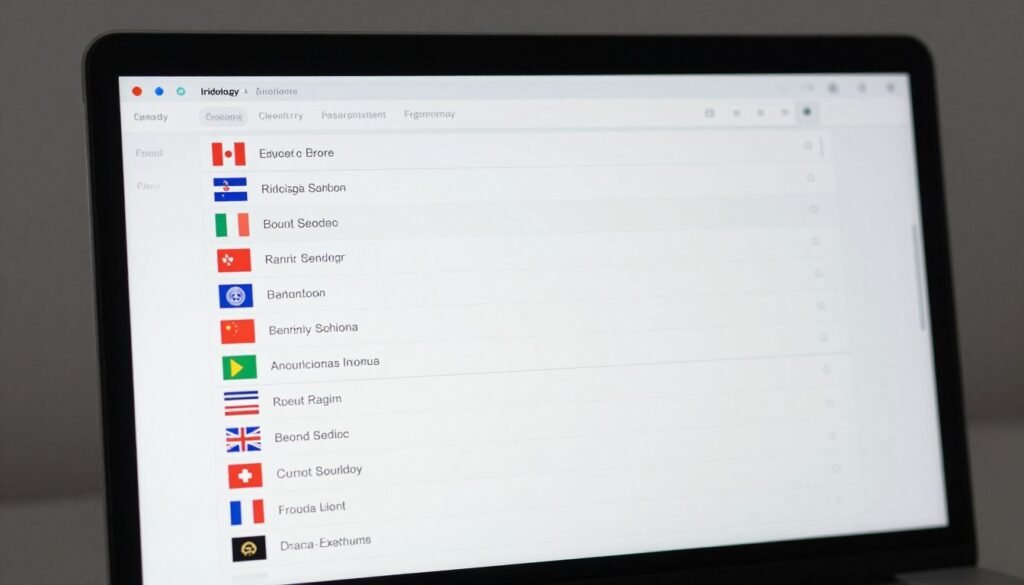
Professional iridology software should offer complete interface translation, not just partial localization. Every menu, button, label, and message appears in your selected language for consistent user experience.
Language switching functionality allows practitioners to change interface languages without reinstalling software. This flexibility benefits multilingual practitioners serving clients from different cultural backgrounds.
Our MAIKONG software currently supports 17 languages covering major global markets. This extensive language library includes English, Spanish, French, German, Italian, Portuguese, Russian, Polish, Czech, Bulgarian, Japanese, Korean, Persian, Traditional Chinese, Simplified Chinese, and Malaysian variants.
This language diversity represents one of our key differentiators in the iridology software market. Most competing solutions offer only 3-5 language options, limiting their usefulness for international practices.
Report Language Customization
Beyond interface translation, report language selection allows you to generate client documentation in multiple languages. A practitioner might use English interface settings while producing reports in Spanish for Spanish-speaking clients.
Template language customization extends to all text elements within reports including section headings, observation descriptions, and recommendation statements. This comprehensive translation ensures client comprehension regardless of their primary language.
Mixed-language capabilities benefit practices in multicultural communities. You can maintain one software installation while serving clients speaking different languages through appropriate report generation settings.
| Language | Interface Support | Report Generation | Documentation | Video Tutorials |
| English | Complete | Yes | PDF Manual Available | Online Video Library |
| Spanish | Complete | Yes | PDF Manual Available | Online Video Library |
| French | Complete | Yes | PDF Manual Available | Online Video Library |
| German | Complete | Yes | PDF Manual Available | Online Video Library |
| Italian | Complete | Yes | PDF Manual Available | Online Video Library |
| Portuguese | Complete | Yes | PDF Manual Available | Online Video Library |
| Russian | Complete | Yes | PDF Manual Available | Online Video Library |
| Japanese | Complete | Yes | PDF Manual Available | Online Video Library |
| Korean | Complete | Yes | PDF Manual Available | Online Video Library |
| Chinese (Simplified) | Complete | Yes | PDF Manual Available | Online Video Library |
| Chinese (Traditional) | Complete | Yes | PDF Manual Available | Online Video Library |
| Polish | Complete | Yes | PDF Manual Available | Online Video Library |
Training Materials and Support Documentation
Comprehensive training resources in multiple languages accelerate software adoption and reduce learning curve frustration. Video tutorials demonstrating key features help visual learners understand functionality quickly.
PDF user manuals provide detailed reference documentation you can consult when questions arise during daily use. These documents cover installation procedures, feature explanations, and troubleshooting guidance.
Our language-specific support extends to customer service communications. When you contact our team with questions or technical issues, you can communicate in your preferred language for clearer understanding and faster problem resolution.
Installation Process and System Configuration
Proper software installation establishes the foundation for reliable long-term operation. Understanding the installation process helps you prepare appropriately and avoid common setup problems that frustrate new users.
Pre-Installation Preparation
Before beginning installation, verify your computer meets minimum system requirements. Check available hard drive space, RAM capacity, and operating system version against software specifications.
Disable antivirus software temporarily during installation. Security programs sometimes interfere with driver installation or mistake encryption dongles for unauthorized devices.
Close all unnecessary applications to free system resources. This practice prevents installation conflicts and ensures the software installer has full access to required system files.
Gather all included installation media including USB drives, encryption dongles, and documentation. Having everything accessible streamlines the setup process and prevents interruptions searching for missing components.
Step-by-Step Installation Process
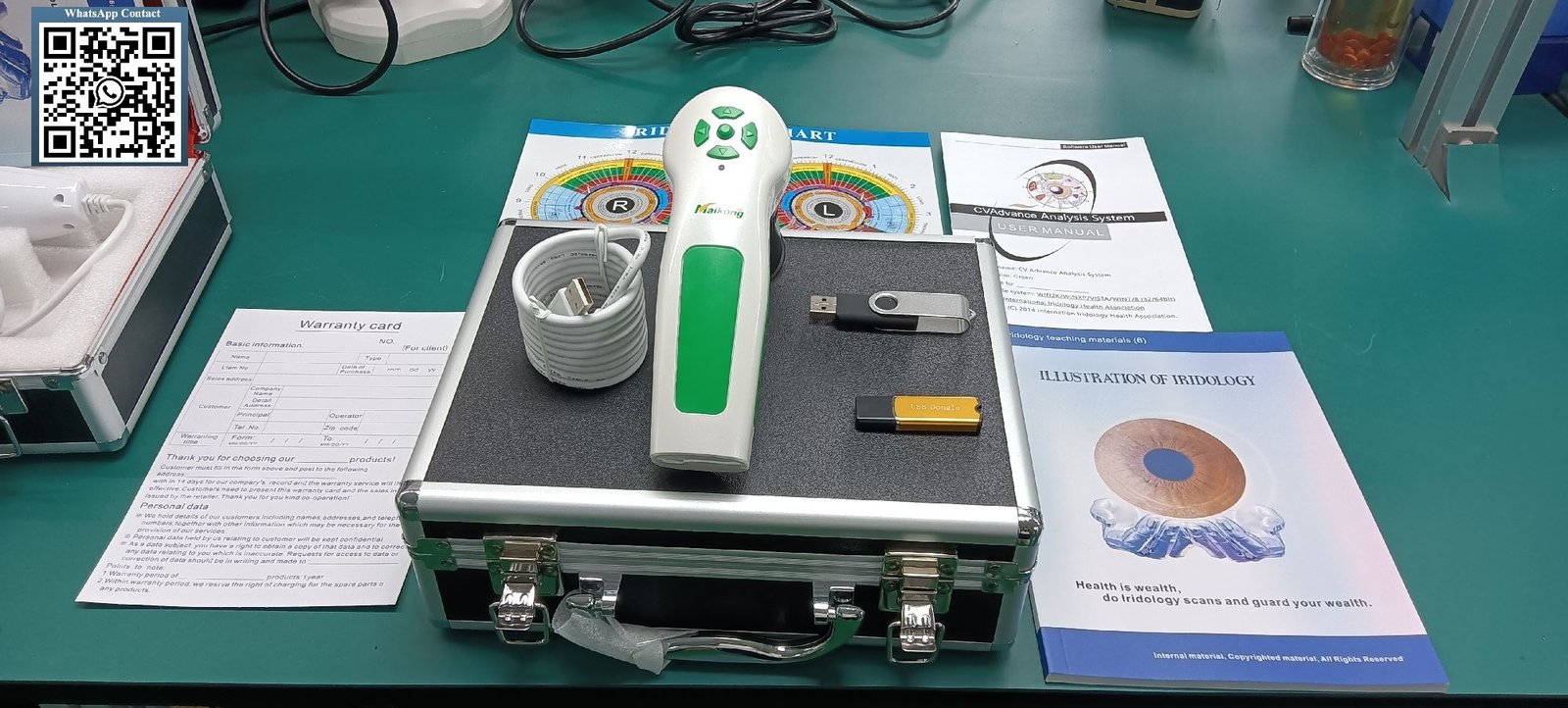
Insert the provided USB installation drive into an available USB port on your computer. The drive typically contains the software installer, drivers, and initial setup utilities.
Run the installation executable file by double-clicking the installer icon. Follow the on-screen prompts, clicking Next or Continue through each setup screen.
Select your preferred installation directory when prompted. The default location works well for most users, but you can choose an alternative path if your primary drive has limited space.
Allow the installer to complete driver installation for camera hardware. This process may require several minutes depending on your computer speed and operating system version.
Some systems require disabling built-in webcams to prevent driver conflicts. Access Device Manager, locate your internal camera, and disable it if the software cannot detect your external iridology camera properly.
Encryption Dongle Configuration
After software installation completes, disconnect the installation USB drive. Insert the metal USB encryption dongle into a free USB port on your computer.
This security device validates your software license and enables full functionality. The software will not operate without the dongle properly connected and recognized by your system.
Wait for automatic driver installation to complete. Modern operating systems typically recognize USB security devices automatically without requiring manual driver installation.
Some older systems may prompt you to install dongle drivers manually. Follow the on-screen instructions or consult the included documentation for driver installation guidance specific to your operating system.
Camera Connection and Testing
With software and encryption dongle installed, connect your iridology camera to another available USB port. Avoid using USB hubs if possible, as direct motherboard connections provide more reliable power delivery and data transmission.
Launch the software by double-clicking the desktop shortcut icon. The software should automatically detect your connected camera and display a live preview window.
Test image capture functionality by positioning the camera and clicking the capture button. Verify captured images appear correctly in the client database and display proper clarity and color accuracy.
Adjust camera focus, lighting, and software settings as needed to optimize image quality. Proper initial configuration prevents quality issues during actual client sessions.
Installation Tip: Keep your installation USB drive and encryption dongle in a secure location after setup. You’ll need these items for software reinstallation if you upgrade computers or need to troubleshoot system issues in the future.
Integrating Software Into Your Practice Workflow
Effective software integration requires thoughtful workflow planning beyond simple technical installation. Strategic implementation ensures the technology enhances rather than disrupts your established practice patterns and client service quality.
Client Consultation Workflow
Start each session by opening the client’s record in your software before they arrive in the consultation room. Pre-loading their information eliminates waiting time and demonstrates professional preparedness.
During initial client intake, enter demographic information while building rapport through conversation. This multitasking approach maintains personal connection while completing necessary administrative tasks.
Position your camera and computer setup to maintain eye contact with clients during image capture. Screen placement matters – avoid turning your back to clients or creating physical barriers that hinder communication.
Capture bilateral iris images systematically, starting with the same eye each session for consistency. This standardized approach helps you develop efficient muscle memory and reduces capture time.
Review captured images with clients immediately after photography. This real-time sharing maintains engagement and allows clients to visualize what you’re observing during analysis.
Analysis and Documentation Process
Dedicate focused time for detailed analysis separate from the live consultation when possible. Rushing analysis during client sessions increases error risk and may overlook important details.
Use chart overlay features systematically, checking each zone methodically rather than jumping randomly around the iris. This organized approach ensures comprehensive assessment without missing areas.
Document your observations using consistent terminology and notation methods. Standardized recording practices make future comparisons more meaningful and support clear client communication.
Generate reports promptly after analysis completion. Fresh observations produce more accurate documentation than attempting to reconstruct findings hours or days later from memory.

Follow-Up and Progress Tracking
Schedule comparison analyses at consistent intervals to monitor changes effectively. Three-month intervals work well for most clients, providing sufficient time for observable changes without excessive gaps.
Use side-by-side comparison features to highlight changes between visits. Visual demonstrations help clients understand progress and reinforce the value of your recommendations.
Maintain detailed notes about recommendations made during previous visits. This historical context helps you assess which approaches produced positive results worth continuing or adjusting.
Archive older images systematically rather than deleting them. Long-term historical data becomes increasingly valuable as you build multi-year relationships with returning clients.
Multi-Practitioner Coordination
Establish clear protocols for client data management in practices with multiple practitioners. Determine whether practitioners share client records or maintain separate databases.
Implement consistent naming conventions and file organization standards across all users. Standardization prevents confusion and enables smooth transitions when clients see different practitioners.
Schedule regular database backup procedures and assign responsibility clearly. Data loss from hardware failure creates significant problems in multi-practitioner environments with shared client information.
Camera Hardware Compatibility and Integration
Software capabilities mean little if your camera hardware doesn’t integrate properly. Understanding camera compatibility prevents expensive purchasing mistakes and ensures optimal image quality for accurate analysis.
Camera Connection Standards
Most professional iridology cameras connect via USB 2.0 or USB 3.0 interfaces. USB 3.0 offers faster data transfer speeds that reduce lag between image capture and display on your monitor.
Connection reliability depends partly on cable quality and length. Use manufacturer-provided cables when possible, as aftermarket replacements sometimes cause intermittent connection problems.
Camera resolution directly impacts image detail and analysis accuracy. Modern professional cameras typically offer 12 megapixels or higher resolution for clear iris structure visibility.
LED illumination systems provide consistent, color-accurate lighting that doesn’t distort iris coloration. This feature matters significantly for practitioners using color-based assessment approaches.
MAIKONG Camera Specifications
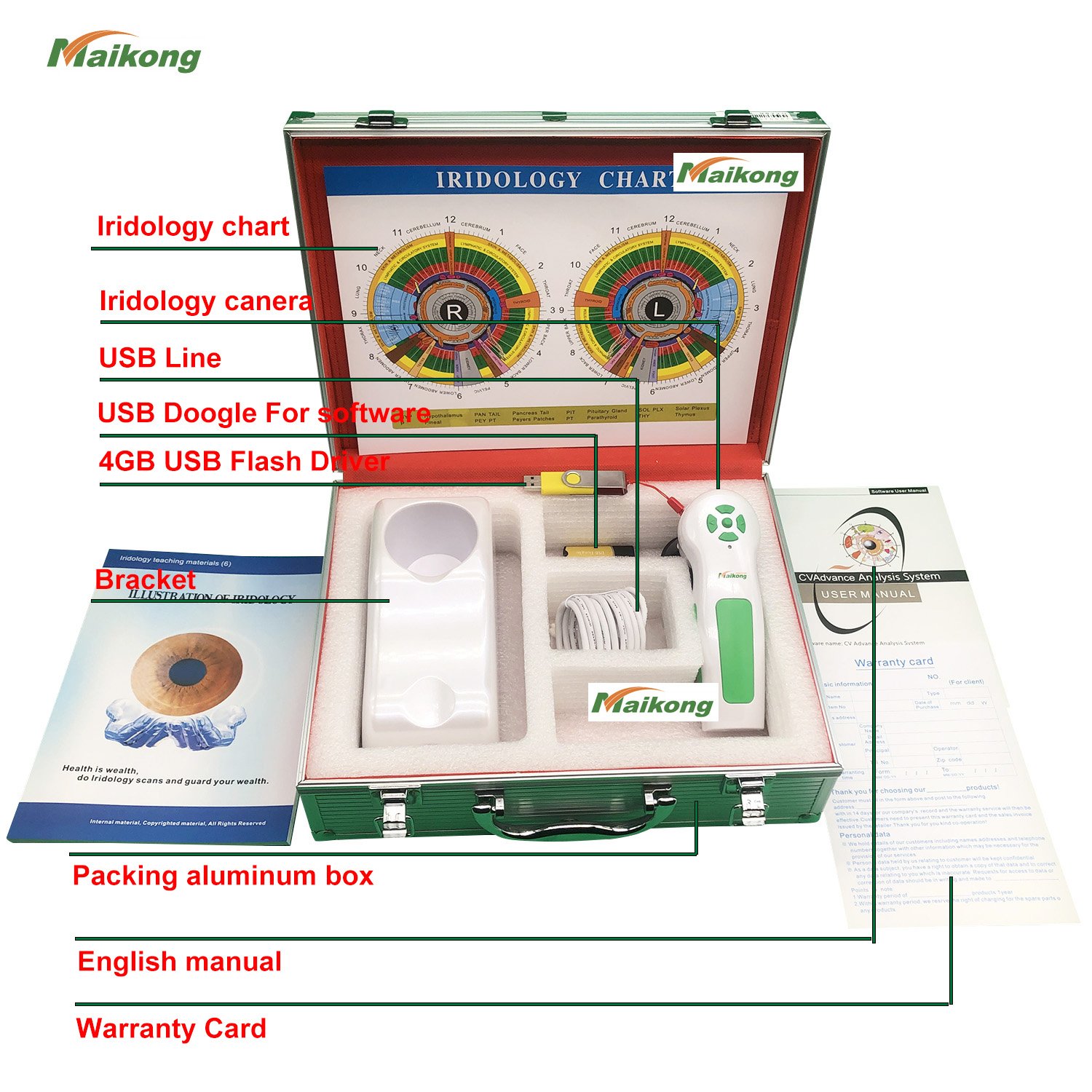
Our MK-9822U camera model integrates seamlessly with our software platform. This purpose-built camera delivers 12 megapixels resolution through a high-quality CCD sensor designed specifically for iris photography.
The integrated LED illuminator surrounds the lens, providing even lighting that eliminates shadows and hotspots. This lighting arrangement produces consistent image quality regardless of ambient room lighting conditions.
Adjustable focus mechanisms allow precise focusing for various eye conditions and client positioning variations. You can fine-tune focus during each session without compromising image sharpness.
Single-button capture operation simplifies photography during client sessions. One click triggers image capture, automatic storage, and immediate software integration without complex menu navigation.
| Specification | Details |
| Model Number | MAIKONG MK-9822U |
| Image Sensor | 12.0 Megapixel CCD |
| Connection Interface | USB 2.0 / USB 3.0 Compatible |
| Illumination | LED Ring Light Around Lens |
| Focus Type | Manual Adjustable Focus |
| Image Processor | Digital Signal Processor (DSP) |
| Stabilization | Optical Image Stabilizer |
| Lens Options | 30X Iris Lens Included |
| Capture Mode | Single Button Capture + Digital Pause |
| Color Temperature | Auto White Balance + Filter |
| Warranty Period | 1 Year Manufacturer Warranty |
| Included Accessories | Handset, Lens, Case, USB Cable, Protective Cover |
Third-Party Camera Considerations
Some practitioners prefer using cameras from different manufacturers with their software. This approach requires careful compatibility verification before purchasing.
Driver compatibility represents the primary technical challenge. The software must recognize the camera’s drivers and properly communicate capture commands through the driver interface.
Image format compatibility ensures captured photos save correctly in file formats the software recognizes. Most professional cameras output JPEG or PNG formats that work universally.
Color calibration may require manual adjustment when mixing hardware and software from different manufacturers. This calibration ensures accurate iris color representation in your analysis and reports.
Software Customization and OEM Capabilities
Generic software solutions often contain features you don’t need while lacking specific functionality your practice requires. Customization capabilities allow you to adapt software to your exact operational requirements and professional branding needs.
Interface Customization Options
Logo placement throughout the software interface reinforces your brand identity during every client interaction. Custom logos appear on splash screens, report headers, and main interface elements.
Color scheme customization allows matching software appearance to your practice branding guidelines. Choose colors that complement your website, business cards, and consultation room decor for consistent professional presentation.
Menu organization can be modified to prioritize features you use most frequently. This customization reduces clicks required to access common functions and streamlines your workflow.
Button labeling adjustments help align software terminology with your preferred professional vocabulary. This consistency reduces cognitive load when switching between software use and verbal client communication.
Report Template Customization
Custom report templates transform generic documentation into branded professional materials reflecting your unique practice identity. Templates control layout, sections included, text formatting, and visual elements.
Add or remove report sections based on your documentation preferences and regulatory requirements. Include sections for client history, current observations, recommendations, and follow-up plans according to your practice standards.
Incorporate pre-written text blocks for common observations and recommendations. This feature accelerates report generation while maintaining consistency across all client documentation.
Include your product recommendations directly within reports when appropriate. Integrated product suggestions streamline client education and support your retail revenue streams.
OEM and White-Label Options
Original Equipment Manufacturer (OEM) customization allows complete software rebranding for distributors, training organizations, or large practice groups. OEM versions carry your branding exclusively without manufacturer references.
We provide comprehensive OEM services for qualified partners at MAIKONG. This capability transforms our software platform into your proprietary solution supporting your business model and market positioning.
OEM customization includes splash screen branding, about dialog information, help documentation references, and all user-facing text elements. The software appears entirely as your own product.
Functional customization accompanies visual rebranding. We can add specific features, modify workflows, or integrate with your existing systems to create truly custom solutions meeting your exact operational requirements.
Minimum order quantities and development timelines vary based on customization complexity. Contact our team to discuss your specific requirements and receive detailed OEM proposal information.
Language and Regional Adaptation
Beyond our standard 17-language library, custom language translations enable operation in additional markets. This customization benefits distributors entering emerging markets or specialized communities.
Regional chart variations accommodate different iridology teaching approaches and traditions. Software can include multiple chart systems allowing practitioners to select their preferred methodology.
Measurement unit customization ensures consistency with local conventions. Reports display measurements in metric or imperial units based on regional preferences and standards.
Date and time formatting adjusts to match regional conventions. This attention to localization details enhances user comfort and reduces confusion in international deployments.
Download Complete Technical Specifications
Access detailed specification sheets covering software features, system requirements, camera capabilities, and customization options. Perfect for technical evaluation and purchasing decisions.
Pricing Models and Value Considerations
Understanding software pricing structures helps you evaluate true ownership costs beyond initial purchase prices. Different pricing models suit different practice sizes and business arrangements.
One-Time Purchase Model
Perpetual licenses provide indefinite software usage rights for a single upfront payment. This traditional model offers predictable costs without ongoing subscription obligations.
One-time purchases typically include initial installation support and limited-duration update access. Major version upgrades may require additional fees after the included update period expires.
This model suits established practices planning long-term software use without dependency on continuous vendor relationships. You retain full functionality regardless of future business changes or vendor availability.
Budget planning becomes simpler with one-time purchases. You know the complete software cost upfront without worrying about annual renewals or price increases.
Subscription Pricing
Monthly or annual subscription models spread costs over time rather than requiring large upfront investments. This approach reduces initial capital requirements for new practices.
Subscriptions typically include continuous updates, technical support, and cloud storage services. These bundled benefits provide ongoing value beyond basic software access.
Budget predictability varies with subscription terms. Annual subscriptions lock pricing for one year, while monthly plans offer flexibility with potential price volatility.
Cancellation policies merit careful evaluation. Understand what happens to your client data and software access if you discontinue subscription payments.
Volume and Partnership Pricing
Bulk purchase discounts benefit practice groups, training institutions, or distributors acquiring multiple licenses. Volume pricing significantly reduces per-unit costs for larger deployments.
We offer attractive partnership pricing at MAIKONG for qualified distributors and dealers. These arrangements provide sustainable margins supporting your business while delivering competitive pricing to end customers.
Partnership benefits extend beyond pricing to include dedicated support, marketing materials, and customization services. Strong partnerships create mutual success through aligned incentives.
Exclusive territory arrangements may be available for distributors demonstrating market commitment and volume potential. Territorial protection ensures your investment in market development yields appropriate returns.
Total Cost of Ownership Analysis
Purchase price represents only one component of software ownership costs. Training time, learning curves, and productivity impacts during transition affect true total costs.
Support costs vary significantly between vendors. Some include technical support indefinitely, while others charge hourly rates or require separate support contracts.
Update and upgrade costs accumulate over years of ownership. Vendors offering free lifetime updates provide better long-term value than those charging for each version release.
Hardware compatibility affects replacement costs. Software requiring frequent hardware upgrades or proprietary accessories increases total ownership expenses beyond software licensing fees.
Data migration costs matter when switching between software solutions. Evaluate how easily you can export your client database if you decide to change platforms in the future.
Technical Support and Training Resources
Reliable technical support transforms frustrating problems into minor inconveniences. Comprehensive training accelerates competency development and maximizes your software investment value.
Support Channel Availability
Email support provides documented communication for complex issues requiring detailed explanation or screenshot sharing. Response times typically range from 24 to 48 hours depending on issue urgency.
Phone support enables real-time problem solving through verbal communication. This channel works well for urgent issues or situations where explaining problems in writing proves difficult.
WhatsApp business messaging combines text and voice communication flexibility with international accessibility. We provide WhatsApp support at +86 135 1090 7401 for convenient real-time assistance.
Video conferencing support helps troubleshoot complex problems requiring visual demonstration. Screen sharing allows support staff to observe your exact situation and provide precise guidance.
Training Materials and Documentation
Video tutorial libraries cover common tasks and features through visual demonstrations. These resources benefit visual learners who prefer watching procedures rather than reading instructions.
Written user manuals provide comprehensive reference documentation for detailed feature explanations. PDF format manuals work offline and allow quick searching for specific topics.
Quick start guides accelerate initial learning by focusing on essential features needed for basic operation. These abbreviated resources prevent overwhelming new users with excessive information.
Advanced technique documentation helps experienced users discover powerful features they might otherwise overlook. These materials support continuous skill development beyond basic competency.
how to install, use, and analyze with the latest MAIKONG 2025 Iridology Software in English with 1080P Full HD clarity. This video provides a step-by-step guide covering installation, uninstallation, iris comparison, analysis, location pinpointing, and report generation. Ideal for new users, distributors, and health professionals working with iridology cameras or iriscope devices.
Onboarding and Implementation Support
Initial setup assistance ensures proper installation and configuration during your first software deployment. This support prevents common mistakes that create problems later.
Workflow consultation helps you design efficient processes matching your practice patterns. Experienced support staff can suggest optimal approaches based on working with similar practices.
Data migration services facilitate transitioning from previous software solutions. Professional migration assistance prevents data loss and accelerates your transition timeline.
Follow-up check-ins during your first weeks using new software catch problems early before they become habitual practices. This proactive support improves long-term satisfaction and success.
Ongoing Support Commitment
Software updates address bugs, improve performance, and add new features over time. Regular updates demonstrate vendor commitment to product improvement and customer satisfaction.
Security patches protect your client data from emerging threats. Timely security updates prove essential in our increasingly connected technology environment.
Compatibility updates ensure software continues working with new operating system releases and hardware devices. This maintenance prevents unexpected breakdowns when you upgrade other technology.
Feature requests from users influence development priorities for vendors committed to customer satisfaction. Your feedback helps shape future versions benefiting your specific needs.
Data Security and Privacy Protection
Client information protection represents both an ethical obligation and legal requirement. Understanding software security features helps you fulfill privacy responsibilities while protecting your practice from data breach risks.
Local Data Storage Security
Encryption protects stored data from unauthorized access if someone gains physical access to your computer. Modern encryption standards make data practically unreadable without proper authentication credentials.
User authentication controls limit software access to authorized personnel only. Password protection prevents unauthorized individuals from viewing client information on shared computers.
Access logging tracks who views or modifies client records. These audit trails support accountability and help identify unauthorized access attempts or suspicious activity patterns.
Backup encryption ensures copies of your database remain protected with the same security as your primary data. Unencrypted backups create vulnerability even when primary storage uses strong encryption.
Network Security Considerations
Multi-workstation installations require secure network configurations preventing unauthorized access from external sources. Properly configured firewalls protect your practice network from internet-based threats.
Wireless network security matters increasingly as practices adopt mobile tablets and wireless cameras. WPA3 encryption represents current best practice for wireless network protection.
Guest network isolation prevents visitors using your practice WiFi from accessing your iridology software systems. Separate networks maintain security while providing convenience to clients and guests.
Regular security updates for network equipment protect against newly discovered vulnerabilities. Router firmware updates deserve the same attention as computer operating system updates.

HIPAA and Privacy Compliance
Healthcare data privacy regulations vary by jurisdiction but generally require protecting client personal health information. Software should support compliance without creating administrative burdens.
In the United States, HIPAA regulations establish specific requirements for health information protection. While iridology practices may not always fall directly under HIPAA, following these standards demonstrates commitment to privacy.
Data minimization principles suggest collecting only information necessary for your specific practice purposes. Avoid storing excessive personal details that increase privacy risks without providing operational value.
Client consent documentation for data collection and storage protects both you and your clients. Clear privacy policies explaining your data practices build trust and support legal compliance.
Data retention policies determine how long you maintain client records. Establish clear timelines balancing legitimate business needs against privacy principles favoring minimal data retention.
Backup and Disaster Recovery
Regular automated backups protect against data loss from hardware failure, software corruption, or human error. Daily backups represent minimum best practice for active practice databases.
Off-site backup storage protects data from physical disasters affecting your practice location. Cloud backup services or external drives stored securely at separate locations provide this protection.
Backup testing verifies your backup systems actually work before you need them. Regular restoration tests confirm you can recover data successfully when emergencies occur.
Disaster recovery planning documents procedures for data restoration and practice resumption after various emergency scenarios. Written plans reduce confusion and accelerate recovery when stressful situations arise.
MAIKONG Manufacturing Advantages and Partnership Benefits
Direct manufacturer relationships offer significant advantages over purchasing through multiple intermediaries. Understanding these benefits helps you make informed decisions about supplier partnerships supporting your long-term success.
Direct Manufacturing Benefits
As a direct manufacturer, we control product quality from initial design through final delivery. This vertical integration ensures consistent standards without relying on third-party suppliers who might compromise specifications.
Our twenty-year history manufacturing iridology equipment provides deep domain expertise. We understand practitioner needs through decades of direct customer feedback and field experience.
ISO 9000 certification demonstrates our commitment to systematic quality management. These internationally recognized standards govern every aspect of our manufacturing processes.
CE marking certifies our products meet European Union safety, health, and environmental protection standards. This certification facilitates sales into regulated markets requiring documented compliance.
Customization Capabilities
Hardware customization services include model OEM, appearance molding, color customization, and functional modifications. We adapt products to your specific requirements rather than forcing you to accept generic solutions.
Software customization extends to logo integration, language creation, feature modification, and complete functional redesign when warranted. Our development team can implement virtually any reasonable customization request.
These customization capabilities matter especially for distributors building branded product lines. Transform our platforms into your proprietary solutions supporting your unique market positioning.
We’ve successfully completed over 1,000 OEM and ODM projects for clients worldwide. This extensive experience ensures smooth customization processes and reliable delivery timelines.
Inventory and Logistics Advantages
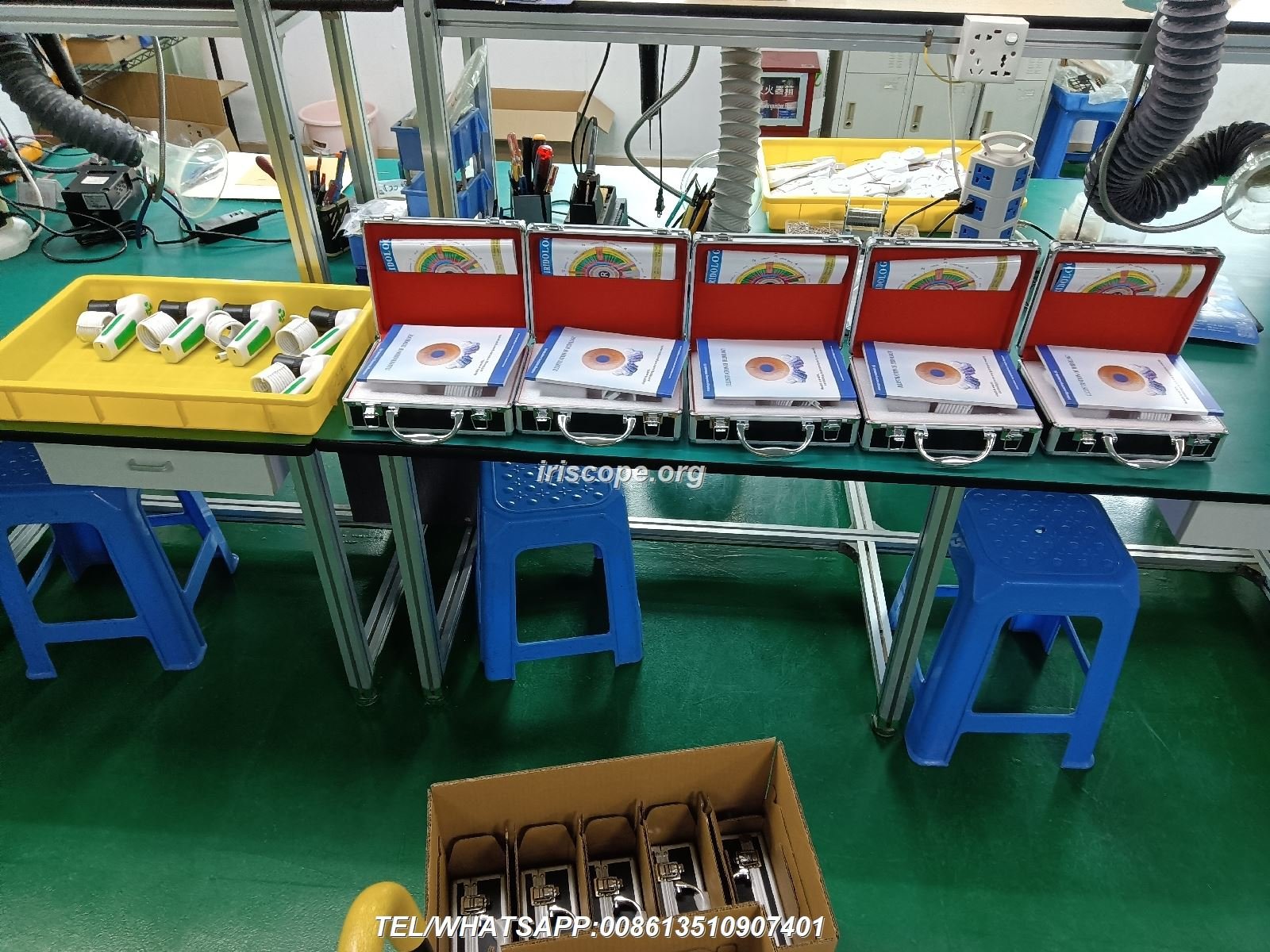
Substantial inventory maintained in both Chinese and American warehouses enables fast delivery regardless of order destination. Stock availability eliminates frustrating backorder delays affecting time-sensitive practice needs.
Our Shenzhen, Guangdong facility serves as global manufacturing and distribution headquarters. This location provides access to world-class component suppliers and efficient international shipping infrastructure.
American warehouse operations enable domestic shipping within the United States. This local presence reduces delivery times and simplifies logistics for North American customers.
Bulk order fulfillment capabilities support distributors requiring large quantities for market launch or seasonal demand. Our production capacity and inventory investment accommodate substantial orders without extended lead times.
Partnership Programs
Distributor partnerships provide attractive margins supporting sustainable business development. We structure pricing enabling partners to compete effectively while maintaining healthy profitability.
Marketing support includes professional product photography, specification sheets, and promotional materials. These resources reduce your marketing costs and accelerate your market entry.
Technical training for your sales and support staff ensures they can effectively represent products and assist your customers. Knowledge transfer strengthens your organization’s capabilities.
Exclusive territory opportunities may be available for partners demonstrating market commitment and volume potential. Protected territories allow you to invest confidently in market development.
Why Choose MAIKONG
- Direct manufacturer with 20+ years experience
- ISO 9000 and CE certified quality
- Complete OEM/ODM customization services
- 17-language software support
- Windows and macOS compatibility
- USA and China warehouse network
- 1,000+ successful partner projects
- Comprehensive technical support

Quality Assurance Process
Every product passes through rigorous quality control checkpoints during manufacturing. Our QC procedures follow ISO 9000 system requirements ensuring consistent standards.
Design validation testing confirms products meet specifications before entering production. This upfront investment prevents costly problems discovered after manufacturing begins.
In-process inspection catches defects during manufacturing before they progress to subsequent production stages. Early detection minimizes waste and maintains efficiency.
Final testing verifies complete product functionality before packaging and shipment. No product leaves our facility without passing comprehensive functional verification.
Post-delivery support continues our quality commitment beyond the point of sale. We stand behind our products with responsive service addressing any issues arising during use.
Software Selection and Comparison Framework
Choosing appropriate iridology software requires systematic evaluation of multiple factors affecting long-term satisfaction and practice success. This framework helps you make informed decisions matching your specific requirements.
Feature Comparison Checklist
Core functionality requirements form your baseline evaluation criteria. Verify candidate software includes client management, bilateral image capture and storage, chart overlays, report generation, and basic image enhancement tools.
Advanced features differentiate professional solutions from basic offerings. Look for comparison analysis across multiple visits, customizable report templates, multiple chart system support, and product recommendation integration.
Workflow optimization features improve daily efficiency. Evaluate one-click capture, automatic client record association, batch processing capabilities, and keyboard shortcuts for common operations.
Integration capabilities determine how well software fits your broader technology ecosystem. Assess compatibility with your existing hardware, potential for future equipment additions, and data export options for use with other applications.
Essential Features
- Client database management
- Bilateral iris image storage
- Chart overlay system
- Report generation
- Image enhancement tools
- Backup and restore
- Basic security controls
Professional Features
- Multi-visit comparison
- Custom report templates
- Multiple chart systems
- Product recommendations
- Multi-language interface
- Advanced image analysis
- Multi-user access
Enterprise Features
- Network multi-workstation
- Cloud synchronization
- Complete OEM customization
- API integration options
- Advanced security controls
- Audit logging system
- Priority technical support
Compatibility Assessment
Operating system support determines which computers can run your chosen software. Verify compatibility with your current computer and operating system version.
Future compatibility considerations matter for long-term planning. Will the software continue supporting new operating system versions as they release? Does the vendor regularly update for compatibility?
Hardware requirements affect whether you need computer upgrades. Compare software specifications against your current system capabilities to identify potential upgrade needs.
Camera compatibility deserves careful verification. Confirm your existing camera works with candidate software, or budget for camera replacement if switching requires new hardware.
Vendor Evaluation Criteria
Company longevity indicates stability and sustained commitment. Vendors with decades of operation demonstrate staying power suggesting reliable ongoing support.
Customer base size reflects market acceptance and satisfaction. Thousands of satisfied customers provide stronger endorsement than vendors with limited deployment history.
Support reputation matters tremendously for problem resolution and learning assistance. Research vendor support quality through practitioner forums and professional organization discussions.
Update frequency demonstrates ongoing product improvement commitment. Vendors releasing regular updates show active development rather than abandoned products.
Total Cost Analysis
Initial purchase price represents the most visible cost component but rarely tells the complete story. Calculate total cost including software, camera hardware, training time, and potential computer upgrades.
Ongoing costs accumulate over years of ownership. Factor in support contracts, update fees, subscription renewals, and potential customization needs as your practice evolves.
Hidden costs often emerge after purchase. Consider data migration costs if you switch from existing software, productivity losses during learning curves, and potential incompatibility with favorite workflows.
Value assessment balances costs against benefits received. The lowest-price option rarely provides best value when feature limitations frustrate daily operations or create client service problems.
Common Challenges and Problem Resolution
Understanding typical software problems and their solutions helps you troubleshoot issues independently and make informed support requests when professional assistance becomes necessary.
Installation and Setup Issues
Driver installation failures represent the most common setup problems. Antivirus software often blocks driver installation mistaking security dongles or camera drivers for malicious software.
Temporarily disable antivirus protection during installation. Remember to re-enable protection after completing setup. Add software directories to your antivirus exclusion list to prevent future interference.
Camera detection problems sometimes result from USB port issues rather than software configuration. Try different USB ports, preferably those connected directly to your motherboard rather than front panel or hub connections.
Encryption dongle recognition failures may indicate outdated dongle drivers. Check the manufacturer website for updated drivers compatible with your operating system version.
Performance and Stability Problems
Slow performance often results from insufficient system resources. Close unnecessary applications before launching your iridology software to free RAM and processor capacity.
Image lag during capture may indicate USB bandwidth limitations. Disconnect other USB devices temporarily to determine if they’re competing for bandwidth needed by your camera.
Software crashes or freezes sometimes occur after operating system updates. Check for software updates addressing compatibility with new OS versions, and install any available patches.
Database corruption can cause various operational problems. Regular backups protect against data loss, and database repair utilities can sometimes fix minor corruption issues.
Image Quality Challenges
Blurry images typically result from focus problems rather than software issues. Adjust camera focus carefully while observing the live preview until maximum sharpness appears.
Overexposed or underexposed images indicate lighting imbalances. Adjust LED illuminator brightness, room lighting, or software exposure compensation settings to achieve proper exposure.
Color cast problems make iris appear unnaturally tinted. Check white balance settings in your software and ensure your camera lens remains clean without fingerprints or smudges.
Inconsistent image quality across sessions suggests variable capture technique. Develop standardized positioning and settings protocols ensuring consistent results.
Data Management Concerns
Lost client records occasionally occur through accidental deletion or database corruption. Regular backups represent your primary protection against data loss disasters.
Backup restoration procedures should be tested periodically before emergencies arise. Practice restoring data to confirm you understand the process and your backups work correctly.
Slow database performance develops gradually as client records accumulate. Archive old records periodically or optimize your database using maintenance utilities included with professional software.
Export limitations sometimes prevent moving data between software solutions. Verify export capabilities before committing to new software if you anticipate potential future platform changes.
Join Our Global Partner Network
We’re seeking qualified distributors and dealers in the United States to represent MAIKONG iridology solutions. Benefit from manufacturer-direct pricing, comprehensive support, and proven products trusted by practitioners worldwide.
Contact: Lucy@myiridology.us | +86 135 1090 7401 (Phone/WhatsApp)
Frequently Asked Questions About FYEO Iridology Software
What specific features does fyeo iridology software include for professional practice use?
Professional iridology software, including MAIKONG solutions, provides comprehensive features supporting complete practice workflows. Core capabilities include client database management with detailed history tracking, bilateral iris image storage with left and right eye organization, iridology chart overlays supporting multiple traditional systems, professional report generation with customizable templates, image comparison tools showing changes across multiple visits, and image enhancement functions improving visibility without distorting diagnostic accuracy.
Advanced features extend functionality further. Our software includes automatic backup and restoration, multi-language interface support in 17 languages, product recommendation integration for client education, 3D iris texture analysis, multi-user access controls for practices with multiple practitioners, and cloud synchronization options protecting data across devices. These features collectively support efficient practice operations from initial client intake through long-term progress monitoring.
Does fyeo iridology software work with both Windows and Mac operating systems?
Most iridology software solutions focus exclusively on Windows environments, creating challenges for practitioners preferring Mac computers. Standard Windows compatibility typically extends from Windows XP through Windows 11, covering both 32-bit and 64-bit architectures.
However, MAIKONG software represents one of the industry’s first solutions offering comprehensive macOS support. Our software operates on macOS versions from Mojave 10.14 through the latest Sequoia 15 release. This cross-platform compatibility works on both Intel processors and newer Apple Silicon chips, ensuring practitioners can choose their preferred computing environment without sacrificing software functionality. This flexibility particularly benefits practices standardized on Apple technology or practitioners who prefer macOS workflow advantages.
Can I customize fyeo iridology software reports with my practice logo and branding?
Professional iridology software should support comprehensive report customization enabling you to create branded documentation reflecting your practice identity. Standard customization includes logo placement in report headers and footers, color scheme modification matching your brand guidelines, and custom text sections addressing your specific client education approach.
MAIKONG software provides extensive customization capabilities. You can modify report templates including sections displayed, text formatting, image placement, and layout organization. Add pre-written text blocks for common observations and recommendations accelerating report generation while maintaining consistency. Include product recommendations directly within reports when appropriate for your practice model. For distributors and large organizations, we offer complete OEM customization creating fully branded solutions appearing entirely as your proprietary products.
What camera hardware is compatible with fyeo iridology software?
Camera compatibility represents a critical consideration affecting image quality and workflow efficiency. Most professional iridology software works with proprietary cameras from the same manufacturer, ensuring optimal integration and driver compatibility.
Our MAIKONG software integrates seamlessly with our MK-9822U camera system featuring 12-megapixel resolution, LED ring illumination, and USB connectivity. This purpose-built camera delivers professional-grade iris images with consistent quality. The integrated design eliminates compatibility concerns and simplifies technical support when issues arise. While some third-party camera integration may be possible, we recommend our matched hardware-software combinations for optimal performance and reliability. Camera specifications including resolution, illumination quality, and focusing capabilities directly impact your analysis accuracy and client service quality.
How do I install fyeo iridology software and what are the exact installation steps?
Installation follows a systematic process ensuring proper software configuration. First, verify your computer meets minimum system requirements including operating system version, available storage space, and RAM capacity. Insert the provided installation USB drive containing software installer, drivers, and documentation.
Run the installation executable and follow on-screen prompts, accepting license agreements and selecting installation directory. Allow complete driver installation for camera hardware, which may require several minutes. Some systems need built-in webcam disabling through Device Manager to prevent driver conflicts. After software installation completes, remove the installation USB and insert the metal encryption dongle into an available USB port for license activation. Connect your iridology camera to another USB port, preferably one connected directly to your motherboard. Launch the software using the desktop shortcut and verify camera detection through live preview functionality. Test image capture and verify proper storage in the client database before beginning actual client sessions.
Does fyeo iridology software include multi-language support for international practitioners?
Comprehensive language support significantly enhances software accessibility for international practitioners and multilingual practices. Professional solutions should provide complete interface translation covering all menus, buttons, labels, and messages rather than partial localization leaving some elements in English only.
MAIKONG software currently supports 17 languages including English, Spanish, French, German, Italian, Portuguese, Russian, Polish, Czech, Bulgarian, Japanese, Korean, Persian (Iranian), Traditional Chinese, Simplified Chinese, and Malaysian variants. This extensive language library covers major global markets and enables practitioners to operate in their preferred language while generating client reports in different languages as needed. Language switching occurs within the software without requiring reinstallation. All language versions include complete documentation, video tutorials, and technical support in the respective languages ensuring comprehensive accessibility regardless of your primary language.
What are the differences between free and paid iridology software options?
Free iridology software typically provides basic functionality suitable for students or casual users but lacks professional features supporting efficient practice operations. Limitations often include restricted client database capacity, watermarked reports, limited chart overlay options, no technical support access, and incompatibility with professional camera hardware.
Professional paid software like MAIKONG solutions offers comprehensive capabilities supporting complete practice workflows. Benefits include unlimited client records with detailed history tracking, professional-quality report generation without watermarks, multiple chart system support, bilateral image comparison tools, regular software updates ensuring ongoing compatibility and improvements, comprehensive technical support from experienced staff, and integration with professional camera hardware delivering superior image quality. For practitioners operating serious businesses, professional software investment pays returns through improved efficiency, enhanced client service quality, and professional documentation supporting your credibility and expertise.
Can I try fyeo iridology software before committing to purchase?
Evaluating software through hands-on testing helps ensure it meets your specific requirements before financial commitment. Many professional software vendors offer demonstration versions, trial periods, or scheduled demonstrations helping prospective buyers assess functionality and usability.
MAIKONG provides multiple evaluation options supporting informed purchase decisions. Request personalized software demonstrations where our team walks you through features and capabilities via video conferencing. These live demonstrations allow you to ask questions specific to your practice needs and see real-time functionality. We can provide limited trial access allowing you to test software with your actual workflow and equipment configuration. Contact our sales team at Lucy@myiridology.us or +86 135 1090 7401 via phone/WhatsApp to discuss demonstration and trial options matching your evaluation needs and timeline. Our goal is ensuring you feel completely confident in your software selection before purchase.
What ongoing support and updates does fyeo iridology software include after purchase?
Ongoing support and regular updates distinguish professional software solutions from abandoned products lacking continued development. Your investment should include long-term value beyond initial purchase through sustained manufacturer commitment to product improvement and customer assistance.
MAIKONG provides comprehensive ongoing support including technical assistance via email, phone, and WhatsApp channels. Response times typically occur within 24 hours for standard inquiries. Regular software updates address bug fixes, improve performance, add new features based on customer feedback, and maintain compatibility with new operating system versions and hardware devices. Updates typically download and install automatically or through simple manual processes. Security patches protect your client data from emerging threats through timely vulnerability corrections. Our support extends to workflow consultation helping you optimize software use for your specific practice patterns. Twenty years manufacturing experience and over 1,000 satisfied partners worldwide demonstrate our sustained commitment to customer success and product excellence.
How does fyeo iridology software pricing compare to other professional solutions?
Software pricing varies significantly based on feature sets, support levels, and vendor business models. Entry-level solutions may start around a few hundred dollars but typically lack professional features and ongoing support. Mid-range professional software generally ranges from 0 to ,000 depending on capabilities and included hardware. Premium solutions with extensive customization, multi-user support, and comprehensive features may exceed ,000.
As direct manufacturers, MAIKONG offers competitive pricing reflecting our vertical integration and elimination of intermediary markups. Our solutions provide professional-grade capabilities including 17-language support, Windows and macOS compatibility, comprehensive features supporting complete practice workflows, and ongoing technical support. Pricing varies based on specific configuration, included hardware, customization requirements, and volume for distributor partnerships. Contact our sales team at Lucy@myiridology.us for detailed pricing information matching your specific requirements. We structure pricing enabling sustainable businesses for our distribution partners while delivering exceptional value to end-user practitioners.
Making Your Iridology Software Decision
Selecting appropriate iridology software represents a significant decision affecting your practice efficiency, client service quality, and long-term operational success. The complexity of options available in today’s market can feel overwhelming without clear evaluation frameworks.
Throughout this comprehensive guide, we’ve explored essential considerations including core functionality requirements, compatibility with your preferred computing platforms, language accessibility, camera hardware integration, customization capabilities, pricing models, technical support quality, data security practices, and common challenges with practical solutions.
Professional iridology software should enhance rather than complicate your practice workflows. The right solution integrates seamlessly into your established patterns while introducing efficiency improvements and enhanced client communication capabilities. It should grow with your practice, supporting expansion from solo practitioner to multi-provider clinic without requiring platform replacement.
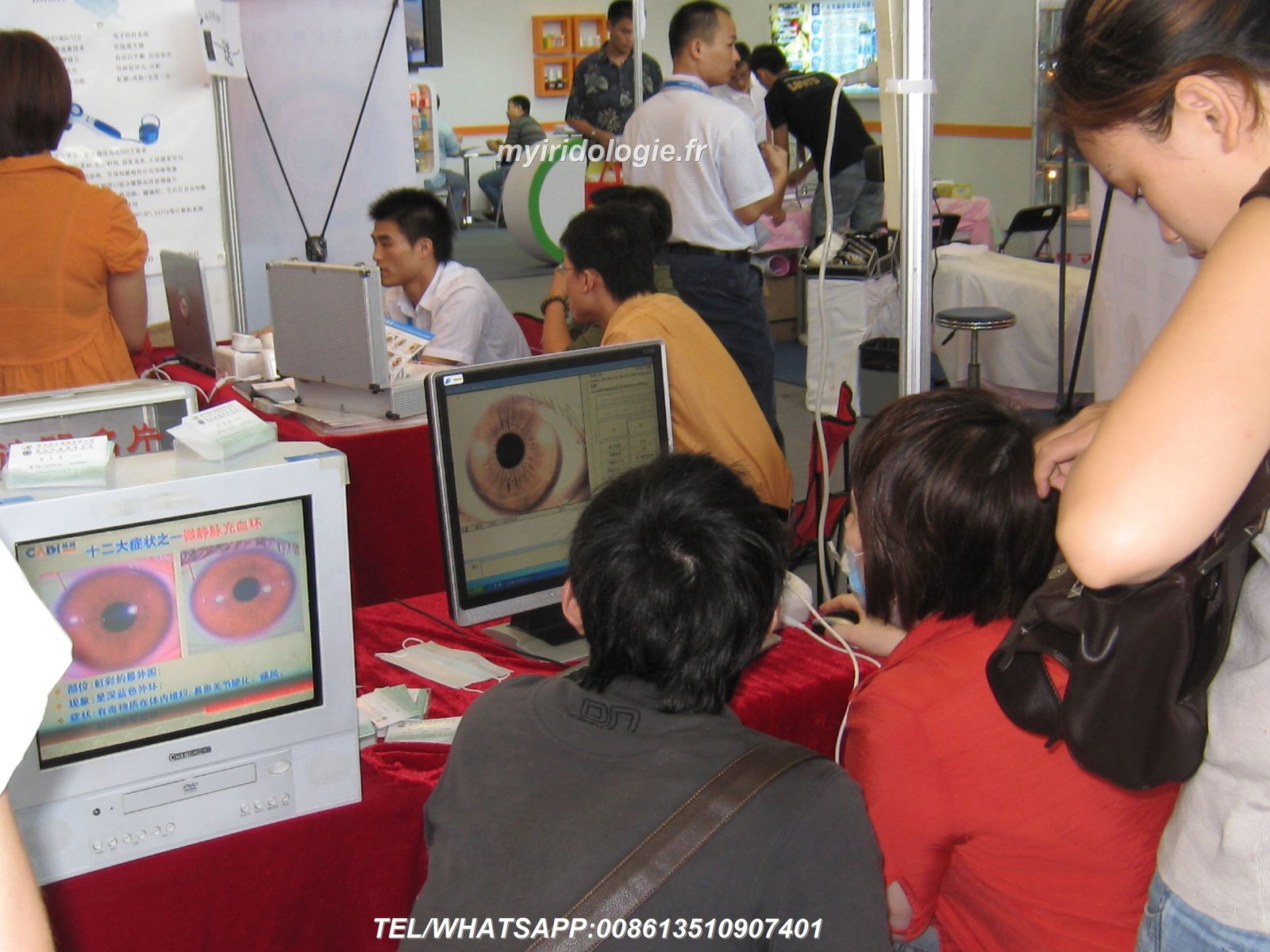
When evaluating fyeo iridology software or any professional solution, prioritize vendors demonstrating sustained commitment to product development and customer success. Twenty-year operational histories, thousands of satisfied customers, and regular software updates indicate reliable long-term partnerships rather than short-term transactions.
Direct manufacturer relationships offer distinct advantages including competitive pricing, comprehensive customization capabilities, responsive technical support from engineers understanding product internals, and sustained commitment to ongoing improvement. These benefits particularly matter for distributors building businesses around specific technology platforms.
At MAIKONG, our two decades manufacturing iridology equipment and software reflects genuine commitment to practitioner success and industry advancement. We’ve listened carefully to over 1,000 partners worldwide, incorporating their feedback into continuous product improvements. Our unique macOS support, 17-language accessibility, and comprehensive OEM capabilities demonstrate innovation addressing real practitioner needs often overlooked by competitors.
Whether you’re an individual practitioner researching your first iridology software purchase, an established clinic upgrading from outdated systems, or a distributor evaluating partnership opportunities, we invite you to experience MAIKONG solutions firsthand. Request a personalized demonstration, discuss your specific requirements with our knowledgeable team, and discover how our software platforms can enhance your practice or business operations.
Your journey toward improved practice efficiency and enhanced client service begins with informed decision-making. We’re here to support that process with transparent information, responsive communication, and genuine commitment to your success. Contact us today to start a conversation about your iridology software needs and partnership possibilities.
Take the Next Step With MAIKONG
Ready to experience professional iridology software designed by practitioners for practitioners? Choose your path forward:
+86 135 1090 7401Phone or WhatsApp
Email: Lucy@myiridology.us | Website: myiridology.us
Medical Disclaimer: All iridology software and equipment discussed in this article, including MAIKONG products, serve traditional iris observation and health education purposes only. These tools do not diagnose, treat, cure, or prevent any disease or medical condition. Iridology observations represent traditional practices for educational reference and should not replace professional medical diagnosis, treatment, or advice from licensed healthcare providers. Always consult qualified healthcare professionals for medical concerns, symptoms, or conditions requiring clinical evaluation and treatment.