
CADI Iridology Software: Your Complete Solution for Professional Iris Analysis
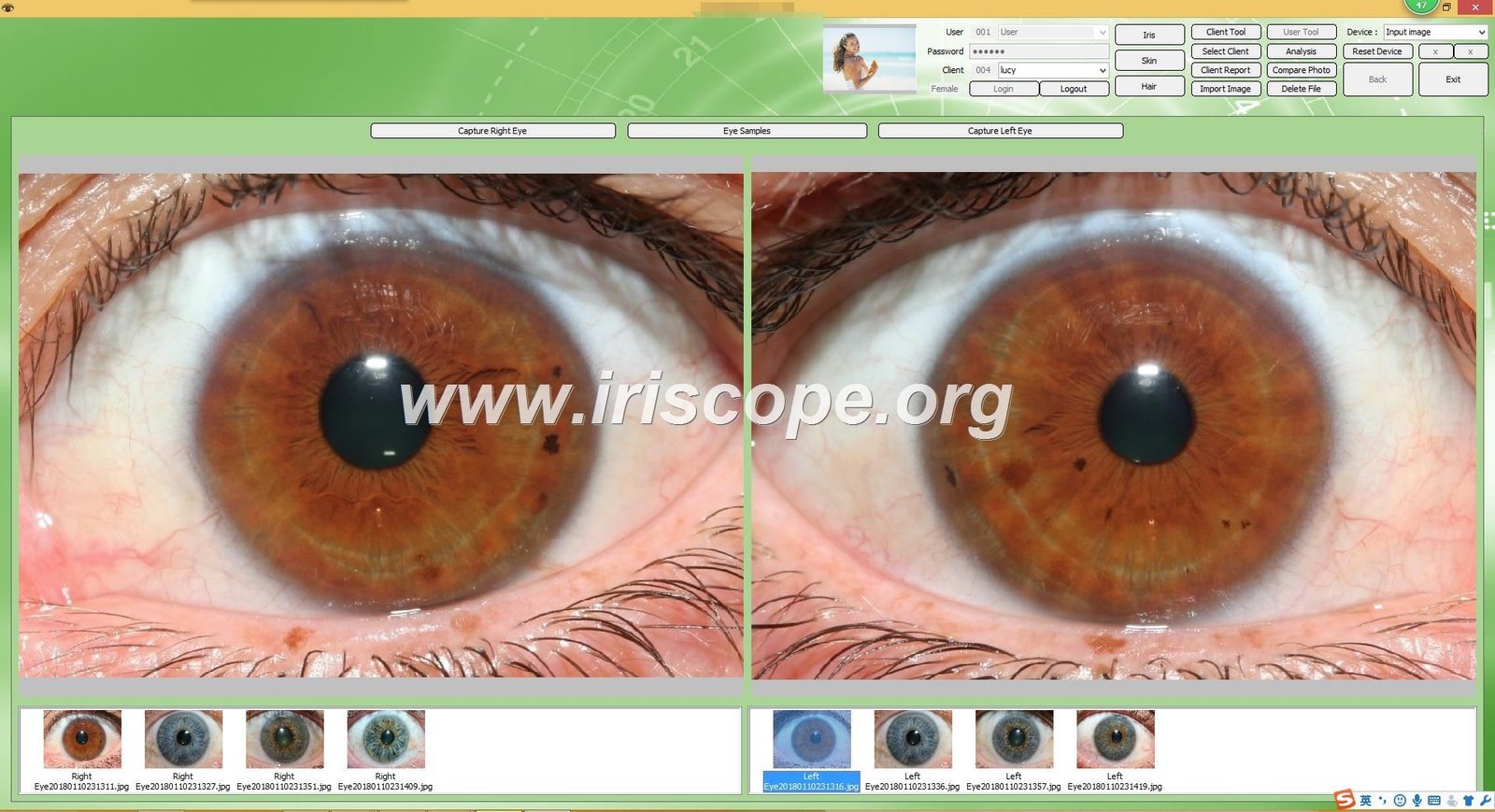
As a manufacturer of professional iridology equipment for over 20 years here in SZ, GD, I frequently receive inquiries about cadi iridology software and its capabilities. The most common question centers on compatibility, features, and whether this software fits into existing clinic workflows.
This software represents a complete solution for iris image analysis. It manages client records, captures left and right eye images, overlays anatomical charts, generates reports, and supports multiple languages across Windows and Mac systems.
Through our work at MAIKONG with clinics, training institutions, and distributors worldwide, we have refined our understanding of what practitioners need. Our iridology software addresses real workflow challenges faced by iridologists, nutritionists, and natural health practitioners.
For technical questions or compatibility checks, you can reach me directly at Lucy@myiridology.us or via WhatsApp: +86 135 1090 7401.
What Is CADI Iridology Software and How Does It Work?
The term cadi iridology software refers to specialized applications designed for capturing, analyzing, and managing iris images within a clinical or educational setting. These programs integrate with USB cameras to photograph the iris, then apply analytical frameworks based on traditional iridology principles.
Core Analysis Functions
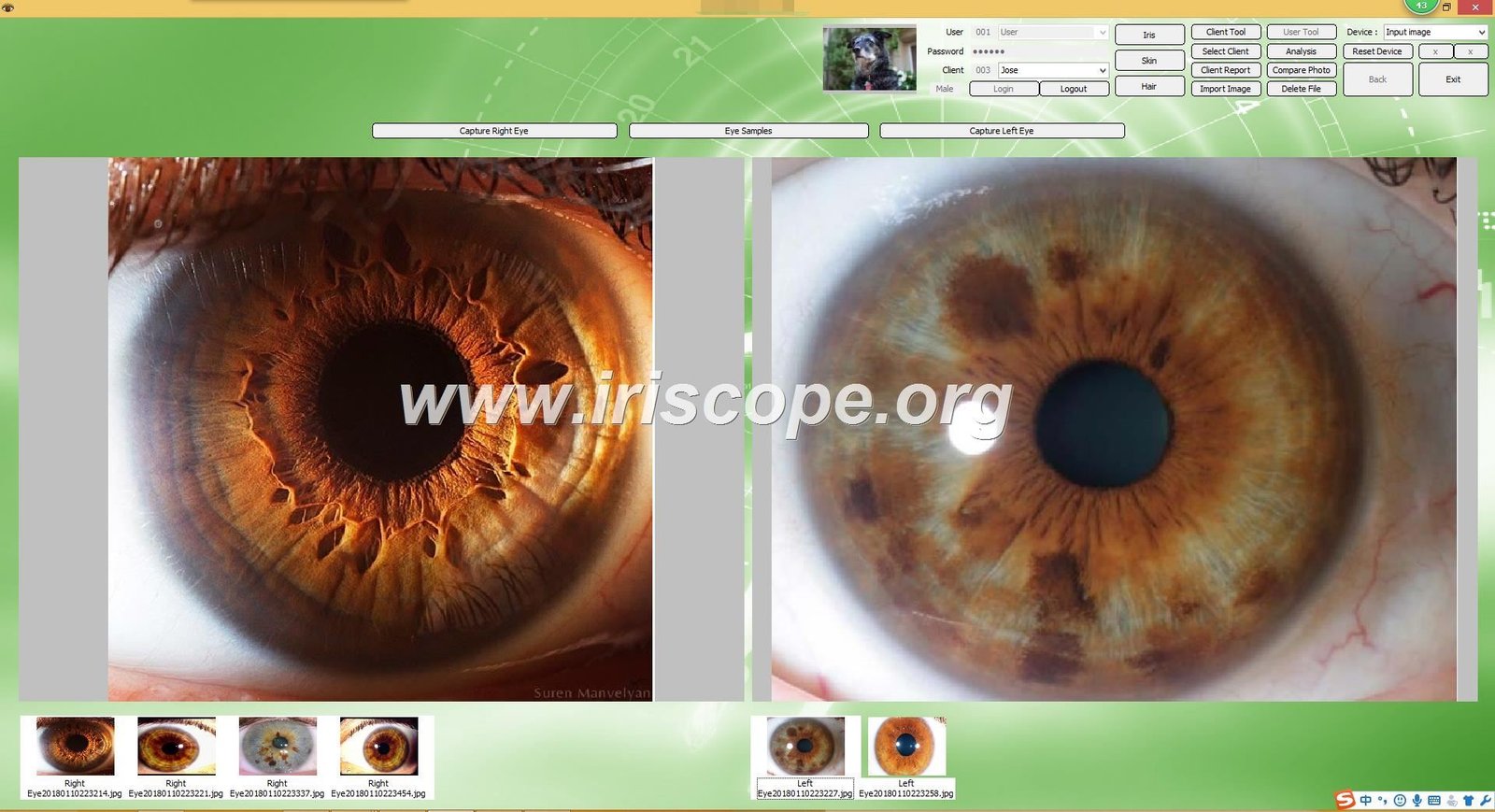
The software processes high-resolution iris images to identify zones, markings, and color variations. It overlays anatomical charts that correspond to body systems and organs according to established iridology mapping.
Digital tools allow practitioners to annotate images, mark specific areas of interest, and track changes over multiple sessions. This creates a visual history for each client.
Client Data Management
Modern iridology software maintains comprehensive client databases. Each record stores personal information, session dates, captured images, notes, and generated reports.
This organizational structure proves essential for busy practices managing dozens or hundreds of clients. Search functions allow quick retrieval of any client record.
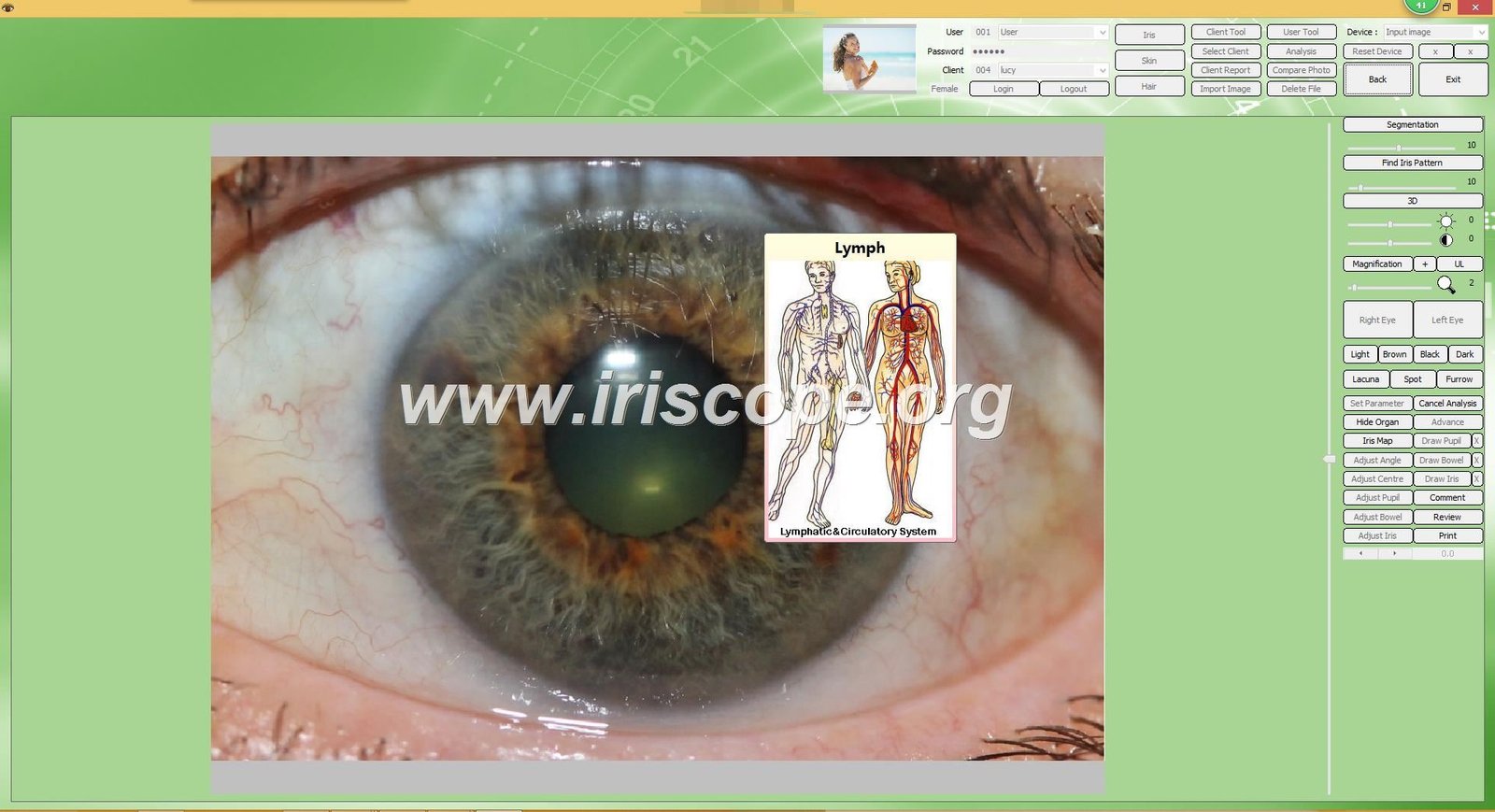
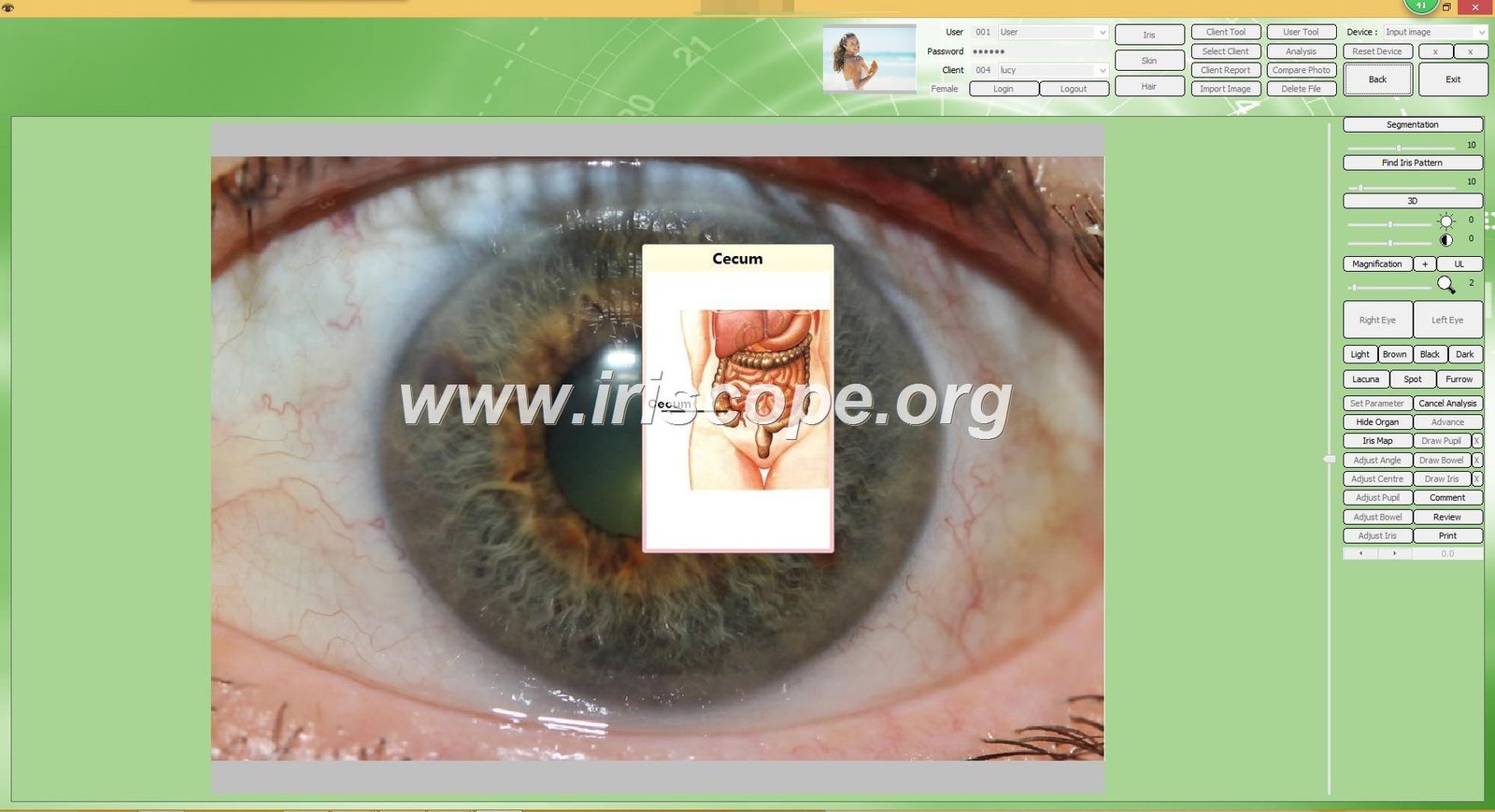
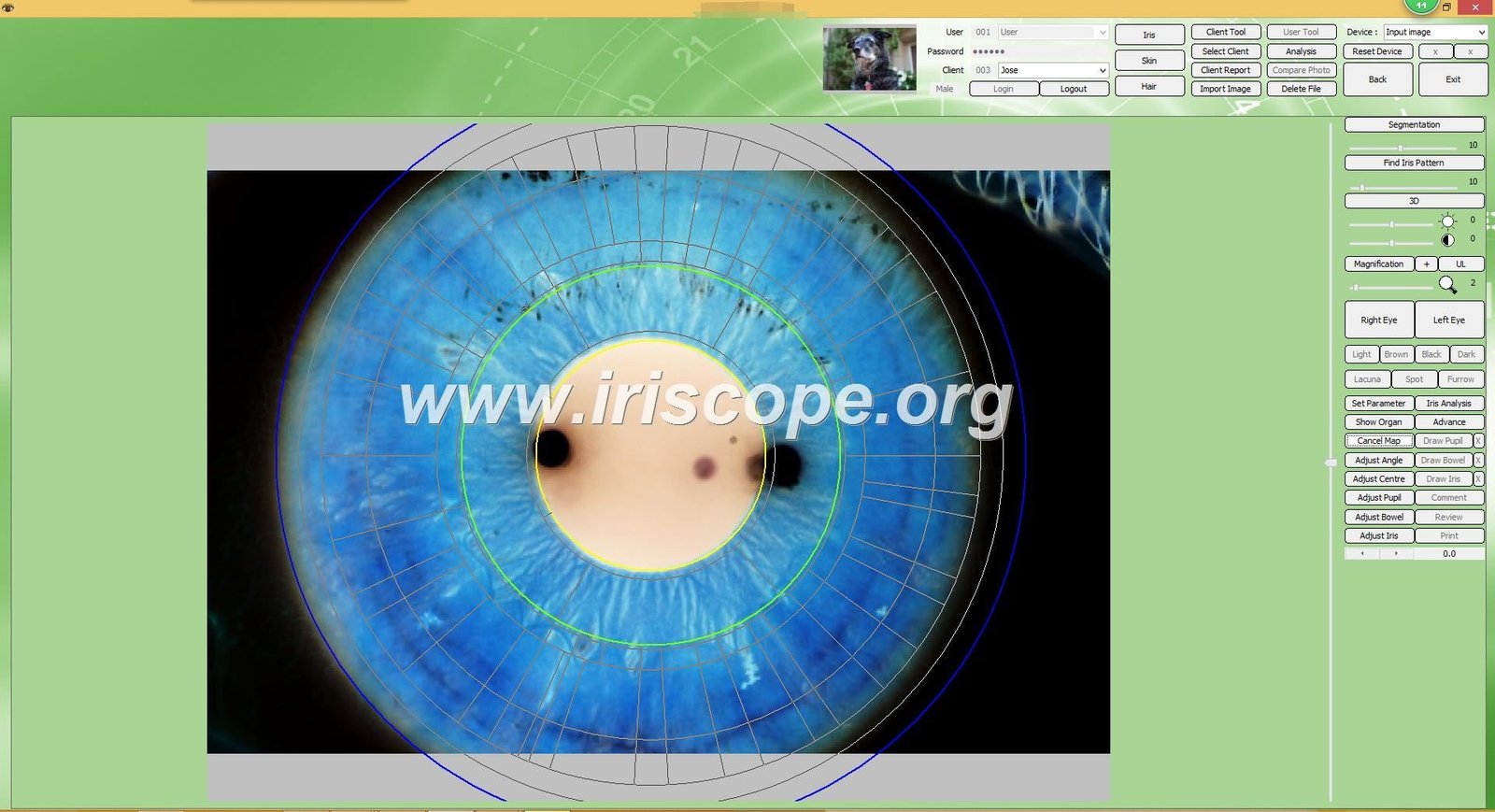
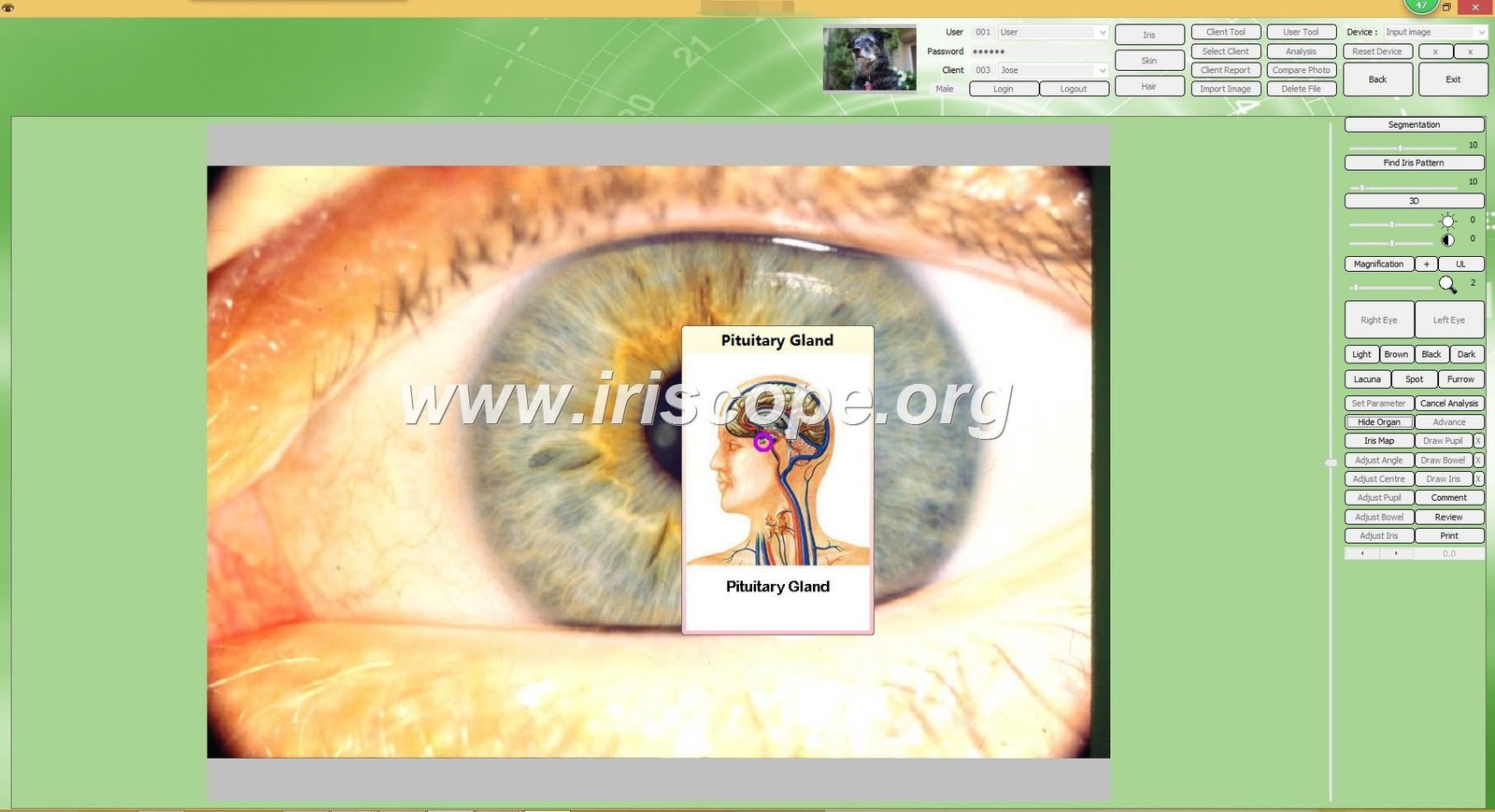
Our MAIKONG software version supports this complete workflow. We developed it specifically for practitioners who need reliable tools without complicated learning curves.
Essential Features of Professional CADI Iridology Software
When evaluating any cadi iridology software, specific features determine its practical value in daily use. Based on feedback from our 1000+ OEM clients, these capabilities matter most.
Automatic Iris Detection and Enhancement
Quality software automatically detects iris boundaries within captured images. It adjusts brightness, contrast, and color balance to reveal details clearly. This automation saves time and ensures consistency across all images.
Multi-Eye Comparison Tools
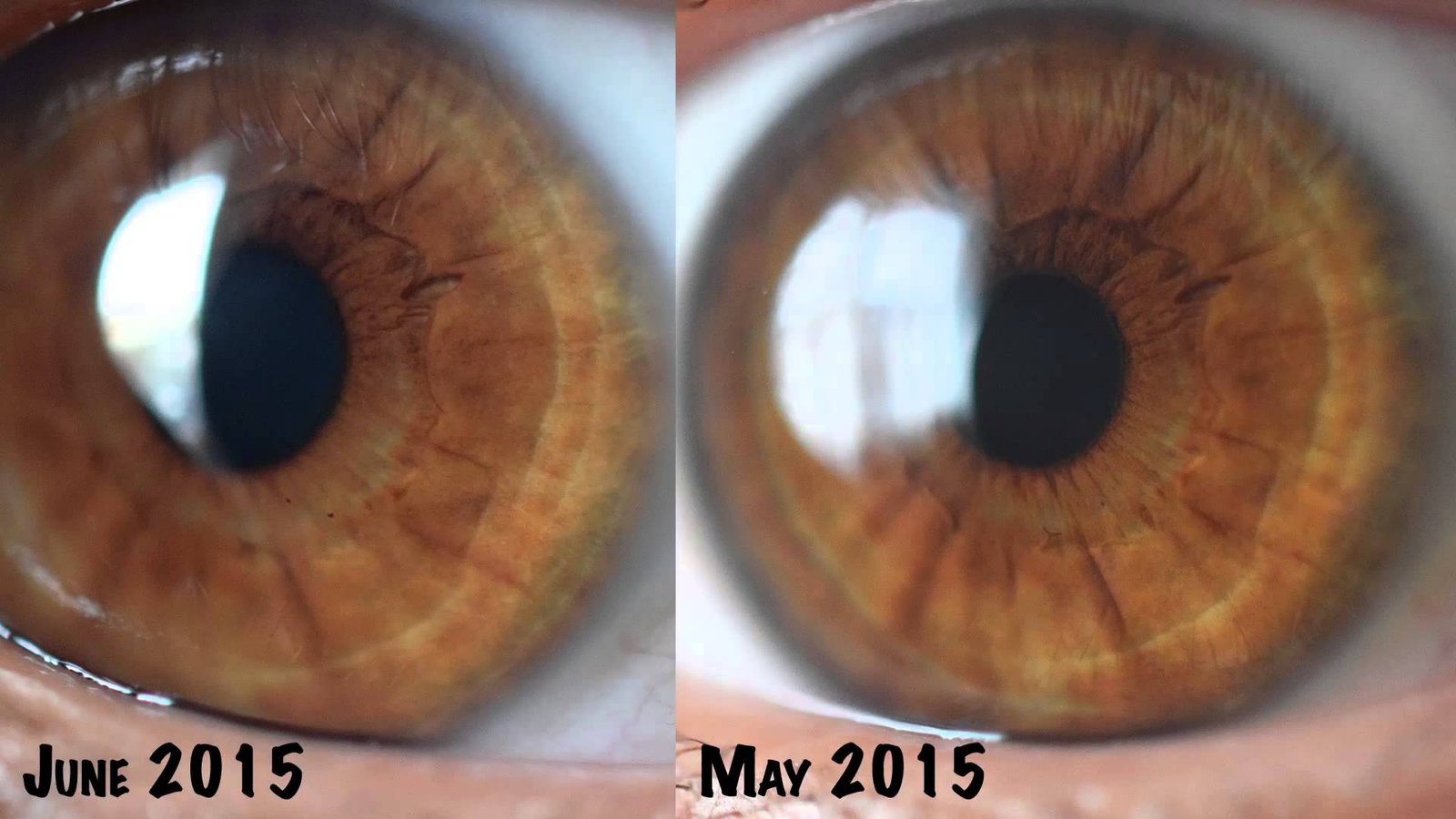
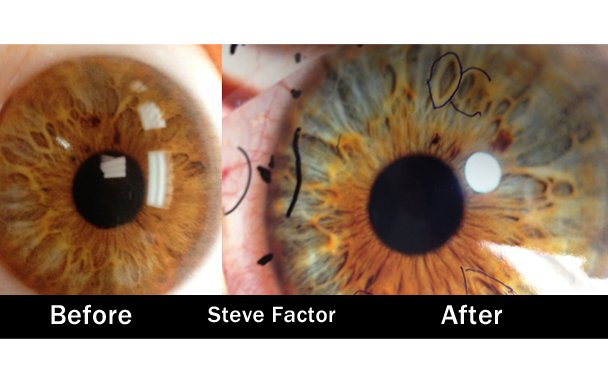
The ability to display left and right eye images simultaneously allows practitioners to identify asymmetries and compare corresponding zones. Side-by-side viewing reveals patterns that single-eye analysis might miss.
Overlay Chart Systems
Different iridology schools use varying chart systems. Professional software includes multiple overlay options—Jensen charts, European charts, and modern integrated approaches. Practitioners select the framework matching their training.
Our iridology chart library includes all major mapping systems. We also support custom chart uploads for practitioners using proprietary methods.
Report Generation Engine
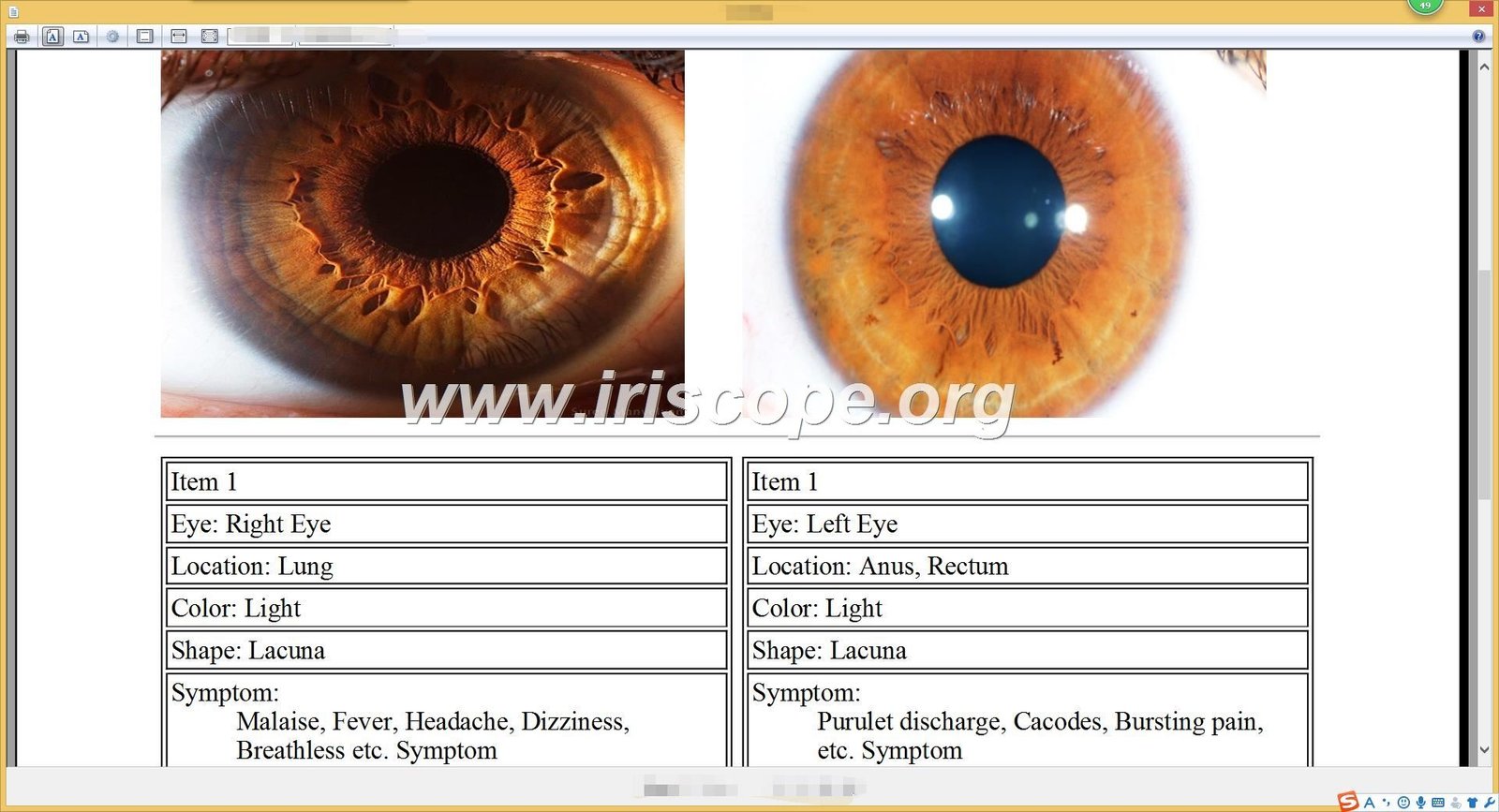
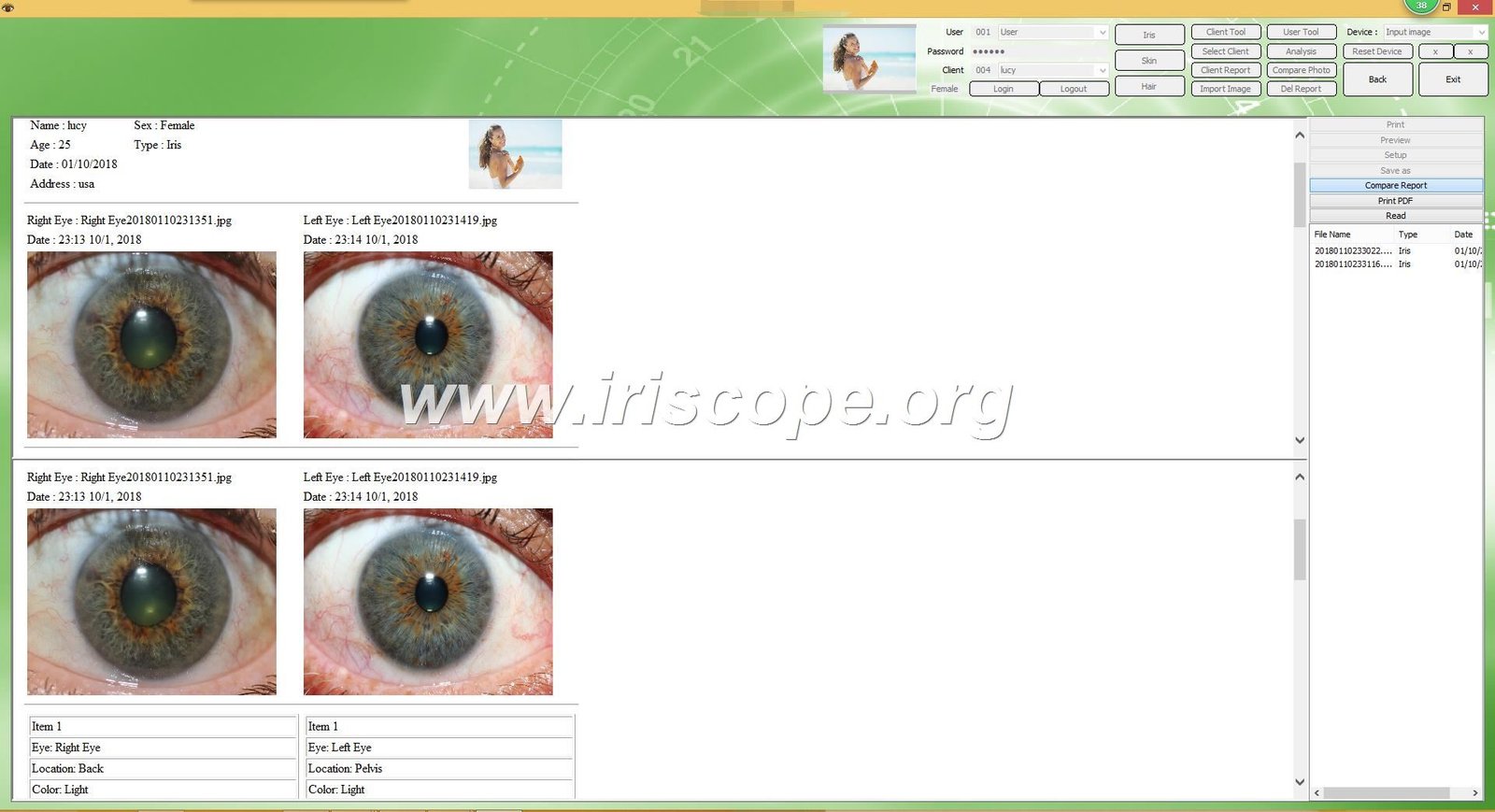
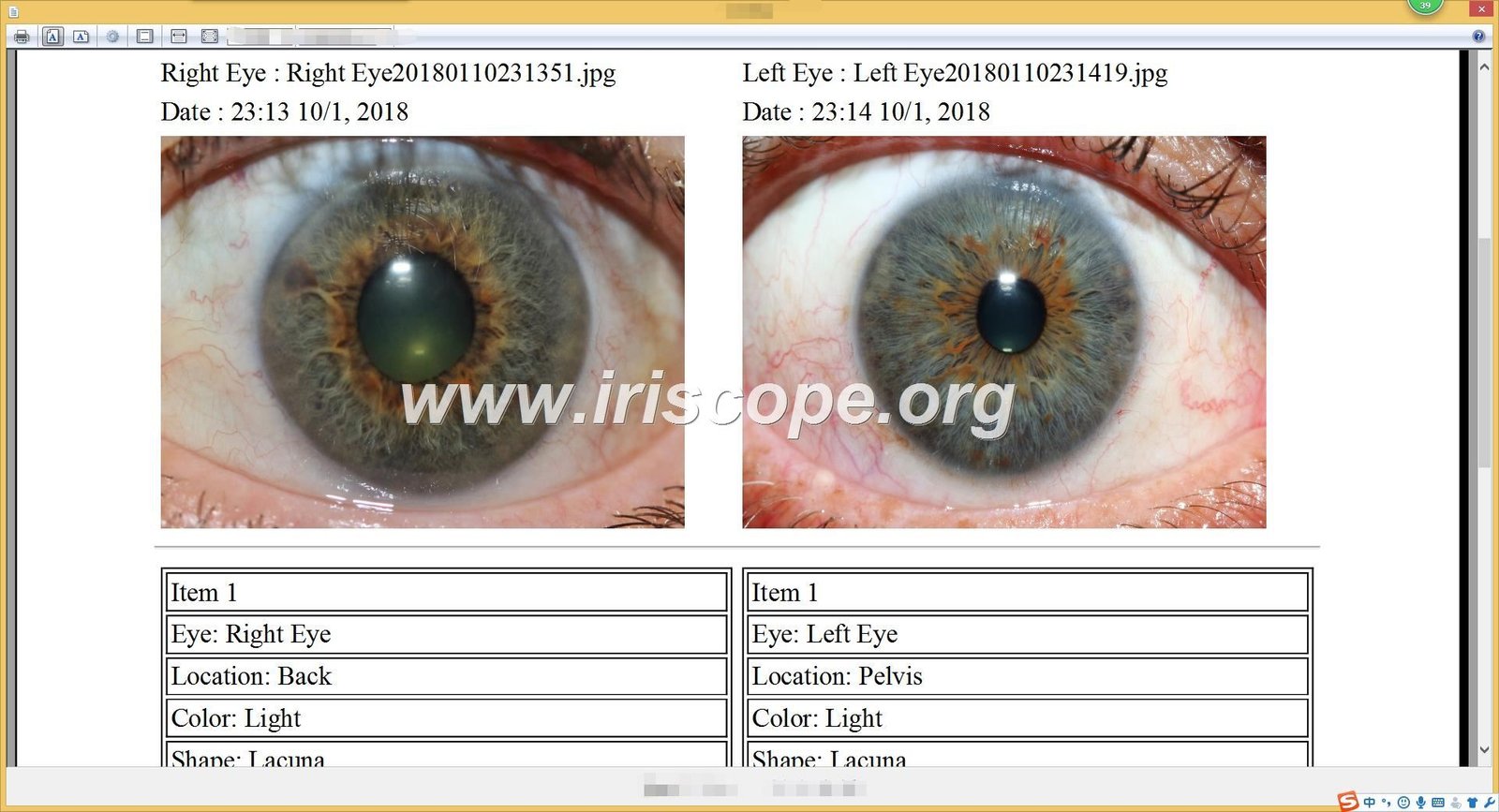
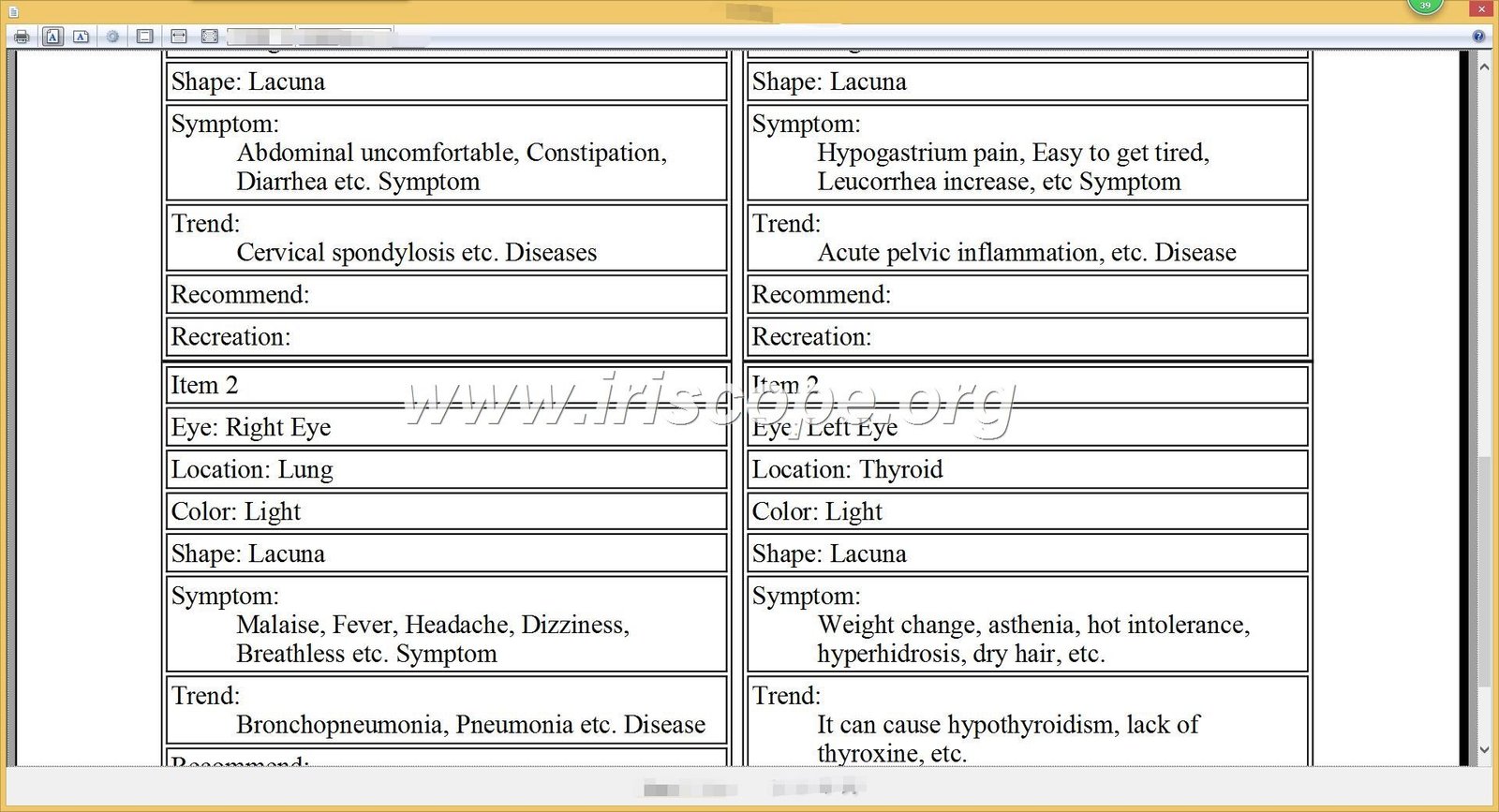
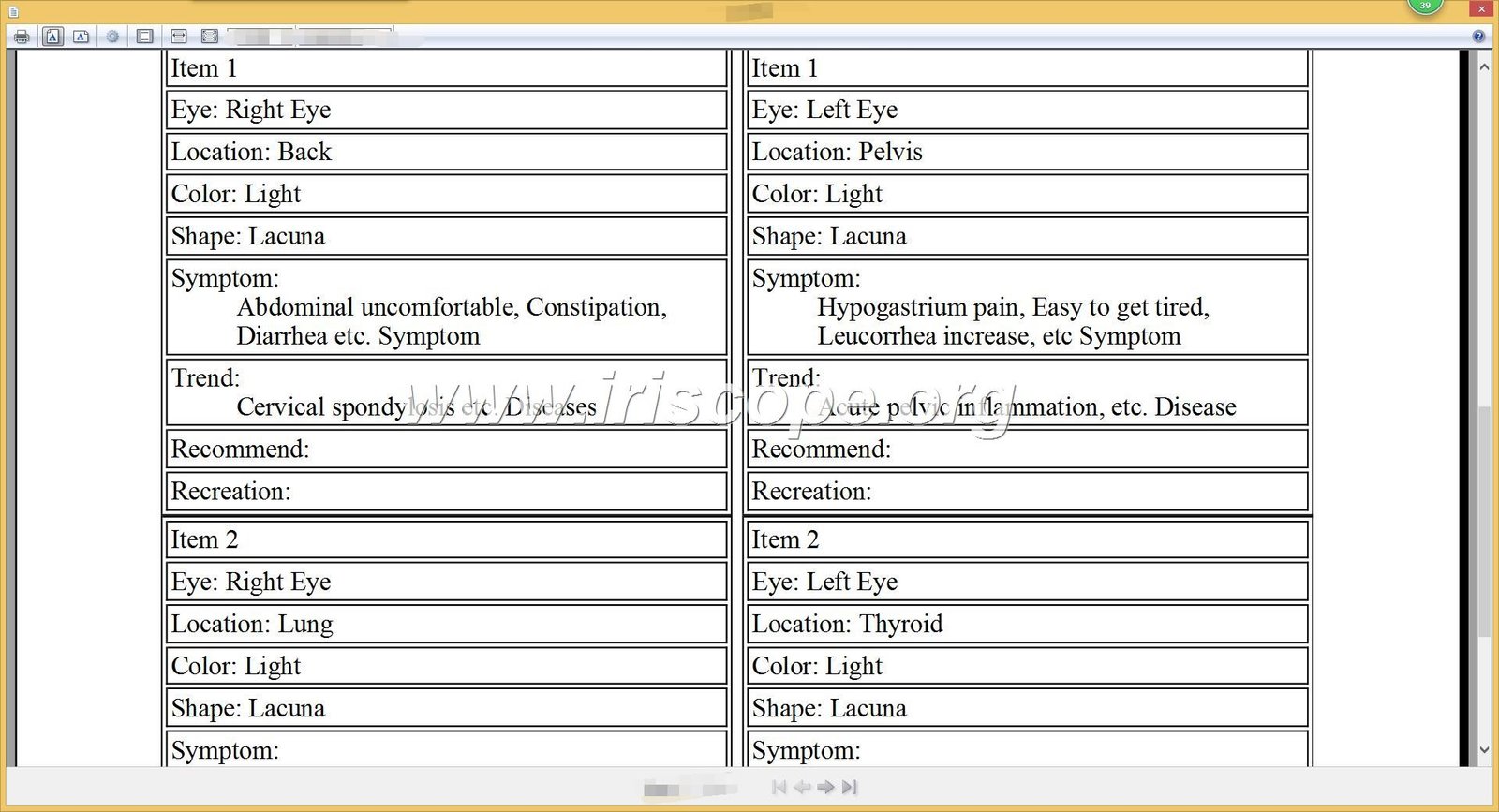
Automated report creation combines captured images, practitioner notes, and relevant health information references. Templates maintain professional presentation while allowing customization.
Reports export to PDF format for email delivery or printing. This capability supports both in-person consultations and remote analysis services.
Image Archive
Complete session history with dated images.
- Chronological organization by client
- Unlimited image storage capacity
- Backup and restore functions
- Search by date or client name
Annotation Tools
Digital marking and measurement capabilities.
- Color-coded zone highlighting
- Text labels and arrows
- Measurement rulers and protractors
- Drawing tools for custom notation
3D Visualization
Advanced depth analysis features.
- Three-dimensional iris mapping
- Texture depth rendering
- Fiber structure analysis
- Negative film view modes
Multi-User Access
Team-based practice management.
- Individual practitioner logins
- Permission level controls
- Shared client databases
- Activity logging and audit trails
System Compatibility: Windows, Mac, and Hardware Requirements
A critical question for any practitioner evaluating cadi iridology software concerns compatibility with existing computer systems. Installation failures waste time and create frustration.
Windows Operating System Support
Our MAIKONG software runs on Windows 2000, XP, Vista, 7, 8, 10, and 11. Both 32-bit and 64-bit architectures receive full support. This broad compatibility ensures the software works on older clinic computers and newest systems alike.
| Operating System | 32-bit Support | 64-bit Support | Minimum RAM |
| Windows XP | Yes | Yes | 512 MB |
| Windows 7 | Yes | Yes | 1 GB |
| Windows 10 | Yes | Yes | 2 GB |
| Windows 11 | No | Yes | 4 GB |
Mac Operating System Support
We developed the first cadi iridology software with native macOS support. Our software runs on macOS versions from 10.14 Mojave through 15 Sequoia.
This capability serves the significant number of health practitioners who prefer Apple systems. Previously, Mac users needed Windows emulation software, which created performance issues and complicated workflows.
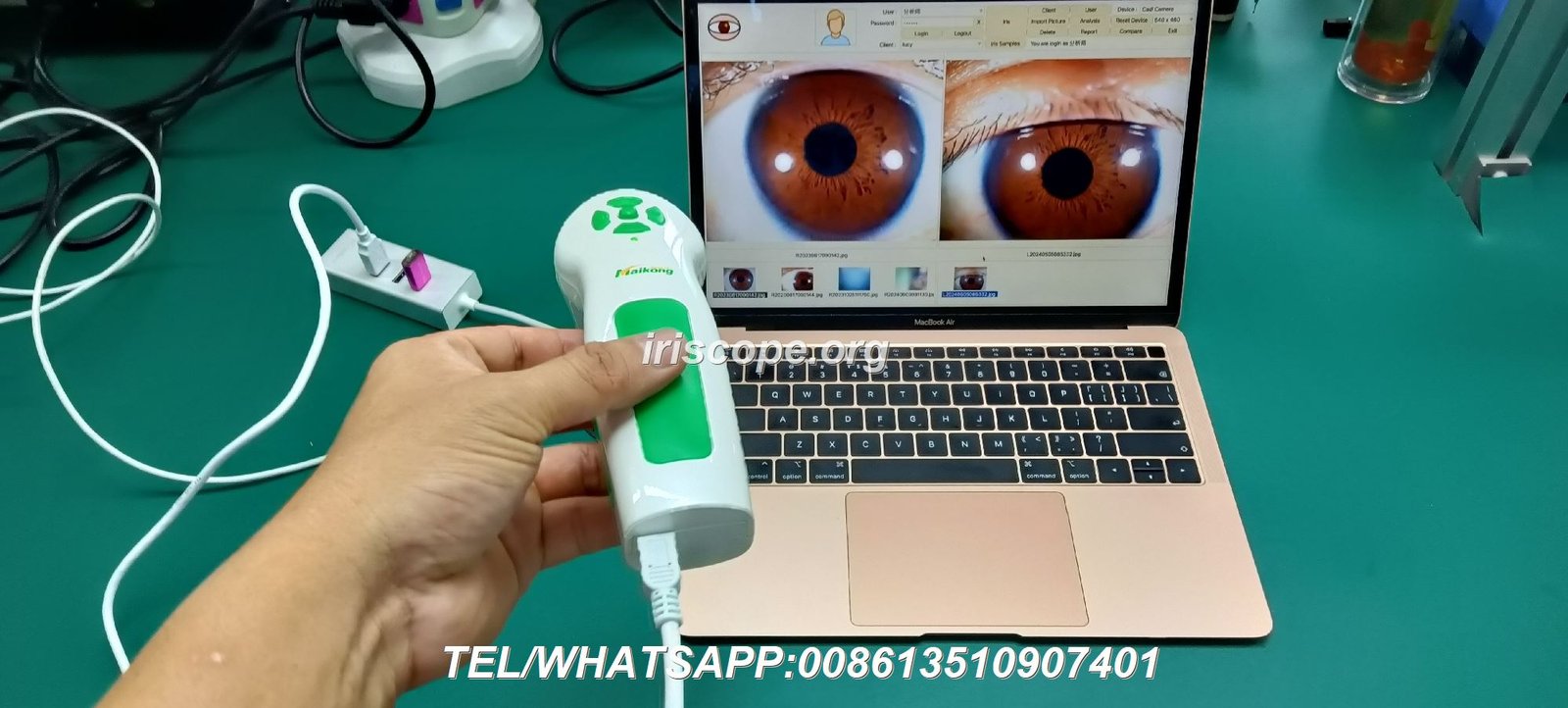
Camera Compatibility Requirements
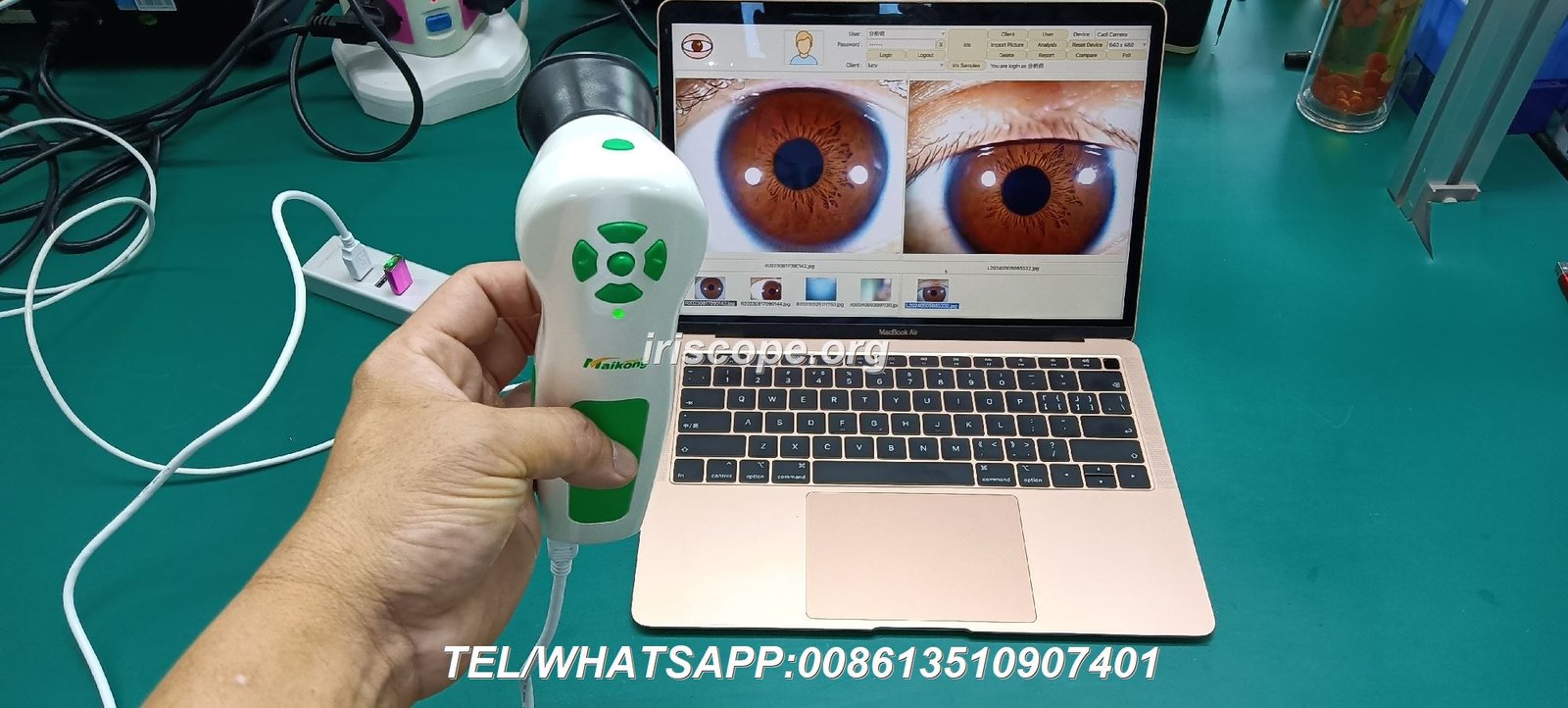
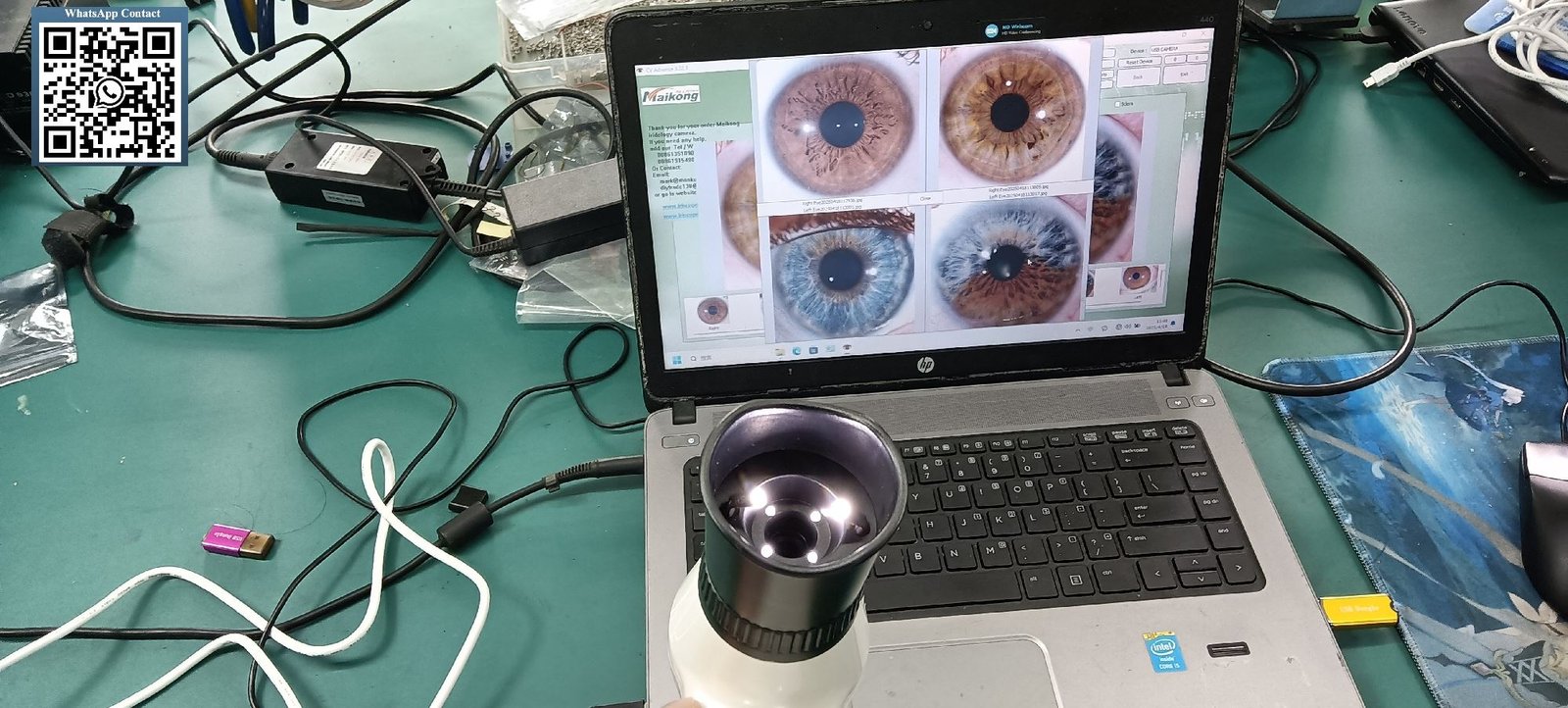
The software connects with USB iridology cameras using standard drivers. Our MAIKONG MK-GY-9822U model features 12-megapixel resolution with LED illumination.
Installation involves inserting the provided 4GB USB key, running the setup program, and connecting the camera. The cadi iridology camera driver installs automatically during this process.
For compatibility questions about your specific computer configuration, contact me at Lucy@myiridology.us. We provide pre-installation compatibility checks for wholesale buyers and distributors.
Experience MAIKONG Software – Request Your Demonstration
See how our cadi iridology software integrates into your practice workflow. We offer remote demonstrations covering all features, customization options, and technical specifications. Available in 17 languages with Windows and Mac support.
Multilingual Capabilities: 17 Language Versions Available
Language barriers create significant obstacles in global health equipment markets. A practitioner in Spain needs Spanish interfaces. Japanese training schools require Japanese versions. Our MAIKONG software addresses this through comprehensive multilingual support.
Complete Interface Translation
Each language version translates the entire interface—menus, buttons, help files, and report templates. This goes beyond simple text substitution to include culturally appropriate terminology and formatting.
Our development team works with native speakers in each target market. This ensures translations use professional medical terminology correctly.
| Language | Region | Interface | Reports | Support Docs |
| English | Global | Complete | Complete | Complete |
| Spanish | Americas/Europe | Complete | Complete | Complete |
| Simplified Chinese | China | Complete | Complete | Complete |
| German | Central Europe | Complete | Complete | Complete |
| French | Europe/Africa | Complete | Complete | Complete |
| Russian | Eastern Europe | Complete | Complete | Complete |
| Japanese | Japan | Complete | Complete | Complete |
Additional supported languages include Italian, Portuguese, Korean, Malaysian, Czech, Polish, Bulgarian, Persian, and Traditional Chinese. Each version undergoes testing with native-speaking practitioners before release.
Custom Language Development
For distributors serving markets where we do not yet offer native language support, we provide custom translation services. This OEM capability allows partners to enter new territories with fully localized products.
Installation and Setup: Step-by-Step Implementation Guide
Proper installation ensures your cadi iridology software operates reliably from day one. I have guided hundreds of practitioners through this process. The steps remain straightforward when followed in order.
Pre-Installation Preparation
Before beginning installation, verify your computer meets minimum requirements. Close all other applications. Disable antivirus software temporarily, as security programs sometimes interfere with driver installation.
If your computer has a built-in webcam, you may need to disable it through Device Manager. This prevents conflicts when the iridology camera connects.
- Insert the provided 4GB USB installation key into any available USB port on your computer
- Navigate to the USB drive through File Explorer or Finder
- Locate the installation executable file (setup.exe on Windows, .dmg on Mac)
- Double-click the installation file to launch the setup wizard
- Follow on-screen prompts, clicking “Next” to proceed through each step
- Select installation directory when prompted (default location recommended)
- Wait for file copying to complete (typically 2-3 minutes)
- Remove the USB installation key when installation finishes
- Connect your iridology camera to a USB port
- Insert the metal USB encryption dongle (license key) into another USB port
- Double-click the desktop shortcut to launch the software
- Complete initial setup wizard with your practice information
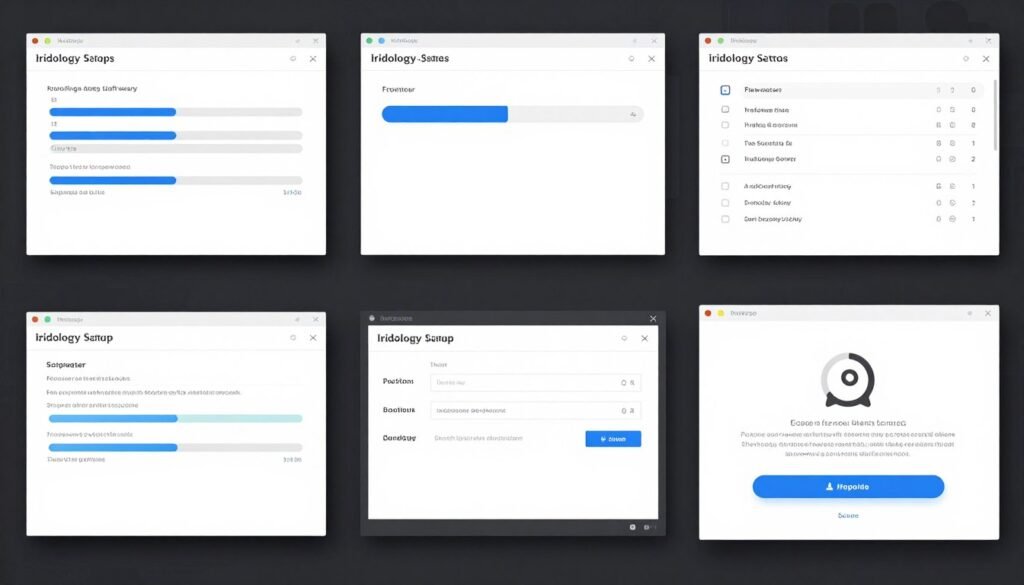
First-Time Configuration
Upon first launch, the software prompts you to configure basic settings. Enter your practice name, contact information, and preferred language. Select your default chart overlay system and report template.
The software automatically detects connected cameras. If your camera does not appear, check USB connections and review the troubleshooting section in the included PDF manual.
Database Initialization
Create your first client record to initialize the database structure. This test entry verifies that all data management functions work correctly. You can delete this test record after confirming functionality.
For technical assistance during installation, our support team responds to inquiries at Lucy@myiridology.us within 24 hours.
Integrating CADI Software Into Your Clinical Workflow
Software capabilities matter less than how effectively they fit into daily practice routines. Through conversations with iridologists, naturopaths, and wellness center operators, I have identified common workflow patterns.
Initial Consultation Protocol
During a client’s first visit, create their record with basic information. Capture baseline iris images using the connected camera. The software stores these images with date stamps for future reference.
Apply your preferred chart overlay and make initial observations. Add notes directly into the client record. This documentation creates a starting point for comparison during follow-up sessions.
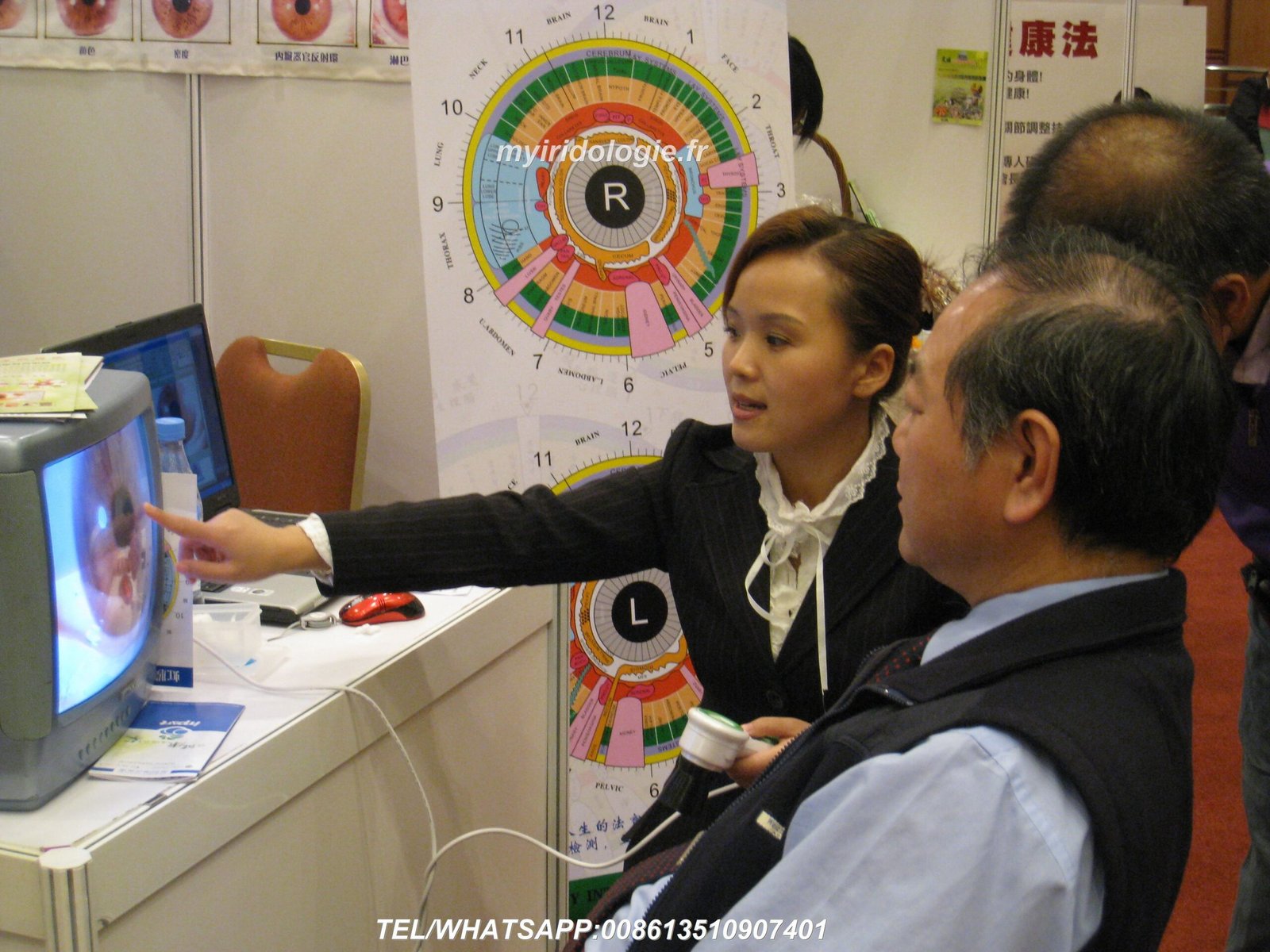
Follow-Up Session Workflow
Open the existing client record. Capture new iris images. Display current images alongside previous session images using the comparison view feature.
This side-by-side display reveals changes over time. Mark any new observations or developments. Update notes with current session information. Generate and print a progress report if desired.
Educational Application Use
Training institutions use the software differently than clinical practices. Instructors build libraries of example cases demonstrating various iris characteristics.
Students access these archived cases for study. The annotation tools allow instructors to highlight specific features and provide explanatory notes. This creates interactive learning materials superior to static textbook images.
Clinic Use Pattern
- Individual client record management
- Session-based image capture
- Progress tracking over time
- Custom report generation
- Insurance or billing integration
Training School Use Pattern
- Case library development
- Multi-student access accounts
- Annotated teaching examples
- Practice analysis exercises
- Curriculum-aligned organization
Product Recommendation Integration
Some practitioners incorporate wellness product recommendations into their consultations. Our software allows you to add product information, images, and usage guidelines.
When generating reports, the system can automatically suggest relevant products based on observed iris characteristics. This feature supports practices that retail supplements or wellness items.
For distributors interested in this capability for their market, we offer complete customization. You can preload your product catalog into the software before delivery to your customers.
OEM and ODM Customization: White-Label Solutions for Distributors
As a direct manufacturer, MAIKONG offers extensive customization options unavailable from resellers. Our 20 years of production experience supports partners entering their local markets with branded solutions.
Software Branding Customization
Replace our MAIKONG branding with your company name and logo throughout the interface. This includes splash screens, menu headers, report footers, and about dialogs. Your clients see your brand exclusively.
Language and Content Customization
Beyond our 17 standard languages, we develop custom translations for your specific market. Adjust medical terminology to match local usage patterns and regulatory requirements.
Modify default report templates to include your practice philosophy, recommended protocols, or partner services. Add your product catalog with images and descriptions for automatic suggestion features.
Feature Set Customization
Some distributors prefer simplified versions for entry-level markets. Others request advanced features for specialist practitioners. We adjust the feature set to match your target customer needs.
Common customizations include specialized chart overlay systems, integration with specific laboratory test formats, or connections to partner e-commerce platforms.
| Customization Type | Description | Minimum Order | Lead Time |
| Logo/Branding | Replace MAIKONG branding with your logo and name | 50 units | 7 days |
| Language Translation | Add new language not in standard 17-language set | 100 units | 21 days |
| Report Templates | Custom report layouts with your content and products | 50 units | 14 days |
| Feature Modification | Add, remove, or modify software functions | 200 units | 45 days |
| Chart System Addition | Integrate proprietary or regional chart overlays | 100 units | 30 days |
Hardware Integration Options
We manufacture the complete equipment package—cameras, software, and accessories. This allows coordinated customization across all components. Your branded camera works with your branded software for a completely unified product line.
Our iridology camera manufacturing facility in SZ, GD produces devices to your specifications. Custom housing colors, lens configurations, and illumination settings match your market positioning.
Complete Technical Specifications and System Requirements
Detailed specifications help technical decision-makers evaluate compatibility and capability before purchase. This information matters especially for larger organizations with specific IT requirements.
MAIKONG MK-GY-9822U Iriscope Camera Specifications
| Component | Specification |
| Image Sensor | 12.0 Megapixel CCD with DSP processor |
| Lens System | 30X magnification imported plated lens with adjustable focus |
| Illumination | LED ring light around lens with brightness adjustment |
| Connection | USB 2.0 interface with 1.5-meter cable |
| Power Supply | USB bus-powered, no external adapter required |
| Features | Single capture button, auto white balance, optical stabilizer |
| Dimensions | Handset design with protective lens cover |
| Certifications | CE, ISO9000 certified production |
Software Package Contents
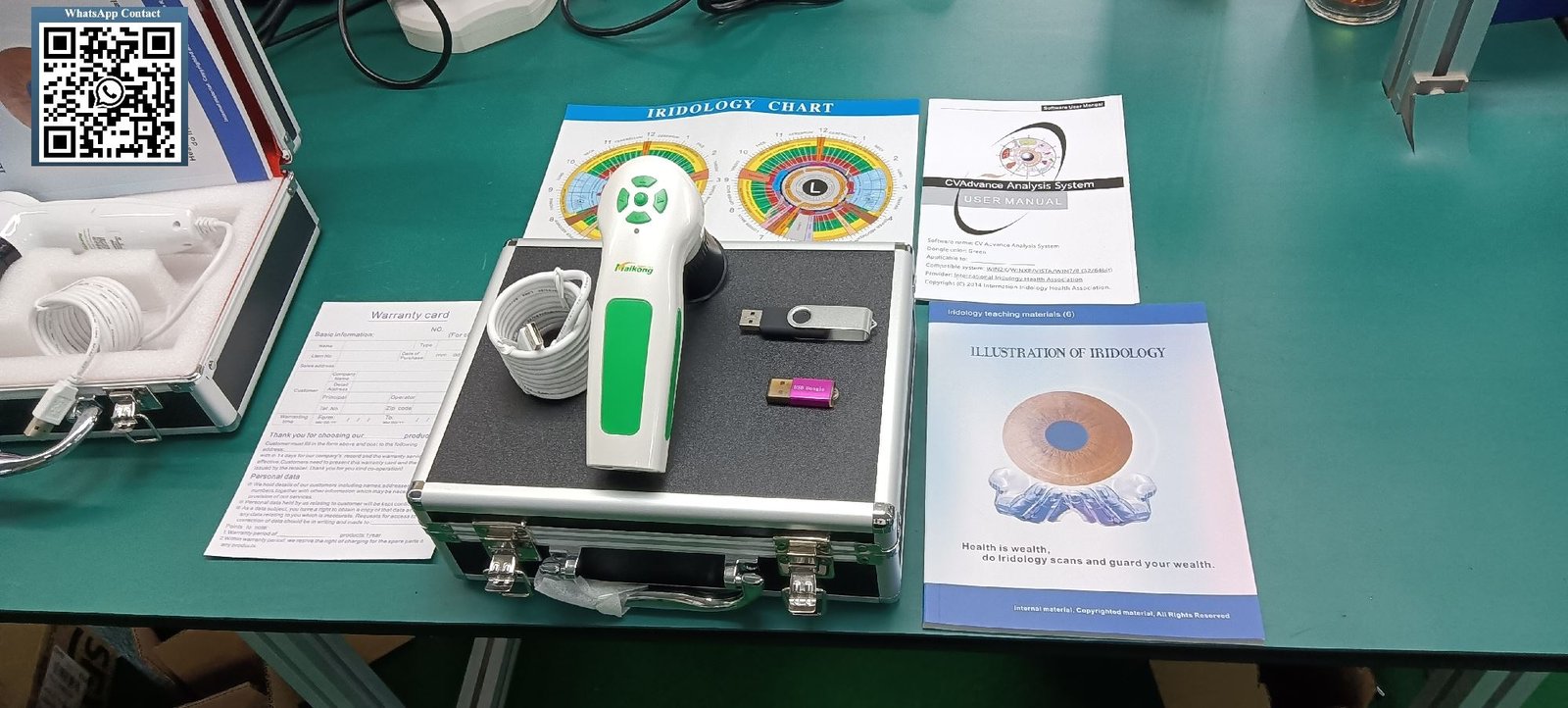
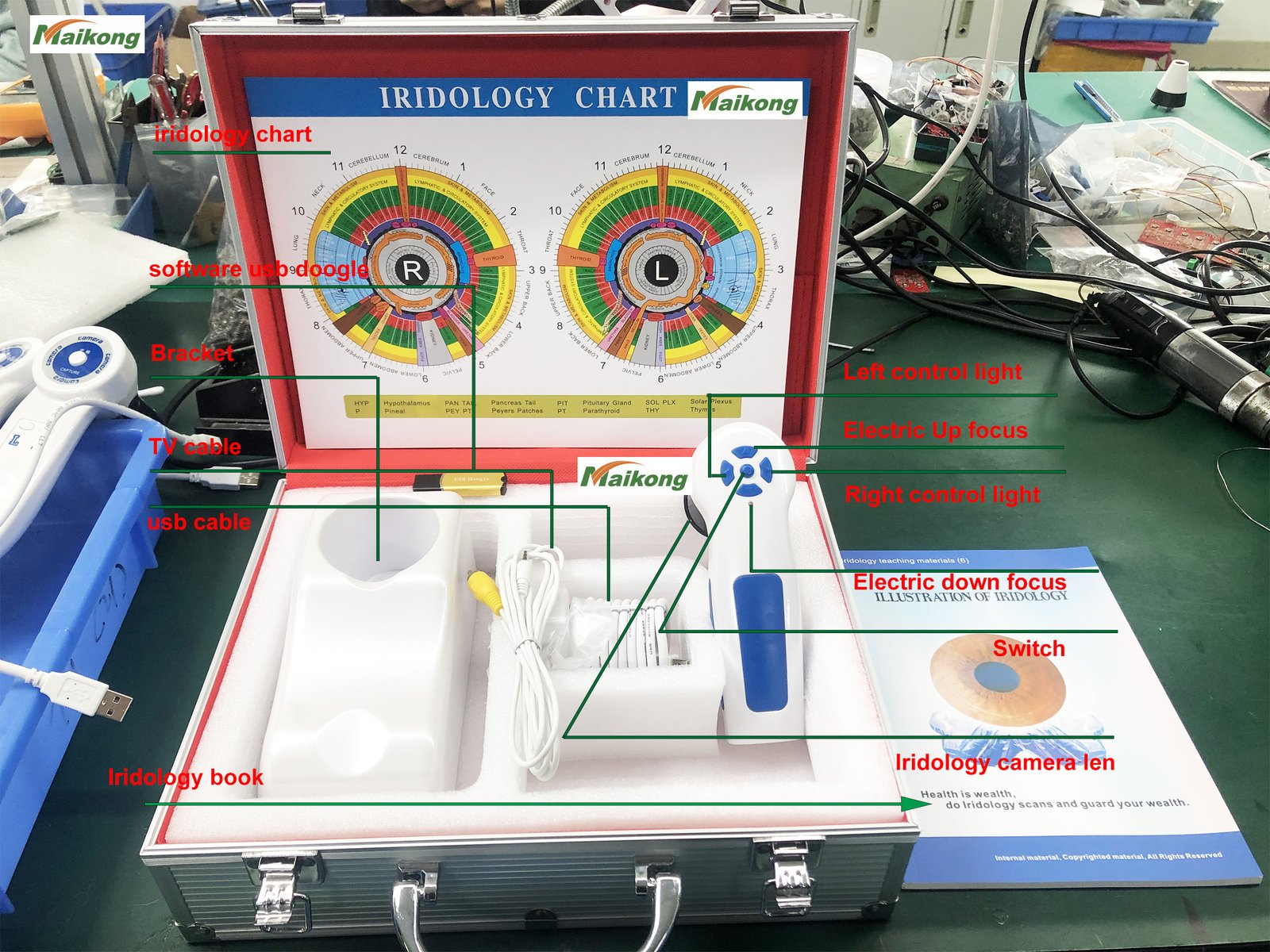
- MK-GY-9822U iriscope camera handset with 30X iris lens
- 1.5-meter USB connection cable
- 4GB USB installation key with complete software
- Metal USB encryption dongle for license activation
- Protective lens cover
- Professional carrying case (leather PU material)
- Printed iridology chart reference poster
- Installation instructions and warranty documentation
- PDF user manual in your selected language
Software Version History and Updates
Our development timeline shows continuous improvement based on practitioner feedback. Each version adds capabilities while maintaining compatibility with previous installations.
| Year | Version | Key Milestones |
| 2004 | Initial Version | First release with basic manual analysis tools |
| 2005 | 3.0 | Simplified Chinese support and expanded health indicators |
| 2008 | 3.04 | Multi-language support added (English, Spanish) with improved image processing |
| 2010 | 3.10 | AI-based automatic analysis introduced with 3D image enhancement |
| 2014 | 3.15 | Multi-user version released with cloud data management integration |
| 2018 | 3.18 | First iridology software supporting macOS for Apple users |
| 2020 | 3.20 | Enhanced AI analysis with automatic product recommendations and multi-device sync |
| 2025 | 3.23 | Current version with improved automatic analysis, 3D texture integration, expanded language support |
Registered users receive free software updates for minor versions. Major version upgrades receive discounted pricing for existing customers.
Data Backup and Security Features
Client records contain sensitive personal health information. Proper data management protects both practitioners and clients. Our cadi iridology software includes comprehensive backup and security tools.
Automatic Backup Systems
Configure automatic daily backups to external drives, network locations, or cloud storage services. The software creates compressed archives of your complete database including all images and notes.
Backup files use date stamping for easy organization. Restore functions allow recovery of data from any previous backup point. This protects against hardware failures, accidental deletions, or software corruption.
Data Export and Migration
Export client data to standard formats for integration with other practice management systems. Individual records export to PDF for sharing with clients or referring practitioners.
When upgrading computers or moving to new clinic locations, the complete database transfers easily. Export from the old system, copy files to new hardware, and import into fresh software installation.
Multi-Device Synchronization
Practitioners working across multiple locations benefit from cloud synchronization features. Configure the software to automatically sync databases across different computers.
This allows access to complete client histories whether you work at your main clinic, satellite office, or educational venue. Changes made on any system propagate to all connected installations.
Frequently Asked Questions About CADI Iridology Software
Does cadi iridology software work with cameras from other manufacturers?
Our MAIKONG software primarily supports our own MK-series cameras for guaranteed compatibility. However, many standard USB cameras using UVC (USB Video Class) protocols will work with basic capture functions. Advanced features like automatic iris detection and enhancement may not function with third-party cameras. For best results and full feature access, we recommend using our integrated camera and software packages. Contact us at Lucy@myiridology.us to verify compatibility with your existing equipment before purchase.
Can I run cadi iridology software on both Windows and Mac with a single license?
Yes, our software license allows installation on one Windows computer and one Mac computer simultaneously. The USB encryption dongle must be present on whichever system you are actively using. This dual-platform support helps practitioners who use different computers in different locations or who share equipment with partners using different operating systems. The software and all data remain identical across both platforms.
How many client records can cadi iridology software store?
The software has no built-in limit on client record numbers. Storage capacity depends on your computer’s hard drive space. Each client record with standard images (left and right eye at 12MP resolution) uses approximately 8-12 MB. A computer with 100 GB available storage can hold roughly 8,000-12,000 complete client records. For practices with very large client databases, we recommend external hard drives or network storage solutions for archival purposes.
What chart overlay systems does cadi iridology software include?
Our standard software includes multiple chart systems: Bernard Jensen charts (both left and right eye versions), European integrated charts, Russian charts, and modern composite charts. Users select which chart appears as an overlay during analysis sessions. For distributors or training institutions using proprietary chart systems, we provide custom chart integration as part of our OEM services. You can also manually upload custom chart images for personal use.
Does cadi iridology software diagnose medical conditions?
No. This software serves as a tool for traditional iridology observation and educational reference only. It does not diagnose diseases, medical conditions, or provide treatment recommendations. The software assists practitioners in capturing iris images, organizing client information, and documenting observations based on traditional iridology principles. Any health-related interpretations must be made by qualified practitioners, and clients should consult licensed medical professionals for diagnosis and treatment of health conditions. The software’s analysis features reference traditional iridology frameworks, not medical diagnostic criteria.
How do I change the interface language in cadi iridology software after installation?
Access the Settings or Preferences menu within the software. Locate the Language section and select your preferred language from the dropdown list of 17 available options. Click Apply or Save. The interface will immediately switch to the selected language without requiring restart. All menus, buttons, help text, and report templates will display in the new language. You can change languages as often as needed, making the software suitable for multilingual practices or training environments.

Our Partnership Network: Supporting Health Professionals Worldwide
Over two decades, MAIKONG has built relationships with diverse organizations in the wellness industry. Understanding these partnerships helps potential distributors see the breadth of applications for our products.
Direct Sales Companies and Network Marketing
Many large wellness product distributors incorporate iridology into their consultant training programs. Companies like Amway, Herbalife, Nu Skin, and USANA use our equipment for health assessments that support their nutritional product lines.
These organizations appreciate our ability to customize software with their product catalogs. When their consultants generate reports, the software can suggest specific supplements from the company’s inventory based on traditional iridology observations.

Natural Therapy Clinics and Wellness Centers
Naturopathic doctors, chiropractors, nutritionists, and functional medicine practitioners use our systems for client assessments. These practitioners value the professional appearance of generated reports and the comprehensive client record management.
The best iridology camera for clinical use combines high resolution with reliable performance across thousands of sessions. Our MK-series cameras meet these durability requirements.
Iridology Training Institutions
Schools teaching iridology certification courses require equipment for student practice and demonstration. Our software’s annotation tools and case library features specifically support educational applications.
Training institutions often request custom chart systems matching their specific curriculum. We integrate these proprietary teaching materials into customized software versions for these partners.
Medical Equipment Distributors
Wholesale distributors serving the alternative health market represent our products to retail buyers. These partners require competitive pricing, reliable inventory, and comprehensive technical support.
We maintain stock in both China and United States warehouses. This dual-location inventory allows faster delivery to North American customers while supporting our Asian and European distribution networks.
Why Partners Choose MAIKONG
- Direct manufacturer pricing with strong profit margins
- Comprehensive OEM and ODM customization capabilities
- 20 years production experience and quality control
- CE and ISO9000 certified manufacturing processes
- Technical support in multiple languages and time zones
- Ready inventory in China and USA warehouses
- Proven track record with 1000+ customization projects
Support We Provide Partners
- Product training materials in your language
- Marketing assets including images and descriptions
- Technical documentation and user guides
- Software customization for your market
- Ongoing product development consultation
- Warranty and after-sales service support
- Market exclusivity arrangements for qualified distributors

Quality Assurance and Manufacturing Standards
Medical and wellness equipment requires consistent quality. Our ISO9000-certified production facility in SZ, GD follows strict protocols from design through final shipping.
Production Process Control
Each device moves through standardized production stages with quality checkpoints. Optical components undergo individual testing before assembly. Completed cameras pass functionality tests verifying focus accuracy, illumination uniformity, and image quality.
Software undergoes parallel quality assurance. Each version receives testing across all supported operating systems and hardware configurations before release. Our QA team verifies compatibility with older OS versions to ensure upgrade paths for existing users.
Certification and Compliance
Our products carry CE certification for European market compliance. This demonstrates conformity with health, safety, and environmental protection standards. ISO9000 certification of our manufacturing facility confirms systematic quality management processes.
We maintain detailed production records for traceability. Any quality issues traced back to specific production batches allow targeted responses without broad recalls.

Warranty and After-Sales Service
All MAIKONG products include a one-year warranty covering material and manufacturing defects. This warranty provides repair or replacement for qualifying issues discovered within thirteen months of purchase.
The warranty excludes damage from misuse, accidents, or force majeure events. For distributors, we provide extended warranty options and service programs supporting their end customers.
Technical support continues beyond warranty periods. Software updates and driver compatibility fixes remain available to all registered users regardless of purchase date.
Wholesale Pricing and Ordering Information
Pricing structures for wholesale buyers differ significantly from retail pricing. As a direct manufacturer, we offer tiered pricing based on order quantity and customization requirements.
Standard Package Pricing
Our base package includes the MK-GY-9822U camera, complete software suite in your choice of language, USB cables, encryption dongle, carrying case, and documentation. This represents our most popular configuration.
Volume discounts begin at 10 units and increase at 50, 100, and 500-unit thresholds. For specific pricing information applicable to your market and order quantity, contact me directly at Lucy@myiridology.us.
Customization Cost Factors
OEM branding (logo replacement) adds minimal cost above our base pricing when ordered in quantities of 50 or more units. Custom language translation represents a one-time development cost amortized across your initial order.
Feature modifications and custom chart integration involve development work priced based on complexity. We provide detailed quotations after reviewing your specific requirements.
Payment Terms and Shipping
We accept wire transfers, letters of credit, and established trade credit accounts for qualified distributors. Initial orders typically require 50% deposit with balance due before shipping.
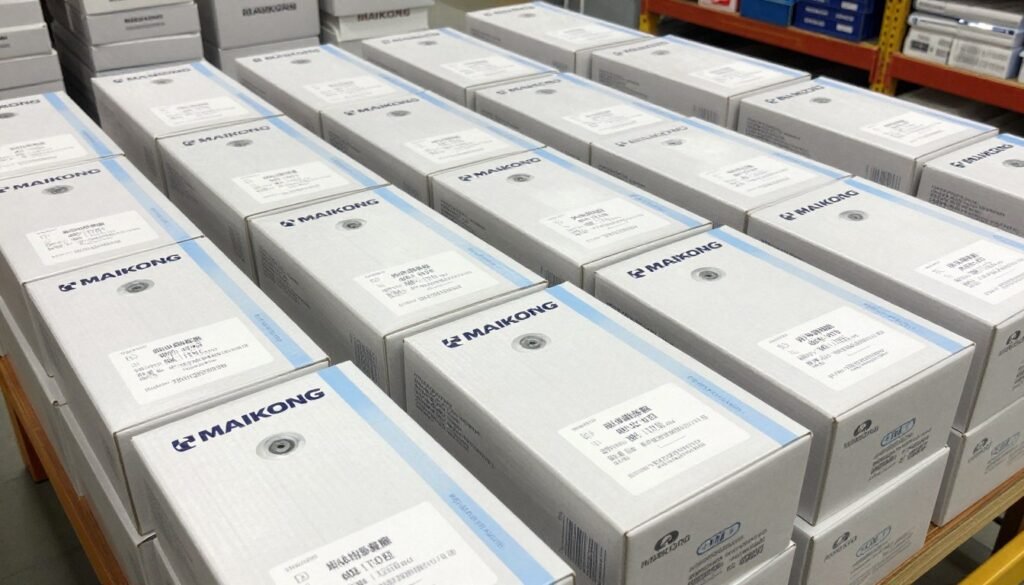
Shipping originates from our SZ, GD facility or our USA warehouse depending on destination and stock availability. We arrange freight forwarding for international orders and provide all necessary customs documentation.
Minimum Order Quantities
Standard packages without customization have no minimum order requirement. Single-unit orders receive the same quality and support as larger purchases.
Customized versions require minimums as outlined in the customization specifications table above. These minimums ensure economical production runs for specialized configurations.
Become a MAIKONG Distributor in Your Market
Partner with an established manufacturer serving the iridology industry for over 20 years. We offer exclusive territory rights, comprehensive technical support, OEM/ODM customization, competitive wholesale pricing, and marketing assistance. Our proven distribution model has helped 1000+ partners build successful businesses in wellness equipment markets worldwide.
Distributor Benefits
- Direct manufacturer pricing with strong margins
- Product customization for your market
- Technical training and support materials
- Marketing assets and sales tools
- Fast shipping from China or USA warehouses
Ideal Partner Profile
- Established wellness equipment distributor
- Medical device importer or wholesaler
- Natural health product retailer
- Training institution or clinic group
- E-commerce platform or marketplace seller
Making the Right Software Choice for Your Practice
Selecting cadi iridology software represents an investment in your practice infrastructure. The right system enhances client service, improves workflow efficiency, and projects professional credibility.
Key selection criteria include compatibility with your existing computer systems, language support matching your client base, report customization meeting your presentation standards, and reliable manufacturer support for long-term use.
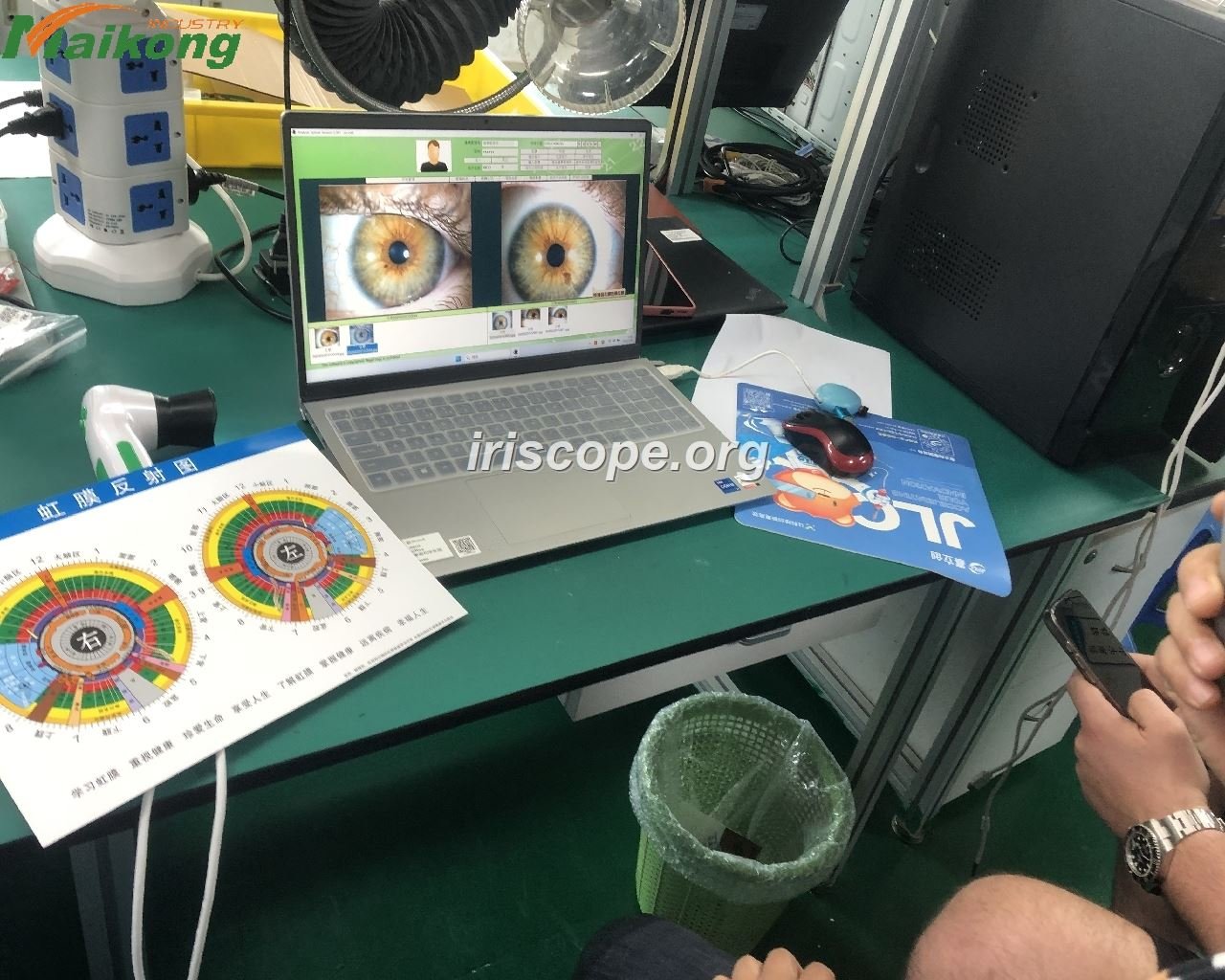
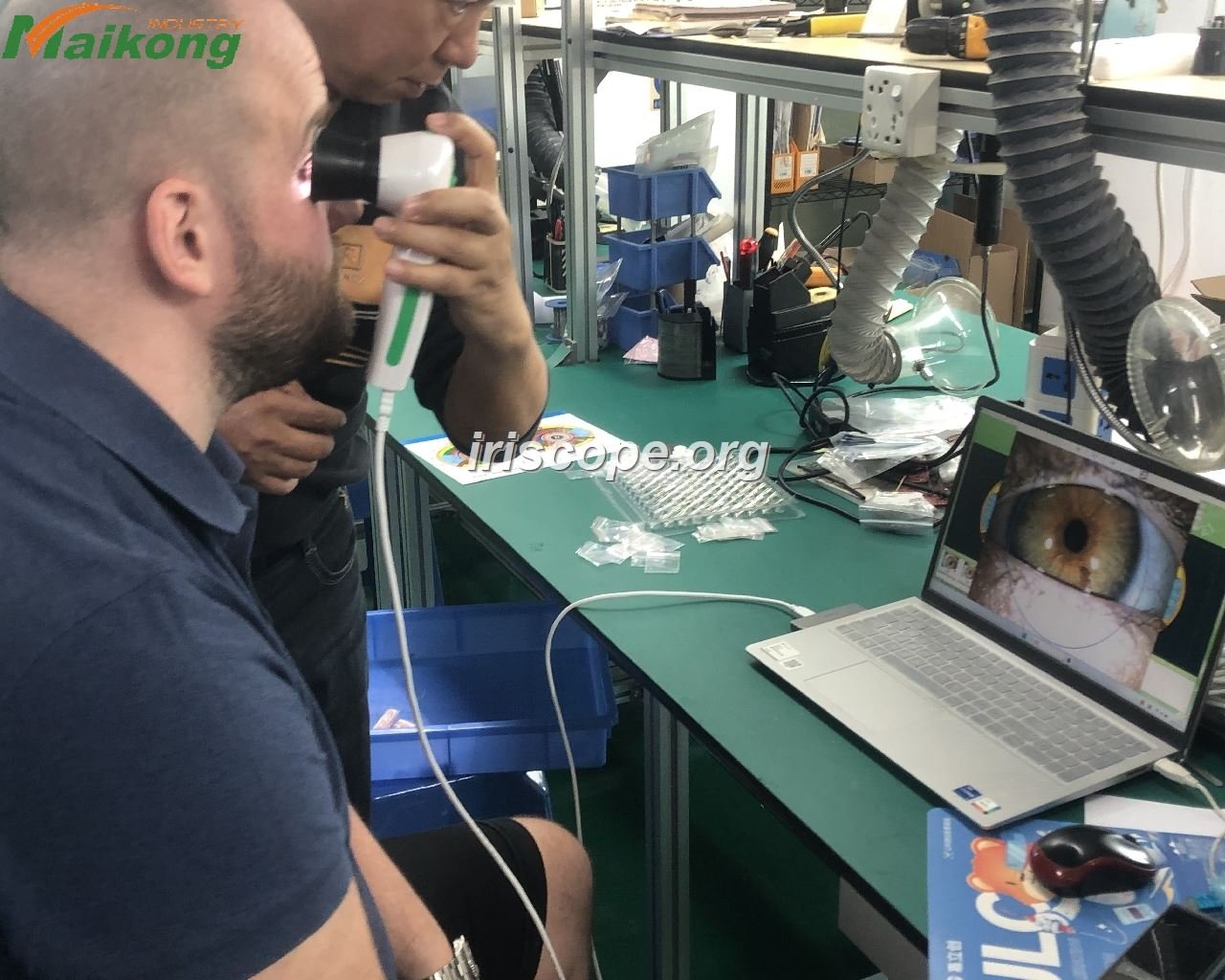
Our MAIKONG software addresses these requirements through broad operating system support, 17-language availability, comprehensive customization options, and direct manufacturer backing. The integration of camera hardware and software from a single source ensures compatibility and simplifies support.
For practitioners starting their iridology practice, our complete packages provide everything needed to begin serving clients immediately. For established practices upgrading from older systems, our migration tools and data import capabilities ease transitions.
Distributors and wholesale buyers benefit from our flexible customization, proven quality systems, and partnership approach. We view distributors as long-term collaborators, not transactional customers.
If you have questions about software capabilities, compatibility with your specific systems, customization options for your market, or partnership opportunities, I invite you to contact me directly. Email Lucy@myiridology.us or reach me via WhatsApp at +86 135 1090 7401.
Visit our complete product catalog at myiridology.us to explore our full range of iridology cameras, software solutions, charts, and accessories. We look forward to supporting your success in serving the wellness community.