
Iridology Stomach Chart Software: Complete Guide for Professional Practitioners in 2026
When you search for an iridology stomach chart, you face a common challenge. You need more than just a printed diagram. You need software that can capture iris images, overlay stomach zone markers, save client records, and generate professional reports. Traditional paper charts cannot solve your workflow problems.
We understand this frustration. Over twenty years working with practitioners, naturopathic clinics, and wellness centers taught us something important. The right software transforms how you analyze digestive health patterns in the iris.
This guide answers your core question. You want to confirm if iridology stomach chart software fits your practice workflow. You need to know about system compatibility, report capabilities, and whether it works with your camera equipment. We address each concern with specific technical details and real-world implementation guidance.
Medical Disclaimer: This content discusses iridology software for traditional iris observation and health education reference only. It does not replace professional medical diagnosis. Always consult qualified healthcare providers for medical conditions.
What Is Iridology Stomach Chart Software and Why Do You Need It
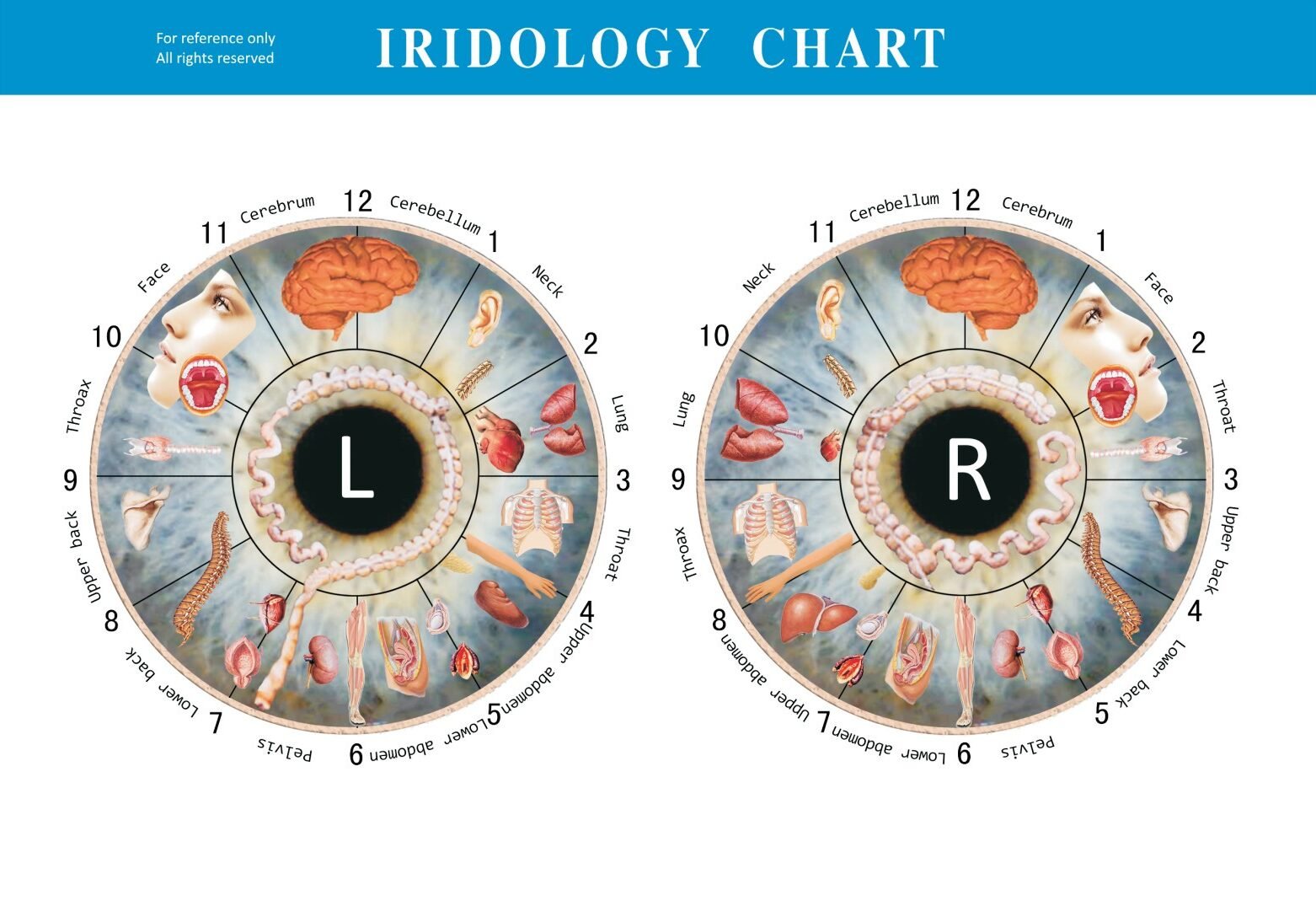
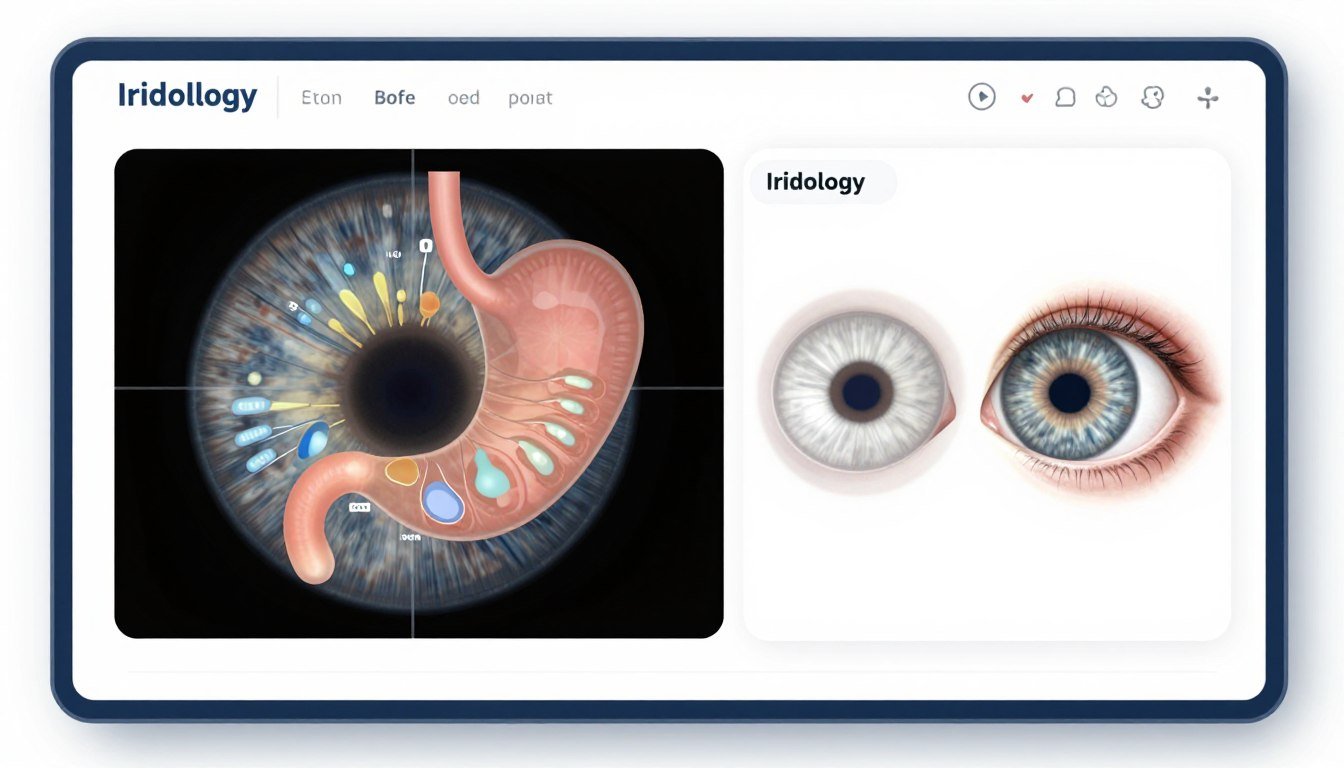
An iridology stomach chart maps specific zones of the iris that traditional practitioners associate with digestive organs. The stomach area typically appears in the upper portion of the iris, between 11 and 1 o’clock positions. Software designed for this purpose does more than display static diagrams.
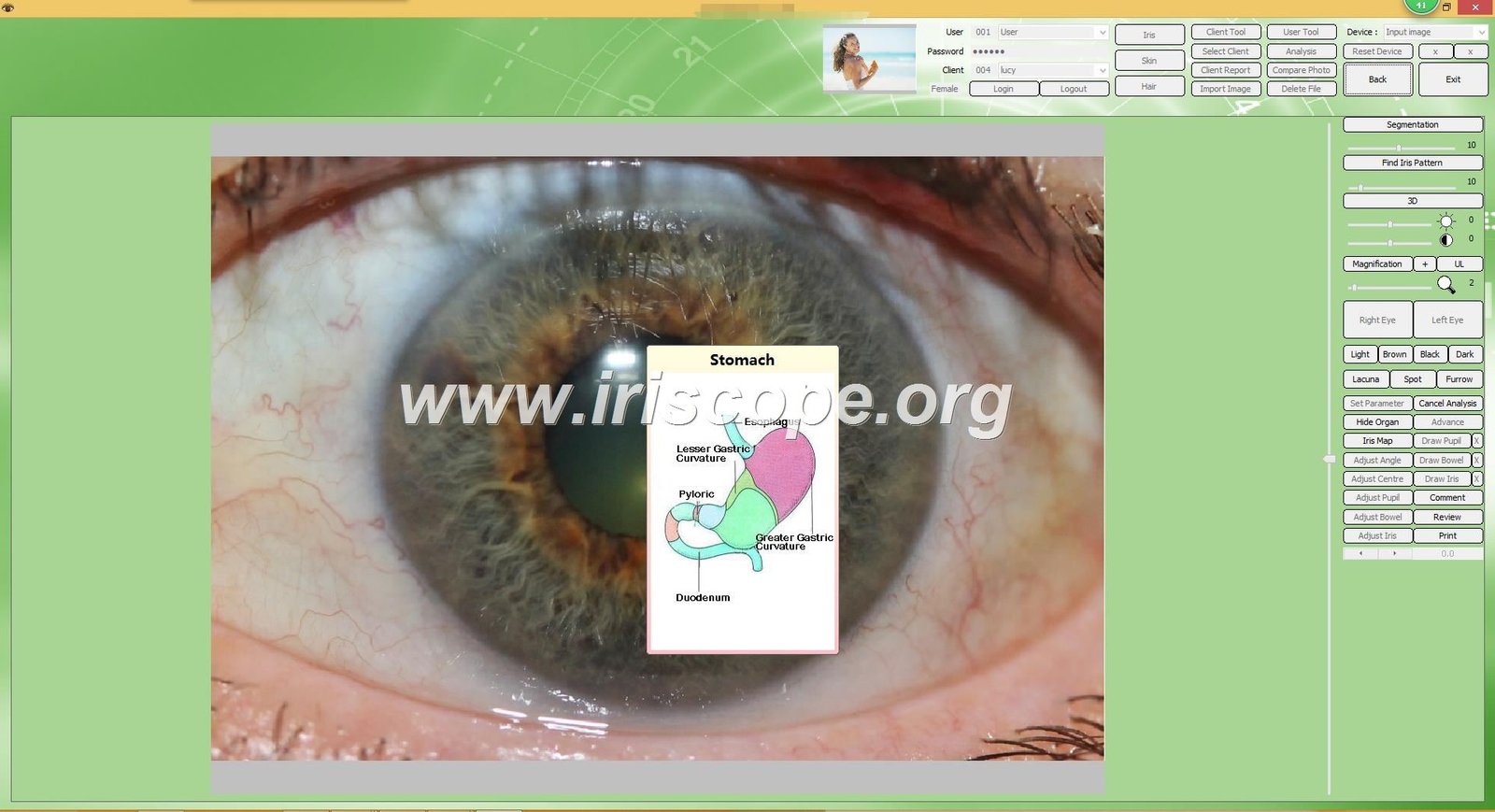
Professional iridology software overlays anatomical charts onto live or captured iris images. This overlay helps you identify potential areas of interest. The colored part of the eye contains patterns, spots, and color variations. These features may indicate different conditions according to traditional iridology practice.
Core Functions of Stomach Chart Analysis Software
Modern iridology software addresses specific workflow needs that paper charts cannot solve. Here are the primary functions you should expect:
- Client database management with searchable records and history tracking
- Left and right eye image capture and storage with timestamp documentation
- Chart overlay selection including stomach-specific zone highlighting
- Side-by-side comparison of images from different dates to track changes
- Report generation with customizable templates for client education
- Multi-language support for diverse practice populations
- Cross-platform compatibility across Windows and Mac operating systems
- Integration with USB iridology cameras for seamless image capture
The stomach zone specifically relates to the digestive system in traditional iridology theory. Practitioners examine this area for signs like white marks, spots, or color changes. The software helps document these observations systematically.
How Stomach Analysis Differs from General Iris Assessment
General iris photography captures the entire eye structure. Stomach-focused analysis narrows attention to specific zones. The software allows you to zoom into the upper iris regions where digestive markers typically appear.
Advanced systems use texture analysis and pattern recognition. These tools help identify subtle changes in iris structure. The stomach area often shows inflammation markers or stress patterns according to traditional practice principles.
Traditional Chart Limitations
- Cannot store client progression data
- Difficult to mark specific observation points
- No ability to compare past and present conditions
- Manual documentation creates errors
- Limited visual education for clients
Software Solution Benefits
- Automatic archiving of all client sessions
- Precise digital annotation tools
- Built-in comparison view functionality
- Standardized data entry reduces mistakes
- Professional visual reports enhance understanding
The nervous system also connects to iris patterns according to iridology theory. The brain-gut connection means stomach analysis often involves examining neural response indicators. Quality software accounts for these relationships in its chart overlays.
See MAIKONG Iridology Software in Action
Experience how our stomach chart analysis works with a free demo version. Compatible with Windows XP through 11 and macOS. No credit card required.
Essential Features Every Iridology Stomach Chart Software Must Have
Not all iridology programs offer the same capabilities. Your investment should deliver specific functions that improve your practice workflow. We identified eight critical features based on feedback from over one thousand practitioners worldwide.
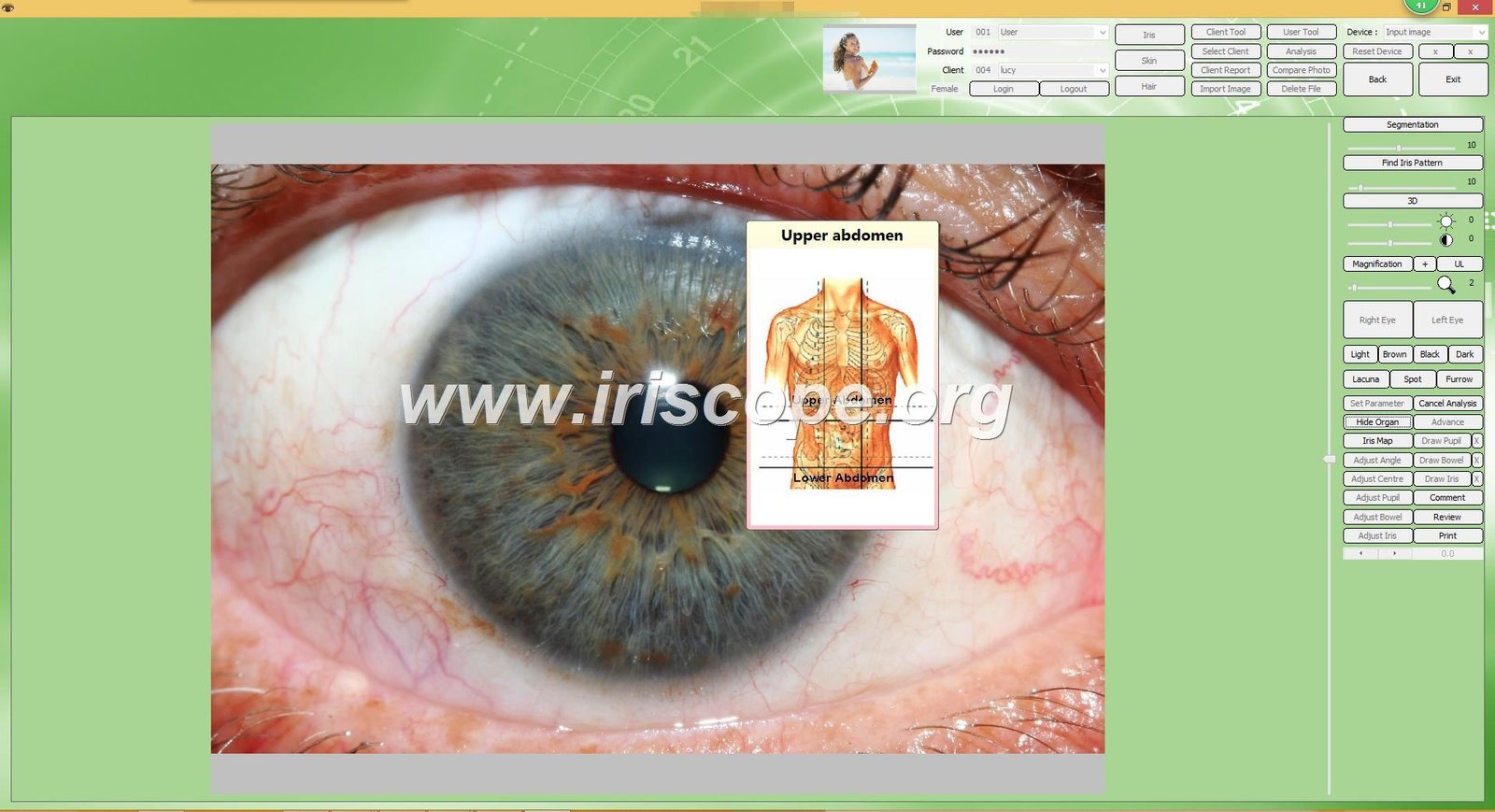
Client Data Management System
A robust client database forms the foundation of professional practice. The system should allow you to create individual profiles with personal information. Each profile needs space for name, age, gender, contact details, and health history notes.
Good software organizes clients alphabetically or by custom categories. Search functionality helps you locate records quickly. The ability to add custom fields lets you track information specific to your practice protocols.
What to Look For in Client Management
- Unlimited client record storage with no subscription limits
- Quick search by name, date, or custom tags
- Visit history timeline showing all previous sessions
- Secure data backup to prevent information loss
- HIPAA-compliant data protection features for US practices
- Customizable data fields for practice-specific tracking
Dual Eye Image Capture and Storage
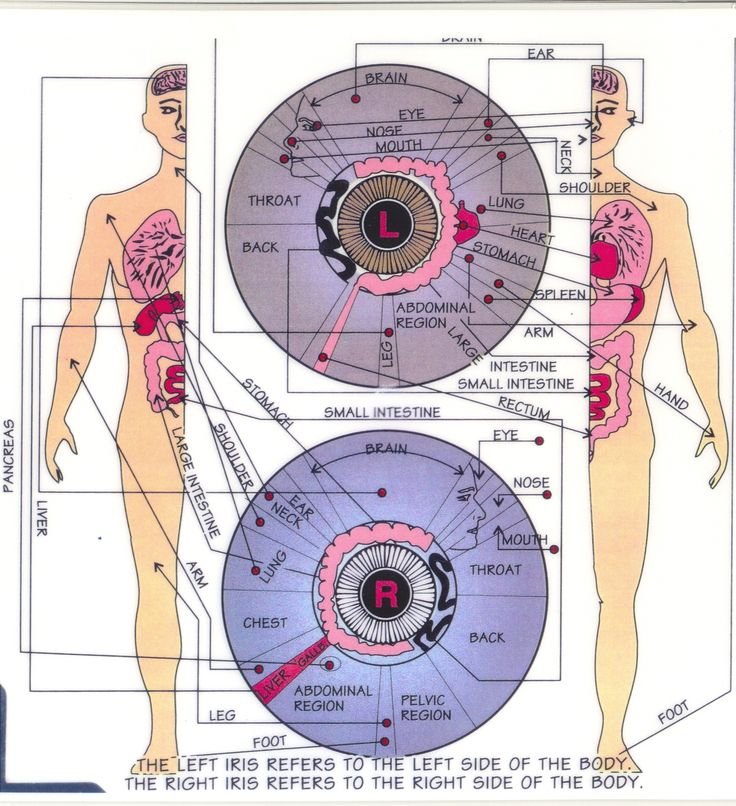
Professional assessment requires images of both eyes. The left side of the body corresponds to the left eye in traditional iridology mapping. The right side body maps to the right eye. Stomach assessment typically examines both eyes because the digestive system spans both sides.
Your software must save both left and right iris images for each session. Time-stamped storage helps track changes over weeks or months. High-resolution image retention ensures you can zoom in later without quality loss.
Left Eye Analysis Focus
Traditional iridology associates the left eye with the left side body organs. The stomach appears in the upper left quadrant. Inflammation patterns or white marks in this zone may indicate digestive concerns.
Software should allow independent left eye analysis with specific chart overlays designed for left-side organ mapping.
Right Eye Analysis Focus
The right eye maps to right side body structures. While the stomach primarily appears in left eye charts, the liver and intestines show more prominently in right eye zones. Comprehensive digestive assessment requires both perspectives.
Your software needs right eye-specific chart overlays with accurate organ zone positioning.
Chart Overlay and Annotation Tools
Static charts offer limited utility. Interactive overlay systems let you superimpose stomach zone markers directly onto iris photos. The best software offers multiple chart types based on different iridology schools of thought.
Annotation tools allow you to mark specific areas of interest. You might circle a particular spot, add text notes, or draw lines to highlight patterns. These markings save with the image for future reference.
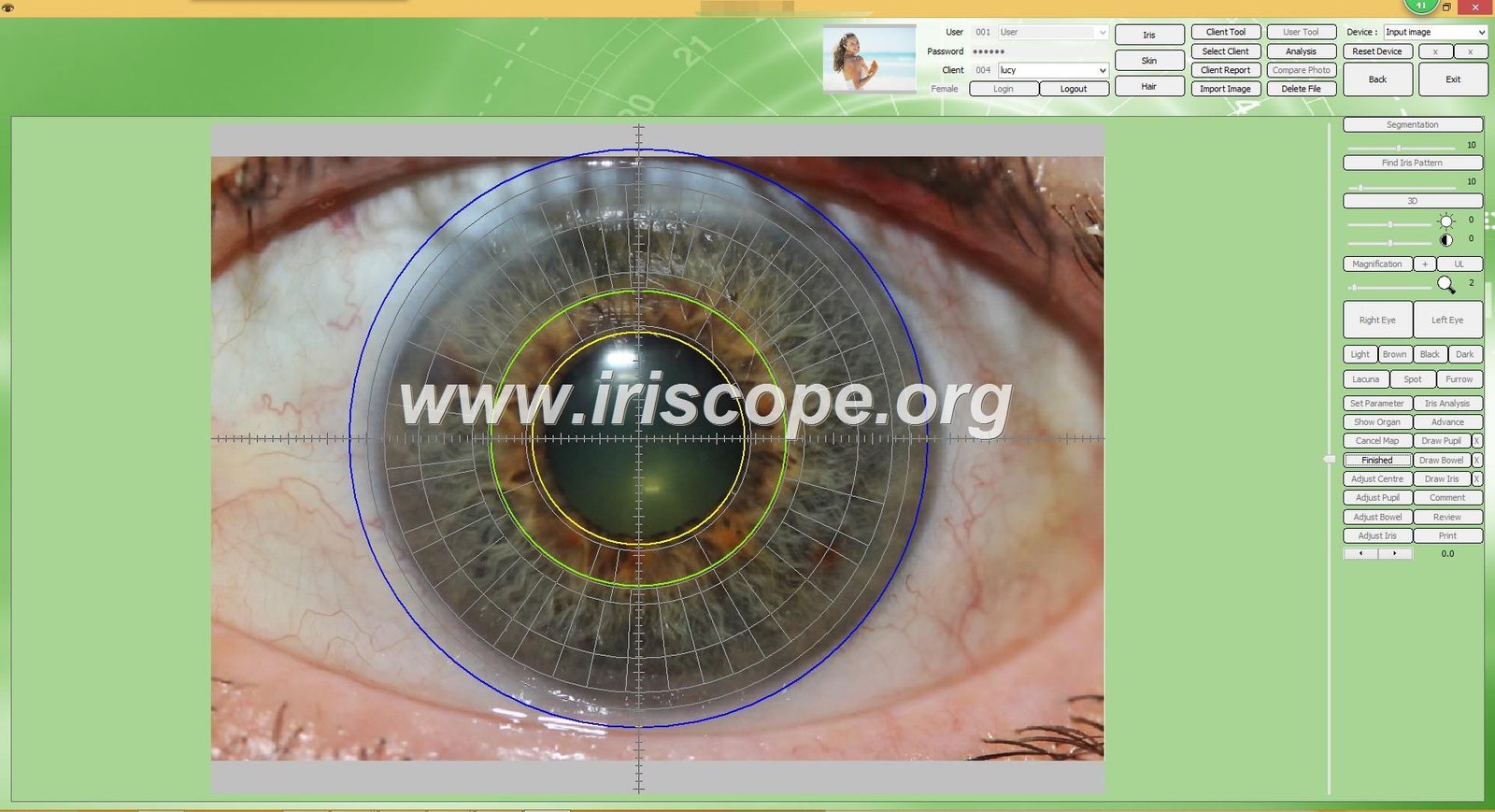
Report Generation Capabilities
Client education improves when you provide written documentation. Report generation should compile iris images, chart overlays, your observations, and recommendations into a professional document.
Customizable templates let you maintain brand consistency. Your practice logo, contact information, and disclaimer statements should appear automatically. The system needs to generate PDF files that clients can easily view and print.
Report Components That Matter
- Side-by-side iris images with and without chart overlays
- Annotated zones highlighting areas of practitioner interest
- Written observations in clear, accessible language
- Historical comparison if previous visits exist
- Customized health recommendations based on findings
- Product suggestions integrated with your practice offerings
- Educational content explaining iridology principles
- Legal disclaimers stating the educational nature of analysis
System Compatibility and Installation
Software that runs on only one operating system limits your options. Cross-platform compatibility gives you flexibility. You should be able to install on Windows computers, Mac systems, or both.
We developed our MAIKONG iridology software to work across all major Windows versions. This includes Windows XP, Vista, 7, 8, 10, and 11 in both 32-bit and 64-bit configurations. We also created the first iridology software compatible with macOS, supporting versions from Mojave through Sequoia.
| Operating System | Supported Versions | Installation Method | License Type |
| Windows | XP / Vista / 7 / 8 / 10 / 11 (32-bit & 64-bit) | USB key with installer | Perpetual with free updates |
| macOS | 10.14 (Mojave) through 15 (Sequoia) | USB key with installer | Perpetual with free updates |
| Linux | Not currently supported | N/A | N/A |
Installation should be straightforward. Complex setup procedures waste your time. Look for software that installs in minutes with clear step-by-step guidance.
Camera Compatibility and Workflow Integration
Software alone cannot capture iris images. You need compatible hardware. The camera forms the eyes of your iridology system. Understanding compatibility prevents costly equipment mismatches.
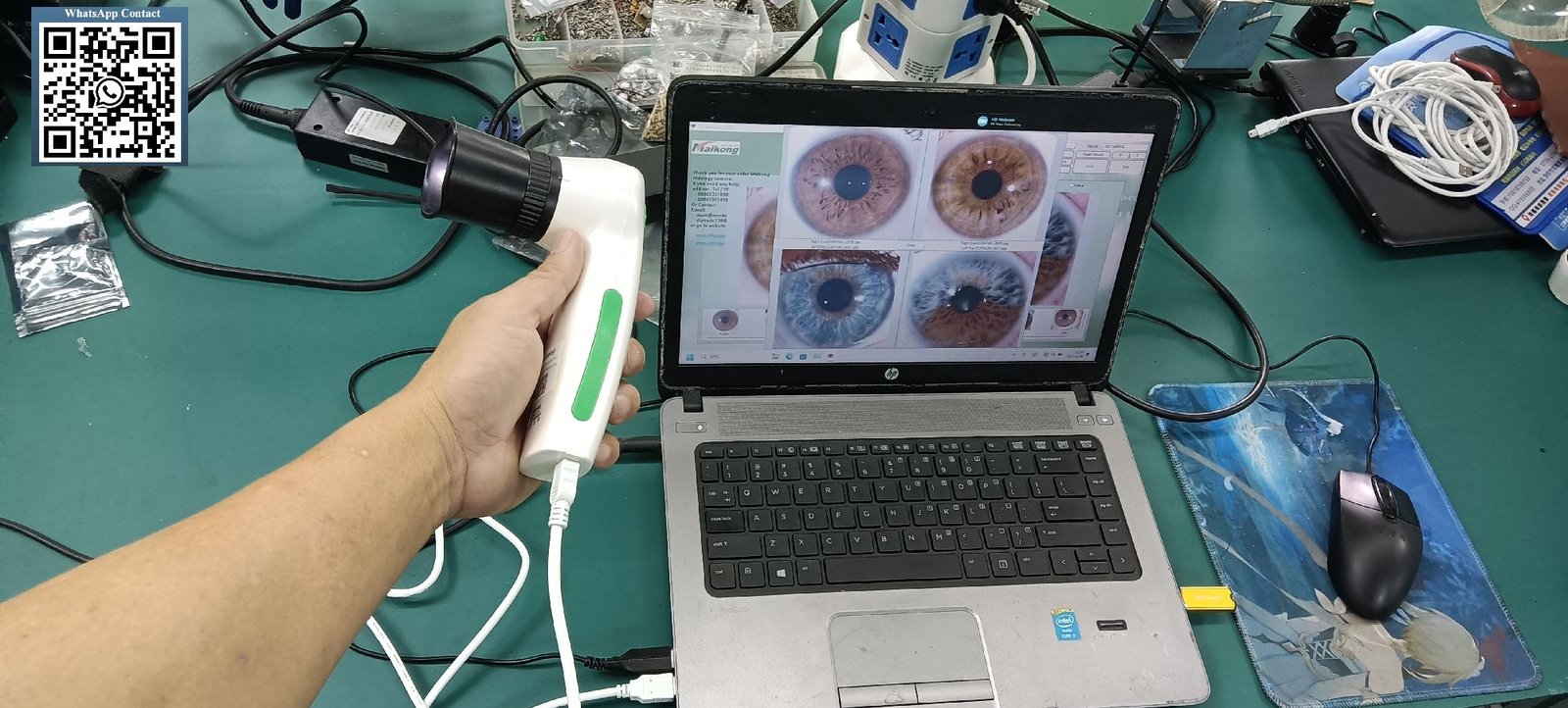
USB Iridology Camera Requirements
Most professional iridology cameras connect via USB. This connection method provides power and data transfer through a single cable. Your software must recognize the camera automatically when connected.
High-resolution sensors capture better images. Look for cameras with at least 12 megapixels. Higher pixel counts allow you to zoom into specific areas without losing detail. The stomach zone often requires close examination of subtle patterns.
Camera Specifications That Impact Stomach Analysis
- Sensor Resolution: Minimum 12MP for detailed texture analysis
- LED Illumination: Ring light around lens eliminates shadows
- Focus Adjustment: Manual focus control for precise clarity
- Lens Quality: Multi-layer coating reduces glare
- Image Stabilization: Reduces blur from hand movement
- White Balance: Auto-adjustment for accurate color representation
- Connection Type: USB 2.0 or 3.0 for fast transfer
Our MAIKONG MK-9822U iriscope camera delivers 12 megapixel resolution with specialized optical features. The imported multi-layer lens provides exceptional clarity. LED illumination built into the lens housing eliminates external light sources.
| Specification | MAIKONG MK-9822U Details |
| Model Number | MK-9822U Professional Iriscope |
| Sensor Type | 12.0 Megapixel CCD with DSP processor |
| Lens System | Imported multi-layer coated optical lens |
| Illumination | LED ring light with adjustable brightness |
| Focus Method | Manual adjustment via handle switch |
| Magnification | 30X iris lens included |
| Connection | USB 2.0 (1.5 meter cable included) |
| Power Source | USB-powered, no external adapter needed |
| Compatibility | Windows XP-11, macOS 10.14-15 |
| Warranty | 1 year manufacturer warranty |
Software-Camera Integration Process
Seamless integration between software and camera simplifies your workflow. The connection should happen automatically. When you plug in the camera, the software should detect it and activate the capture interface.
Some computers have built-in webcams that interfere with USB camera detection. Your software needs settings to disable internal cameras or select the correct input device. Clear documentation should guide you through this configuration.
Installation Tip: If your software does not detect the camera, check Device Manager on Windows or System Preferences on Mac. Ensure the camera driver installed correctly. Some systems require you to manually disable the built-in webcam before the USB camera activates.
Clinic Workflow Optimization
Efficient workflow reduces appointment time and improves client experience. The ideal process flows like this:
- Open software and load client record or create new profile
- Connect USB iridology camera to computer
- Position client comfortably with proper lighting conditions
- Adjust camera focus and brightness using handle controls
- Capture left eye image with single button press
- Capture right eye image and save both to client record
- Apply stomach chart overlay to examine digestive zones
- Add annotations marking areas of interest
- Generate comparison report if previous images exist
- Create PDF report with recommendations
- Print or email report to client
This entire process should take less than ten minutes for experienced practitioners. Software designed for clinic use streamlines each step with intuitive interfaces.

Multi-Language Support and Customization Options
Your client base may speak different languages. Software that supports multiple languages expands your service capability. This feature proves especially valuable for practices in diverse communities or international partnerships.
Why Language Options Matter
Traditional iridology practice exists worldwide. Practitioners in Europe, Asia, South America, and North America all use similar assessment methods. However, clients understand health information best in their native language.
Multi-language software lets you switch the entire interface and report templates. This includes menu labels, button text, chart legends, and generated report content. The iridology principles remain the same across languages. Only the presentation changes.
| Language | Software Version | Report Templates | Chart Labels |
| English | MAIKONG 2024 | Available | Translated |
| Spanish | MAIKONG 2024 | Available | Translated |
| French | MAIKONG 2024 | Available | Translated |
| German | MAIKONG 2024 | Available | Translated |
| Italian | MAIKONG 2024 | Available | Translated |
| Portuguese | MAIKONG 2024 | Available | Translated |
| Russian | MAIKONG 2024 | Available | Translated |
| Japanese | MAIKONG 2024 | Available | Translated |
| Korean | MAIKONG 2024 | Available | Translated |
| Simplified Chinese | MAIKONG 2024 | Available | Translated |
| Traditional Chinese | MAIKONG 2024 | Available | Translated |
| Polish | MAIKONG 2024 | Available | Translated |
| Czech | MAIKONG 2024 | Available | Translated |
| Bulgarian | MAIKONG 2024 | Available | Translated |
| Persian (Iranian) | MAIKONG 2024 | Available | Translated |
| Malaysian | MAIKONG 2024 | Available | Translated |
Customization for Practice Branding
Professional software should reflect your brand identity. Customization options let you personalize the client experience. This includes adding your practice logo, changing color schemes, and modifying report templates.
Advanced customization extends to the chart overlays themselves. Some practitioners prefer Bernard Jensen style charts. Others use different mapping systems. Software that supports multiple chart types gives you flexibility to match your training background.
Custom Branding Elements
- Logo Integration: Add your practice logo to reports and splash screens
- Color Themes: Match software interface to your brand colors
- Report Headers: Customize letterhead with contact information
- Product Recommendations: Link to your specific supplement or service offerings
- Educational Content: Add custom explanatory text about your methodology
- Disclaimer Templates: Configure legal language appropriate for your jurisdiction
We offer OEM and ODM services for practices and distributors who need deeper customization. This includes complete software rebranding, custom feature development, and specialized chart creation. Over twenty years, we provided customized solutions for more than one thousand clients worldwide.
Partner with MAIKONG as a US Distributor
Join our network of successful distributors across wellness centers, medical device importers, and health equipment wholesalers. Access OEM/ODM customization, competitive wholesale pricing, technical support, and exclusive market territories.
Advanced Analysis Features: 3D Imaging and AI-Assisted Assessment
Basic image capture forms the foundation. Advanced features elevate analysis quality. Modern software incorporates technologies that previous generations could not imagine.
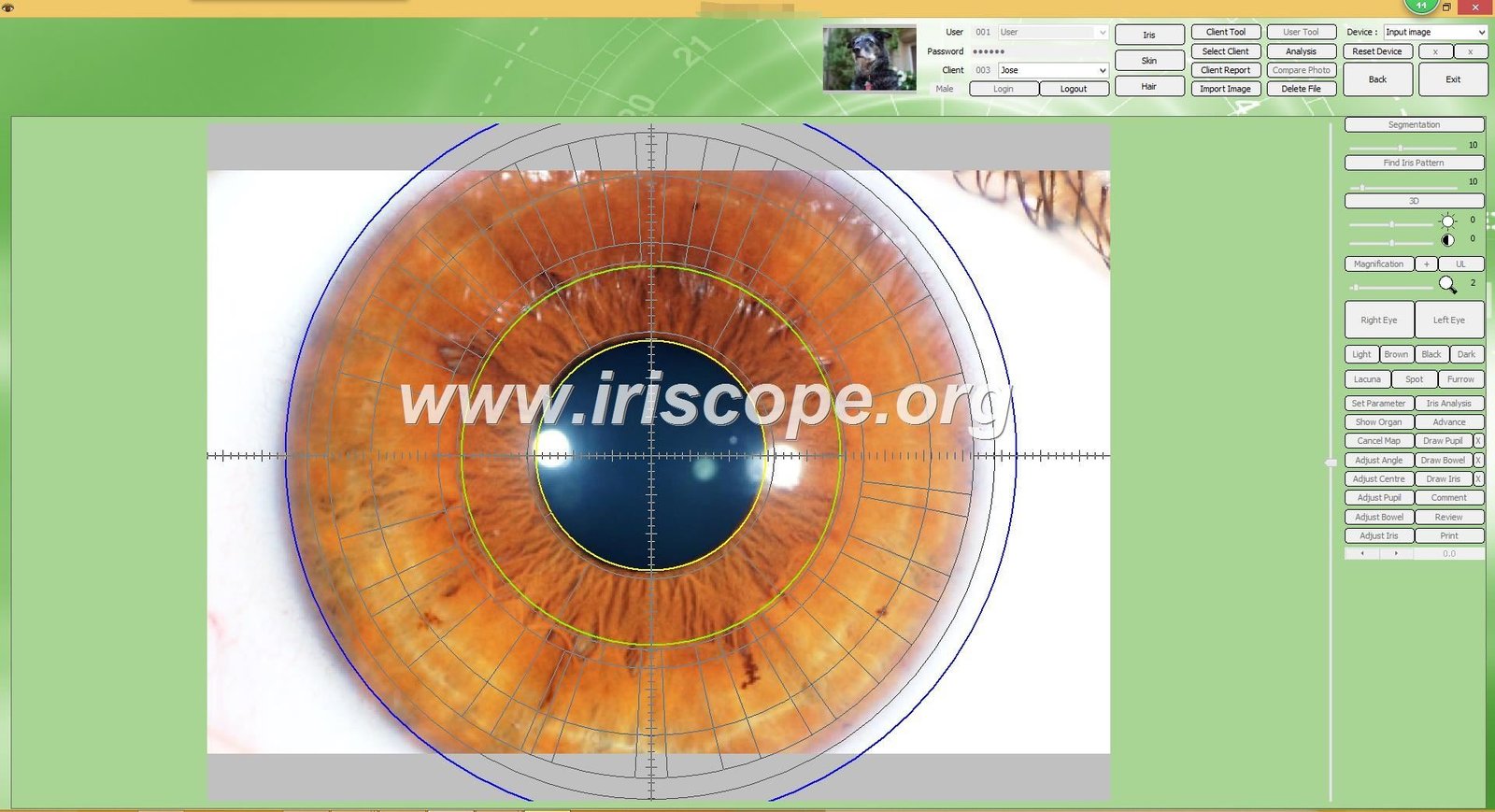
Three-Dimensional Iris Texture Analysis
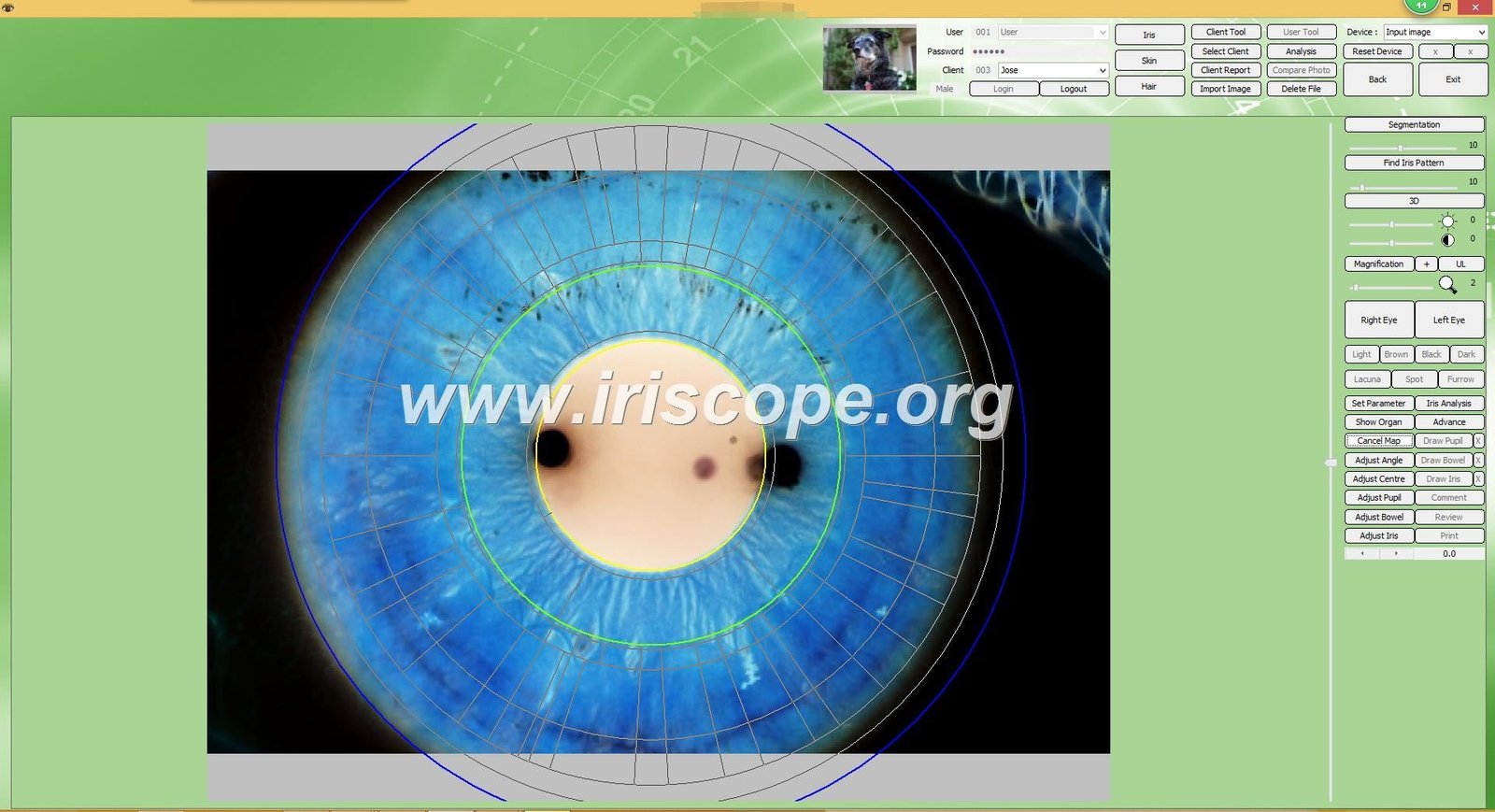
Traditional iridology examines two-dimensional photographs. Three-dimensional analysis adds depth perception. This technology captures the physical topology of the iris surface. Small elevations, depressions, and texture variations become visible.
The stomach zone analysis benefits from 3D texture mapping. Inflammation often creates subtle physical changes in iris structure. Standard photography might miss these variations. Three-dimensional imaging reveals them clearly.
How 3D Analysis Works
The software processes multiple images captured at slightly different angles or lighting conditions. Advanced algorithms calculate depth information from these variations. The result shows a height map overlaid on the standard iris photograph.
Areas of inflammation may appear raised. Zones with nerve stress might show as depressions. The three-dimensional view provides context that flat images cannot deliver. This helps practitioners identify subtle signs associated with digestive system stress.
Artificial Intelligence Pattern Recognition
AI technology changed many medical imaging fields. Iridology software now incorporates machine learning algorithms. These systems analyze thousands of iris images to identify common patterns.
AI-assisted analysis does not diagnose disease. It highlights areas that match patterns seen in training data. Think of it as an intelligent assistant pointing out features you might want to examine more closely. The practitioner always makes the final interpretation.
AI Analysis Capabilities
- Automatic zone segmentation
- Pattern similarity matching
- Color variation detection
- Texture abnormality highlighting
- Historical change tracking
- Comparative analysis suggestions
Practitioner Interpretation Required
- Clinical context integration
- Client history consideration
- Pattern significance evaluation
- Recommendation formulation
- Education and counseling
- Follow-up protocol decisions
Comparative Analysis and Progress Tracking
Client health changes over time. Comparative analysis shows these changes clearly. The software should allow side-by-side display of images from different dates. This visual comparison helps both practitioner and client understand progress.
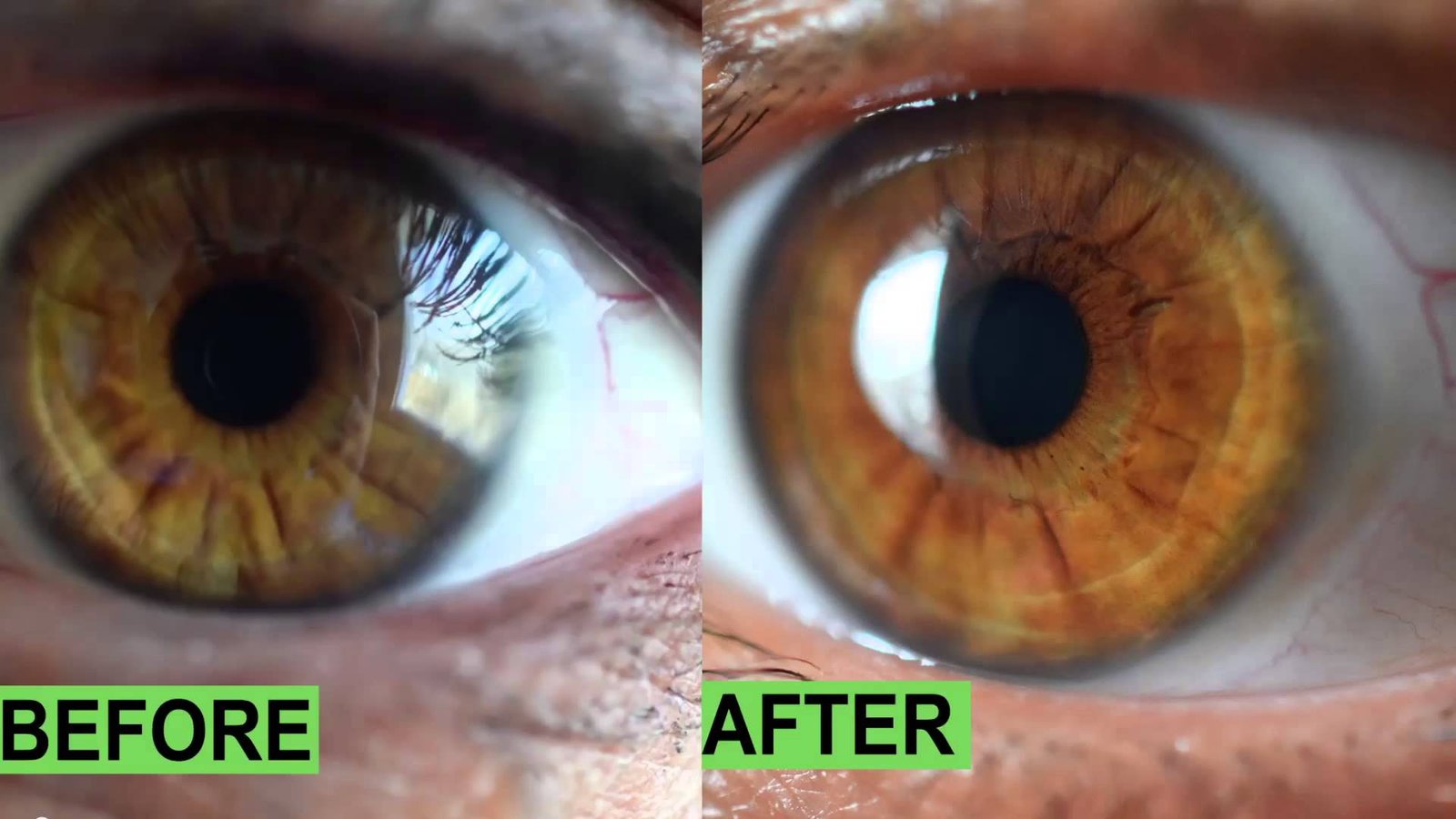
The stomach area might show improvement after dietary changes. Inflammation markers could reduce. White spots might fade. Documenting these changes builds client confidence in the health protocols you recommend.
Automatic Report Generation with Health Insights
Manual report writing consumes valuable time. Automatic generation speeds this process. The software compiles your observations, client data, and recommendations into formatted documents.
Smart templates include health insights based on the patterns you marked. If you annotate the stomach zone with inflammation indicators, the report suggests relevant educational content. This might include information about digestive health, stress management, or nutritional support.
Product recommendation features let you link directly to supplements or services you offer. When the report identifies potential digestive concerns, it can suggest specific probiotics, enzymes, or nutritional consultations from your practice inventory.
Data Management, Backup, and Security Protocols
Client information represents valuable and sensitive data. Proper management protects both your practice and your clients. Software should include robust backup and security features.
Automatic Backup Systems
Data loss creates serious problems. Hardware failures, software crashes, or accidental deletions happen. Automatic backup prevents permanent loss. The best systems backup data continuously without requiring manual intervention.
Cloud storage integration adds an extra safety layer. If your computer fails completely, cloud backups preserve your client database. When you install the software on a replacement computer, you can restore all records.
Data Protection Notice: US health practices must comply with HIPAA regulations when storing client health information. Ensure your software vendor provides HIPAA-compliant data handling features if you operate within regulated healthcare sectors.
Multi-Device Synchronization
Some practices operate across multiple locations. Mobile practitioners work from different sites. Multi-device synchronization keeps data consistent across all installations.
Changes made on one computer propagate to others automatically. You can start a client record at your main office and access it later from a satellite location. This flexibility supports modern practice models.
Export and Import Functions
Data portability matters. You should be able to export client records in standard formats. This protects against vendor lock-in. If you ever switch software, your historical data transfers smoothly.
Import functions work equally important. Practitioners switching to new software need to migrate existing records. Well-designed systems accept data from common formats like CSV spreadsheets or XML files.
Why Choose MAIKONG: Direct Manufacturer Advantages
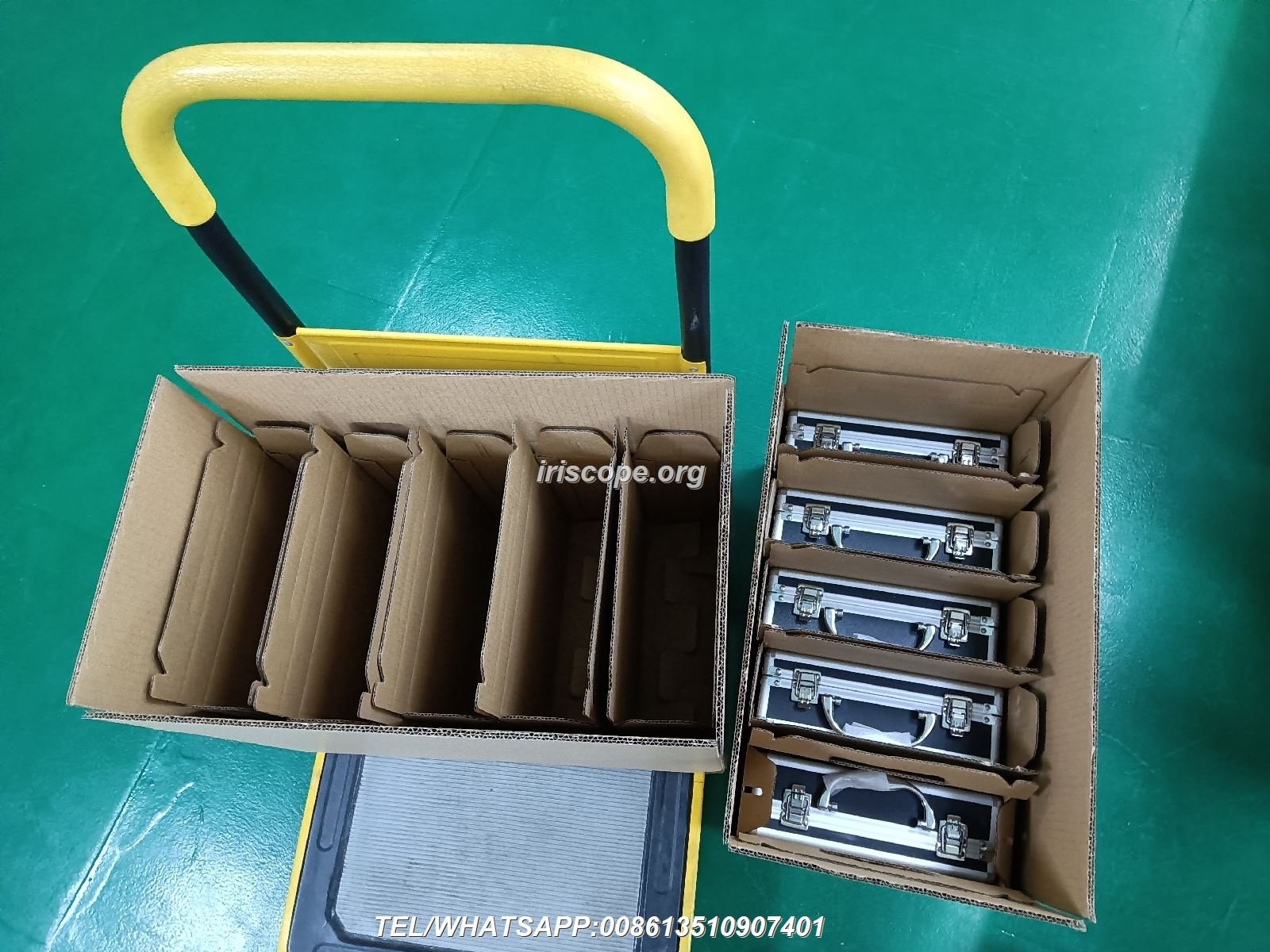
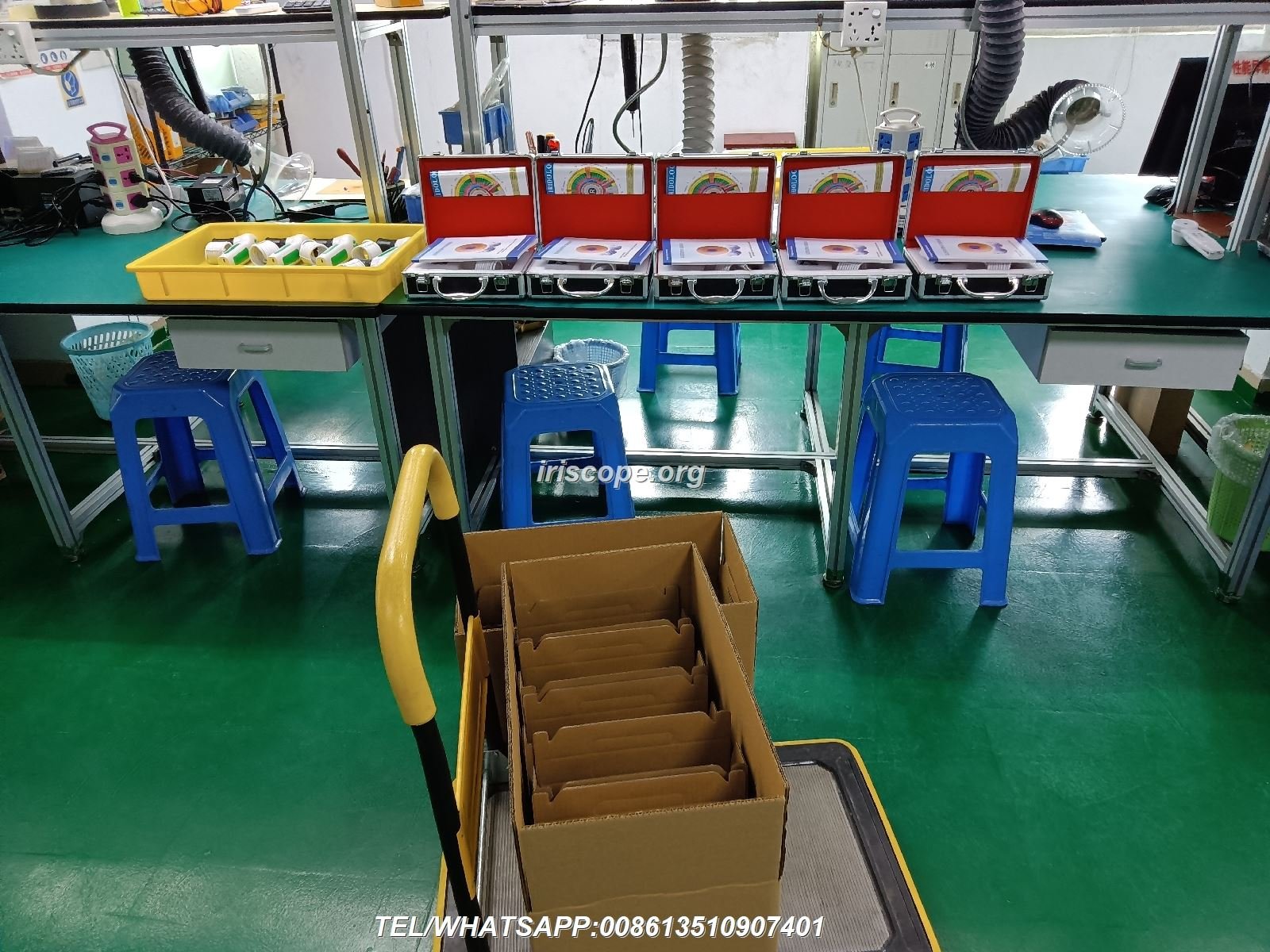
We manufacture both iridology cameras and software at our facilities in GD, SZ, China. This vertical integration creates unique advantages for our partners and end users.
Twenty Years of Development History
Our journey began in 2004 with basic manual analysis software. Each version brought improvements based on practitioner feedback. We added multi-language support in 2005. By 2008, version 3.04 supported English and Spanish along with enhanced imaging.
The 2010 release introduced AI-based analysis features. Cloud data management arrived in 2014 with version 3.15. Our 2018 breakthrough made us the first iridology software to support macOS. This opened new markets among Apple users.
Today, version 3.23 represents two decades of continuous refinement. We incorporated 3D texture analysis, automatic product recommendations, and advanced multi-device synchronization. Each generation solved real problems reported by practicing professionals.
| Year | Version | Key Milestones |
| 2004 | Initial Release | First manual iridology analysis software |
| 2005 | 3.0 | Simplified Chinese language, expanded health indicators |
| 2008 | 3.04 | Multi-language support (English, Spanish), image clarity improvements |
| 2010 | 3.10 | AI-based automatic analysis, 3D image enhancement |
| 2014 | 3.15 | Multi-user version, cloud data management |
| 2018 | 3.18 | First macOS support in iridology software |
| 2020 | 3.20 | Enhanced AI, automatic product recommendations, global multi-device sync |
| 2025 | 3.23 | Advanced automatic analysis, 3D textures, new multi-language features, Windows and macOS support |
Quality Certifications and Standards
Our production follows ISO9000 quality management systems. Every product moves through standardized design, manufacturing, quality control, and shipping processes. This ensures consistent quality across all units.
We hold CE certification for European market compliance. Our facilities maintain clean manufacturing environments suitable for medical device production. Regular audits verify our adherence to international standards.
OEM and ODM Customization Services
Standard products serve many needs. Some partners require specialized solutions. Our OEM services let you rebrand our hardware with your company identity. This includes custom logos, colors, packaging, and model names.
ODM services go deeper. We can modify hardware specifications, develop custom software features, or create entirely new chart overlay systems. If you serve a specialized market with unique requirements, we collaborate to build the solution you need.
Hardware Customization
- Model number OEM
- Exterior mold customization
- Color scheme selection
- Feature set modification
- Packaging design
Software Customization
- Logo integration
- Language localization
- Feature development
- Product catalog integration
- Chart system modification
Support Services
- Technical training
- Marketing materials
- Territory protection
- Inventory management
- After-sales support
Partnership Experience and Success Stories
We served over one thousand OEM and ODM clients globally. Our partners include major direct sales companies like Amway, Natura, Herbalife, Nuskin, and USANA. We also work with nutritional supplement brands, wellness centers, chiropractic offices, and functional medicine clinics.
This experience taught us what different markets need. European distributors require multilingual support and CE compliance. Asian markets prefer specific chart styles and analysis methodologies. North American partners value Mac compatibility and HIPAA-compliant data handling.
Each partnership creates mutual benefit. Our manufacturing scale and R&D capabilities help partners launch quickly. Their market feedback drives our product improvements. This collaborative approach built the advanced features available in our current generation software.
How to Read an Iridology Stomach Chart: Step-by-Step Guide
Understanding chart interpretation helps you evaluate software effectively. When you know what to look for, you can assess whether a program provides the necessary analytical tools.
Basic Chart Structure and Organ Mapping
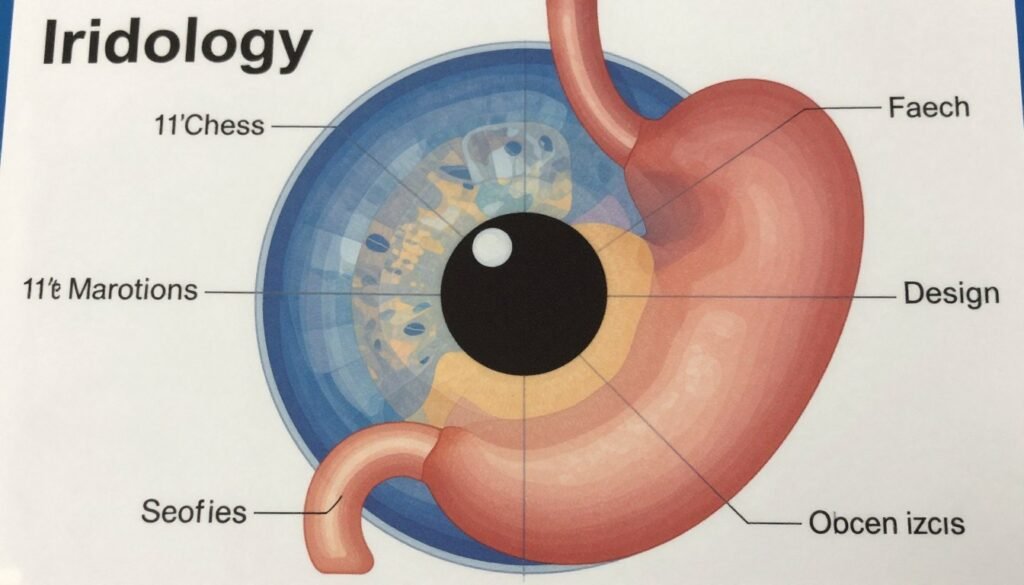
The iris divides into concentric rings and radial sectors. Each sector corresponds to different body organs and systems according to traditional iridology theory. The chart resembles a clock face with twelve hour positions.
The stomach typically occupies the upper portion between eleven and one o’clock in both eyes. However, the left eye shows stronger stomach zone emphasis because traditional theory associates the left side of the body with this organ.
Understanding the Radial Sectors
Imagine the iris as a wheel with spokes. Each spoke represents a connection to different body parts. The stomach zone occupies the top spoke positions. Adjacent zones connect to related digestive organs like the pancreas and duodenum.
The liver appears in the right eye at approximately eight o’clock. The intestines wrap around the outer iris ring in both eyes. This arrangement creates a complete map of the digestive system across both irises.
Identifying Common Stomach Zone Indicators
Practitioners look for specific visual features in the stomach zone. These patterns include color changes, spots, lines, and textural variations. Each feature may indicate different conditions according to traditional iridology interpretation.
- White Spots or Patches: May indicate acute inflammation or stress in stomach tissue
- Dark Spots: Could suggest chronic conditions or toxin accumulation
- Radial Lines: Might represent nerve stress or tension in the area
- Color Variations: Changes from normal iris color could indicate different states
- Texture Changes: Rough or uneven surface might suggest inflammation
- Lesions or Marks: Specific formations that practitioners document and track
The iridology white over stomach zone specifically refers to white or pale areas appearing in the upper iris region. Traditional practitioners interpret this as potential acute stomach inflammation or digestive stress. Software with good annotation tools helps you mark and track these areas over time.
Step-by-Step Analysis Process
Systematic analysis produces consistent results. Follow this sequence when examining the stomach zone using your iridology software:
- Load Client Record: Open existing profile or create new entry
- Capture Both Eyes: Save high-resolution left and right iris images
- Apply Chart Overlay: Select stomach-focused chart template
- Locate Stomach Zone: Identify 11-1 o’clock region in both eyes
- Examine Color: Note any variations from baseline iris color
- Check for Spots: Look for white, dark, or colored markings
- Assess Texture: Zoom in to examine surface variations
- Document Findings: Use annotation tools to mark areas of interest
- Compare Previous Images: If available, review historical changes
- Generate Report: Compile observations into client document
- Plan Follow-up: Schedule next assessment based on findings
Integrating Other Body Systems
The stomach does not function in isolation. The nervous system, brain, and stress response all affect digestive health. Comprehensive analysis examines these connections.
Look at the brain zone located near the pupil center. Stress patterns here might correlate with stomach findings. The nervous system maps around the iris perimeter. Connections between these zones and the stomach area provide fuller context.
Quality software highlights these relationships. When you mark the stomach zone, the program might suggest examining related areas. This integrated approach mirrors how the body actually functions as a connected system.
Common Questions About Iridology Stomach Chart Software
Can iridology stomach chart software diagnose stomach diseases?
No. Iridology software provides tools for traditional iris observation and health education. It does not diagnose diseases. The software helps practitioners document iris patterns that may interest them according to traditional iridology theory. Any health concerns require professional medical evaluation. Always direct clients to qualified physicians for diagnosis and treatment of medical conditions.
What computer specifications do I need to run iridology stomach chart software effectively?
Most modern computers handle iridology software easily. Minimum requirements include Windows XP or macOS 10.14, 4GB RAM, 2GB free storage space, and USB 2.0 port. For optimal performance with high-resolution images and 3D analysis, we recommend Windows 10/11 or macOS 12 or newer, 8GB RAM, dedicated graphics card, and USB 3.0 ports. The software runs on both 32-bit and 64-bit systems.
How does iridology stomach chart software integrate with my existing clinic management system?
Integration capabilities vary by software. Our MAIKONG system operates as standalone software with its own client database. This prevents conflicts with existing systems. However, you can export client reports as PDF files to attach to records in other systems. We offer custom API development for high-volume practices requiring direct integration with specific clinic management platforms through our ODM services.
What is the learning curve for practitioners new to iridology stomach chart software?
Most practitioners become proficient within two to three practice sessions. The interface follows intuitive design principles. Basic functions like image capture, chart overlay, and report generation require minimal training. We provide video tutorials, PDF manuals, and online support to accelerate learning. Advanced features like 3D analysis and AI-assisted assessment may take additional practice to master fully. Complete training typically requires one to two weeks of regular use.
Can I use iridology stomach chart software with cameras from different manufacturers?
Compatibility depends on the camera’s technology and drivers. Our MAIKONG software works with any USB camera that follows standard UVC (USB Video Class) protocols. This includes most modern USB webcams and iridology cameras. However, optimal results require cameras specifically designed for iris photography with appropriate resolution, lighting, and magnification. We recommend using our MK-9822U camera for guaranteed compatibility and best image quality. Contact us to verify compatibility with your existing camera equipment.
How often should I upgrade my iridology stomach chart software?
Software updates address bugs, add features, and improve security. We provide free updates for the lifetime of your license. Major version upgrades typically release every one to two years. Minor updates and patches release more frequently. We recommend updating whenever new versions become available to access the latest improvements. The software includes automatic update notifications. All updates maintain backward compatibility with your existing client database.
What support do you provide for distributors and wholesale buyers?
Distributor support includes comprehensive technical training, marketing materials in multiple languages, territory protection agreements, competitive wholesale pricing with volume discounts, OEM/ODM customization services, and ongoing product development consultation. We assign dedicated account managers to major distribution partners. Support includes help with local market adaptation, promotional strategy, and after-sales service protocols. We maintain inventory in both China and US warehouses for faster fulfillment.
How secure is client data stored in iridology stomach chart software?
Data security includes several layers. Local database files use encryption to prevent unauthorized access. Automatic backup systems protect against data loss. Cloud storage options use SSL encryption during transfer and at-rest encryption for stored data. User access controls allow you to set permissions for multi-practitioner environments. For US health practices requiring HIPAA compliance, we provide configurations that meet regulatory standards. Regular security updates address emerging threats.
Partnership Opportunity: Become a MAIKONG US Distributor
The US wellness market continues growing. Natural health approaches gain mainstream acceptance. Iridology equipment represents a profitable niche within this expansion. We seek qualified partners to distribute MAIKONG products across United States territories.

Why Partner with MAIKONG
Direct manufacturer relationships eliminate middleman costs. You access factory pricing that creates healthy profit margins. Our twenty years of production experience means reliable product quality. ISO9000 processes ensure consistent manufacturing standards.
We support distributors with comprehensive resources. Marketing materials come in multiple languages. Technical training prepares your team to support end customers. Territory protection prevents internal competition. Custom branding through OEM services helps you build your own brand identity.
Distributor Benefits Package
- Wholesale pricing with tiered volume discounts up to 40% off retail
- Exclusive territory rights for serious partners
- Marketing materials including product photos, videos, and brochures
- Technical training for your sales and support staff
- OEM branding options to build your company identity
- Software customization including logo, language, and features
- US warehouse inventory for faster fulfillment
- Dedicated account manager for ongoing support
- Co-marketing opportunities and lead sharing
- Product development input based on market feedback
Ideal Partner Profile
We look for partners with existing connections in the wellness industry. Your current customer base might include natural health practitioners, clinics, spas, or training institutions. Experience with medical device distribution helps but is not required. More important is your commitment to quality and customer service.
Successful distributors typically fall into these categories:
Equipment Distributors
Companies currently selling wellness equipment, diagnostic tools, or clinic supplies. You already understand the sales cycle and have established customer relationships.
Training Institutions
Iridology schools or natural health training programs. You can offer equipment to students and graduates starting their practices.
Supplement Companies
Direct sales organizations or wholesale supplement distributors. Iridology equipment complements nutritional assessment services.
Getting Started Process
Partnership begins with a conversation. Contact us through WhatsApp, email, or phone to discuss your interest. We will ask about your current business, target markets, and distribution capabilities. This helps us understand how MAIKONG products fit your portfolio.
Qualified candidates receive detailed product information, pricing structures, and terms. We can arrange sample equipment shipments so you can evaluate quality firsthand. Many partners start with smaller initial orders to test market response before committing to larger inventory.
Our team remains involved after the first sale. Regular communication ensures you have the support needed for success. We view distributor relationships as long-term partnerships. Your growth drives our growth.
Start Your MAIKONG Partnership Today
Join the successful network of distributors, wellness centers, and equipment suppliers already profiting from MAIKONG products. Contact Lucy today to discuss exclusive territory opportunities, wholesale pricing, and custom branding options.
Visit our company profile and product catalog: About MAIKONG | Contact Page
Making Your Iridology Stomach Chart Software Decision
Choosing iridology software represents an investment in your practice efficiency. The right system streamlines client management, improves documentation quality, and enhances professional presentation. Poor software choices waste money and create frustration.
You now understand the essential features. Client database management, dual eye image capture, chart overlay systems, report generation, and cross-platform compatibility form the foundation. Advanced features like 3D imaging, AI-assisted analysis, and multi-language support add value for specific practices.
Camera compatibility ensures your hardware investment works properly. Look for systems that recognize standard USB cameras or come bundled with tested equipment. The MAIKONG MK-9822U iriscope integrates seamlessly with our software because we designed both components together.
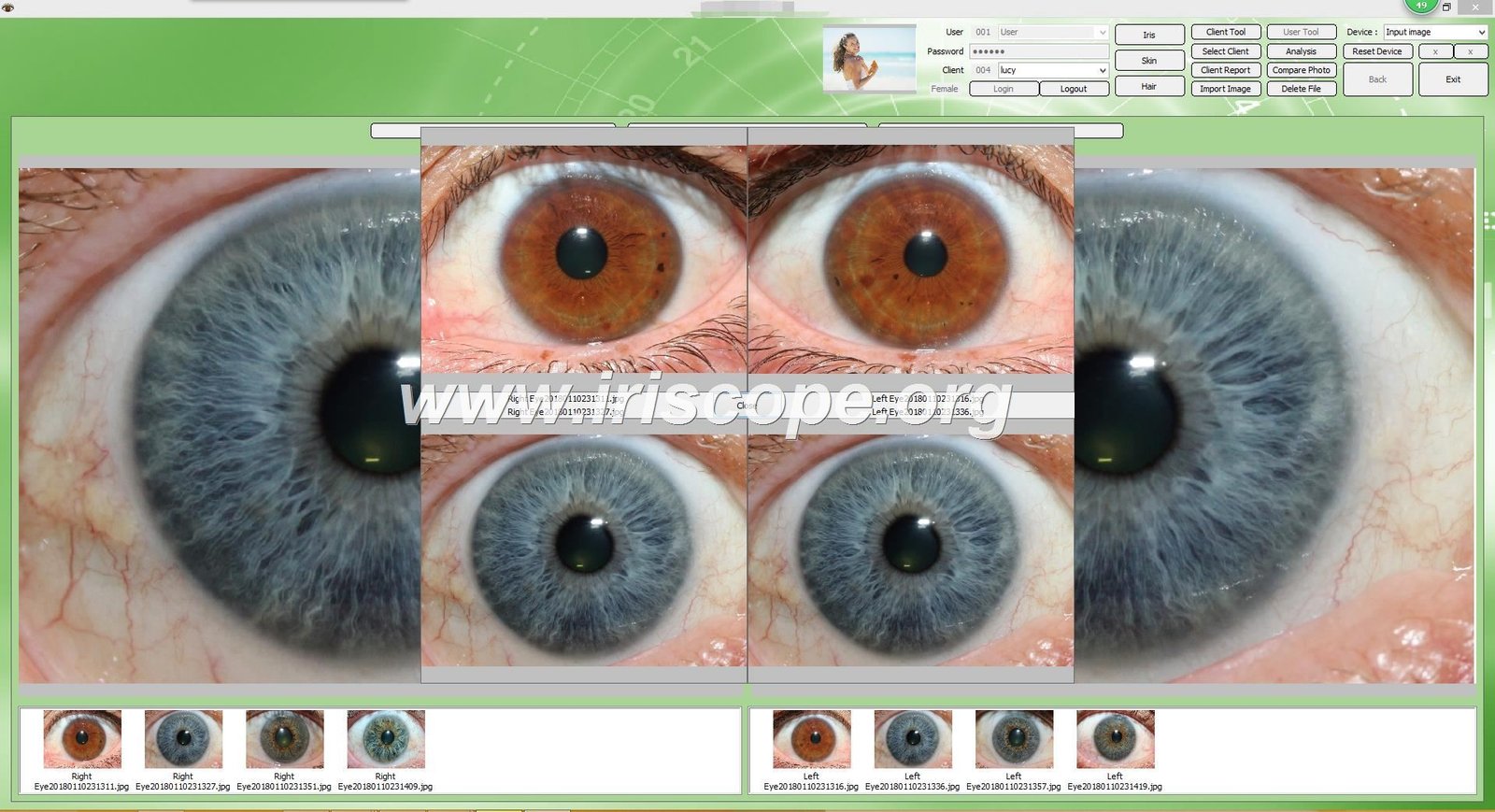
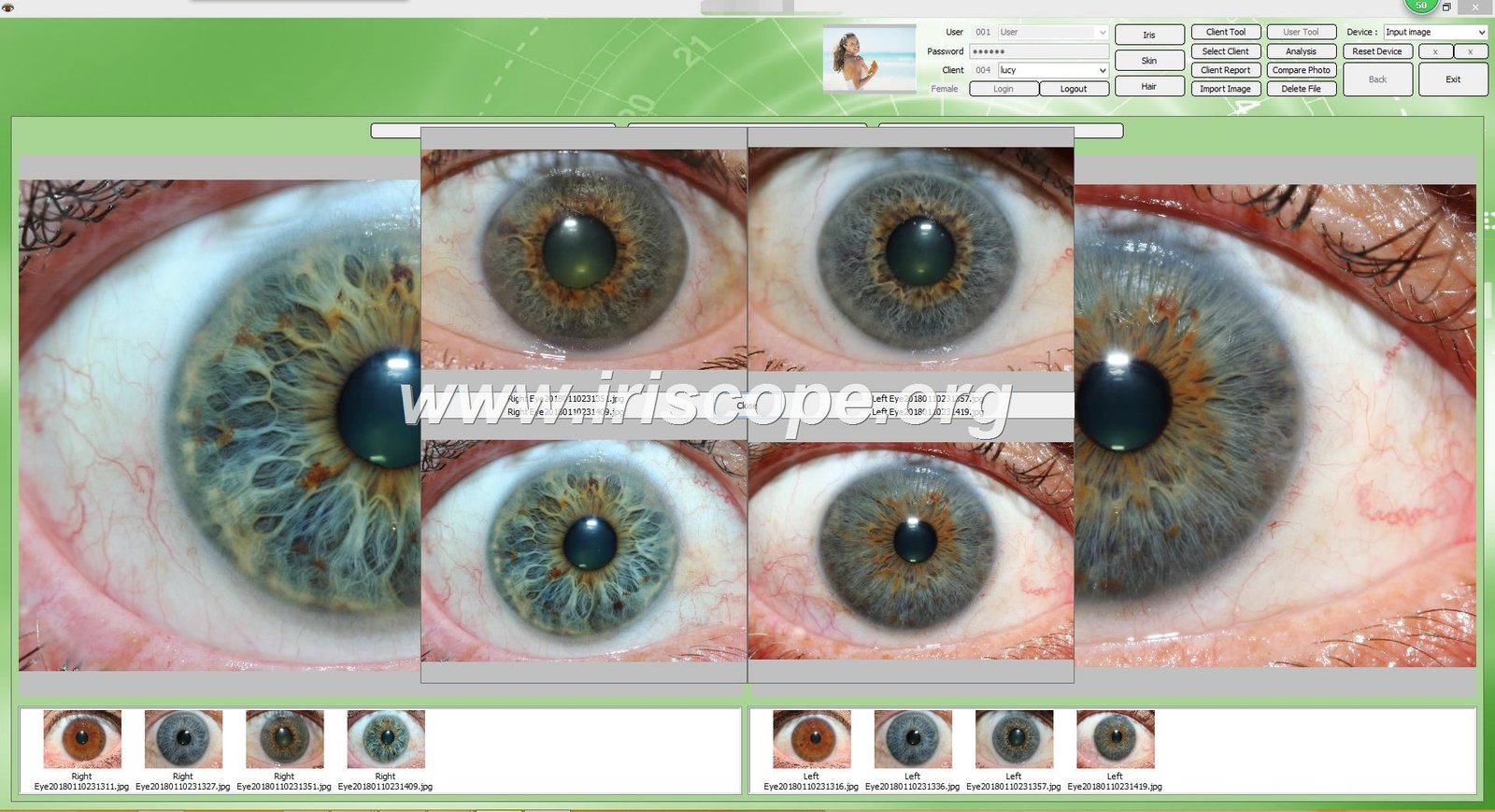
Support and customization capabilities separate basic products from professional solutions. Direct manufacturer relationships provide access to OEM and ODM services. Multi-language support expands your service capability to diverse populations. Regular updates keep software current with evolving technology.
Remember the medical compliance requirements. Software should facilitate traditional iridology observation and health education. It cannot diagnose disease or replace medical professionals. Clear disclaimers protect both practitioners and clients from misunderstandings.
We built MAIKONG products based on two decades of practitioner feedback. Our software evolved from basic manual systems to advanced AI-assisted platforms. This progression reflects real needs from working professionals across global markets.
Whether you seek software for your personal practice or distribution opportunities for the US market, we offer solutions backed by manufacturing expertise and long-term support commitment. Our partnership approach values your success as much as our own.
Take the next step today. Download our demo software to experience the interface yourself. Contact our team to discuss specific needs or distribution opportunities. We provide the tools and support you need to deliver professional iridology services.
Resources and Next Steps
- Complete Software Features – Detailed technical specifications
- Iriscope Camera Information – Hardware compatibility and specifications
- Iridology Chart Resources – Understanding different chart systems
- Free Software Download – Try before you buy
- Camera Buying Guide – Choose the right equipment
Quality tools enable quality practice. Invest in software that grows with your needs. Choose a partner committed to your long-term success. MAIKONG delivers both the products and support that professional practitioners deserve.